Admin Portals
Create customizable portals that execute commands when players enter or interact with them
About Admin Portals
HiWire - AdminPortals
A custom portal management mod for Hytale single- and multiplayer by HiWire Studio
Need to teleport players to another world when they interact with a portal? Check out our other mod — the default /tp command can't do that:
TP2World
Features
Configurable Portals - Place portal blocks that execute commands when players interact with them
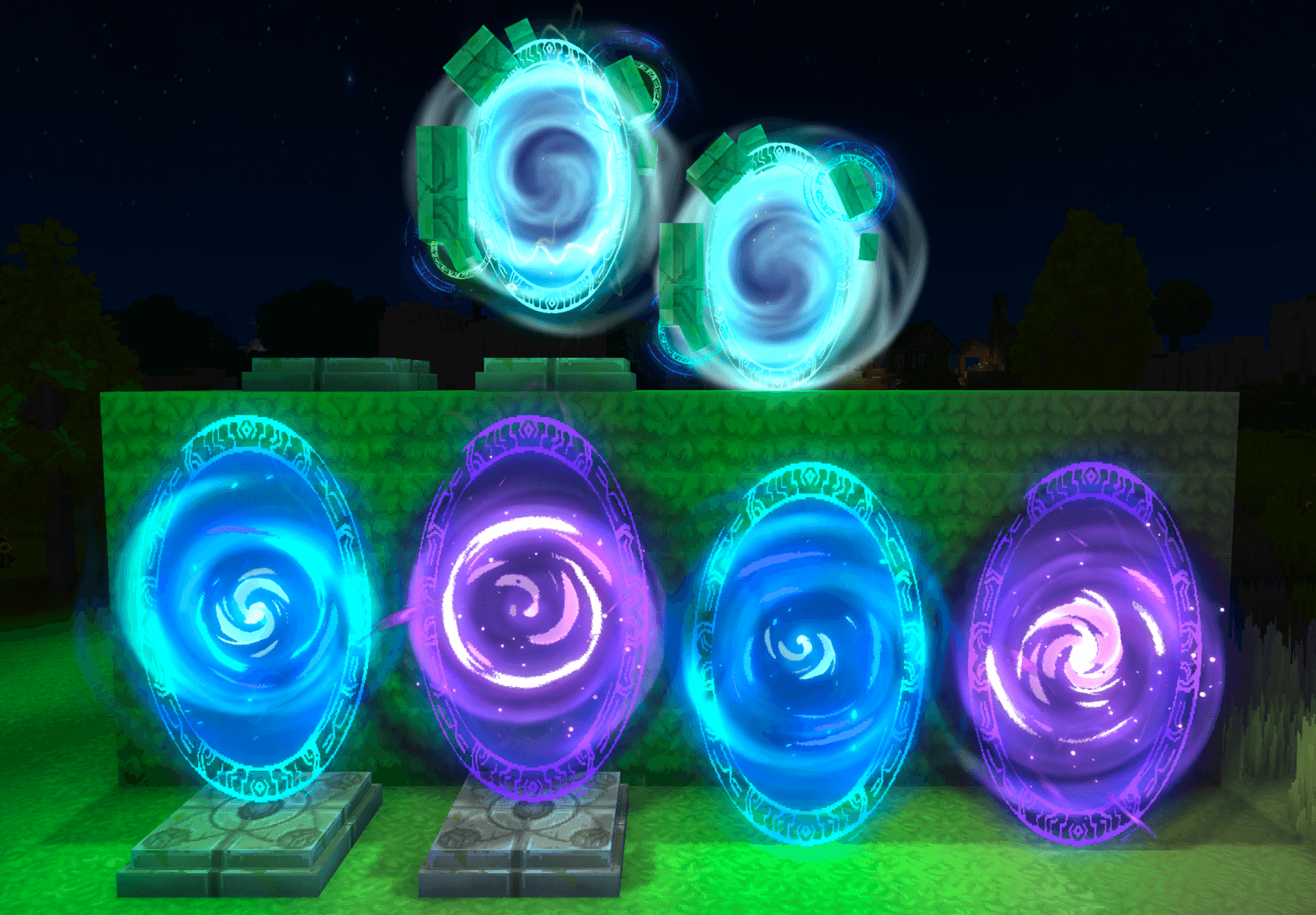
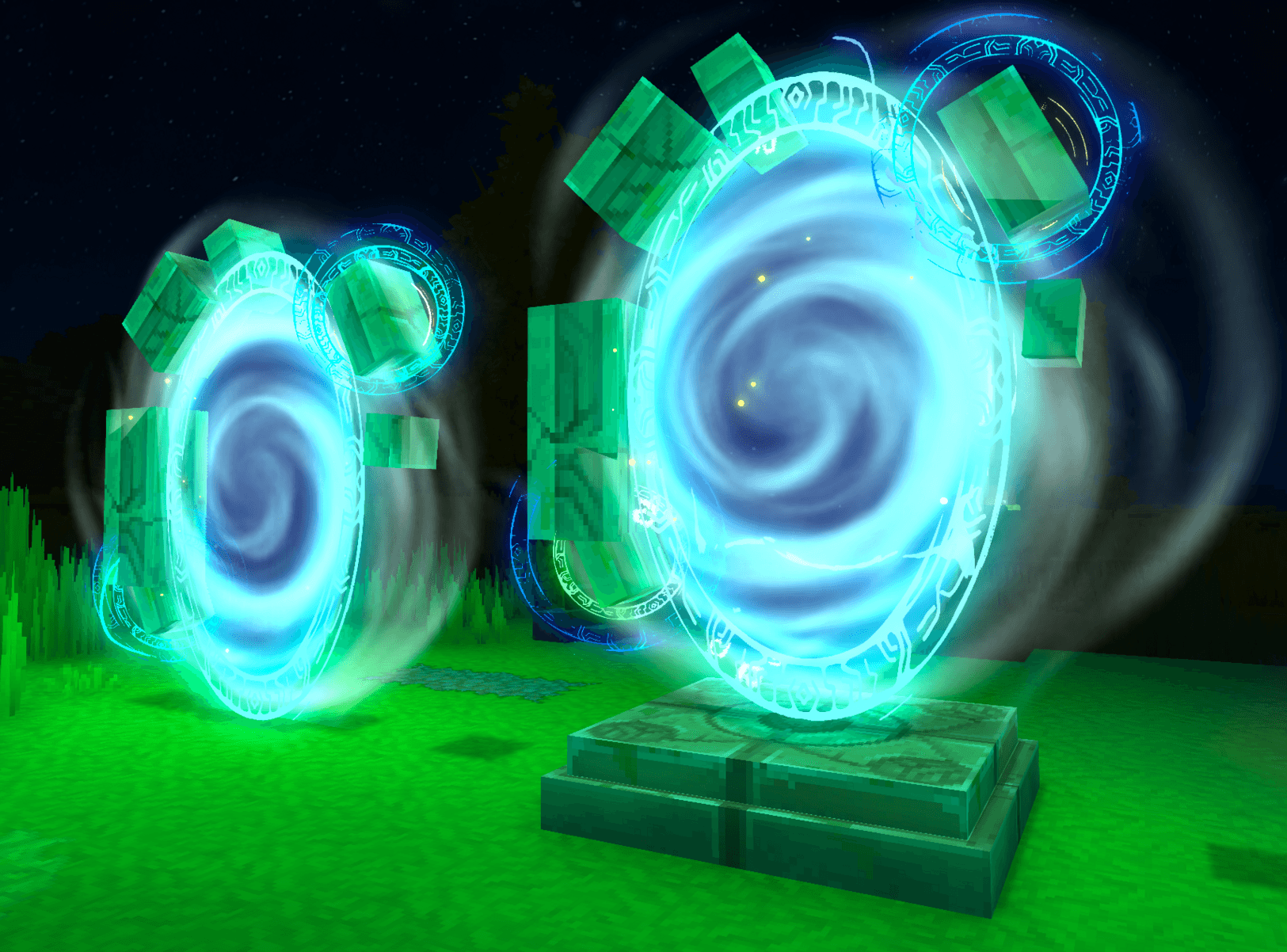
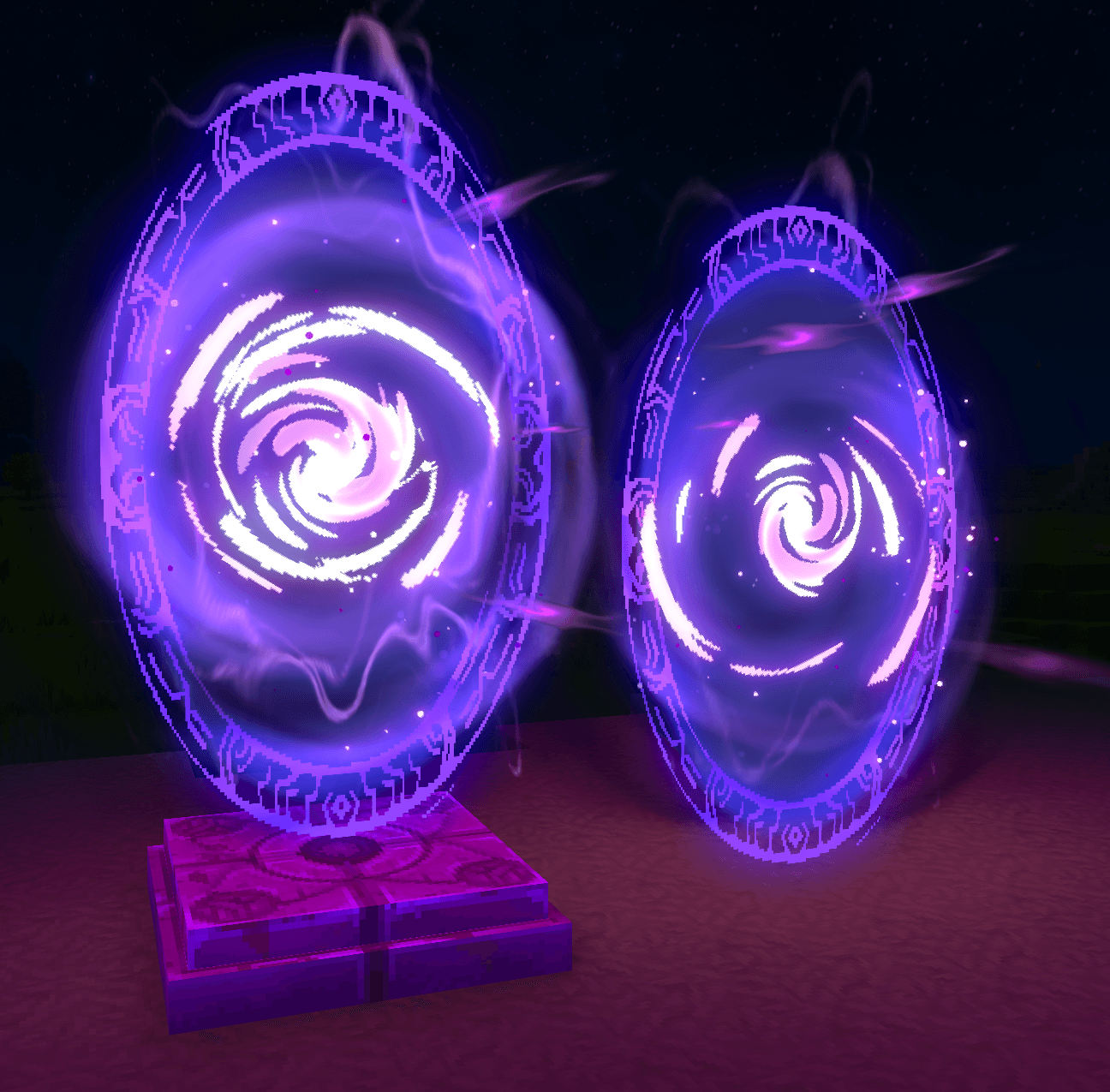
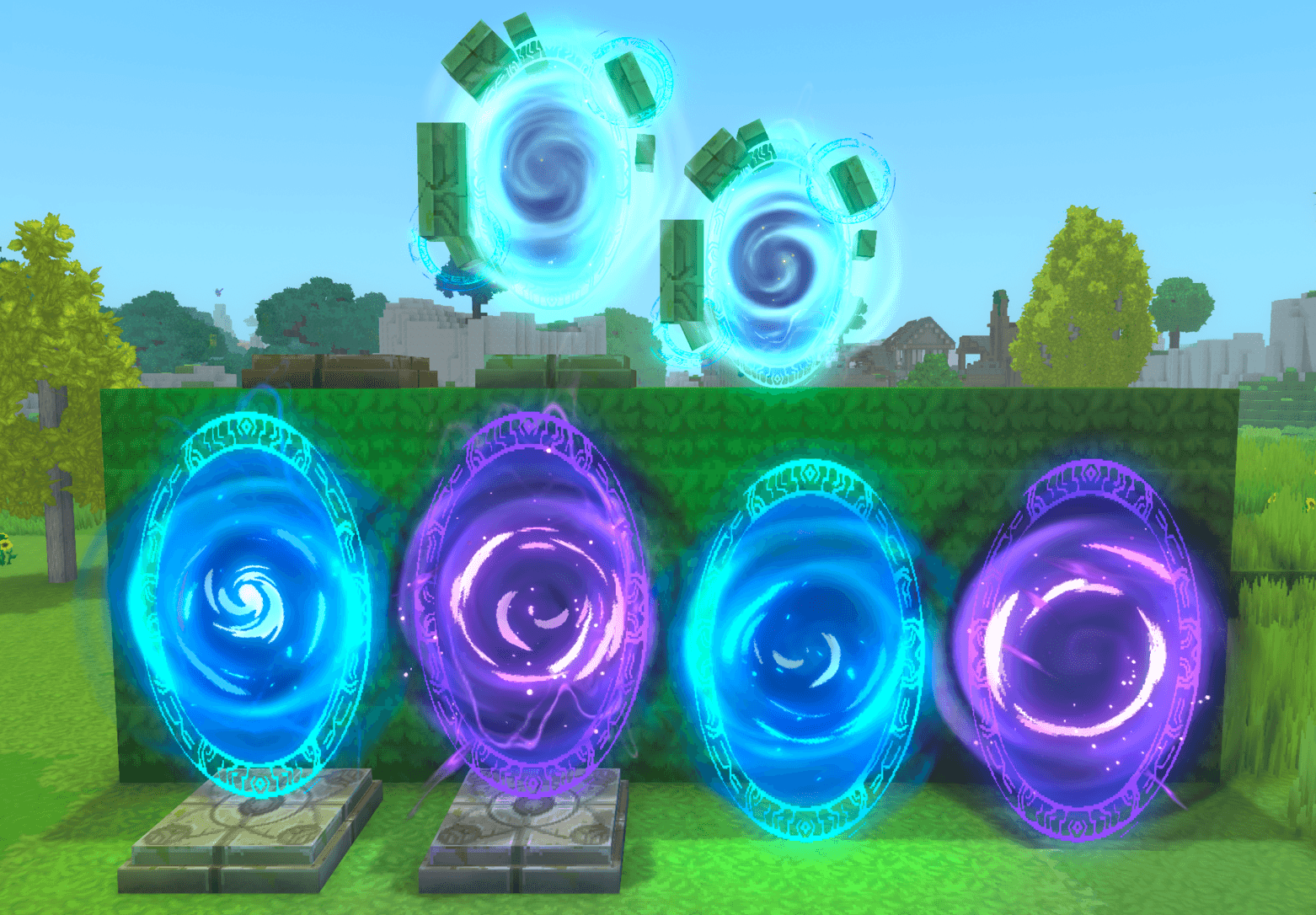
Multiple Portal Styles - Choose between Forgotten Temple (blue) and Void (purple) portal variants
Command Execution Modes - Execute commands as the server or as the interacting player
Dynamic Placeholders - Use placeholders in commands to insert player/location data
Map Markers - Optionally display portals on the world map with custom icons and labels
Multilingual - Supports English (en-US), German (de-DE) and many more (if added)
Customizable - Override translations, UI definitions, and assets
Requirements
Hytale or Hytale Server
Java 25
Installation
Using CurseForge App
The easiest way to install mods is via the CurseForge App, which handles installation and updates automatically.
Manual Installation
Download the mod JAR file
Place it in the mods directory:
Windows: %appdata%\Hytale\UserData\Mods
Mac: ~/Library/Application Support/Hytale/UserData/Mods
Linux (Flatpak): ~/.var/app/com.hypixel.HytaleLauncher/data/Hytale/UserData/Mods
Dedicated Server: /mods folder in your server directory
Restart the game or server
Since Hytale uses a server internally for both singleplayer and multiplayer, this mod works in both modes.
Commands
Command Description Executor Permission
/adminportals Root command for AdminPortals Any hiwire.adminportals.command.adminportals
/adminportals configmode Configuration mode commands Any hiwire.adminportals.command.adminportals.configmode
/adminportals configmode toggle Toggle configuration mode for yourself Player only hiwire.adminportals.command.adminportals.configmode.toggle
/adminportals placeholder Placeholder management commands Any hiwire.adminportals.command.adminportals.placeholder
/adminportals placeholder list List all registered placeholders Any hiwire.adminportals.command.adminportals.placeholder.list
Permissions
For command permissions, see the Commands table above.
Permission Description
hiwire.adminportals.portal.config.view Open the portal configuration UI
hiwire.adminportals.portal.config.edit Save changes to the portal configuration
Configuration
Entering Configuration Mode
To configure portals, you must first enter configuration mode by running:
/adminportals configmode toggle While in configuration mode, interacting with a portal block using the interact key will open the configuration UI. Run the command again to exit configuration mode.
Configuration UI
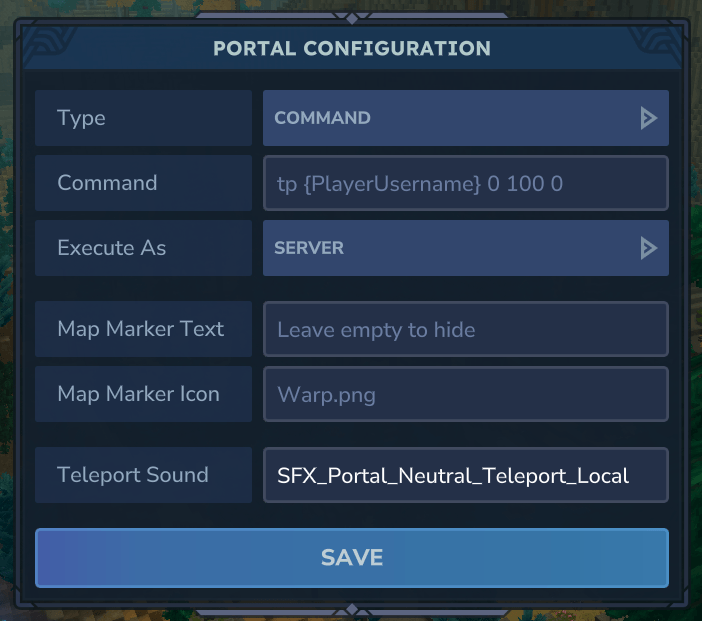
The configuration UI allows you to set the following options:
Option Description
Type The config type. Currently only the "Command" type is supported
Command The command to execute when the player is interacting with or walking through the portal
Execute As Server - runs the command as console / CommandSender; Player - runs the command as the interacting player
Map Marker Text Optional label displayed on the world map and compass
Map Marker Icon Icon filename from server assets for the map marker (default: Warp.png)
Teleport Sound Sound effect ID to play when the portal is activated. Leave empty for no sound (default: SFX_Portal_Neutral_Teleport_Local)
Map Markers
When you configure a portal with a Map Marker Text, the portal will be displayed on the world map and compass, making it easy for players to locate.
Portal marker on the world map:
Portal marker on the compass:
Placeholders
Use these placeholders in portal commands. They are replaced with actual values when the portal is activated.
Placeholder Description
{PlayerUsername} Username of the player activating the portal
{PlayerUuid} UUID of the player activating the portal
{PosX} X coordinate of the portal block
{PosY} Y coordinate of the portal block
{PosZ} Z coordinate of the portal block
{WorldName} Name of the world containing the portal
Example Commands
Executed as server / command sender:
tp {PlayerUsername} 100 64 200 say Player {PlayerUsername} ({PlayerUuid}) has entered a portal at ({PosX}, {PosY}, {PosZ}) in world {WorldName} Executed as player:
spawn
Portal Blocks
Portal blocks can be found in the creative inventory under Blocks > Portals.
Using Portals
Players can activate a configured portal in two ways:
Walking through the portals hitbox
Interacting with the portal using the interact key
If a portal has not been configured yet, the player will receive a chat message indicating that the portal is not configured.
Portal Base (Two-Piece Setup)
The Portal Base is a decorative pad that serves as a foundation for portal effects. The portal base portals are vertically offset to sit perfectly on top of the base.:
HiWire_AdminPortals_PortalBase - The base pad
HiWire_AdminPortals_PortalBase_Portal_ForgottenTemple - Blue portal effect (designed to sit on the base)
HiWire_AdminPortals_PortalBase_Portal_Void - Purple portal effect (designed to sit on the base)
Standalone Portals
Self-contained portal blocks that are aligned with the world grid. The bottom of the portal aligns with the block boundary, so they sit flush on the ground without floating like portals on top of a base.:
HiWire_AdminPortals_StandalonePortal_ForgottenTemple - Blue standalone portal
HiWire_AdminPortals_StandalonePortal_Void - Purple standalone portal
Customization
The mod supports user overrides for translations, UI definitions, and assets. Place your customizations in the mod's data folder under /overrides.
Translation Files
The mod uses translation files located in /Server/Languages/{language}/HiWire/AdminPortals/:
Items.lang - Portal item names and descriptions
ChatMessages.lang - Chat notifications and command messages
UI.lang - User interface labels
Translation files with all keys are created and automatically updated at mods/HiWire_AdminPortals/override/Server/Languages/{language}/HiWire/AdminPortals/. Edit these files to customize translations without modifying the original mod files.
Custom Placeholders
Mod developers can register custom placeholders by accessing the PlaceholderManager:
final var plugin = PluginManager.get().getPlugin(new PluginIdentifier("HiWire", "AdminPortals")); if (plugin instanceof AdminPortalsPlugin adminPortalsPlugin) { final var placeholderManager = adminPortalsPlugin.getPlaceholderManager();
// Register a simple placeholder. It can be used with {ServerName} placeholderManager.register("ServerName", ctx -> "My Server");
// Register a placeholder using context data placeholderManager.register("PlayerHealth", ctx -> { final var playerRef = ctx.playerRef(); final var health = // Get player health via playerRef return String.valueOf(health); }); } The PlaceholderContext provides access to:
playerRef() - The player activating the portal
world() - The world containing the portal
pos() - The block position (Vector3i)
portalConfig() - The portal's configuration
itemStack() - The item used for interaction (nullable)
interactionType() - The type of interaction
interactionContext() - Additional interaction context
License
MIT License
Copyright (c) 2026 HiWire Studio
Permission is hereby granted, free of charge, to any person obtaining a copy of this software and associated documentation files (the "Software"), to deal in the Software without restriction, including without limitation the rights to use, copy, modify, merge, publish, distribute, sublicense, and/or sell copies of the Software, and to permit persons to whom the Software is furnished to do so, subject to the following conditions:
The above copyright notice and this permission notice shall be included in all copies or substantial portions of the Software.
THE SOFTWARE IS PROVIDED "AS IS", WITHOUT WARRANTY OF ANY KIND, EXPRESS OR IMPLIED, INCLUDING BUT NOT LIMITED TO THE WARRANTIES OF MERCHANTABILITY, FITNESS FOR A PARTICULAR PURPOSE AND NONINFRINGEMENT. IN NO EVENT SHALL THE AUTHORS OR COPYRIGHT HOLDERS BE LIABLE FOR ANY CLAIM, DAMAGES OR OTHER LIABILITY, WHETHER IN AN ACTION OF CONTRACT, TORT OR OTHERWISE, ARISING FROM, OUT OF OR IN CONNECTION WITH THE SOFTWARE OR THE USE OR OTHER DEALINGS IN THE SOFTWARE.
Support
Author: HiWire-Nick
Categories
Screenshots
Need a Server?
Run Admin Portals on a dedicated Hytale server with easy mod management.
Get Hytale HostingFrequently Asked Questions
What is Admin Portals?
Create customizable portals that execute commands when players enter or interact with them
How do I download Admin Portals?
You can download Admin Portals for free from CurseForge. Click the "Download on CurseForge" button on this page to go directly to the download page.
Who created Admin Portals?
Admin Portals was created by HiWire_Studio. The mod has been downloaded 1.1K times.
Is Admin Portals compatible with Hytale servers?
Admin Portals is designed for Hytale and can be used on both single-player and multiplayer servers. Check the mod page on CurseForge for specific compatibility information.
How do I install Admin Portals?
To install Admin Portals: 1) Download the mod from CurseForge, 2) Place the file in your Hytale mods folder, 3) Restart the game. The mod should load automatically.
Related Qol Mods
View all mods
EyeSpy
DarkhaxDev
Adds a HUD that displays information about what you're looking at!

Advanced Item Info
Buuz135
Adds a searchable GUI that displays all the items and the game and displays extra properties they have

Overstacked
DarkhaxDev
Increases the maximum stack size of items.

Violet's Wardrobe
VioletsWorkshop
Adds more customisation options in the form of craftable cosmetics

Item Magnet
Jaredlll08
Adds a magnet that attracts items towards the player.

Endgame & QoL - Boss & Elite Update (3.0.0 in a week)
Lewaii
Endgame & QoL v2.2: Face the Alpha T-Rex & Void Spectres! Unlock Backpack IV & Void Gliders. Restore unused content and challenge stronger, rebalanced bosses!