Armor Presets
Modification to save two armor sets in presets and quickly switch between them.
About Armor Presets
🛡️ Armor Presets
Say goodbye to clunky armor switching! This mod lets you save and equip your favorite armor sets in an instant.
✨ Features
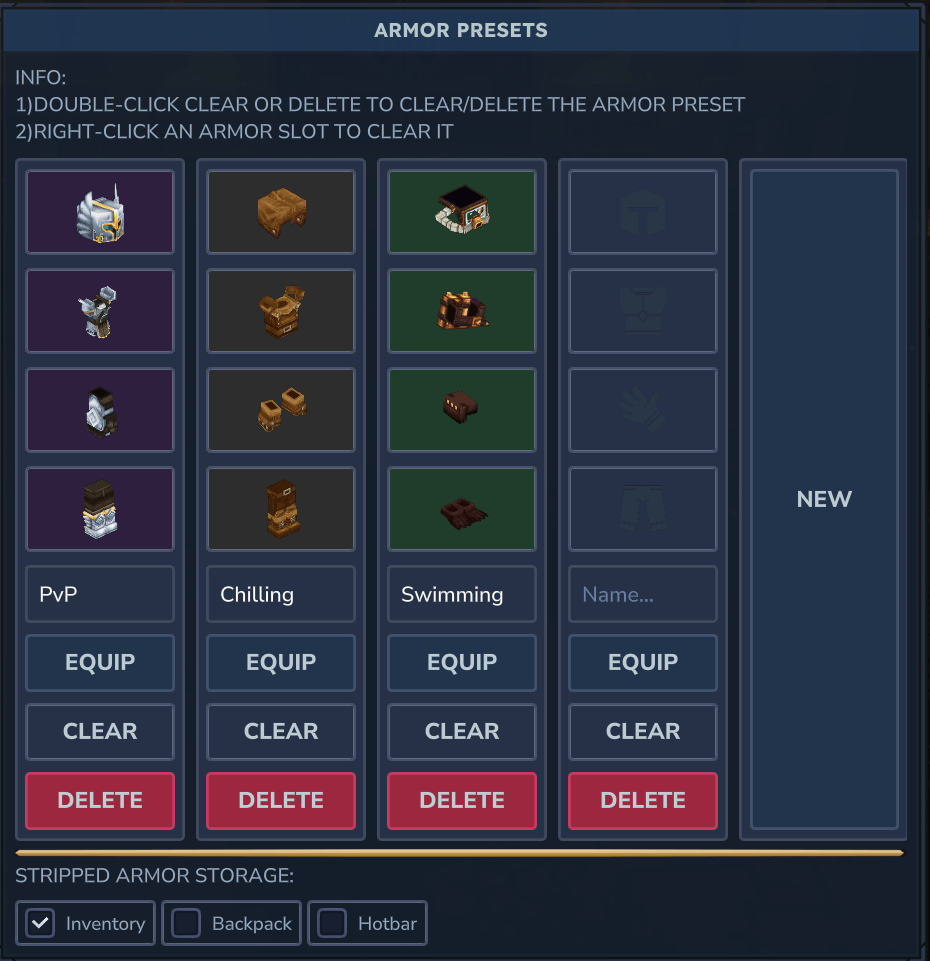
Save Multiple Presets: Configure your own limit and save any number of armor configurations for any situation (e.g., "Swimming", "Combat").
Custom Preset Names: Give your presets descriptive names to easily tell them apart.
Smart Equipping: The mod intelligently searches your entire inventory, hotbar, backpack, and even equipped armor to find the correct items.
Intuitive GUI: A clean and convenient interface for managing your presets and switching between them.
Visual Feedback: Clear indicators show you if a piece of armor from your preset is missing from your inventory.
ID-Based & Per-Player: Saves items by their ID, ensuring accuracy. Settings are stored separately for each player, perfect for servers.
🎮 How to Use
Open the Armor Presets GUI with the command: /armorPresets
To Save a Preset: In the GUI, click on an armor slot in a preset, select the item from your inventory, and give your preset a name. It will be saved automatically.
To Equip a Preset: Click the "Equip" button below the desired preset. The mod will automatically find and equip all available pieces!
⚙️ Configuration
Adjust the maximum number of presets via the armorPresetsMaxCount setting in the armor_presets_config.json file.
📝 Notes
This is my first mod! I created it to solve the slow, manual armor switching I experienced in-game.
⚠️ Important for Updates: Due to a recent major overhaul, old presets from previous versions cannot be migrated and will be lost.
Feedback and suggestions are greatly appreciated!
Enjoy faster adventures and seamless role-playing!
Categories
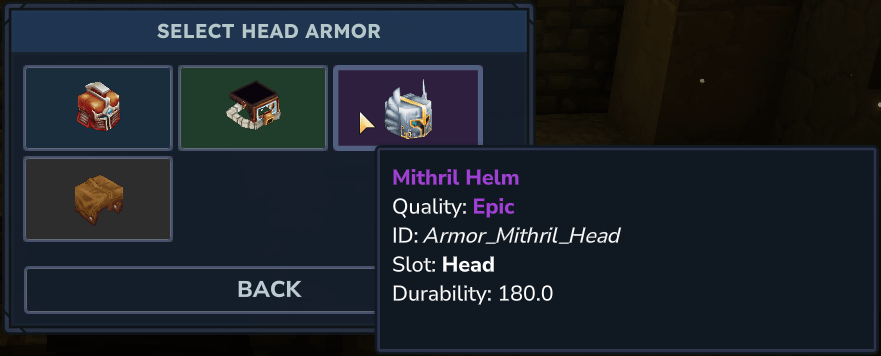
Screenshots
Need a Server?
Run Armor Presets on a dedicated Hytale server with easy mod management.
Get Hytale HostingFrequently Asked Questions
What is Armor Presets?
Modification to save two armor sets in presets and quickly switch between them.
How do I download Armor Presets?
You can download Armor Presets for free from CurseForge. Click the "Download on CurseForge" button on this page to go directly to the download page.
Who created Armor Presets?
Armor Presets was created by Layzen. The mod has been downloaded 265 times.
Is Armor Presets compatible with Hytale servers?
Armor Presets is designed for Hytale and can be used on both single-player and multiplayer servers. Check the mod page on CurseForge for specific compatibility information.
How do I install Armor Presets?
To install Armor Presets: 1) Download the mod from CurseForge, 2) Place the file in your Hytale mods folder, 3) Restart the game. The mod should load automatically.
Related Qol Mods
View all mods
EyeSpy
DarkhaxDev
Adds a HUD that displays information about what you're looking at!

Advanced Item Info
Buuz135
Adds a searchable GUI that displays all the items and the game and displays extra properties they have

Overstacked
DarkhaxDev
Increases the maximum stack size of items.

Violet's Wardrobe
VioletsWorkshop
Adds more customisation options in the form of craftable cosmetics

Item Magnet
Jaredlll08
Adds a magnet that attracts items towards the player.

Endgame & QoL - Boss & Elite Update (3.0.0 in a week)
Lewaii
Endgame & QoL v2.2: Face the Alpha T-Rex & Void Spectres! Unlock Backpack IV & Void Gliders. Restore unused content and challenge stronger, rebalanced bosses!