
ATK - All To Know
Press G to open ATK, a tool to display informations about items, craft, recipes and obtain method for player. COMPATIBLE WITH ANY MODS, think for modspack.
About ATK - All To Know
ATK - All To Know (Compatible with any mods)
A Hytale server plugin for browsing, searching, and managing all in-game items and all mods item !
Keyboard Shortcut
G Key Binding
By default, pressing the G key drops items normally. You can bind it to open ATK instead
Toggle behavior:
/atk bind - G key opens ATK
/atk unbind - G key drops items normally (default)
The binding state is per-player - each player can choose their preferred behavior.
Welcome Message
[ATK] All To Know is loaded! [ATK] Type /atk to open ATK or use /atk bind to replace G key.
Features
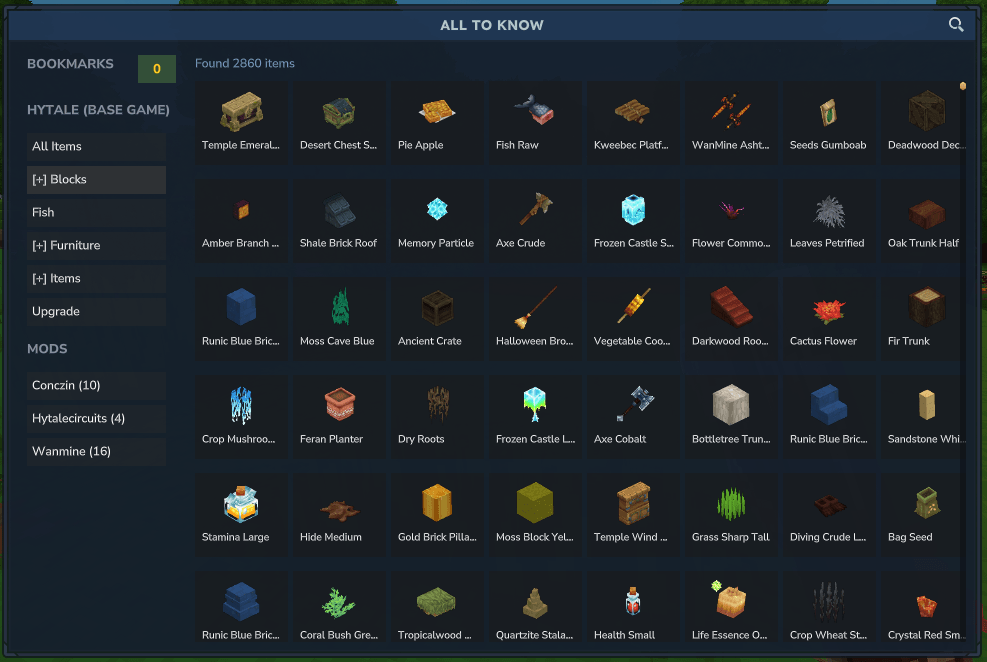
Interactive GUI
Item Grid: Display all game items in a navigable grid
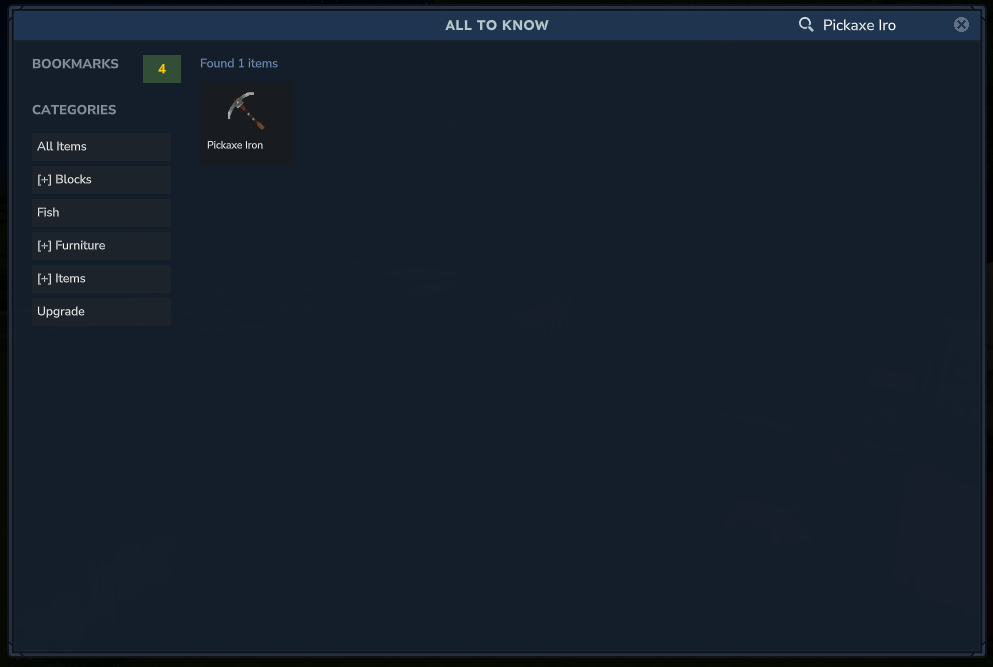
Real-time Search: Filter items by name or identifier Use @ prefix to filter by category (e.g., @tools)
Use # prefix to filter by tag (e.g., #weapon)
Categories: Browse items by category (Tools, Armor, Blocks, etc.)
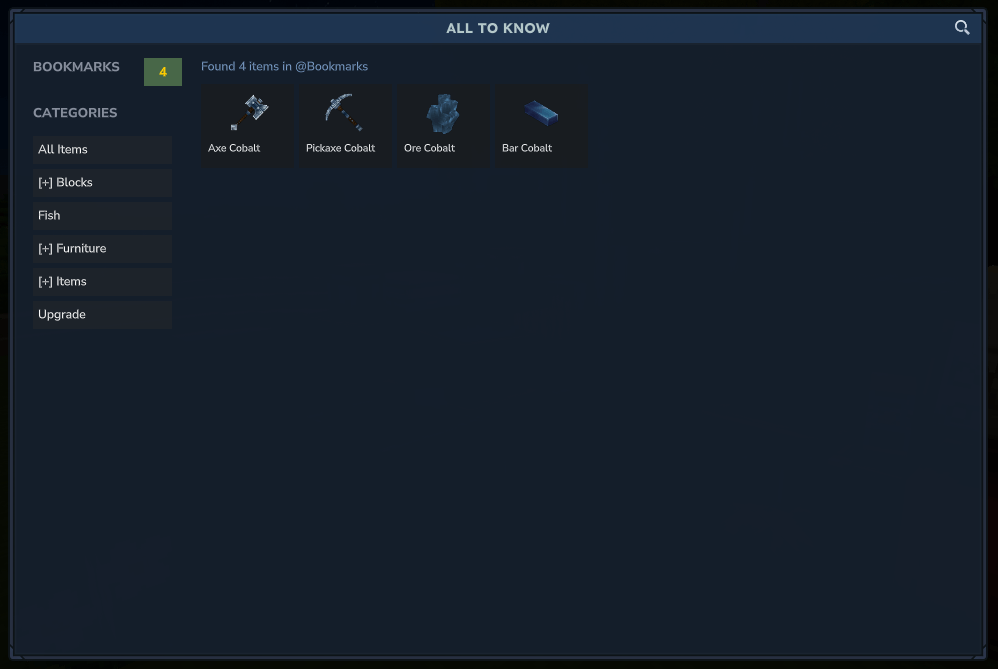
Bookmarks: Save your favorite items for quick access
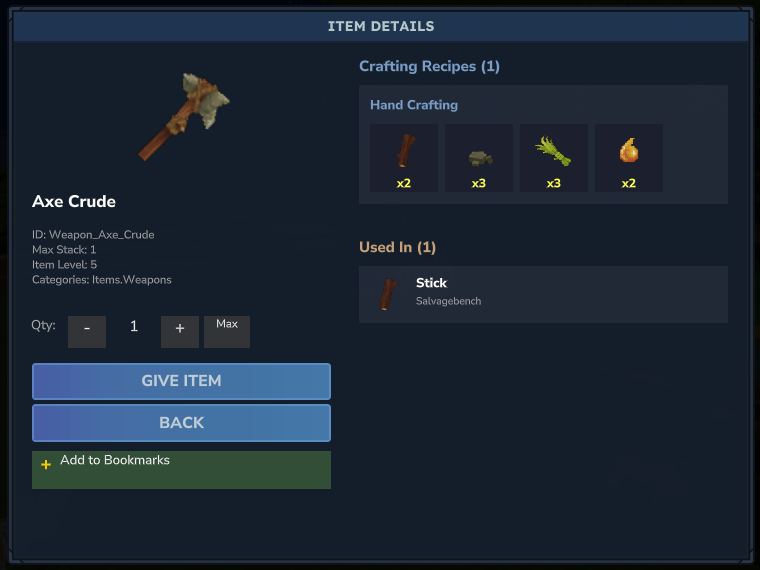
Item Details
Complete item information: Item identifier and display name
Maximum stack size
Durability (if applicable)
Weapon Damage (if available)
Item level
Associated categories
Type (Tool, Armor, Glider, etc.)
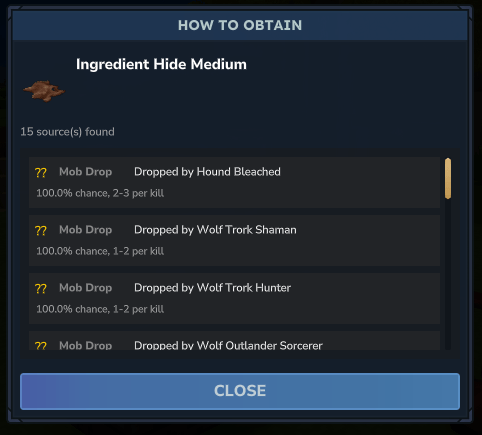
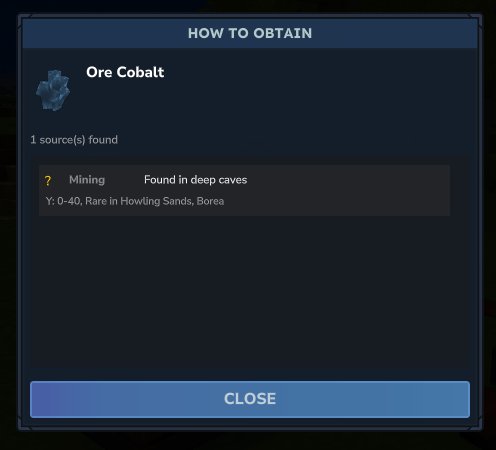
How to Obtain
FEAT: See where and how to obtain each item Mob Drops: Which creatures drop the item (e.g., leather from cows)
Mining: Where to find ores and their spawn ranges (e.g., iron at Y: 0-64)
Gathering: Resources from trees, plants, etc.
Farming: Crops and farmable resources
Fishing: Items obtainable from fishing
And more!
New Features
Third-Party Mod Support
ATK automatically detects mods installed on the server and displays their items/blocks.
Automatic Detection: Scans loaded AssetPacks to identify third-party mods
Dedicated "MODS" Section: Appears in the sidebar only when third-party mods are installed
Asset Counter: Displays the number of items/blocks per mod
Filter by Mod: Click on a mod to view only its items/blocks
Crafting Information
Crafting Recipes: View all recipes to craft the item
Used In: See which recipes use this item as an ingredient
Clickable Navigation: Click on any ingredient to view its details
Category Ingredients: Recipes can require any item from a category (e.g., "Vegetables") - displayed with a representative icon and tooltip
Item Management
Give Items: Spawn items directly from the interface (OP only)
Customizable Quantity: Select exact amounts with +/- buttons or Max
Bookmarks: Mark items as favorites for easy access later
Commands
Command Description Permission
/atk Opens the main ATK interface All players
/atk search <query> Search items by name or ID All players
/atk list Display all item categories All players
/atk give <item_id> [amount] Give yourself an item OP only
/atk bind Bind G key to open ATK All players
/atk unbind Unbind G key to restore item drop (default) All players
Usage
Basic Usage
Use /atk to open the interface (or press G if bound)
Browse items in the grid or use the search bar
Click on an item to view its details, recipes, and how to obtain it
Use the bookmark feature to save your favorite items
Advanced Search
By name: Just type the item name (e.g., sword)
By category: Use @ prefix (e.g., @tools to show all tools)
By tag: Use # prefix (e.g., #weapon to show all weapons)
Clear search: Click the "Clear" button or press ESC
Bookmarks
Open any item's detail page
Click "Add to Bookmarks" (green button with +)
Access bookmarks from the main ATK page
Remove bookmarks by clicking the button again (shows -)
Item Management (OP Only)
Open item details
Adjust quantity with +/- buttons or click "Max"
Click "Give Item" to receive it in your inventory
Requirements
Compatible Hytale server
Future Plans
Keyboard shortcut to open ATK
Integration with game menu tab
Credits
Author: Zephyr
License
This project is developed for the Hytale server
Categories
Screenshots
Need a Server?
Run ATK - All To Know on a dedicated Hytale server with easy mod management.
Get Hytale HostingFrequently Asked Questions
What is ATK - All To Know?
Press G to open ATK, a tool to display informations about items, craft, recipes and obtain method for player. COMPATIBLE WITH ANY MODS, think for modspack.
How do I download ATK - All To Know?
You can download ATK - All To Know for free from CurseForge. Click the "Download on CurseForge" button on this page to go directly to the download page.
Who created ATK - All To Know?
ATK - All To Know was created by ZephyrDevH. The mod has been downloaded 9.6K times.
Is ATK - All To Know compatible with Hytale servers?
ATK - All To Know is designed for Hytale and can be used on both single-player and multiplayer servers. Check the mod page on CurseForge for specific compatibility information.
How do I install ATK - All To Know?
To install ATK - All To Know: 1) Download the mod from CurseForge, 2) Place the file in your Hytale mods folder, 3) Restart the game. The mod should load automatically.
Related Misc Mods
View all mods
Ymmersive Melodies
Conczin
Upload and play MIDI files in-game on various instruments to annoy your friends with custom melodies!

MultipleHUD
Buuz135
A simple mod that allows you to have multiple HUDs present at once.

Spanish Translation
Plexu5
A Spanish language translation for Hytale. Includes UI, items, and menus.

YUNG's HyDungeons
YUNGNICKYOUNG
Adds new procedurally generated dungeon instances!

Just Enough Tales (JEI mod)
uwudwagon
A JEI mod for Hytale.
![[NoCube's] Simple Bags](https://media.forgecdn.net/avatars/thumbnails/1601/201/256/256/639034453685921721.png)
[NoCube's] Simple Bags
NoCube
Adds bags that you can put anything in!