
JEI - Better Item Viewer
JEI for Hytale. Adds an item recipe viewer with a bunch of extra information about tools, weapons and other items that are not visible in the base game. Basically JustEnoughItems for Hytale!
About JEI - Better Item Viewer
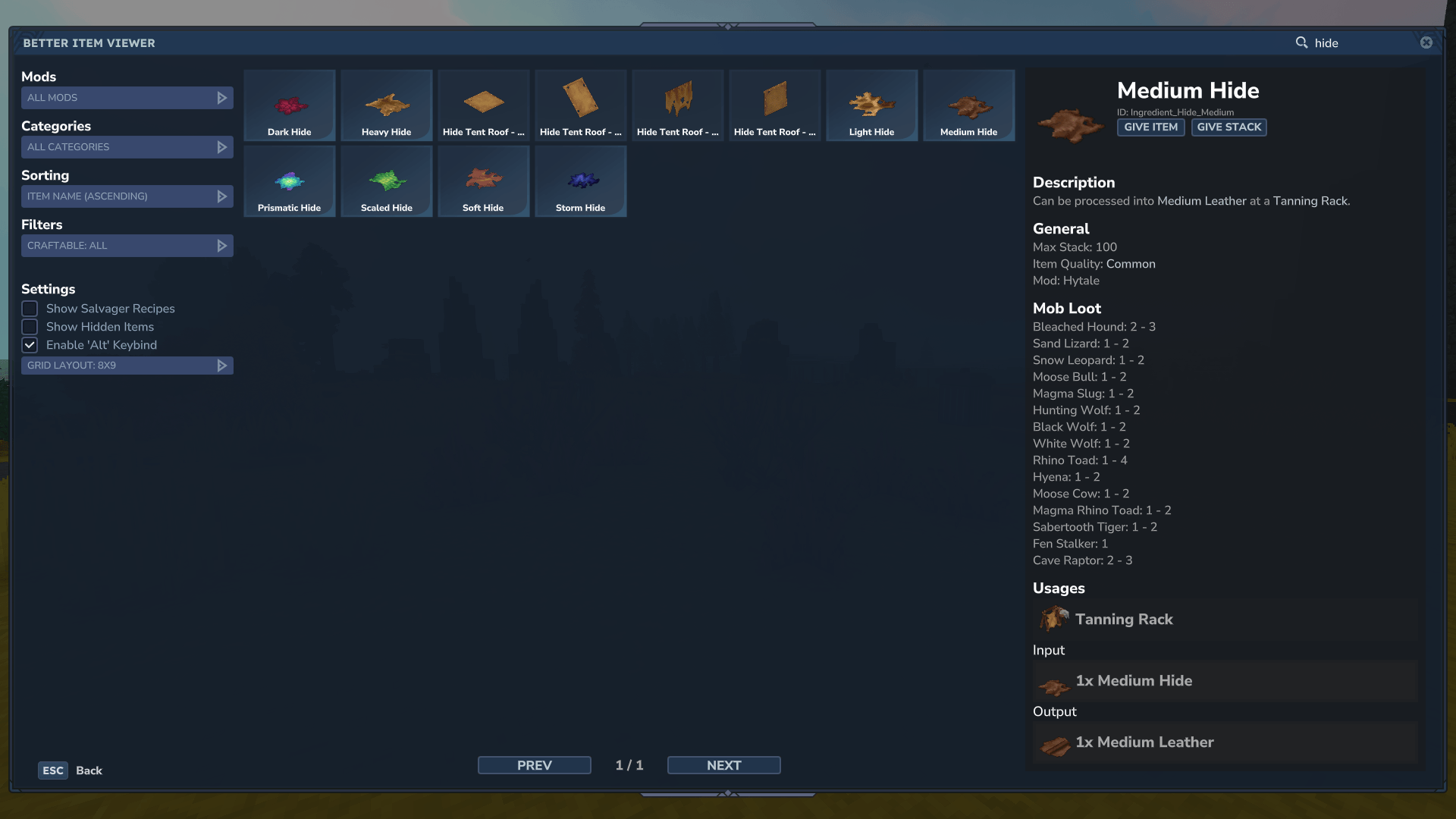
This projects adds a gui for all items in the game, similar to Just Enough Items JEI in minecraft. All item details, as well as recipes and item usages, are displayed in a side panel. You can view all items from specific mods, categories, tags, or simply search them by their name. You can use it to compare weapon (and other item) stats, which are otherwise not viewable in the game.
Features
Item Details
You can click on any item in the item list to pull up the item detail side panel, which includes the following information:
All Item Recipes
All Recipes that an Item is used in
Mining Tool Stats
Armor Stats
Weapon Damage A list of all attacks and their respective damage values
Item stat modifier details (Signature details, Extra Ammo, …)
Works on all kind of weapons (swords, axes, daggers, spears, mace, bow, …)
Mob Loot (what mobs drop that item)
General Stats Durability
Max Stack Size
Item Quality
Mod origin
Recipes
You can browse all item recipes by clicking on the item. You can also click on any recipe ingredient to get details about that item. You can click on recipe input tags to view all items that can be used to craft that recipe.
Giving Items
If you are in creative mode, or are a server operator, you can right-click on any item in the item list, or click on the "Give Item" / "Give Stack" button in the item detail section to add that item to your hotbar / inventory.
Filters
There are many different filters you can use to narrow down the list of items you are looking at. All of these filters can be combined arbitrarily. You can also use the search bar in the top right to further narrow down the results. By prefixing a search with # you can search by item tags (this is also used for displaying the available items for item tags in recipes)
Mods
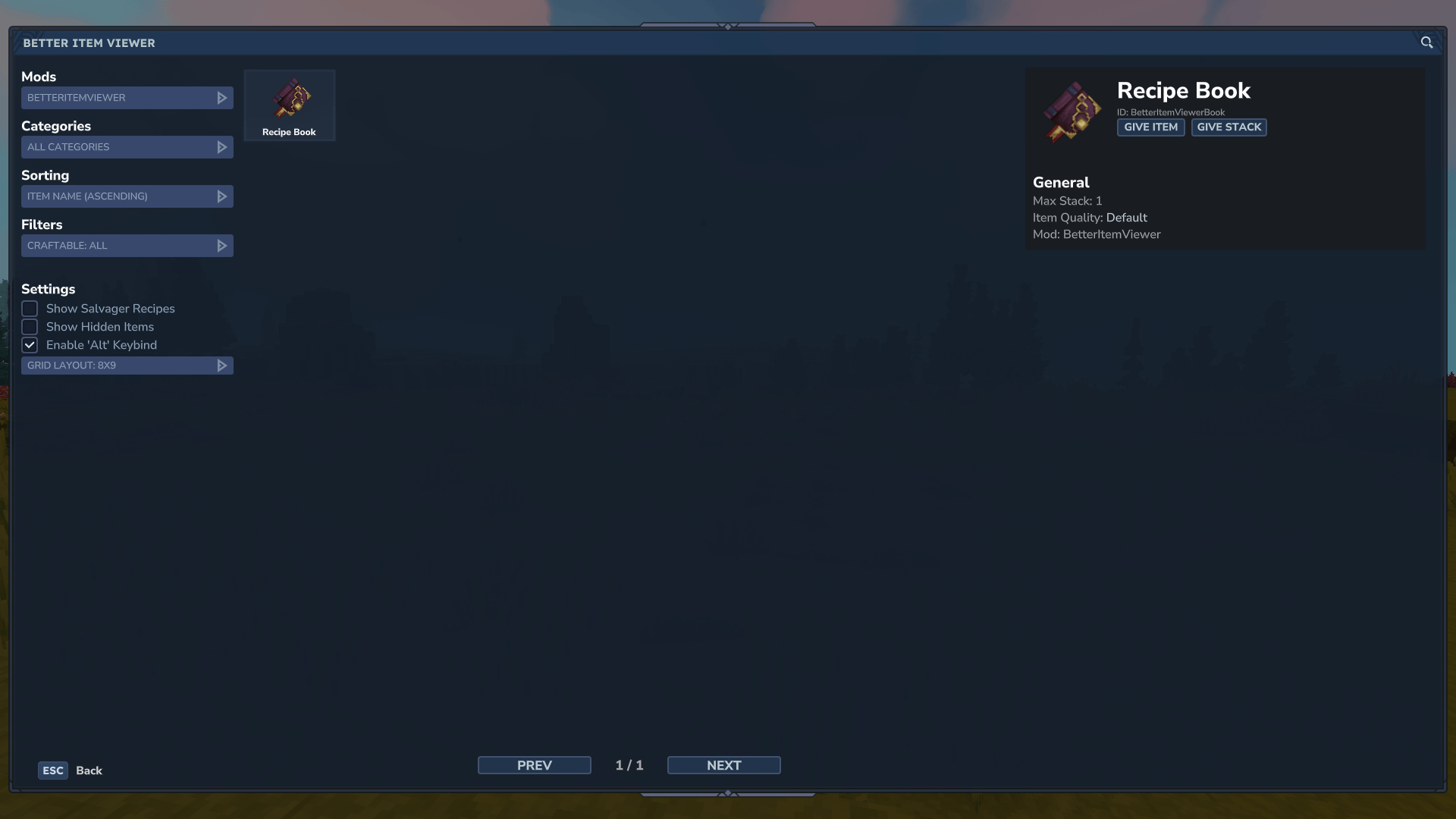
If you select a specific mod in the Mods section the item section will only show items that have been registered by that mod. This is great for figuring out what content a mod adds and gather details about its items.
Categories
There are more than 30 different categories of items that you can filter by. You can either filter by main categories, like Items, Tool, Blocks or you can click on any of their subcategories for finer control of the filtered items.
Craftable
You can also filter items to only include any that have a recipe to craft them. Or alternatively all items without a recipe.
How to Access
There are currently 3 different ways to access the item viewer. All of them have their pros and cons and can be configured by modpack creators and server owners to fit their needs.
Commands
The mod adds a simple /betteritemviewer command to open the gui from anywhere. The command also has some aliases to make it easier to run the command. The aliases are /biv and /jei!
The commands are simple, but not very convenient.
Keybind
If you press the Left Alt key on your keyboard the gui will also open. The mod has to overwrite Hytales Walking keybind to achieve this behavior. If you don't want this you can disable the keybind in the gui. Server owners / modpack creators can choose to completely disable this functionality by adjusting the mod config.
Please not that it is not possible to change this keybind. Hytale doesn't provide any systems for registering custom keybinds, so we have to hack our way around this limitation!
Recipe Book
The mod also adds a recipe book item, which you can right-click to open the gui. This book is currently not obtainable in survival. It can be used by modpack creators or server owners to give a convenient option for players to use the mod.
If you want to create your own item that opens the gui you can do so by adding the OpenBetterItemViewer interaction to its interactions.
"Interactions": { "Secondary": { "Interactions": [ { "Type": "OpenBetterItemViewer" } ] } }
Categories
Screenshots
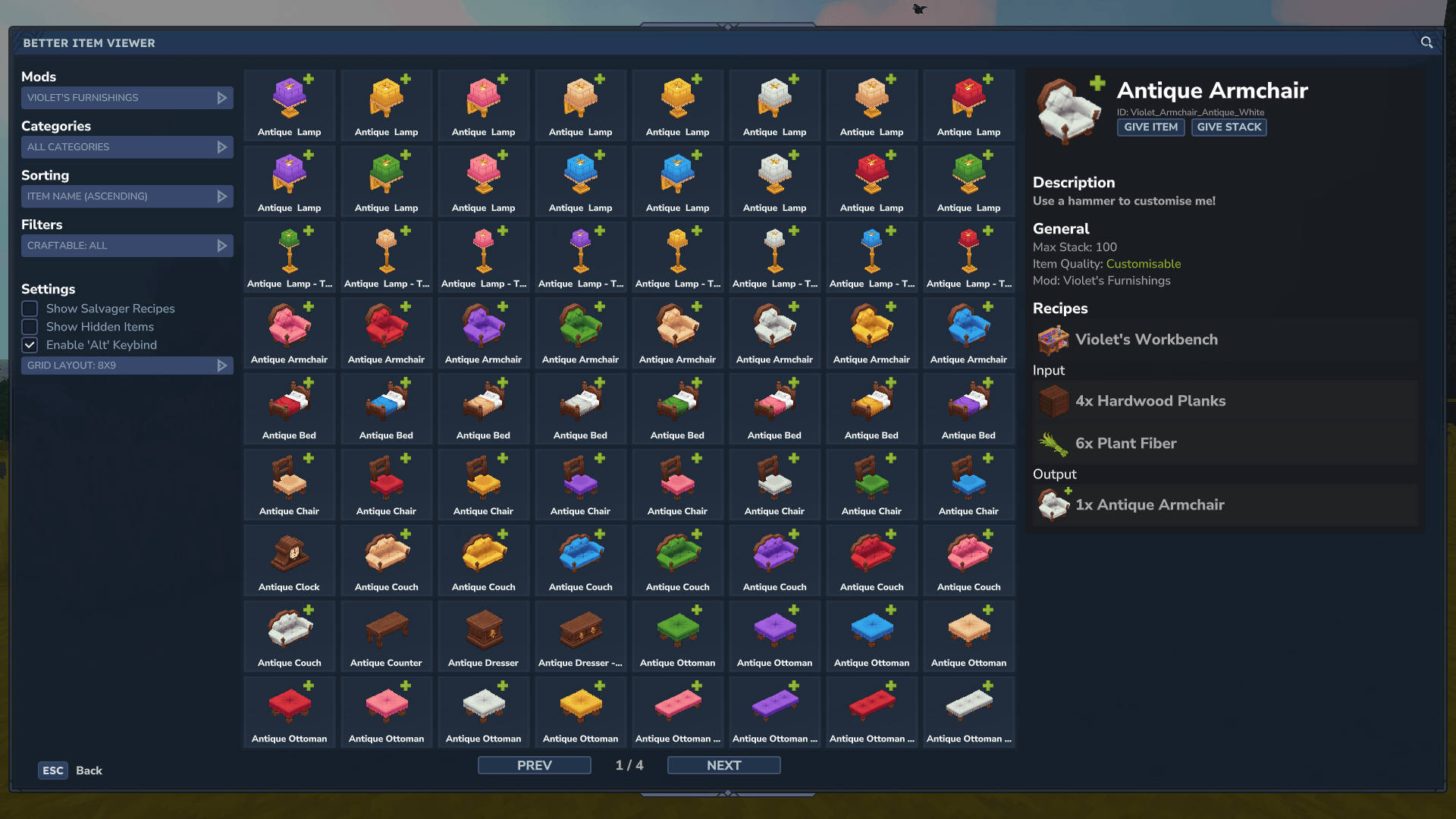
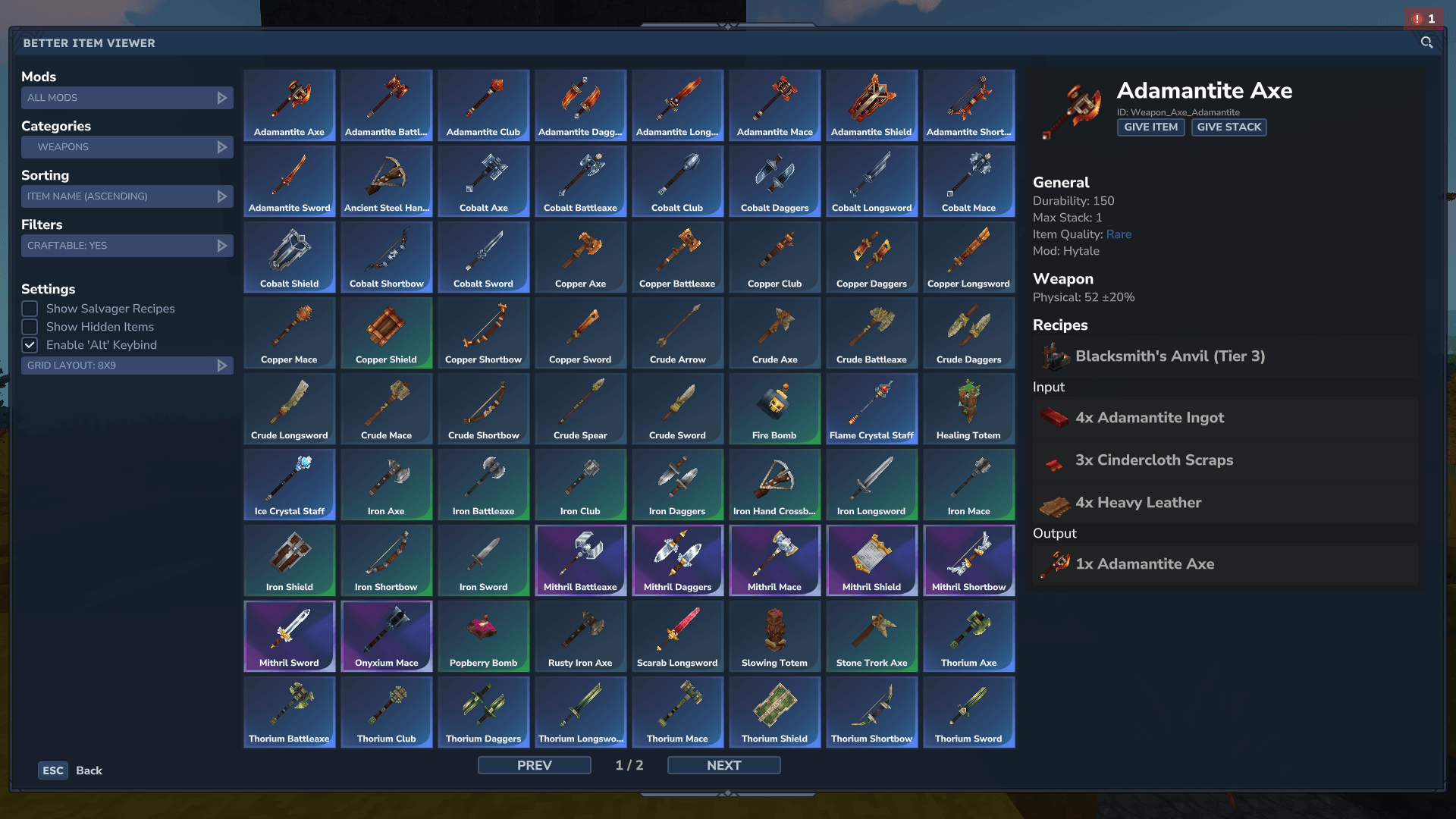
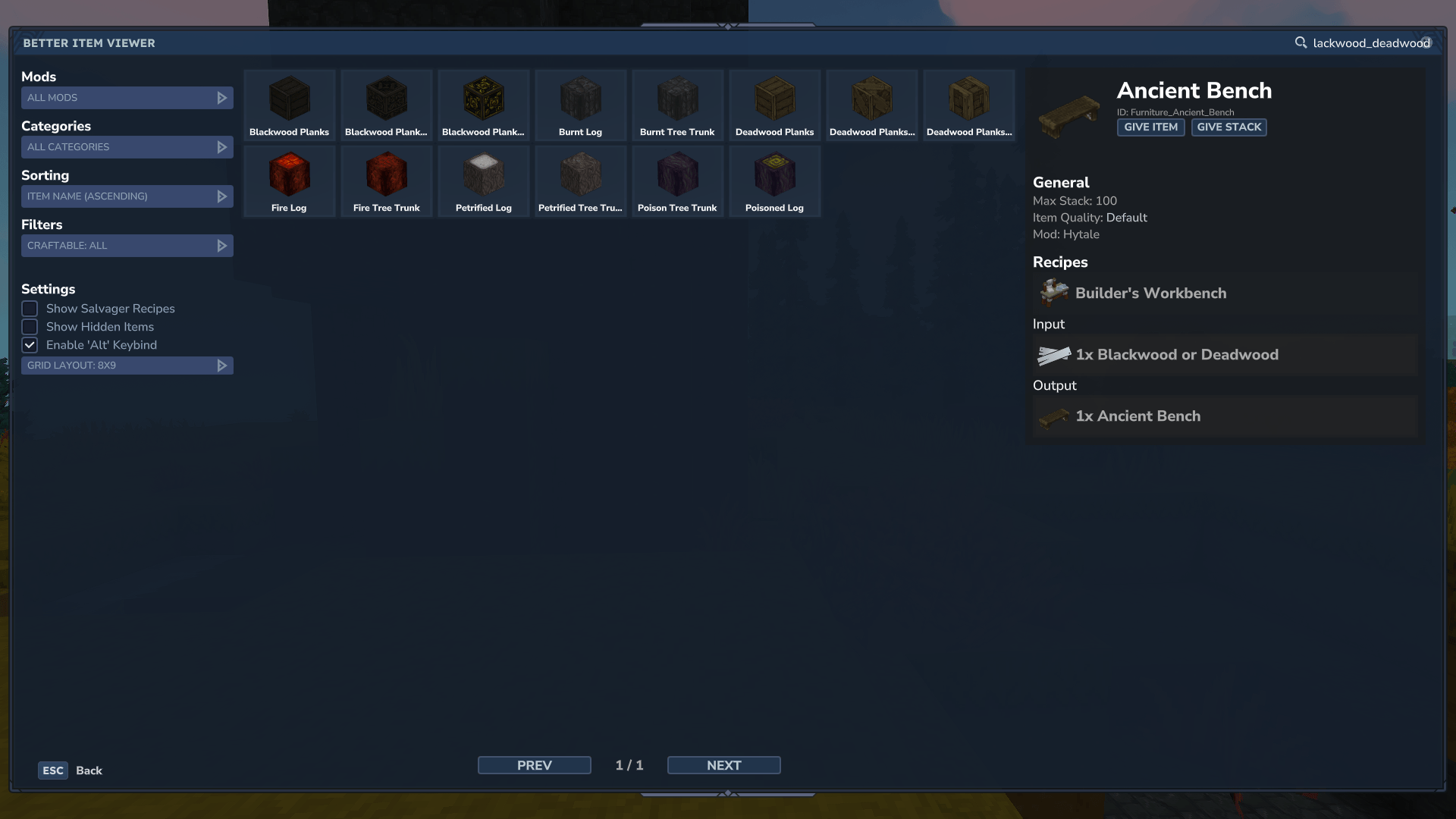
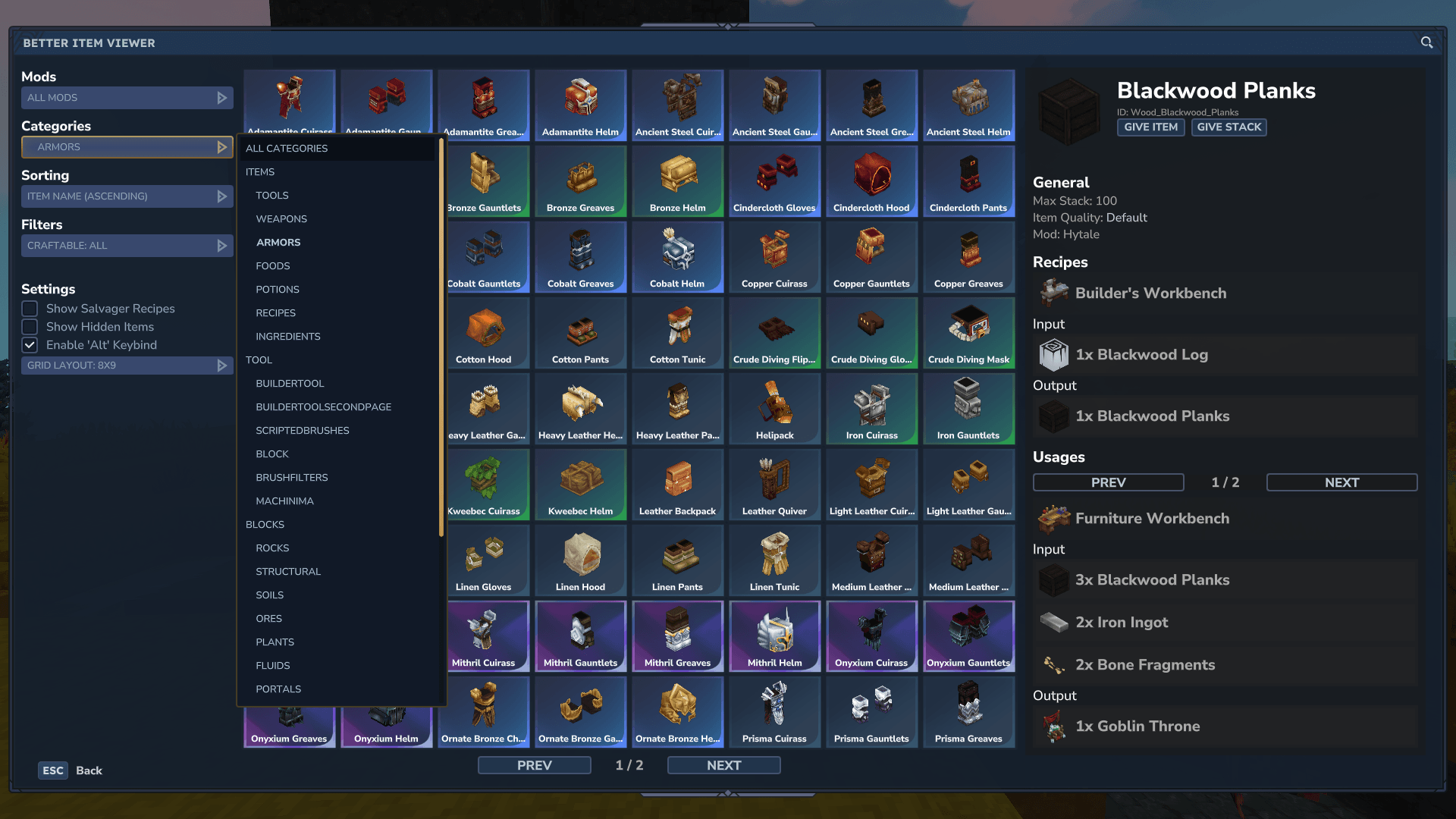
Need a Server?
Run JEI - Better Item Viewer on a dedicated Hytale server with easy mod management.
Get Hytale HostingFrequently Asked Questions
What is JEI - Better Item Viewer?
JEI for Hytale. Adds an item recipe viewer with a bunch of extra information about tools, weapons and other items that are not visible in the base game. Basically JustEnoughItems for Hytale!
How do I download JEI - Better Item Viewer?
You can download JEI - Better Item Viewer for free from CurseForge. Click the "Download on CurseForge" button on this page to go directly to the download page.
Who created JEI - Better Item Viewer?
JEI - Better Item Viewer was created by drexhd. The mod has been downloaded 31.4K times.
Is JEI - Better Item Viewer compatible with Hytale servers?
JEI - Better Item Viewer is designed for Hytale and can be used on both single-player and multiplayer servers. Check the mod page on CurseForge for specific compatibility information.
How do I install JEI - Better Item Viewer?
To install JEI - Better Item Viewer: 1) Download the mod from CurseForge, 2) Place the file in your Hytale mods folder, 3) Restart the game. The mod should load automatically.
Related Qol Mods
View all mods
EyeSpy
DarkhaxDev
Adds a HUD that displays information about what you're looking at!

Advanced Item Info
Buuz135
Adds a searchable GUI that displays all the items and the game and displays extra properties they have

Overstacked
DarkhaxDev
Increases the maximum stack size of items.

Violet's Wardrobe
VioletsWorkshop
Adds more customisation options in the form of craftable cosmetics

Item Magnet
Jaredlll08
Adds a magnet that attracts items towards the player.

Endgame & QoL - Boss & Elite Update (3.0.0 in a week)
Lewaii
Endgame & QoL v2.2: Face the Alpha T-Rex & Void Spectres! Unlock Backpack IV & Void Gliders. Restore unused content and challenge stronger, rebalanced bosses!