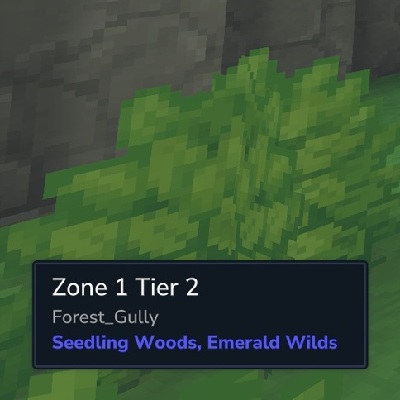
BiomeDisplay
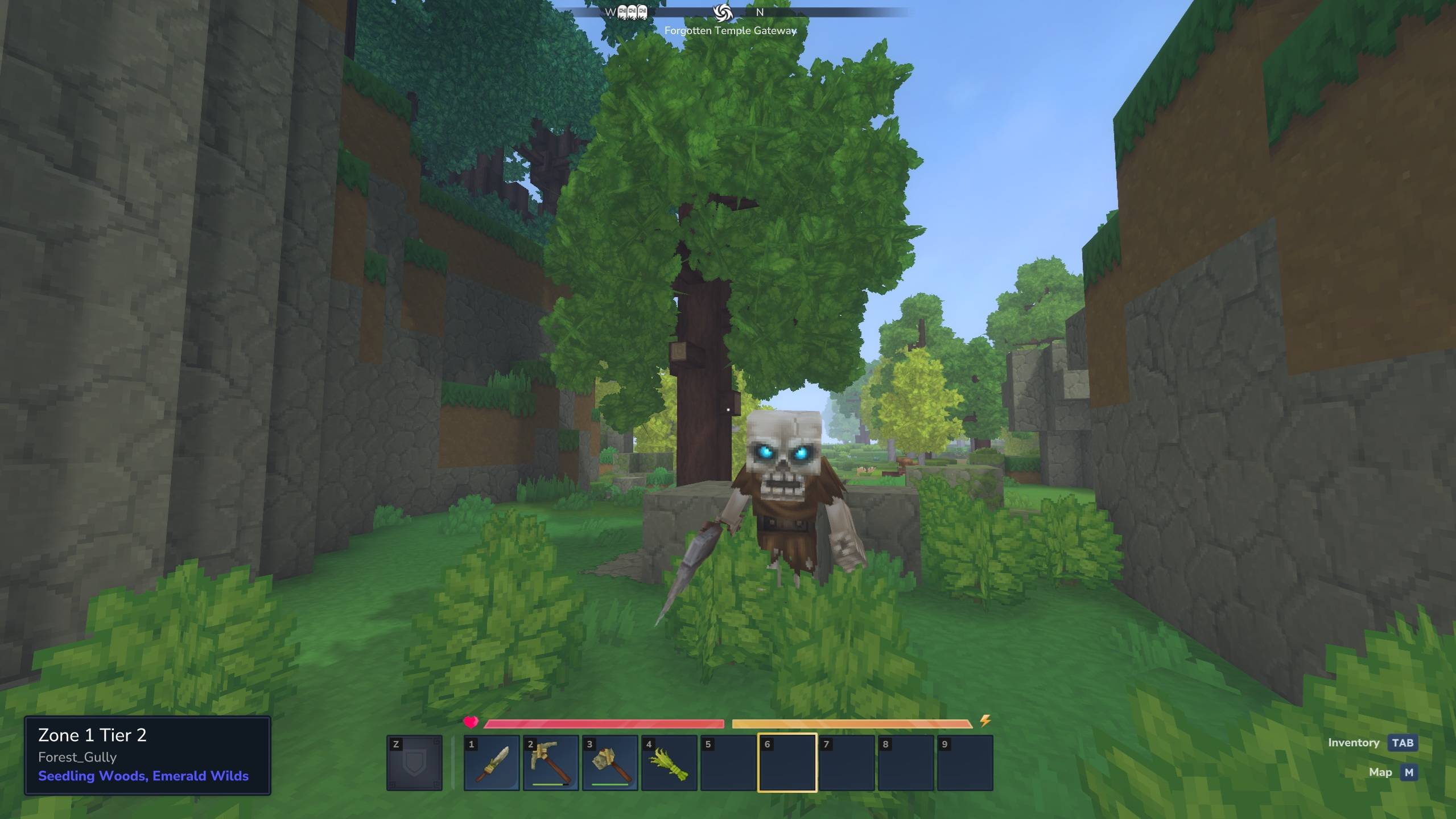
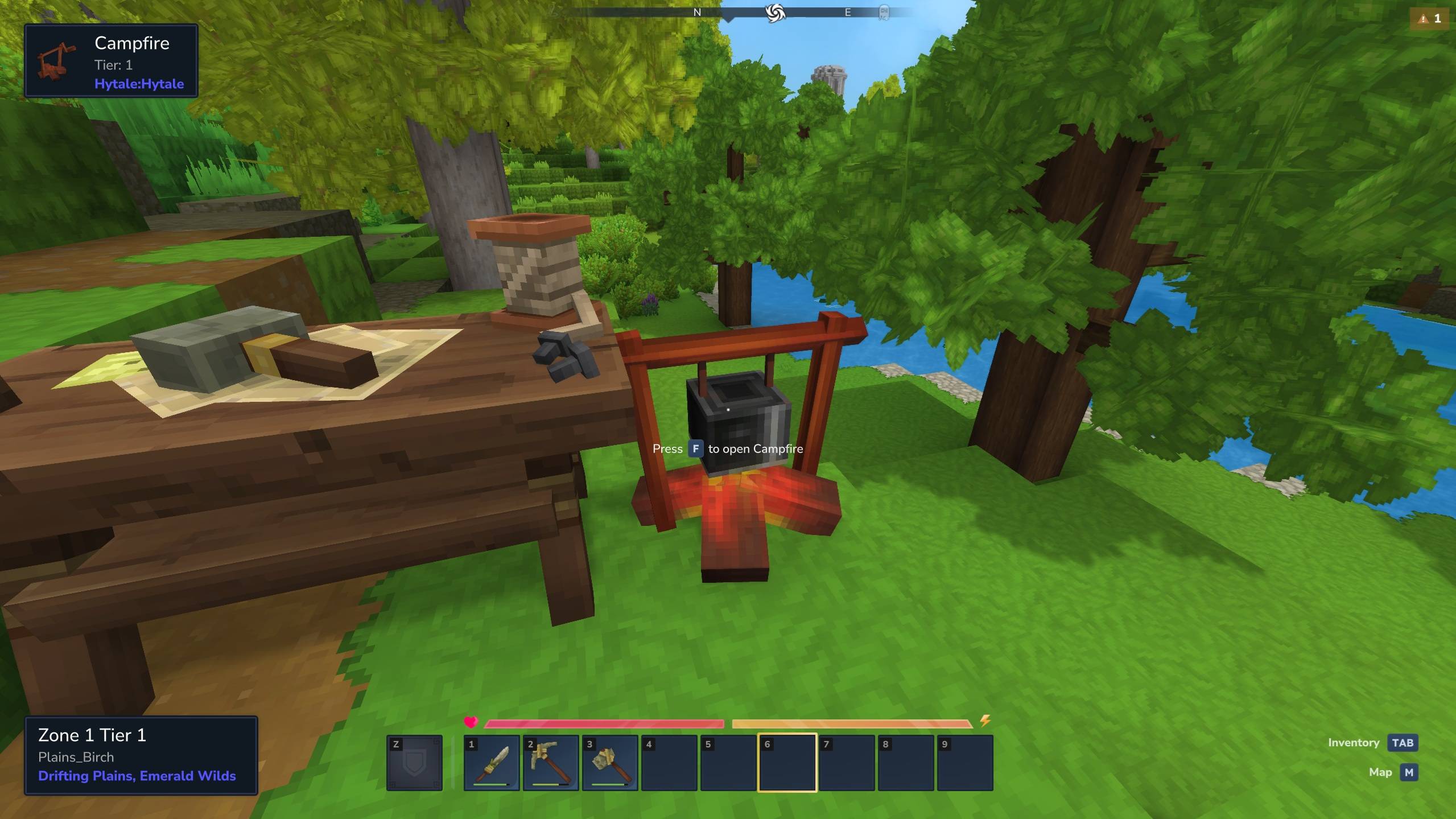
A Hytale mod that displays the current biome information including the zone and tier number.
About BiomeDisplay
BiomeDisplay is a mod for Hytale that displays the current biome information in the UI.
If the MultipleHUD mod is present, this mod can be used alongside other mods that support multiple custom HUDS (e.g. EyeSpy).
Usage
Hide or show the HUD
/biome toggle Move the position of the HUD
/biome position top center /biome position middle right /biome position bottom left Adjust the size of the HUD
/biome size small /biome size medium /biome size large Make background semi-transparent
/biome transparent true /biome transparent false Config
A config file can be proved at
Servers: mods/n8chur_BiomeDisplay/config.json
Local: %appdata%/Hytale/UserData/Saves/<world_name>/mods/n8chur_BiomeDisplay/config.json
This file will be created on first launch if one is not already provided.
The config file uses the following format:
{ "DefaultHidden": true, "DefaultPosition": { "Vertical": "top", "Horizontal": "right" }, "DefaultSize": "small", "DefaultIsTransparent": true }
DefaultHidden: Whether the HUD is hidden to the user when they first join a server. Values: true, false
Default: false
DefaultPosition: The default position of the HUD element when a user first joins a server. Vertical
Values: "top", "middle", "bottom"
Default: "bottom"
Horizontal
Values: "left", "center", "right"
Default: "left"
DefaultSize: The default size of the HUD element when a user first joins a server. Values: "small", "medium", "large"
Default: "medium"
DefaultIsTransparent: Whether the background of the HUD element is semi-transparent when a user first joins a server. Values: true, false
Default: false
Changelog
1.4.0
Added a command (/biome transparent <true|false>) to toggle whether the background of the HUD is semi-transparent.
Added config file support to determine if the HUD background is semi-transparent when a user first joins.
Updated config setup such that it will always save on launch instead of only writing the defaults if the file does not exist. This will ensure that new keys are shown in the config as they are added in future versions.
1.3.4
Attempt to fix a crash that could occur when an update was requested while the UI was in in an invalid state ("Crash - Selected element in CustomUI command was not found. Selector: #TierLabel.Style").
1.3.3
Config file is now created if one does not already exist.
Further attempts at fixing concurrency issues.
1.3.2
Fixed a potential crash when attempting to create user settings due to not dispatching the work to a world thread.
1.3.1
Improved performance by skipping UI updates the contents and layout are unchanged on tick.
Added better fallback if localizations are not present (uses raw values instead of presenting the user with a non-existent localization key).
1.3.0
Added support for config.json to provide default configuration values.
1.2.1
Attempting to work around an issue that could cause BiomeDisplay to flicker a full screen overlay occasionally when in a high latency environment and used alongside other mods that integration with MultipleHUD.
1.2.0
Added resize command with support for small, medium, and large via /biome size <size>.
1.1.1
Fixed MultipleHUD 1.0.2 support as well as some issues when integrating with other mods (like Wayfinder).
1.1.0
Added support for moving the position of the window using the /biome position command (e.g. /biome position top left)
Updated the command to toggle the HUD on or off using /biome toggle (was just /biome)
Removed erroneously added example dirt crafting recipe.
The mod will now default on instead of off.
Added Better Modlist icon
Minor performance and server memory improvements
Categories
Screenshots
Need a Server?
Run BiomeDisplay on a dedicated Hytale server with easy mod management.
Get Hytale HostingFrequently Asked Questions
What is BiomeDisplay?
A Hytale mod that displays the current biome information including the zone and tier number.
How do I download BiomeDisplay?
You can download BiomeDisplay for free from CurseForge. Click the "Download on CurseForge" button on this page to go directly to the download page.
Who created BiomeDisplay?
BiomeDisplay was created by n8chur. The mod has been downloaded 5.0K times.
Is BiomeDisplay compatible with Hytale servers?
BiomeDisplay is designed for Hytale and can be used on both single-player and multiplayer servers. Check the mod page on CurseForge for specific compatibility information.
How do I install BiomeDisplay?
To install BiomeDisplay: 1) Download the mod from CurseForge, 2) Place the file in your Hytale mods folder, 3) Restart the game. The mod should load automatically.
Related Qol Mods
View all mods
EyeSpy
DarkhaxDev
Adds a HUD that displays information about what you're looking at!

Advanced Item Info
Buuz135
Adds a searchable GUI that displays all the items and the game and displays extra properties they have

Overstacked
DarkhaxDev
Increases the maximum stack size of items.

Violet's Wardrobe
VioletsWorkshop
Adds more customisation options in the form of craftable cosmetics

Item Magnet
Jaredlll08
Adds a magnet that attracts items towards the player.

Endgame & QoL - Boss & Elite Update (3.0.0 in a week)
Lewaii
Endgame & QoL v2.2: Face the Alpha T-Rex & Void Spectres! Unlock Backpack IV & Void Gliders. Restore unused content and challenge stronger, rebalanced bosses!