Tales of Borders & Nations
A simple world protection plugin/mod, whether for a large server or small friend group.
About Tales of Borders & Nations
Borders and Nations
Have you ever built an epic starter base, only to suddenly have unexpected roommates? Or are you a server owner who wants to provide their players a secure and good looking spawn?
Borders and Nations is here to solve your problems. Decide where players can build, mine, or claim your base for yourself.
Want to contact us? Maybe to suggest something, or just to have a small chat? You can find us on Discord!
👉 Grab 40% off a new Hytale server using code HYTALE40
How do regions work?
Regions exist in 5 different shapes, split into 2 categories:
2D Regions - Rectangles, Circles, Polygons (Not in the Day 1 release) Those range from minimum to maximum built height, perfect to protect a spawn area, a town or city.
/regions create rectangle <name> <x1> <y1> <z1> <x2> <y2> <z2> /regions create circle <name> <x1> <y1> <z1> <radius>
3D Regions - Cubes, Spheres These are limited in height and are perfect for things like plots for users.
/regions create cube <name> <x1> <y1> <z1> <x2> <y2> <z2> /regions create sphere <name> <x1> <y1> <z1> <radius>
* You can use F7 to display coordinates ingame. Hytale does also have relative coordinates like Minecraft, you can just use the ~ symbol for them.
Both of these categories can be created by operators. Or using Hytale's built-in permission system.
Managing Regions
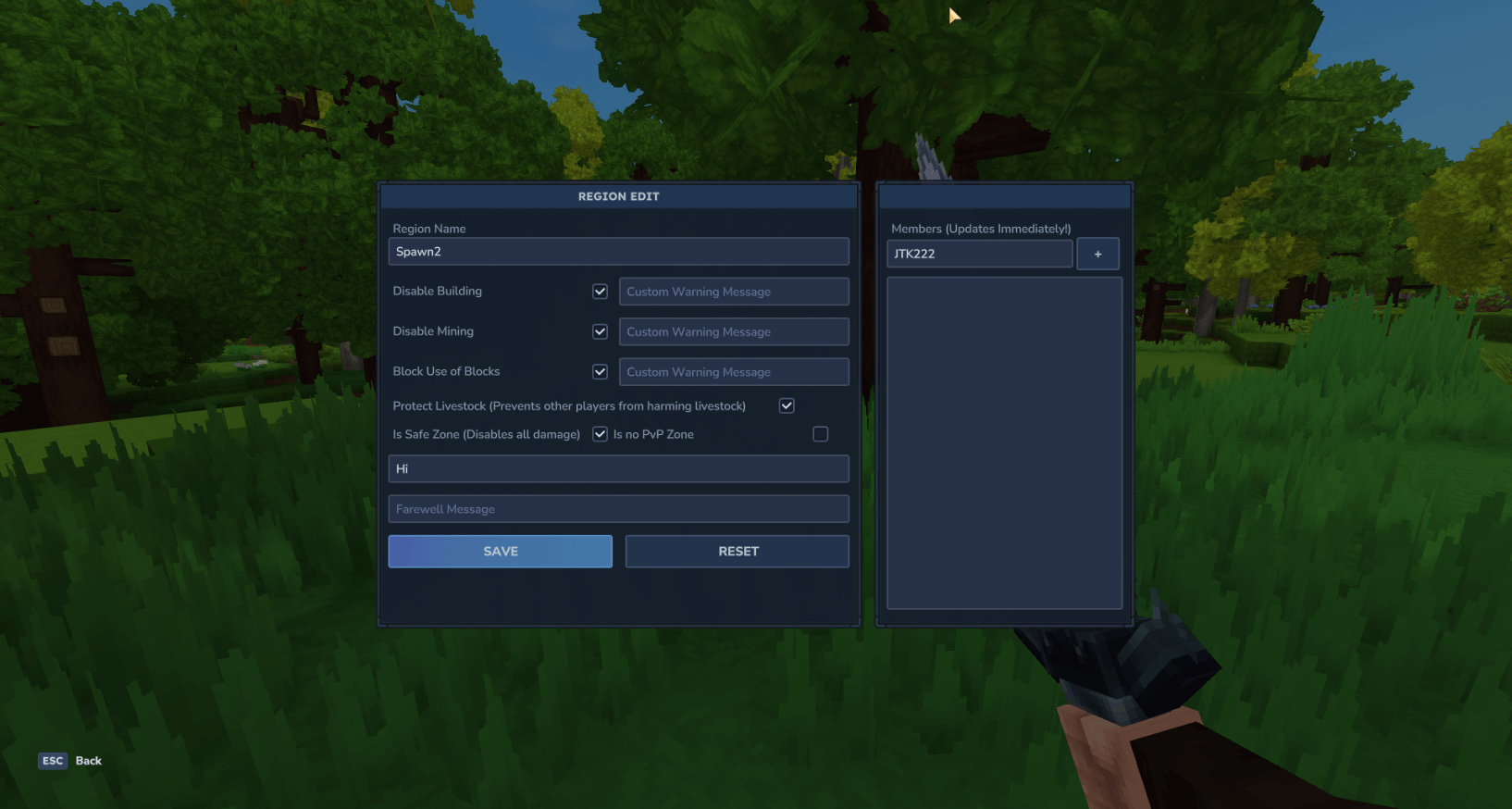
Regions can be managed using a UI, which can be opened using the following commands.
/regions list - Shows only regions that you own /regions list_add - Shows all regions in a world
We are also working on player friendly ways to allow your users, to claim their own chunks of the world for their bases. This will obviously be fully customizable, but also use the games flexibility, by using blocks and items added by the mod.
Categories
Screenshots
Need a Server?
Run Tales of Borders & Nations on a dedicated Hytale server with easy mod management.
Get Hytale HostingFrequently Asked Questions
What is Tales of Borders & Nations?
A simple world protection plugin/mod, whether for a large server or small friend group.
How do I download Tales of Borders & Nations?
You can download Tales of Borders & Nations for free from CurseForge. Click the "Download on CurseForge" button on this page to go directly to the download page.
Who created Tales of Borders & Nations?
Tales of Borders & Nations was created by JTK222. The mod has been downloaded 3.1K times.
Is Tales of Borders & Nations compatible with Hytale servers?
Tales of Borders & Nations is designed for Hytale and can be used on both single-player and multiplayer servers. Check the mod page on CurseForge for specific compatibility information.
How do I install Tales of Borders & Nations?
To install Tales of Borders & Nations: 1) Download the mod from CurseForge, 2) Place the file in your Hytale mods folder, 3) Restart the game. The mod should load automatically.
Related Misc Mods
View all mods
Ymmersive Melodies
Conczin
Upload and play MIDI files in-game on various instruments to annoy your friends with custom melodies!

MultipleHUD
Buuz135
A simple mod that allows you to have multiple HUDs present at once.

Spanish Translation
Plexu5
A Spanish language translation for Hytale. Includes UI, items, and menus.

YUNG's HyDungeons
YUNGNICKYOUNG
Adds new procedurally generated dungeon instances!

Just Enough Tales (JEI mod)
uwudwagon
A JEI mod for Hytale.
![[NoCube's] Simple Bags](https://media.forgecdn.net/avatars/thumbnails/1601/201/256/256/639034453685921721.png)
[NoCube's] Simple Bags
NoCube
Adds bags that you can put anything in!