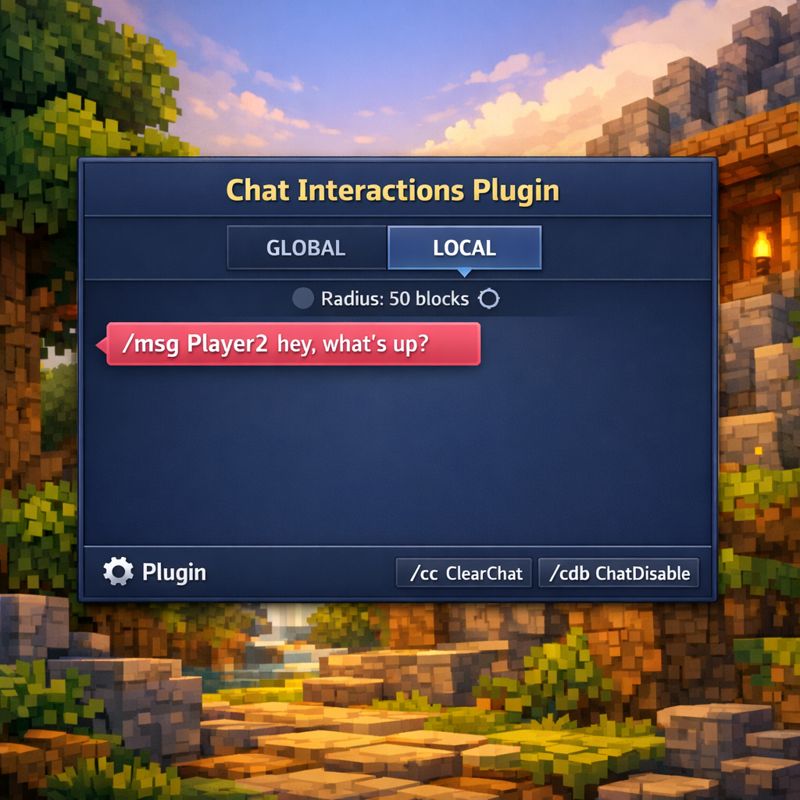
Chat Interactions Plugin
Various commands and interactions with the chat
About Chat Interactions Plugin
Chat Interactions Plugin
Chat plugin for Hytale featuring Global/Local chat, private messaging, admin tools, a configurable local chat radius, an optional chat lockdown mode (allowlist), and a configurable periodic chat-mode warning.
Requirements (Dependencies)
ChatInteractions has no required dependencies to run.
TinyMessage / TinyMsg (Optional) If installed, it enables better colors and formatting in chat. Just drop tinymessage-*.jar into mods/.
Features
Global and Local chat channels
Local chat filtered by distance radius (same world)
Private messages with /msg (message is fully pink). Private messages can be disabled via /chatdisable msg.
Admin command to clear the chat (Global + Local)
Admin command to inspect/debug chat variables (mode, locks, admin/op, warning, ping)
Admin-only local radius setting (persists after restart)
Per-channel chat disable: /chatdisable global|local|msg (alias: /cdb)
Chat Admin allowlist: only ChatAdmins can talk while chat is disabled; they can also use /chatdisable and /chatwarning (even without admin/op)
Periodic chat-mode warning (per-player):
Sends a private reminder telling the player whether they are in LOCAL or GLOBAL
Fully colored when TinyMessage/TinyMsg is installed
Clean plain-text fallback when TinyMessage is not present
Configurable interval (or disabled) via /chatwarning / /cw
Optional TinyMessage/TinyMsg support for better colors/formatting
Installation
Build the plugin and get the generated .jar.
Move the plugin .jar to:
mods/
(Optional, recommended) Install TinyMessage/TinyMsg:
Move tinymessage-*.jar to mods/
Restart the server.
With TinyMessage/TinyMsg installed, chat colors and formatting look better.
How It Works
When a player joins, their default chat channel is Local.
Local chat is only delivered to players:
in the same world
within the configured radius (in blocks)
When chat is disabled via /chatdisable global|local|msg (alias: /cdb), only ChatAdmins can send messages for that channel (Global/Local/Msg).
/chatdisable msg blocks only private messages (/msg).
Important security note: /chatdisable (/cdb) requires Admin/Op (console allowed). ChatAdmins can also execute it without admin/op.
Periodic chat warning (optional):
Each player can receive a private reminder message every X minutes.
ChatAdmins can change the interval or disable it using /cw <minutes> even without admin/op. Admins/Ops can also execute it.
]
"Mini" Tutorial
Commands
Everyone (no permission required)
/g
Switches you to the Global chat channel.
/l
Switches you to the Local chat channel (distance-based).
/msg <player> <message...>
Sends a private message to another player (fully pink).
Example: /msg player2 hi how are you?
Staff commands (Admin/Op; console allowed)
All commands below require Admin/Op unless noted. ChatAdmins can also use /chatdisable and /chatwarning even without admin/op.
/localradius <number>
Admin/Op only.
Sets the Local chat radius in blocks.
Default is 50.
This value is saved/persistent after restart.
Example: /localradius 80
/clearchat
Admin/Op only.
Clears the game chat for all online players (Global + Local).
Alias: /cc
/chatdebug
Displays debug information / variables related to the server chat (useful for verifying current settings/state).
Alias: /cdg
/chatdisable global|local|msg
Toggles chat lockdown per channel (Global, Local, or private messages).
Usable by Admin/Op or ChatAdmin.
Alias: /cdb
Examples: /chatdisable global, /chatdisable local, /chatdisable msg
/chatadmin
Admin/Op only (console allowed).
Manages the Chat Admin allowlist (players who can talk while chat is disabled).
Variants:
/chatadmin add (<Player> or <UUID>)
Adds chat-admin permission to the chosen player (allow to talk even if chat is disabled).
Example: /chatadmin add PlayerName
Example: /chatadmin add 123e4567-e89b-12d3-a456-426614174000
/chatadmin remove (<Player> or <UUID>)
Removes chat-admin permission from the chosen player.
/chatadmin list
Lists all players (and their UUIDs) who currently have chat-admin permission.
/chatwarning <minutes>
Executable by Admin/Op and ChatAdmins (chatadmins do not need admin/op).
Configures the periodic chat-mode warning (private reminder).
<minutes> is the interval in minutes.
Use 0 to disable the warning.
Alias: /cw
Examples:
/cw 5 (send every 5 minutes)
/cw 0 (disable)
Permissions / Access
This plugin uses these access levels:
Everyone (permission zero):
/g, /l, /msg
Admin/Op (and console):
Required for all other commands
ChatAdmin (allowlist):
Can use /chatdisable (/cdb) and /chatwarning (/cw) even without admin/op
Only ChatAdmins can talk when chat is disabled
Additionally:
Chat Admin (allowlist) is managed via /chatadmin add/remove/list.
Persistence (Local Radius / Chat Admins / Warning Interval)
Settings are saved to a config file and persist after a restart.
Default fallback path: ./plugins/com.example_ChatInteractions/localglobalchat.properties
Stored keys example:
localRadius=50
chatAdmins=<uuid1>,<uuid2>,...
chatWarningMinutes=5
Notes
Local chat filtering:
Same world
Distance ≤ configured radius
The plugin automatically uses TinyMsg if installed (otherwise clean plain text is used).
Categories
Need a Server?
Run Chat Interactions Plugin on a dedicated Hytale server with easy mod management.
Get Hytale HostingFrequently Asked Questions
What is Chat Interactions Plugin?
Various commands and interactions with the chat
How do I download Chat Interactions Plugin?
You can download Chat Interactions Plugin for free from CurseForge. Click the "Download on CurseForge" button on this page to go directly to the download page.
Who created Chat Interactions Plugin?
Chat Interactions Plugin was created by FoToom. The mod has been downloaded 199 times.
Is Chat Interactions Plugin compatible with Hytale servers?
Chat Interactions Plugin is designed for Hytale and can be used on both single-player and multiplayer servers. Check the mod page on CurseForge for specific compatibility information.
How do I install Chat Interactions Plugin?
To install Chat Interactions Plugin: 1) Download the mod from CurseForge, 2) Place the file in your Hytale mods folder, 3) Restart the game. The mod should load automatically.
Related Qol Mods
View all mods
EyeSpy
DarkhaxDev
Adds a HUD that displays information about what you're looking at!

Advanced Item Info
Buuz135
Adds a searchable GUI that displays all the items and the game and displays extra properties they have

Overstacked
DarkhaxDev
Increases the maximum stack size of items.

Violet's Wardrobe
VioletsWorkshop
Adds more customisation options in the form of craftable cosmetics

Item Magnet
Jaredlll08
Adds a magnet that attracts items towards the player.

Endgame & QoL - Boss & Elite Update (3.0.0 in a week)
Lewaii
Endgame & QoL v2.2: Face the Alpha T-Rex & Void Spectres! Unlock Backpack IV & Void Gliders. Restore unused content and challenge stronger, rebalanced bosses!