Coins
A simple economy mod for Hytale that adds physical coins and a digital wallet system. Expandable.
About Coins
🪙 Hytale Coins: The Ultimate Economy Solution
Bring a robust, physical, and digital economy to your Hytale server! Hytale Coins seamlessly integrates physical currency items with a modern digital wallet system, allowing players to trade, pay, and manage their wealth with ease.
🌟 Key Features
💎 Physical & Digital Currency: Use physical coins in-game or deposit them into your digital wallet.
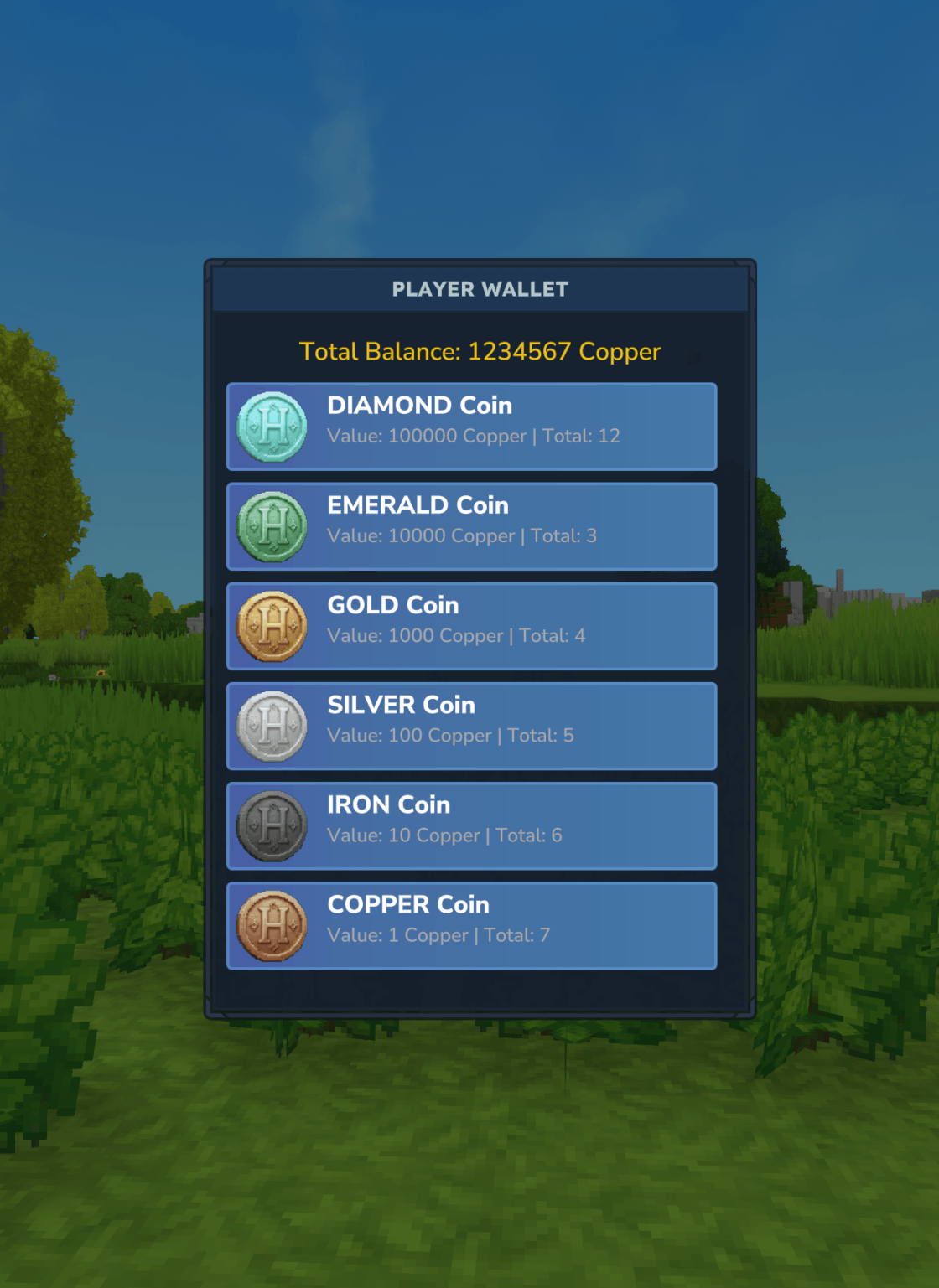
🏧 Smart Wallet UI: A sleek, custom NoesisGUI interface to check your balance and withdraw coins.
💸 Player-to-Player Payments: Send money to your friends instantly with the /pay command.
⚔️ Mob & Crop Drops: Earn currency naturally by hunting mobs or harvesting crops.
🛠️ Highly Configurable: Customize everything from currency names to drop rates and coin values.
🔌 Vault2 Integration: Fully compatible with other mods using the Vault2 API.
🗄️ Flexible Storage: Choose between local JSON files or a high-performance MySQL database.
⚙️ Configuration Guide
Tailor the mod to your server's needs with our comprehensive config.json. Below is the default setup with a detailed breakdown of every setting.
📄 Default Configuration
{ "enableMobDeathDrops": true, "mobDeathDropRate": 0.1, "enableCropHarvestDrops": true, "cropHarvestDropRate": 0.2, "coinValues": { "Coin_Gold": 1000, "Coin_Emerald": 10000, "Coin_Silver": 100, "Coin_Iron": 10, "Coin_Diamond": 100000, "Coin_Copper": 1 }, "mobDeathDrops": { "Cow": 3, "Fox": 3 }, "payCommandPermission": "", "currencyNameSingular": "Coin", "currencyNamePlural": "Coins", "storageType": "JSON", "mysqlHost": "localhost", "mysqlPort": 3306, "mysqlDatabase": "hytale", "mysqlUser": "root", "mysqlPassword": "" } 🔍 Settings Breakdown
🎮 Drops & Economy
enableMobDeathDrops (true/false): Toggle whether mobs drop coins upon death.
mobDeathDropRate (0.0 to 1.0): The probability (percentage) that a mob will drop coins. Default 0.1 is a 10% chance.
enableCropHarvestDrops (true/false): Toggle whether harvesting crops rewards players with coins.
cropHarvestDropRate (0.0 to 1.0): The probability that harvesting a crop will drop coins.
coinValues: Define the value of each physical coin type in the base currency.
mobDeathDrops: Specify the exact amount of base currency dropped by specific mob types.
💬 Customization & Permissions
currencyNameSingular: The name of your currency in singular form (e.g., "Gold Piece").
currencyNamePlural: The name of your currency in plural form (e.g., "Gold Pieces").
payCommandPermission: Set a custom permission node required to use /pay. Leave empty ("") to allow all players in Adventure mode.
💾 Storage Strategy
storageType: Choose your backend. Options: "JSON" (files) or "MYSQL" (database).
MySQL Settings: Only required if storageType is set to "MYSQL". mysqlHost: Database server address.
mysqlPort: Database port (default 3306).
mysqlDatabase: The schema name.
mysqlUser & mysqlPassword: Connection credentials.
🚀 Commands
Command Description Permission
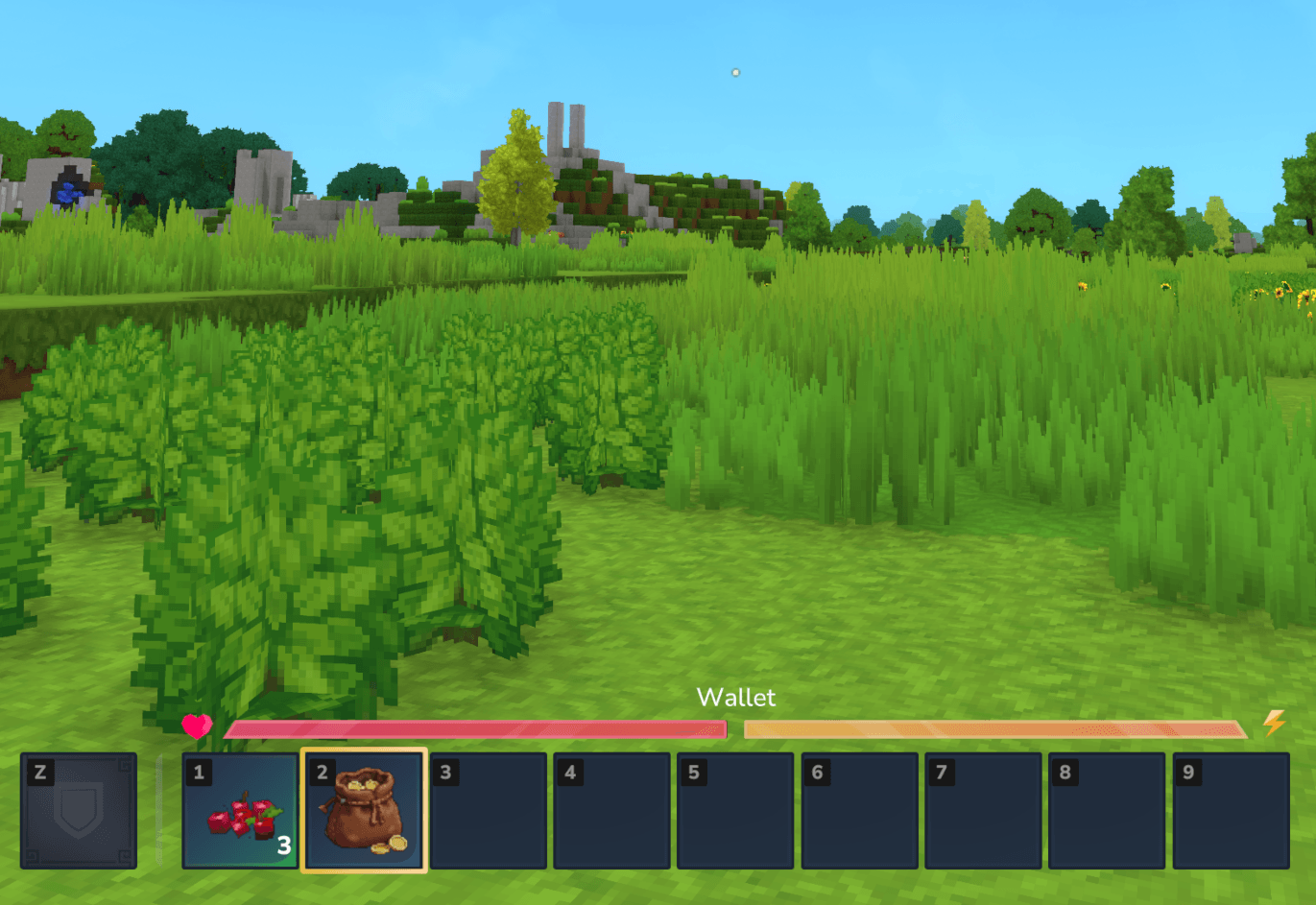
/wallet Opens your digital wallet UI. None
/pay <player> <amount> Transfer currency to another player. Configurable
/economy <add/set> <player> <amount> Admin tools to manage balances. coins.admin.economy
🛠️ Installation
Download the latest release.
Drop the mod into your Hytale mods folder.
Restart your server to generate the default configuration.
(Optional) Edit config.json in universe/mods/coins/ to customize your experience.
Developed with ❤️ for the Hytale Community.
Categories
Screenshots
Frequently Asked Questions
What is Coins?
A simple economy mod for Hytale that adds physical coins and a digital wallet system. Expandable.
How do I download Coins?
You can download Coins for free from CurseForge. Click the "Download on CurseForge" button on this page to go directly to the download page.
Who created Coins?
Coins was created by pandaismyname1. The mod has been downloaded 877 times.
Is Coins compatible with Hytale servers?
Coins is designed for Hytale and can be used on both single-player and multiplayer servers. Check the mod page on CurseForge for specific compatibility information.
How do I install Coins?
To install Coins: 1) Download the mod from CurseForge, 2) Place the file in your Hytale mods folder, 3) Restart the game. The mod should load automatically.
Related Qol Mods
View all mods
EyeSpy
DarkhaxDev
Adds a HUD that displays information about what you're looking at!

Advanced Item Info
Buuz135
Adds a searchable GUI that displays all the items and the game and displays extra properties they have

Overstacked
DarkhaxDev
Increases the maximum stack size of items.

Violet's Wardrobe
VioletsWorkshop
Adds more customisation options in the form of craftable cosmetics

Item Magnet
Jaredlll08
Adds a magnet that attracts items towards the player.

Endgame & QoL - Boss & Elite Update (3.0.0 in a week)
Lewaii
Endgame & QoL v2.2: Face the Alpha T-Rex & Void Spectres! Unlock Backpack IV & Void Gliders. Restore unused content and challenge stronger, rebalanced bosses!