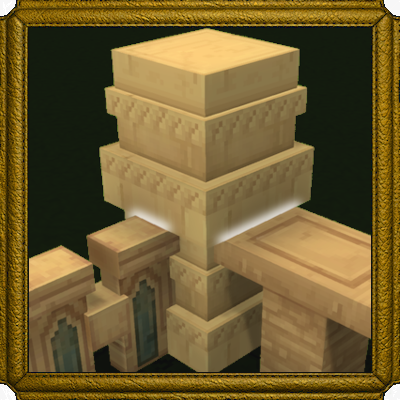
Connected Walls
Connect Walls in Many More Ways!
About Connected Walls
Connected Walls Mod
This is purely an AssetPack, no Jar files. Please report any bugs or suggestions in the comments! I plan to add further Wall Connections once Hypixel finishes implementing all the default Wall behavior. Fences will probably come after that too!
Annoyed by the space between Walls and Pillars? Well wave those three pixels goodbye!
All Adventure-Mode Walls (Minus Stone):
Connect to pillars on one or both sides!
Some Cobble Variants:
Vertical Connections
Corner Vertical Connections
Angled Connections
T-Section (Temporary Implementation)
Cross-Section (Temporary Implementation)
These connections ALSO combine with other connections (f.e, a stacked wall can also connect to pillars)
The following walls have the above functionalitiy: (Aqua Cobble, Marble Cobble, Quartzite Cobble, Shale Cobble, Volcanic Cobble)
NOTE:
Current version disables this functionality for the Stone Variants (AKA StoneBrickPillar and Stone Walls). This means that StoneBrickPillars will not connect to ANY wall. Due to Hytale Bugginess related to inheritance I had to disable them for now, will return them once Hytale updates!
There are some walls that weren't implemented because they're placeholders
I will not personally add the default wall behavior myself (TWalls and XWalls)
Future Content:
Add the rest of the Vertical Connected Wall Models
Will continue adding and updating all vanilla-available walls as they come out
Categories
Need a Server?
Run Connected Walls on a dedicated Hytale server with easy mod management.
Get Hytale HostingFrequently Asked Questions
What is Connected Walls?
Connect Walls in Many More Ways!
How do I download Connected Walls?
You can download Connected Walls for free from CurseForge. Click the "Download on CurseForge" button on this page to go directly to the download page.
Who created Connected Walls?
Connected Walls was created by AscotGames. The mod has been downloaded 2.4K times.
Is Connected Walls compatible with Hytale servers?
Connected Walls is designed for Hytale and can be used on both single-player and multiplayer servers. Check the mod page on CurseForge for specific compatibility information.
How do I install Connected Walls?
To install Connected Walls: 1) Download the mod from CurseForge, 2) Place the file in your Hytale mods folder, 3) Restart the game. The mod should load automatically.
Related Misc Mods
View all mods
Ymmersive Melodies
Conczin
Upload and play MIDI files in-game on various instruments to annoy your friends with custom melodies!

MultipleHUD
Buuz135
A simple mod that allows you to have multiple HUDs present at once.

Spanish Translation
Plexu5
A Spanish language translation for Hytale. Includes UI, items, and menus.

YUNG's HyDungeons
YUNGNICKYOUNG
Adds new procedurally generated dungeon instances!

Just Enough Tales (JEI mod)
uwudwagon
A JEI mod for Hytale.
![[NoCube's] Simple Bags](https://media.forgecdn.net/avatars/thumbnails/1601/201/256/256/639034453685921721.png)
[NoCube's] Simple Bags
NoCube
Adds bags that you can put anything in!