
Custom Merchant NPC
Spawn and configure merchant NPCs entirely in-game — set items, prices, currency, and auto-restock with a command
About Custom Merchant NPC
CustomMerchant
Turn any NPC into a merchant with a custom shop. No config files, no Asset Editor — just /merchant, link to an existing NPC, and you're set.
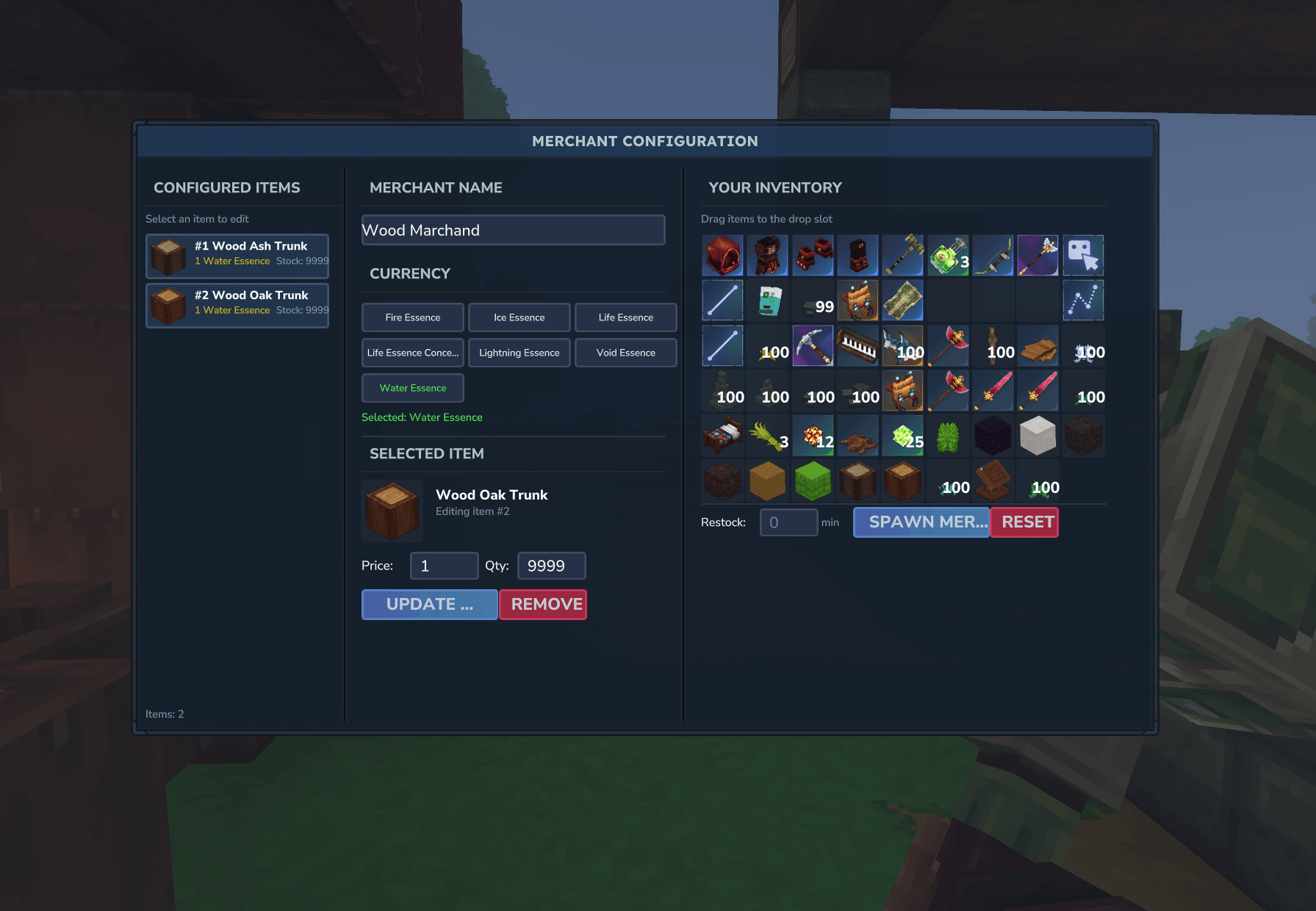
I made this because I wanted a simple way to add shops to my server without editing JSON files every time I needed to change a price. Everything happens through a UI: link to any NPC, pick your items, set prices, choose your currency, and configure the animation.
How it works
Spawn an NPC using the Creative Tools
Freeze it with the Entity Tool (recommended)
Look at the NPC and run /merchant
Click "Link to NPC" to connect the merchant data to that NPC
Configure the shop content and animation
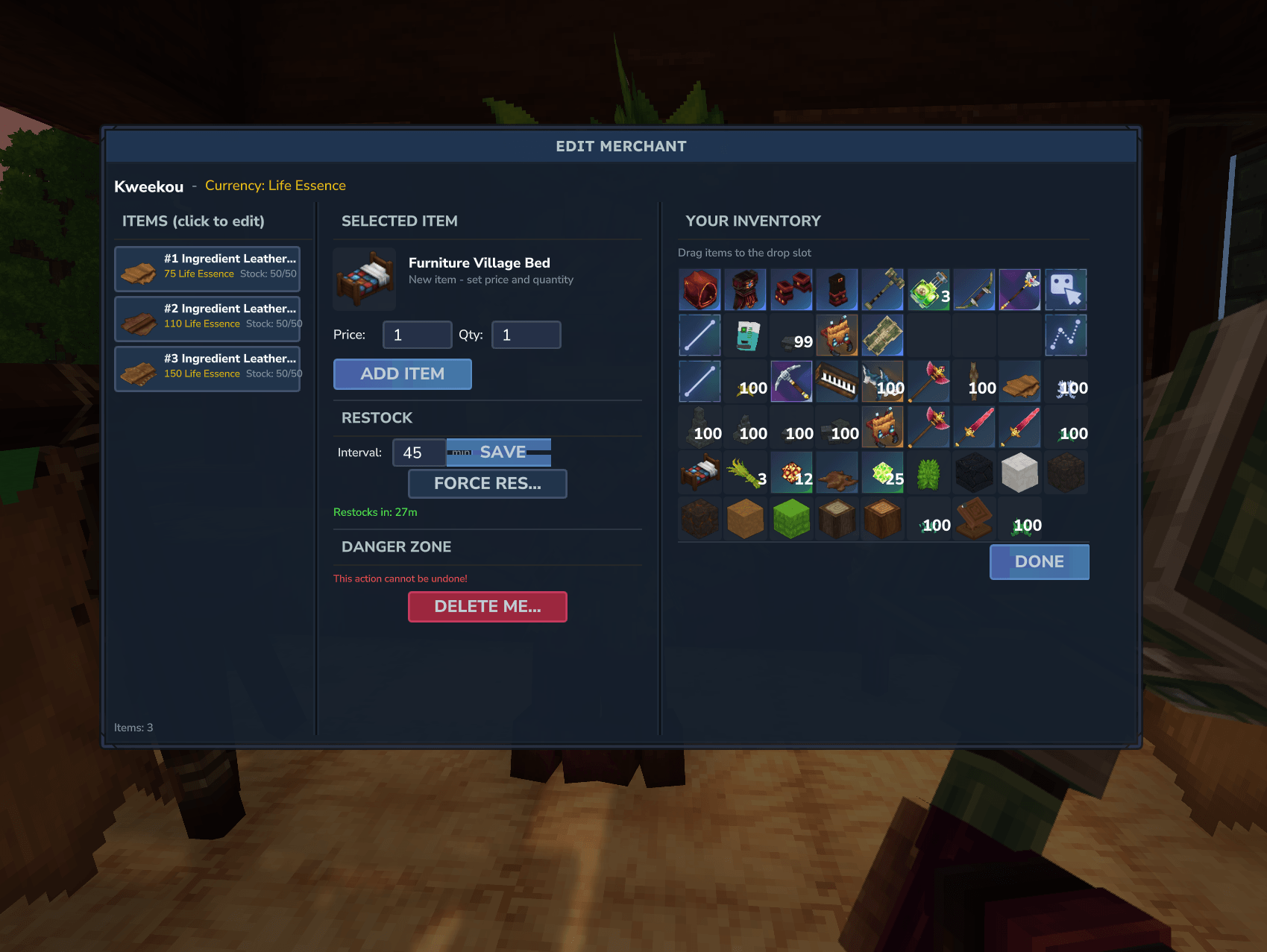
You can edit already existed merchant in creative just by looking them and pressing F
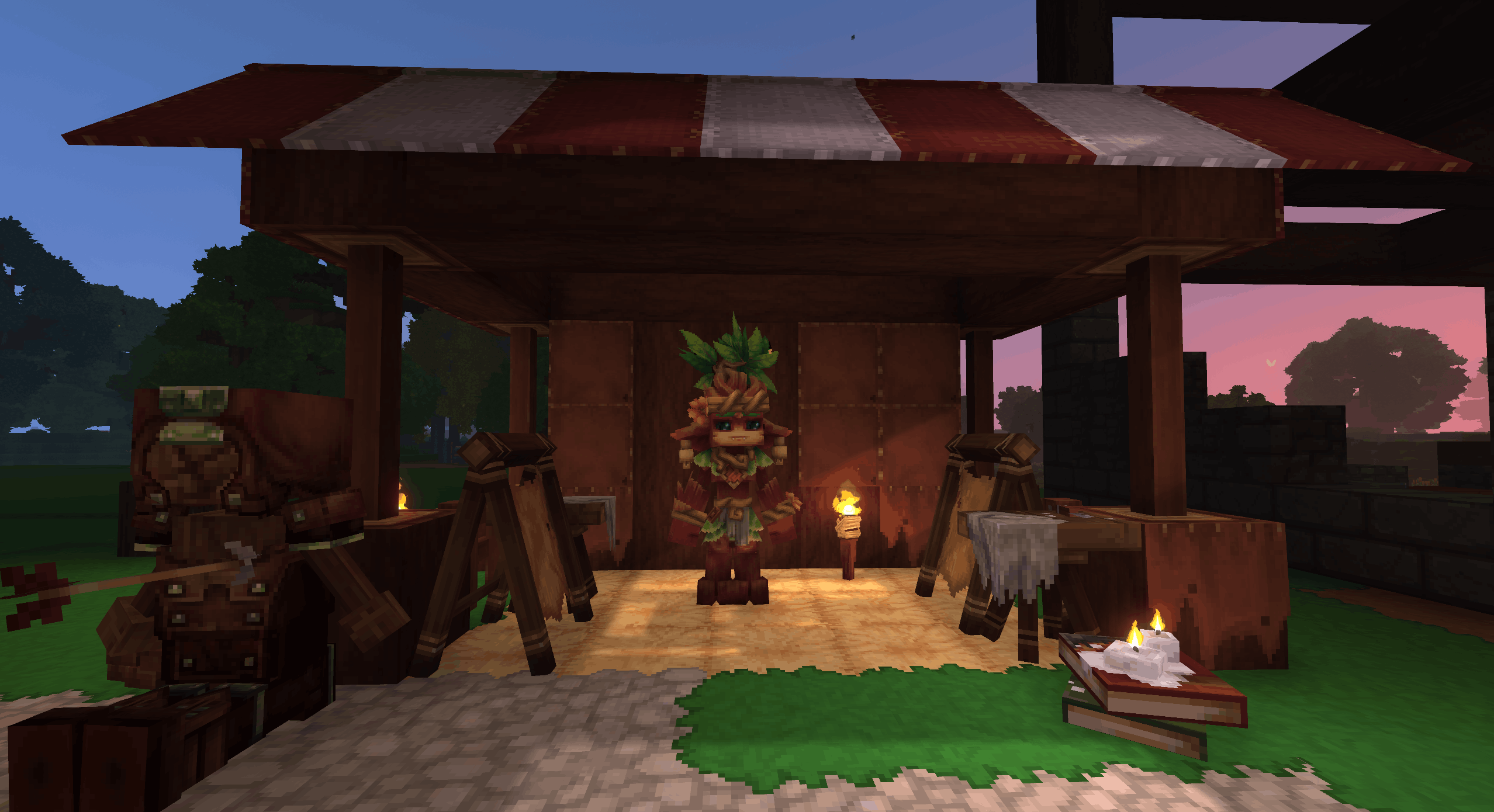
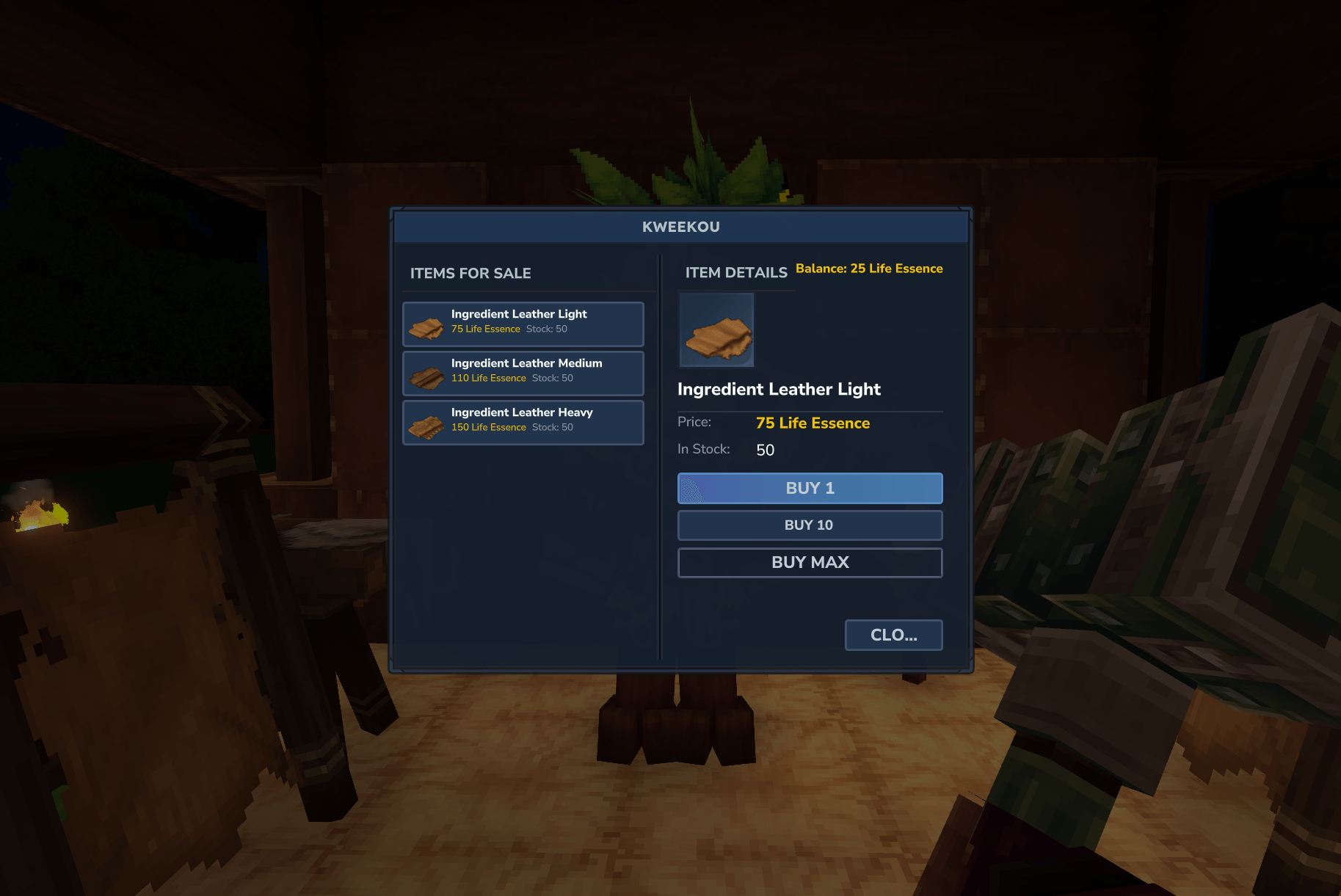
Players walk up to the linked NPC, press F, and the shop opens.
The currency system uses actual items from your inventory (not hotbar). If you set Fire Essence as currency and an item costs 50, players need 50 Fire Essences in their inventory to buy it.
NPC animations
Once linked, you can choose an animation for your merchant NPC. The animation list is automatically detected from the NPC's model. Select "Sleep", "Idle", "Sit", or any available animation — it persists through server restarts.
<!> Update from 1.2.3 to 1.2.4 warning ! <!>
Npc will spawn 2 time if you unload and load the chunk, delete both, this should happen only the first time it's done, then the data should be update to 1.2.4 and not happen again
Auto-restock
You can set a restock timer (in minutes) when configuring a merchant. Stock refills automatically based on real time, so if you set 60 minutes the shop restocks every hour even if nobody's online. When items are out of stock, players see "Restocks in: Xh Xm" instead of the buy button.
If you need to restock everything immediately: /restockmerchant
Editing merchants
Switch to Creative mode and press F on any merchant to open the edit screen. From there you can:
Add, edit, or remove items
Change the restock interval or force a restock
Change the NPC animation
Delete the merchant entirely
Commands
/merchant — Opens the merchant builder (OP only)
/restockmerchant — Force restock all merchants (OP only)
Available currencies
Any item can be used as currency — just drag it to the currency slot when configuring an item.
Default is Fire Essence
Good to know
Data saves to JSON and persists through restarts
Shop UI shows green prices when you can afford something, red when you can't
NPCs are identified by UUID, so they persist even after world reload
Linked NPCs keep their original model and appearance — only the interaction changes
What's next
Translation ?
"Ecotale" compatibility
Know issue
You can't put NPC Dialog & NPC Quests on a Custom Merchant NPC
"Crash - CustomUI Set command couldn't set value. Selector: #InventoryGrid.Slots" after update : move/delete item from your inventory to "refresh" it, do it a couple time and it should work again
Changelog:
v1.2.4 — New Link System
Complete rework: link merchants to existing NPCs instead of spawning new ones
Animation selection with persistence
Improved UI
<!>Can Wipe your merchant<!>
v1.2.3 — Complete UI overhaul
v1.2.2 — Scheduler checks every 30 seconds and respawns NPCs if necessary
v1.2.1 — Fix NPC despawn issue
v1.2.4 — Dr1mS
Categories
Screenshots
Need a Server?
Run Custom Merchant NPC on a dedicated Hytale server with easy mod management.
Get Hytale HostingFrequently Asked Questions
What is Custom Merchant NPC?
Spawn and configure merchant NPCs entirely in-game — set items, prices, currency, and auto-restock with a command
How do I download Custom Merchant NPC?
You can download Custom Merchant NPC for free from CurseForge. Click the "Download on CurseForge" button on this page to go directly to the download page.
Who created Custom Merchant NPC?
Custom Merchant NPC was created by Dr_1mS. The mod has been downloaded 781 times.
Is Custom Merchant NPC compatible with Hytale servers?
Custom Merchant NPC is designed for Hytale and can be used on both single-player and multiplayer servers. Check the mod page on CurseForge for specific compatibility information.
How do I install Custom Merchant NPC?
To install Custom Merchant NPC: 1) Download the mod from CurseForge, 2) Place the file in your Hytale mods folder, 3) Restart the game. The mod should load automatically.
Related Misc Mods
View all mods
Ymmersive Melodies
Conczin
Upload and play MIDI files in-game on various instruments to annoy your friends with custom melodies!

MultipleHUD
Buuz135
A simple mod that allows you to have multiple HUDs present at once.

Spanish Translation
Plexu5
A Spanish language translation for Hytale. Includes UI, items, and menus.

YUNG's HyDungeons
YUNGNICKYOUNG
Adds new procedurally generated dungeon instances!

Just Enough Tales (JEI mod)
uwudwagon
A JEI mod for Hytale.
![[NoCube's] Simple Bags](https://media.forgecdn.net/avatars/thumbnails/1601/201/256/256/639034453685921721.png)
[NoCube's] Simple Bags
NoCube
Adds bags that you can put anything in!