CustomChestSlots
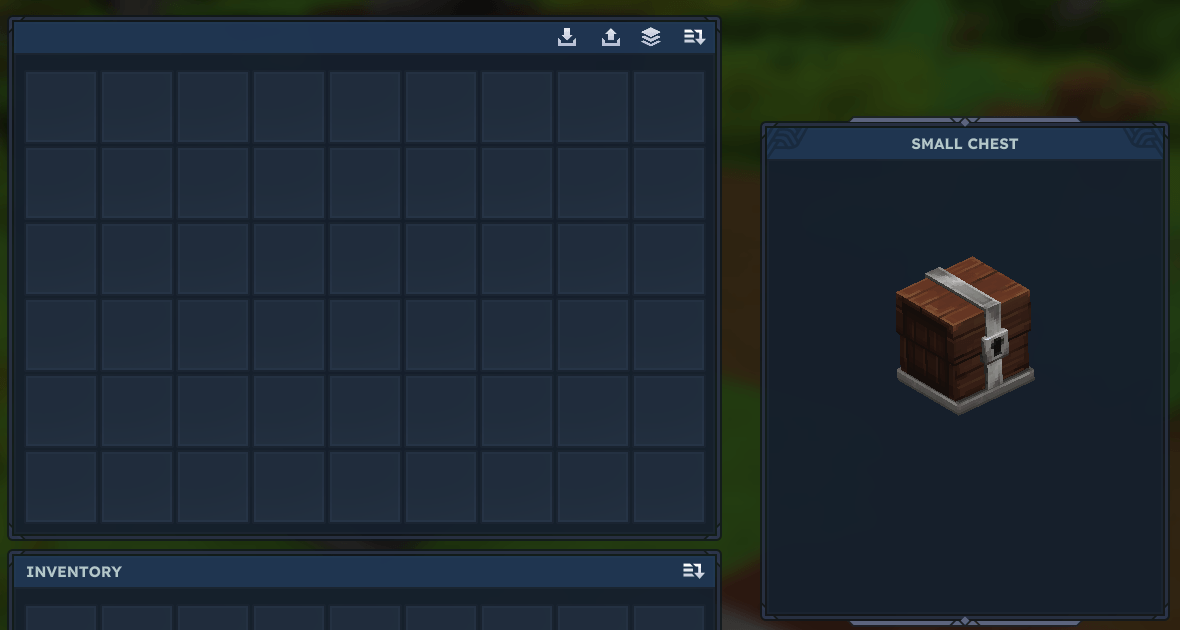
Custom Chest Slots allows server admins to customize the storage capacity of any chest in Hytale. Want your Village Chests to hold 54 items instead of 18? This plugin makes it easy.
About CustomChestSlots
# Custom Chest Slots
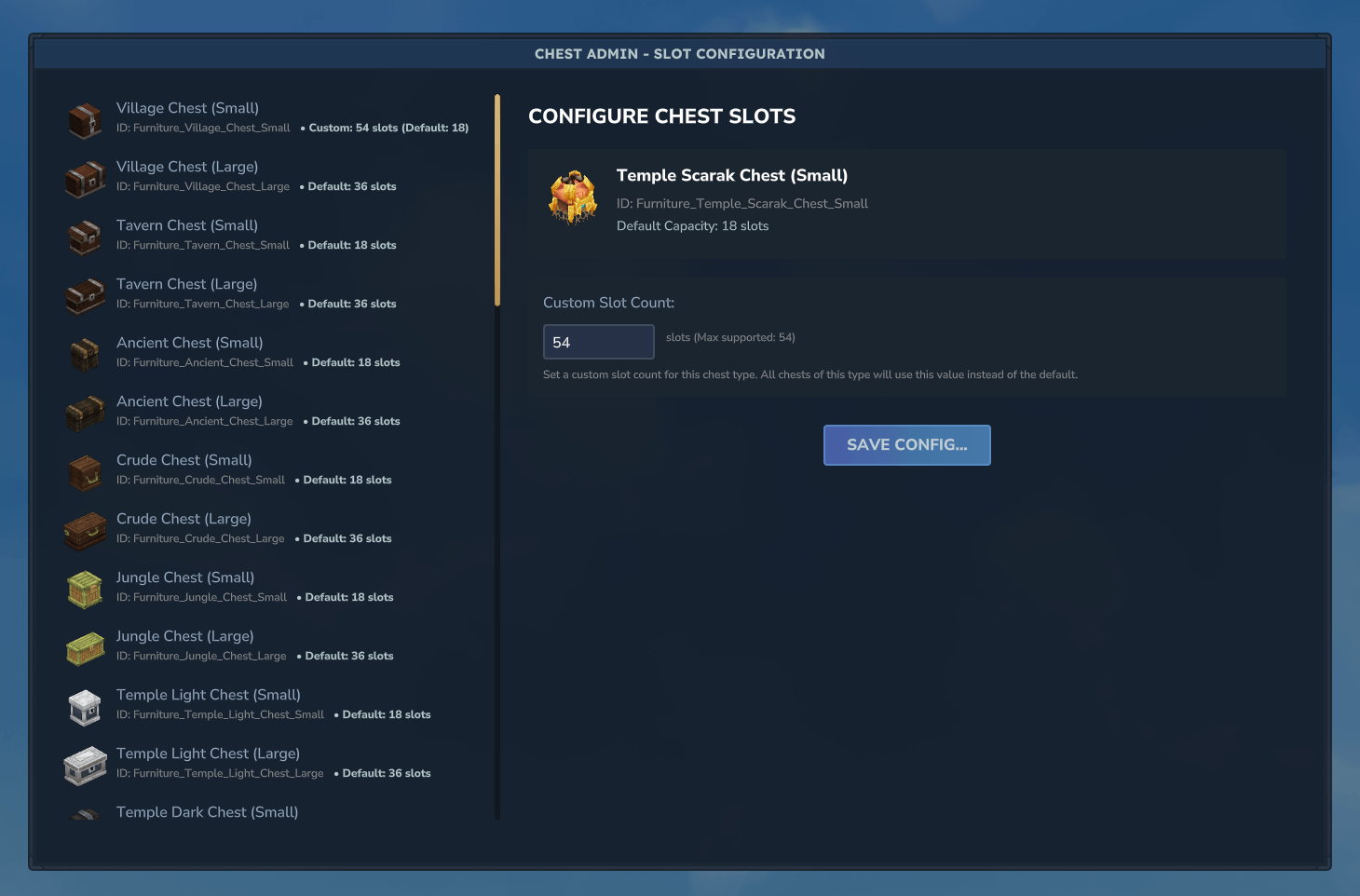
Support Server – https://discord.gg/DRxwt8Qg2W How to use: Join your server as an admin Run the command /chest admin to open the configuration menu Select a chest type from the list (e.g., "Village Chest", "Tavern Chest") Enter your desired slot count (recommended: 27, 36, 45, or 54) Click "Save Configuration" Restart your server to apply the changes Place new chests - they will now have your custom capacity! Important notes: Maximum 54 slots - We are looking for a system where we can make this unlimited. Restart required - After saving your config, restart the server for changes to take full effect New chests only - The changes apply to newly placed chests. Existing chests keep their original size. Persistent - Your settings are saved and will survive server restarts Perfect for: Survival servers that want more storage options RPG servers with custom merchant inventories Creative servers needing extra space Any server wanting to customize the player experience
Categories
Screenshots
Need a Server?
Run CustomChestSlots on a dedicated Hytale server with easy mod management.
Get Hytale HostingFrequently Asked Questions
What is CustomChestSlots?
Custom Chest Slots allows server admins to customize the storage capacity of any chest in Hytale. Want your Village Chests to hold 54 items instead of 18? This plugin makes it easy.
How do I download CustomChestSlots?
You can download CustomChestSlots for free from CurseForge. Click the "Download on CurseForge" button on this page to go directly to the download page.
Who created CustomChestSlots?
CustomChestSlots was created by Hyronix. The mod has been downloaded 27 times.
Is CustomChestSlots compatible with Hytale servers?
CustomChestSlots is designed for Hytale and can be used on both single-player and multiplayer servers. Check the mod page on CurseForge for specific compatibility information.
How do I install CustomChestSlots?
To install CustomChestSlots: 1) Download the mod from CurseForge, 2) Place the file in your Hytale mods folder, 3) Restart the game. The mod should load automatically.
Related Misc Mods
View all mods
Ymmersive Melodies
Conczin
Upload and play MIDI files in-game on various instruments to annoy your friends with custom melodies!

MultipleHUD
Buuz135
A simple mod that allows you to have multiple HUDs present at once.

Spanish Translation
Plexu5
A Spanish language translation for Hytale. Includes UI, items, and menus.

YUNG's HyDungeons
YUNGNICKYOUNG
Adds new procedurally generated dungeon instances!

Just Enough Tales (JEI mod)
uwudwagon
A JEI mod for Hytale.
![[NoCube's] Simple Bags](https://media.forgecdn.net/avatars/thumbnails/1601/201/256/256/639034453685921721.png)
[NoCube's] Simple Bags
NoCube
Adds bags that you can put anything in!