
Equipment Plus Hud
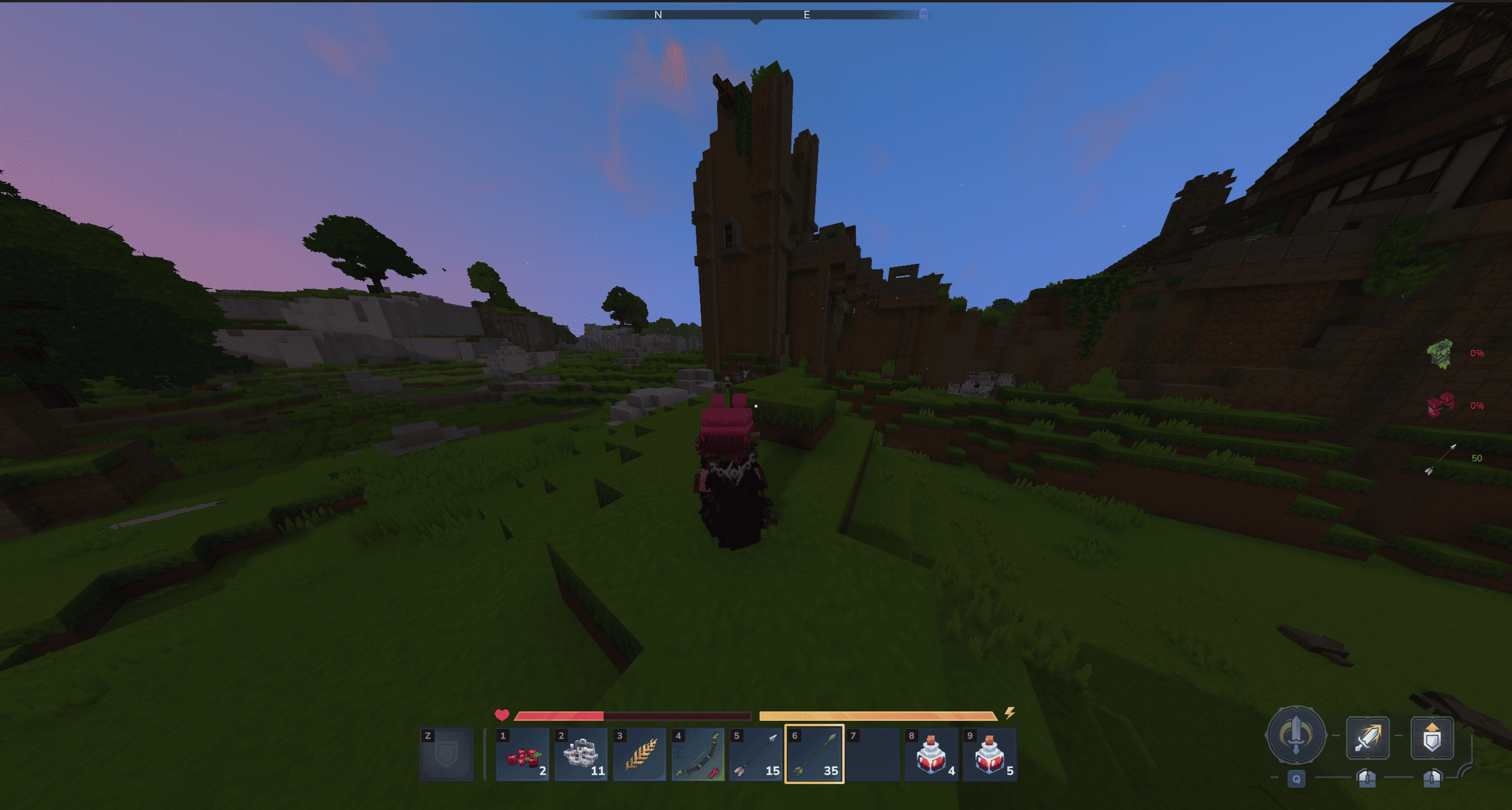
Simple HUD UI, for showing armor durability and current ammo amount
About Equipment Plus Hud
Equipment Plus Hud
A Hytale plugin that displays armor durability and ammo count in a sleek, always-visible HUD. Works seamlessly with MultipleHUD or as a standalone native HUD. Part of the nxtime mod family alongside HideArmor.
Features
Armor Durability Display - Real-time durability percentages for all equipped armor pieces
Color-Coded Indicators - Green → Yellow → Red based on durability level
Ammo Counter - Automatically tracks arrow count in your inventory
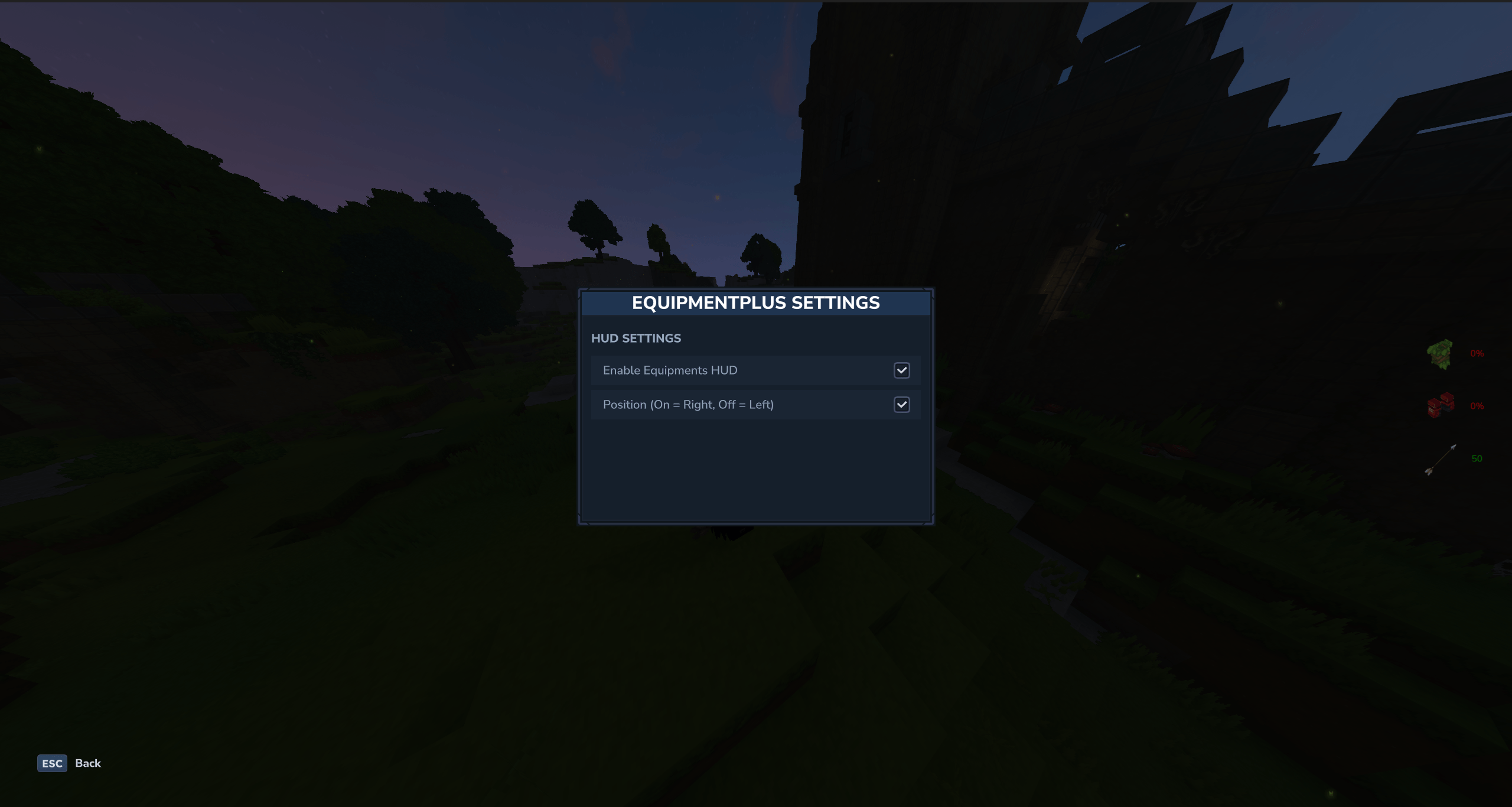
Configurable Position - Toggle HUD between left and right screen sides
Native GUI - Modern, interactive Hytale settings UI (via /equipmentplus)
Event-Driven Updates - Uses LivingEntityInventoryChangeEvent for real-time, efficient updates
MultipleHUD Integration - Seamlessly integrates when installed, falls back to native HUD otherwise
🚧 Auto-Repair (Work in Progress)
Coming Soon: Automatically repair items when they break using Hytale's repair kit item.
Commands
Command Description
/equipmentplus Open settings GUI
/equipmentplus togglehud Toggle HUD visibility on/off
/equipmentplus position Toggle HUD position (left/right)
/equipmentplus reload Reload configuration from disk
Configuration
Settings are stored in plugins/EquipmentPlus/config.json:
Setting Default Description
hudEnabled true Enable/disable durability HUD
hudPosition "left" HUD position: "left" or "right"
hudUpdateTicks 200 Backup refresh rate in ticks (events handle most updates)
Compatibility
Hytale Version: Early Access SDK
MultipleHUD: Optional - auto-detected for HUD compatibility with other mods
HideArmor: Fully compatible - use both mods together!
Technical Details
Uses LivingEntityInventoryChangeEvent for real-time updates
Throttled updates (50ms) to prevent server overload during rapid inventory changes
Falls back to polling every 10 seconds as backup
Namespaced UI files for clean asset organization
Some of my other mods
HideArmor - Toggle armor visibility while keeping protection
Categories
Screenshots
Need a Server?
Run Equipment Plus Hud on a dedicated Hytale server with easy mod management.
Get Hytale HostingFrequently Asked Questions
What is Equipment Plus Hud?
Simple HUD UI, for showing armor durability and current ammo amount
How do I download Equipment Plus Hud?
You can download Equipment Plus Hud for free from CurseForge. Click the "Download on CurseForge" button on this page to go directly to the download page.
Who created Equipment Plus Hud?
Equipment Plus Hud was created by nxtime. The mod has been downloaded 503 times.
Is Equipment Plus Hud compatible with Hytale servers?
Equipment Plus Hud is designed for Hytale and can be used on both single-player and multiplayer servers. Check the mod page on CurseForge for specific compatibility information.
How do I install Equipment Plus Hud?
To install Equipment Plus Hud: 1) Download the mod from CurseForge, 2) Place the file in your Hytale mods folder, 3) Restart the game. The mod should load automatically.
Related Qol Mods
View all mods
EyeSpy
DarkhaxDev
Adds a HUD that displays information about what you're looking at!

Advanced Item Info
Buuz135
Adds a searchable GUI that displays all the items and the game and displays extra properties they have

Overstacked
DarkhaxDev
Increases the maximum stack size of items.

Violet's Wardrobe
VioletsWorkshop
Adds more customisation options in the form of craftable cosmetics

Item Magnet
Jaredlll08
Adds a magnet that attracts items towards the player.

Endgame & QoL - Boss & Elite Update (3.0.0 in a week)
Lewaii
Endgame & QoL v2.2: Face the Alpha T-Rex & Void Spectres! Unlock Backpack IV & Void Gliders. Restore unused content and challenge stronger, rebalanced bosses!