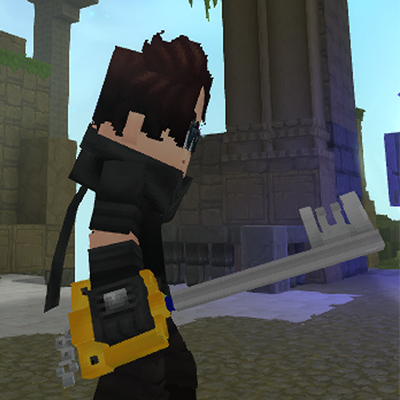
High Quality Keyblades + Sounds
Keyblades from Kingdom Hearts Series.
About High Quality Keyblades + Sounds
This mod adds some original Keyblades from Kingdom Hearts Series.
REMEMBER TO UNZIP THE MOD: CLICK THE THREE DOTS NEXT TO INSTALL, OPEN THE MODS FOLDER, AND UNZIP IT. OTHERWISE, IT WILL NOT WORK.
The Keyblades features its iconic custom sounds, giving it an authentic feel inspired by the original weapon.
KEYBLADES INCLUDED SO FAR:
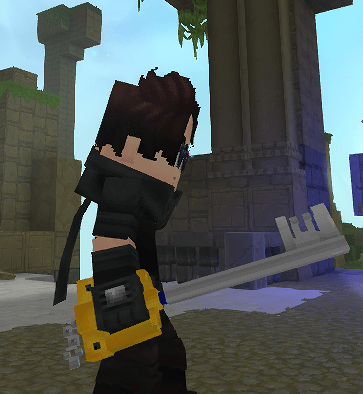
Kingdom Key. x20 Iron Bar + 4 Heavy Leather in Blacksmith´s Anvil lvl1
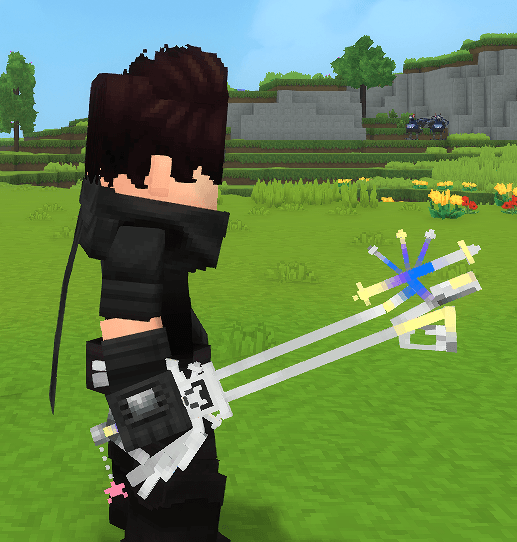
Oathkeeper. x10 Silver Bar + 4 Heavy Leather in Blacksmith´s Anvil lvl1
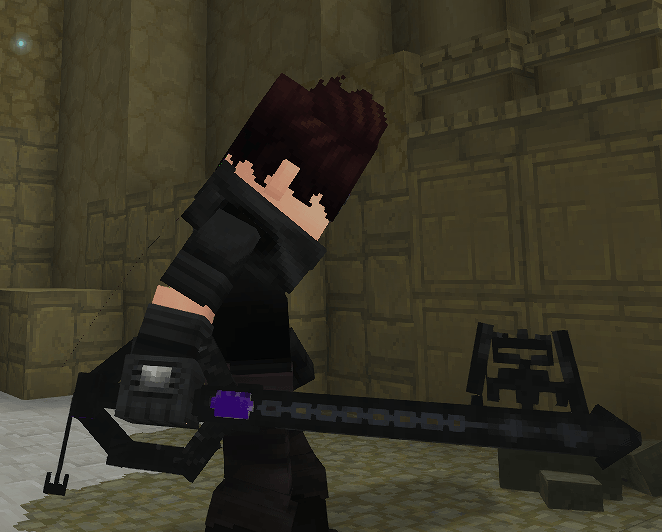
Oblivion. x20 Thorium Bar + 4 Heavy Leather in Blacksmith´s Anvil lvl1
This is my first mod, and it’s just the beginning. My goal is to expand it over time by adding more content and introducing additional effects, such as special effects when hitting enemies or when summoning the Keyblade itself.
Installation:
For servers: place the mod in the server’s mods folder and unzip.
For single-player worlds: install the mod in that world’s mods folder and unzip.
Remember that you must unzip the file inside the mods folder, otherwise it will not work.
Disclaimer: This is a fan-made mod inspired by Kingdom Hearts and is not affiliated with or endorsed by Disney or Square Enix.
May your heart be your guiding key.
Categories
Screenshots
Need a Server?
Run High Quality Keyblades + Sounds on a dedicated Hytale server with easy mod management.
Get Hytale HostingFrequently Asked Questions
What is High Quality Keyblades + Sounds?
Keyblades from Kingdom Hearts Series.
How do I download High Quality Keyblades + Sounds?
You can download High Quality Keyblades + Sounds for free from CurseForge. Click the "Download on CurseForge" button on this page to go directly to the download page.
Who created High Quality Keyblades + Sounds?
High Quality Keyblades + Sounds was created by Excrunt. The mod has been downloaded 753 times.
Is High Quality Keyblades + Sounds compatible with Hytale servers?
High Quality Keyblades + Sounds is designed for Hytale and can be used on both single-player and multiplayer servers. Check the mod page on CurseForge for specific compatibility information.
How do I install High Quality Keyblades + Sounds?
To install High Quality Keyblades + Sounds: 1) Download the mod from CurseForge, 2) Place the file in your Hytale mods folder, 3) Restart the game. The mod should load automatically.
Related Misc Mods
View all mods
Ymmersive Melodies
Conczin
Upload and play MIDI files in-game on various instruments to annoy your friends with custom melodies!

MultipleHUD
Buuz135
A simple mod that allows you to have multiple HUDs present at once.

Spanish Translation
Plexu5
A Spanish language translation for Hytale. Includes UI, items, and menus.

YUNG's HyDungeons
YUNGNICKYOUNG
Adds new procedurally generated dungeon instances!

Just Enough Tales (JEI mod)
uwudwagon
A JEI mod for Hytale.
![[NoCube's] Simple Bags](https://media.forgecdn.net/avatars/thumbnails/1601/201/256/256/639034453685921721.png)
[NoCube's] Simple Bags
NoCube
Adds bags that you can put anything in!