Home Claim Protection
Home Claim Protection System for Players
About Home Claim Protection
Home Claim Property Protection for Hytale
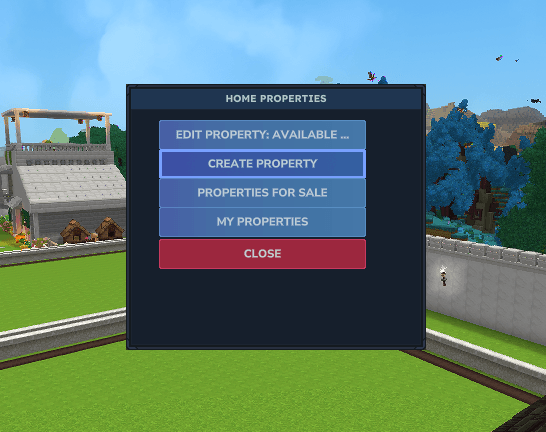
Quick Access: /claim menu
Home Claim Property Protection is a comprehensive, multi-layered security system designed to protect player constructions and assets from unauthorized access, griefing, and theft. Built with modern Hytale ECS (Entity Component System) architecture and native UI system, it offers robust protection that is performance-optimized and user-friendly.
Key Features
Multi-Layer Protection: Combines traditional event listening with modern ECS systems to cover all possible grief vectors (block breaking, placing, interactions, and mining).
Intuitive UI Management: Manage your properties through a sleek, in-game interface with visual controls. No more complex command memorization!
Advanced Claim Wizard: Interactive UI with directional controls to fine-tune your property boundaries with precision.
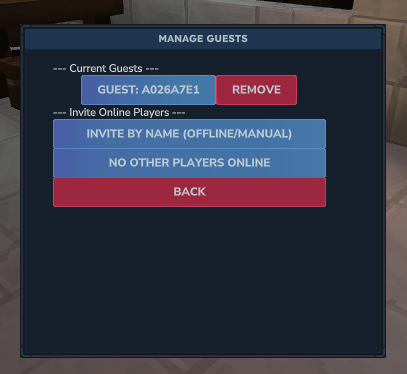
Guest System: Securely invite friends to your properties with granular control.
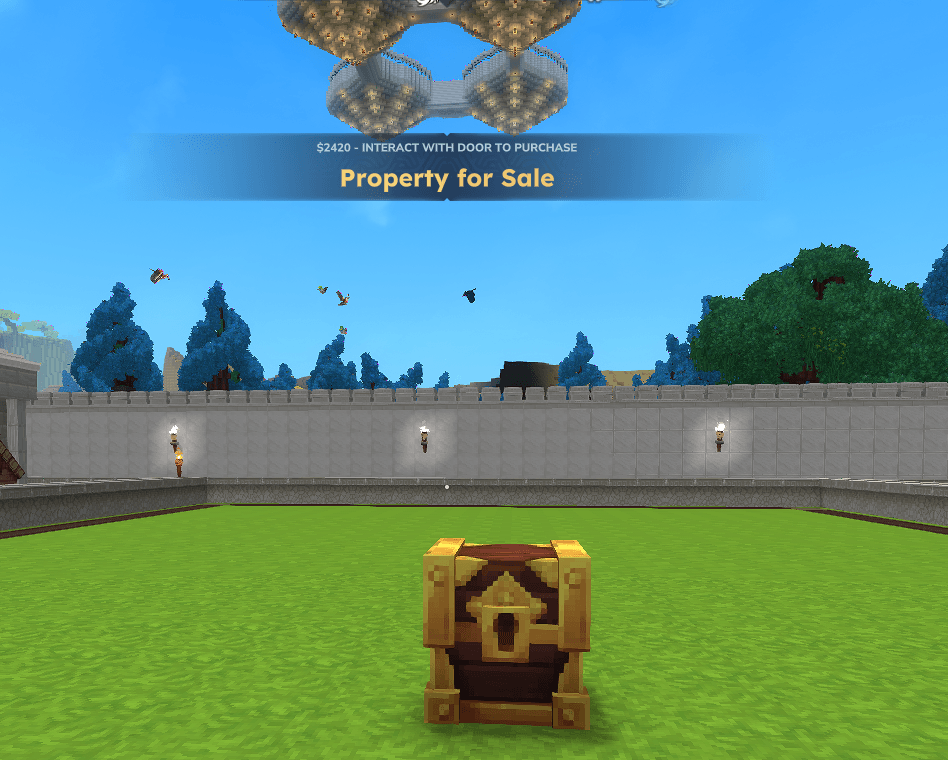
Item-Based Economy: Fully integrated with Hytale's inventory, allowing players to purchase properties using customizable currency items.
Zone Notifications: Real-time feedback when entering or leaving protected areas.
Admin Tools: Powerful wizard-based creation tool for admins to set up properties for sale or public use.
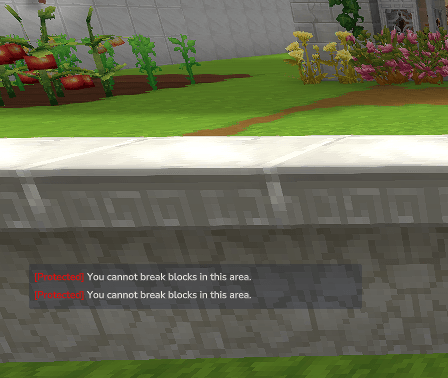
Outdoor Protection Zones: Protect outdoor areas from block breaking and placing while still allowing item interactions (chests, doors, furnaces, etc.).
PVP Zones: Create designated PVP areas within your server! The plugin forces the world into PVP mode but blocks combat everywhere except in designated PVP zones, giving you full control over where players can fight.
Protection Layers
Our plugin doesn't just block clicks; it monitors the world at every level:
Interaction Layer: Protects doors, chests, furnaces, and other interactive blocks.
Block Placement/Breaking: Prevents unauthorized construction or destruction.
Mining Protection (ECS): Blocks continuous mining damage before the block even breaks.
Advanced ECS Systems: Specifically handles "UseBlock" events (F key) and modern Hytale interactions that bypass traditional listeners.
Post-Interaction Monitoring: A final safety net to ensure no unauthorized changes go unnoticed.
Claim Wizard Interface
The Claim Wizard provides an intuitive visual interface for creating and managing protected areas:
Features:
Visual Position Markers: See exactly where your claim boundaries are set
Directional Controls: Fine-tune your claim with precise directional buttons Up/Down: Adjust vertical boundaries
West/East: Move horizontally along the X-axis
North/South: Move along the Z-axis
Real-time Volume Display: See the size of your claim as you adjust it
Color-Coded Positions: Position 1 (Green) - First corner
Position 2 (Blue) - Second corner
Raycast Selection: Click "Set Pos" buttons to quickly select blocks you're looking at
Commands
Player Commands
Command Description /claim Opens the main property management menu. /claim menu Quick access to your list of properties. /claim invite <player> Invites a player as a guest to the property you are standing in. /claim remove <player> Removes a guest's permissions from the current property. /claim help Displays the help menu.
Admin Commands
Command Description /claim pos1 Sets the first corner for a new property. /claim pos2 Sets the second corner for a new property. /claim wizard Opens the visual Claim Wizard interface for easy property creation. /claim admin help Shows detailed administrative help. /claim setcurrency Sets the item in your hand as the server's property currency.
Installation
Download the latest .jar file from CurseForge.
Place the file into your Hytale server's mods or plugins folder.
Restart the server to generate the configuration files.
Configure your currency and intervals in mods/PropertyProtection/config.json.
Enjoy a grief-free experience!
No external dependencies required! Everything is built with native Hytale systems.
Economy Integration
The plugin uses an item-based economy. Admins can hold any item (e.g., Gold Coins, Diamonds) and use /claim setcurrency to define it as the payment method.
Buying Properties: When a player interacts with a property for sale, they can pay the required amount of the currency item directly from their inventory.
Auto-Save: All claims and permissions are automatically saved periodically to ensure data integrity.
Support & Links
Report Bugs: Use the Issues tab on CurseForge
Discord Support: Join our community server
Documentation: Full wiki available on GitHub
Active Development & Community
Home Claim Property Protection is actively maintained and constantly updated!
This plugin is under continuous development to provide the best experience for the Hytale server community. We listen to our users and regularly implement new features, improvements, and optimizations based on community feedback.
Regular Updates: Frequent patches and feature additions
Community-Driven: We listen to feature requests and suggestions
Server-Focused: Built specifically to help server owners create better experiences
Open to Feedback: Your ideas and requests are welcome!
Have a feature request or suggestion? Let us know through the Issues tab or our Discord server. We're committed to making this the best property protection solution for Hytale servers.
Developed with love by AvalonTM.
Categories
Screenshots
Need a Server?
Run Home Claim Protection on a dedicated Hytale server with easy mod management.
Get Hytale HostingFrequently Asked Questions
What is Home Claim Protection?
Home Claim Protection System for Players
How do I download Home Claim Protection?
You can download Home Claim Protection for free from CurseForge. Click the "Download on CurseForge" button on this page to go directly to the download page.
Who created Home Claim Protection?
Home Claim Protection was created by AvalonTM. The mod has been downloaded 151 times.
Is Home Claim Protection compatible with Hytale servers?
Home Claim Protection is designed for Hytale and can be used on both single-player and multiplayer servers. Check the mod page on CurseForge for specific compatibility information.
How do I install Home Claim Protection?
To install Home Claim Protection: 1) Download the mod from CurseForge, 2) Place the file in your Hytale mods folder, 3) Restart the game. The mod should load automatically.
Related Misc Mods
View all mods
Ymmersive Melodies
Conczin
Upload and play MIDI files in-game on various instruments to annoy your friends with custom melodies!

MultipleHUD
Buuz135
A simple mod that allows you to have multiple HUDs present at once.

Spanish Translation
Plexu5
A Spanish language translation for Hytale. Includes UI, items, and menus.

YUNG's HyDungeons
YUNGNICKYOUNG
Adds new procedurally generated dungeon instances!

Just Enough Tales (JEI mod)
uwudwagon
A JEI mod for Hytale.
![[NoCube's] Simple Bags](https://media.forgecdn.net/avatars/thumbnails/1601/201/256/256/639034453685921721.png)
[NoCube's] Simple Bags
NoCube
Adds bags that you can put anything in!