![[HyBox] Ale & Hearth](https://media.forgecdn.net/avatars/1629/145/639044798709009084.png)
[HyBox] Ale & Hearth
Ale & Hearth adds multiple alcoholic drinks, new brewing ingredients and crops, and cozy tavern-themed decor.
About [HyBox] Ale & Hearth
Ale & Hearth is a cozy tavern content mod focused on brewing, new crops, and warm interior building. Grow ingredients, craft brewing materials, ferment drinks over time, and decorate your tavern with themed furniture and hearth blocks.
1. Start at the Farmer’s Table: craft Hop Seeds and Beetroot Seeds, then grow them like normal crops. Hops are required for brewing beer and for crafting the new brewing workbench (which is needed to make the fermentation barrel).
2. Next, set up your brewery station: craft and place the Brewing Workbench — the main block of the mod. It’s used to craft brewing components and, most importantly, the Fermentation Barrel. Once you have the workbench, craft your first barrel on it and place it in your tavern/brewery area.
3. Now you can brew drinks: combine ingredients and start fermenting in the Fermentation Barrel. The barrel processes your mix over time, turning simple crops and materials into finished beverages. Brew a variety of tavern classics — ales & beers, fruit ciders, kvass, wine, and vodka — then decorate the place, serve your creations, and expand your brewery as new recipes get added.
Main Features
Drinks: multiple ales, beer, multiple ciders, kvass, vodka, and wine.
Functional Blocks: new brewing workbench, fermentation barrel, and a wall-built oven.
New Plants: hops, grapes, and beetroot (seeds craftable via the Farmer’s Table).
New Ingredients: sugar, yeast, and malt.
Tavern Decor: high stools, barrel tables, bar counter, mini barrel, plate with hops, and fireplaces.
Alcohol Effects
Each drink comes with its own intoxication strength — from light tavern buzz to heavy “I regret this” levels.
As your intoxication increases:
your camera sway becomes stronger (harder to aim, especially with a bow),
but you also gain combat buffs:
bonus Max HP
damage resistance
So yes — alcohol isn’t just for roleplay. It’s also a battle tool for brave (or reckless) adventurers.
Intoxication wears off naturally over time as your character sobers up.
Config Options
Not a fan of camera wobble? You can adjust it in the mod config:
reduce camera sway intensity,
or disable it completely if it makes you nauseous.
Planned Updates
more food-related content and recipes
additional drinks, decor, and tavern blocks
a more immersive alcohol brewing process with realistic fermentation
Known Issues
Camera sway may reset / desync during actions: while intoxicated, certain actions (interacting with blocks, using items, opening UI, etc.) can temporarily interrupt or reset the camera wobble effect. This may feel a bit janky or uncomfortable for some players.
Bring warmth, flavor, and life to your world — one mug at a time.
Categories
Screenshots
![[HyBox] Ale & Hearth screenshot 1](https://media.forgecdn.net/attachments/1485/824/ale_heart_06-png.png)
![[HyBox] Ale & Hearth screenshot 2](https://media.forgecdn.net/attachments/1485/823/ale_heart_05-png.png)
![[HyBox] Ale & Hearth screenshot 3](https://media.forgecdn.net/attachments/1485/822/ale_heart_04-png.png)
![[HyBox] Ale & Hearth screenshot 4](https://media.forgecdn.net/attachments/1485/821/ale_heart_03-png.png)
![[HyBox] Ale & Hearth screenshot 5](https://media.forgecdn.net/attachments/1485/820/ale_heart_02-png.png)
![[HyBox] Ale & Hearth screenshot 6](https://media.forgecdn.net/attachments/1485/819/ale_heart_01-png.png)
Need a Server?
Run [HyBox] Ale & Hearth on a dedicated Hytale server with easy mod management.
Get Hytale HostingFrequently Asked Questions
What is [HyBox] Ale & Hearth?
Ale & Hearth adds multiple alcoholic drinks, new brewing ingredients and crops, and cozy tavern-themed decor.
How do I download [HyBox] Ale & Hearth?
You can download [HyBox] Ale & Hearth for free from CurseForge. Click the "Download on CurseForge" button on this page to go directly to the download page.
Who created [HyBox] Ale & Hearth?
[HyBox] Ale & Hearth was created by ZeroCaty. The mod has been downloaded 2.2K times.
Is [HyBox] Ale & Hearth compatible with Hytale servers?
[HyBox] Ale & Hearth is designed for Hytale and can be used on both single-player and multiplayer servers. Check the mod page on CurseForge for specific compatibility information.
How do I install [HyBox] Ale & Hearth?
To install [HyBox] Ale & Hearth: 1) Download the mod from CurseForge, 2) Place the file in your Hytale mods folder, 3) Restart the game. The mod should load automatically.
Related Farming Mods
View all mods![[NoCube's] Tavern](https://media.forgecdn.net/avatars/thumbnails/1594/779/256/256/639031144996392372.png)
[NoCube's] Tavern
NoCube
Adds hops, brewing, and new decorations! Hytale style.
![[NoCube's] Culinary](https://media.forgecdn.net/avatars/thumbnails/1601/240/256/256/639034493328120832.png)
[NoCube's] Culinary
NoCube
Adds new foods
![[NoCube's] Bakehouse](https://media.forgecdn.net/avatars/thumbnails/1601/210/256/256/639034459035434806.png)
[NoCube's] Bakehouse
NoCube
Grinding flour, baking bread in the oven, and making pastries!
![[NoCube's] Cultivation](https://media.forgecdn.net/avatars/thumbnails/1601/95/256/256/639034389831292555.png)
[NoCube's] Cultivation
NoCube
Make farming more comfortable than ever before!

Recover Arrows
Lupin
This mod lets you pick up arrows from the ground!
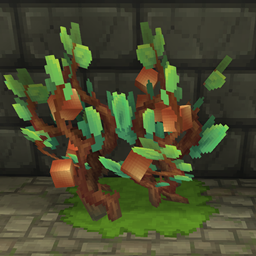
Shimmer Shrubs
DarkhaxDev
Farm resources using magic berry bushes!