
Hydro Hologram
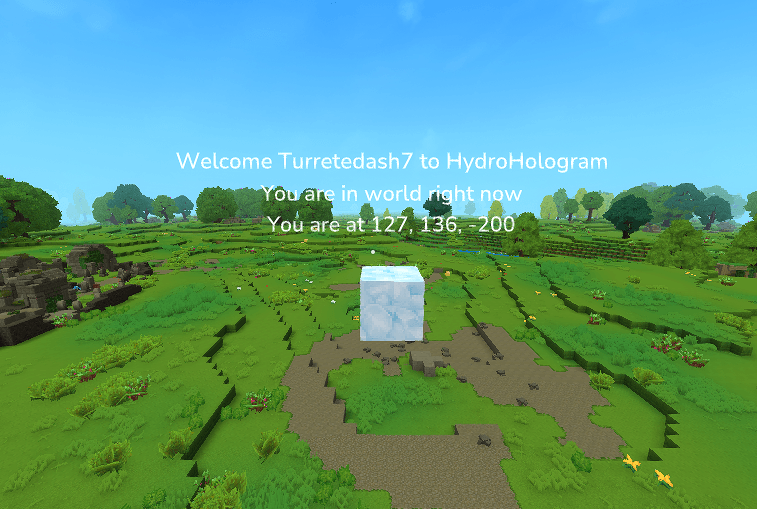
Adds in Holograms to Hytale. Also comes with a built in editor too. Still learning the kinks of coding in hytale so this is still early stages at the moment.
About Hydro Hologram
HydroHologram
Create floating text displays anywhere in your world!
HydroHologram is a powerful and easy-to-use hologram plugin for Hytale servers that allows you to create, edit, and manage floating text displays throughout your world. Perfect for server information, welcome messages, rules, waypoints, and more!
Features
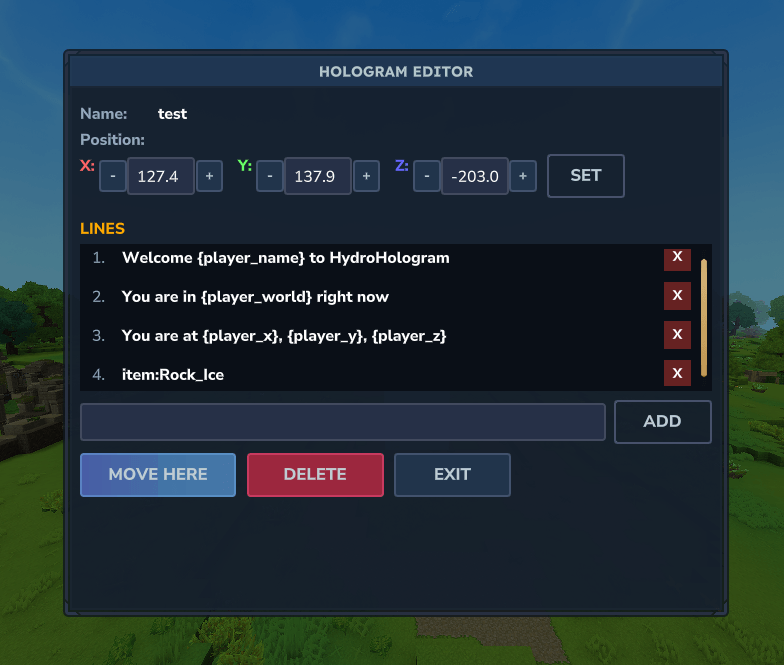
Multi-Line Holograms
Create holograms with unlimited text lines
Each line is independently editable
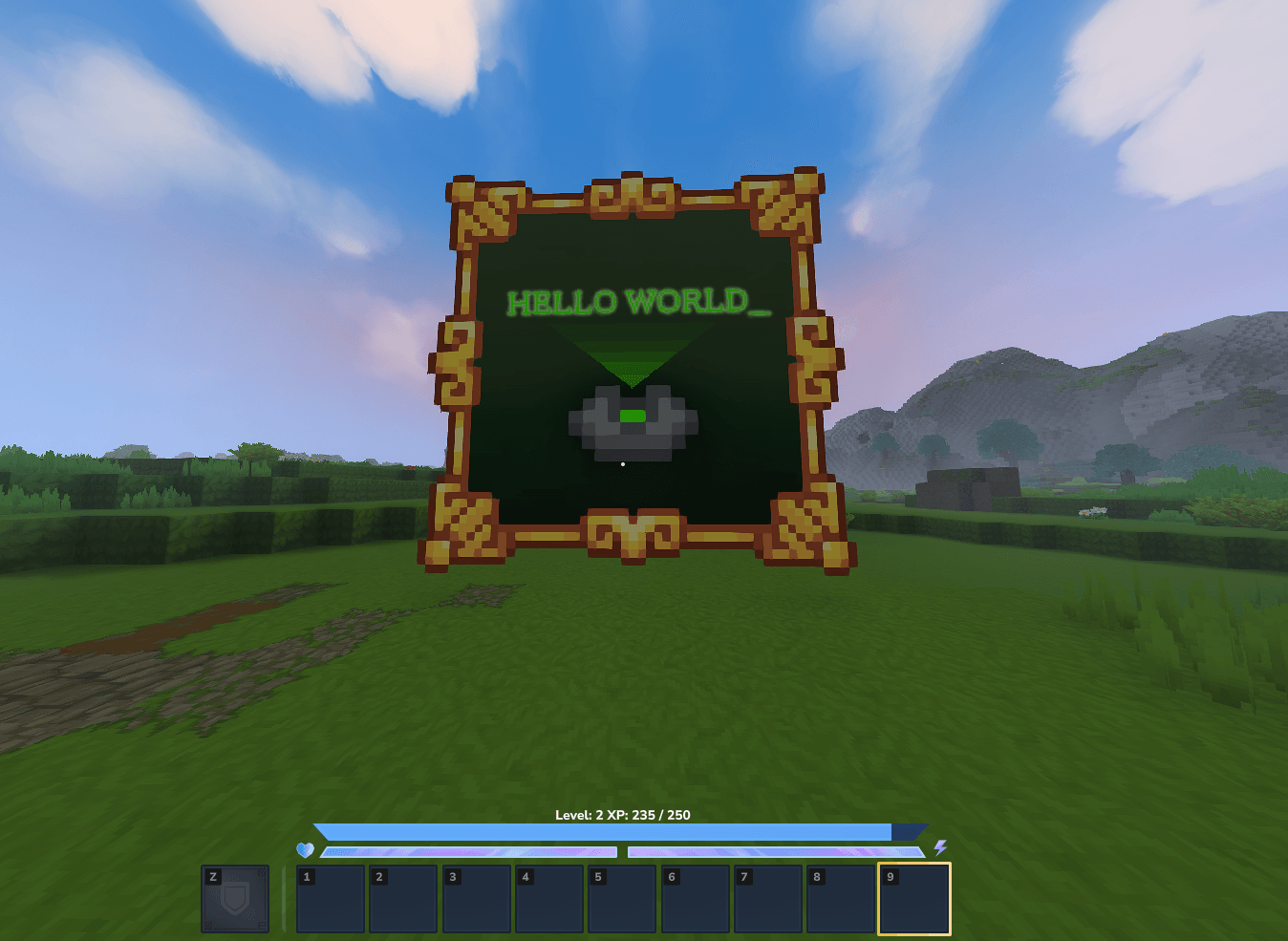
Create Image holograms
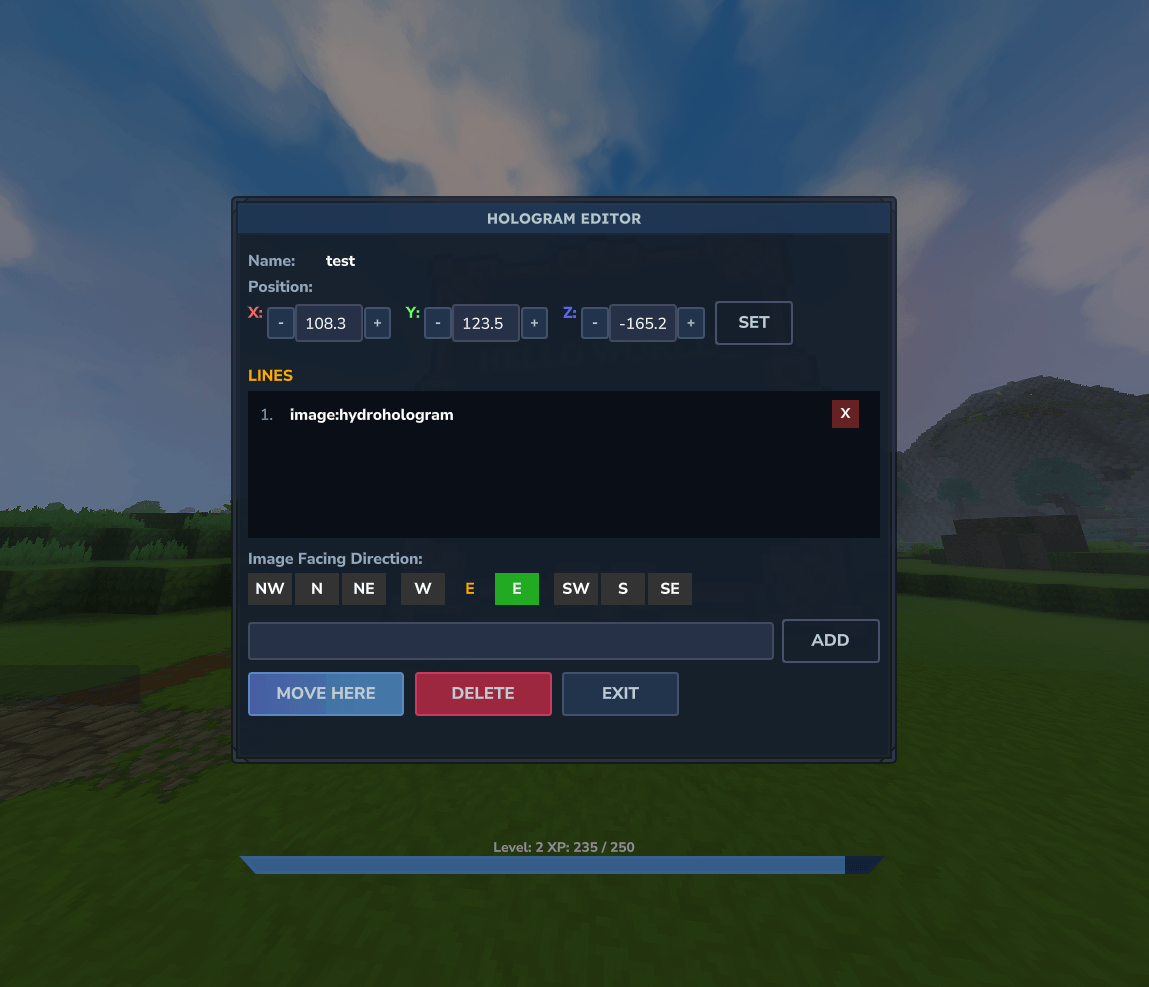
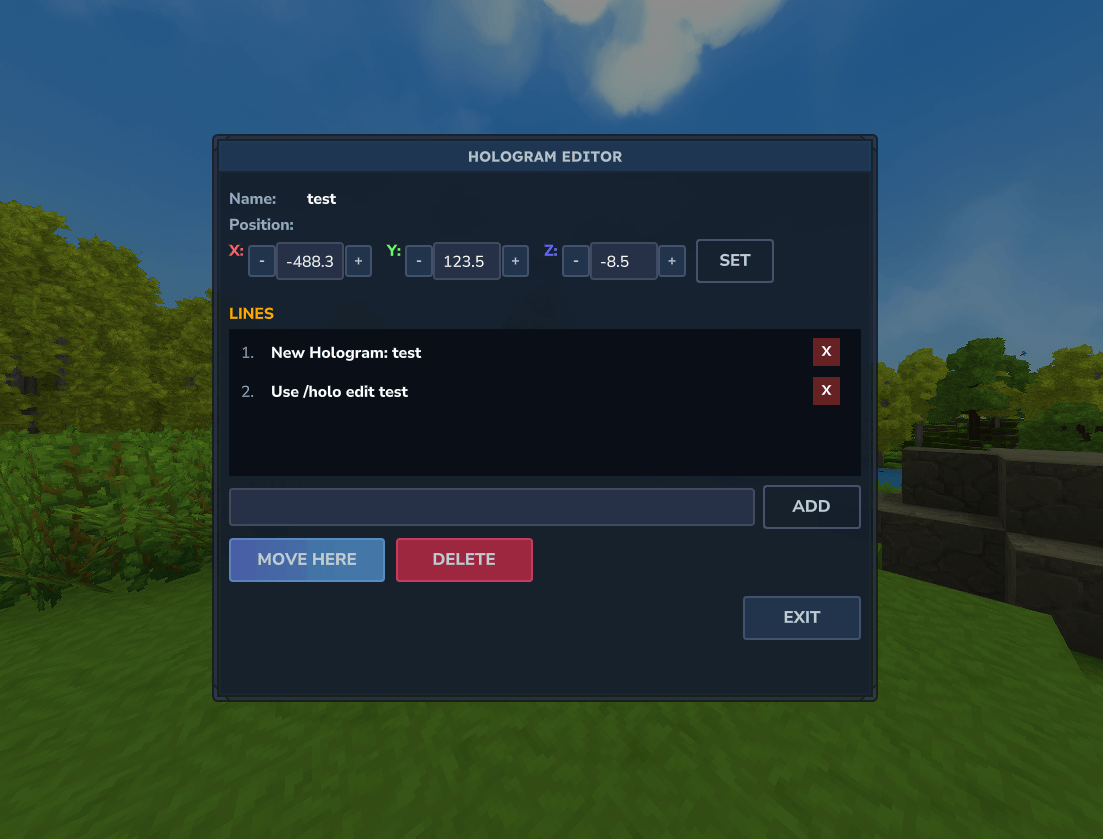
Intuitive GUI Editor
In-game editor interface
Click on any line to edit it directly
Add, update, or remove lines with a single click
Real-time preview of changes
Change location with x,y,z button
Easy Positioning
Create holograms at your current location
Move existing holograms to your position with the "Move Here" button
Precise coordinate display in the editor
Road Map - Add in a config option in folder so you can change in there too - Add in permisson (Only hydrohologram.admin work for now) - Add in Gif Support - And any other request
🖼️ Image Hologram Lines (Only works on 1.0.3 and above)
Basic Format image:<name> (Display image at default scale)
With Scale image:<name>:<scale> (Display image with custom scale) Example: image:logo:2.0 (2x size)
With Direction image:<name>:<direction> (Display image facing a direction) image:<name>:<scale>:<direction> (Scale + direction) Example: image:logo:s (Facing south) Example: image:logo:2.0:sw (2x size, facing southwest)
Available Directions n, ne, e, se, s, sw, w, nw
Billboard Mode (Faces Each Player!) image:<name>:true (Always faces each player) image:<name>:true:<distance> (Faces player within distance (blocks)) image:<name>:true:<distance>:<dir> (Billboard with fallback direction to config) image:<name>:<scale>:true:<distance>:<dir> (Full options)
Example: image:logo:true (Billboard mode) Example: image:logo:true:20 (Billboard within 20 blocks) Example: image:logo:1.5:true:20:s (1.5x scale, billboard 20 blocks, faces south when out of range)
---
📝 How to Add Custom Images
1. Place your PNG in: mods/com.hydrohologram_HydroHologram/images/ 2. Run: /holo reload to generate the assest zip for the img to load. No Restart Need anymore from 1.0.5 Version and above. 3. Use: /holo edit (name), Make sure you have created a hologram first so you can edit it. (/Holo create (name))
Commands:
Command Description
/holo create <name> Create a new hologram at your location
/holo delete <name> Delete an existing hologram
/holo edit <name> Open the GUI editor for a hologram
/holo list List all holograms on the server
/holo moveto <name> Teleport to a hologram's location
/holo movehere <name> Move a hologram to your current position
/holo addline <name> <text> Add a line of text to a hologram
/holo setline <name> <line#> <text> Set a specific line's text
/holo removeline <name> <line#> Remove a specific line
/holo info <name> View detailed information about a hologram
Permission:
You can give your staff member this perm hydrohologram.admin . This will allow them to use the full extent of the hologram for now. Will be adding in all the perms in the upcoming future so you have more control. (Available in 1.0.7)
Make sure to visit us in discord for any support: Discord
If you want to also help fund this project just click the link below. Thank you to anyone who does: ko-fi.com
Thank you all for download and supporting this. As im still new to creating mods for hytale :)
Contrubiter to the mod: - wiflow Curseforge Mod Page for Wilflow
Categories
Screenshots

Need a Server?
Run Hydro Hologram on a dedicated Hytale server with easy mod management.
Get Hytale HostingFrequently Asked Questions
What is Hydro Hologram?
Adds in Holograms to Hytale. Also comes with a built in editor too. Still learning the kinks of coding in hytale so this is still early stages at the moment.
How do I download Hydro Hologram?
You can download Hydro Hologram for free from CurseForge. Click the "Download on CurseForge" button on this page to go directly to the download page.
Who created Hydro Hologram?
Hydro Hologram was created by TurretedAsh. The mod has been downloaded 479 times.
Is Hydro Hologram compatible with Hytale servers?
Hydro Hologram is designed for Hytale and can be used on both single-player and multiplayer servers. Check the mod page on CurseForge for specific compatibility information.
How do I install Hydro Hologram?
To install Hydro Hologram: 1) Download the mod from CurseForge, 2) Place the file in your Hytale mods folder, 3) Restart the game. The mod should load automatically.
Related Qol Mods
View all mods
EyeSpy
DarkhaxDev
Adds a HUD that displays information about what you're looking at!

Advanced Item Info
Buuz135
Adds a searchable GUI that displays all the items and the game and displays extra properties they have

Overstacked
DarkhaxDev
Increases the maximum stack size of items.

Violet's Wardrobe
VioletsWorkshop
Adds more customisation options in the form of craftable cosmetics

Item Magnet
Jaredlll08
Adds a magnet that attracts items towards the player.

Endgame & QoL - Boss & Elite Update (3.0.0 in a week)
Lewaii
Endgame & QoL v2.2: Face the Alpha T-Rex & Void Spectres! Unlock Backpack IV & Void Gliders. Restore unused content and challenge stronger, rebalanced bosses!