
HyRules
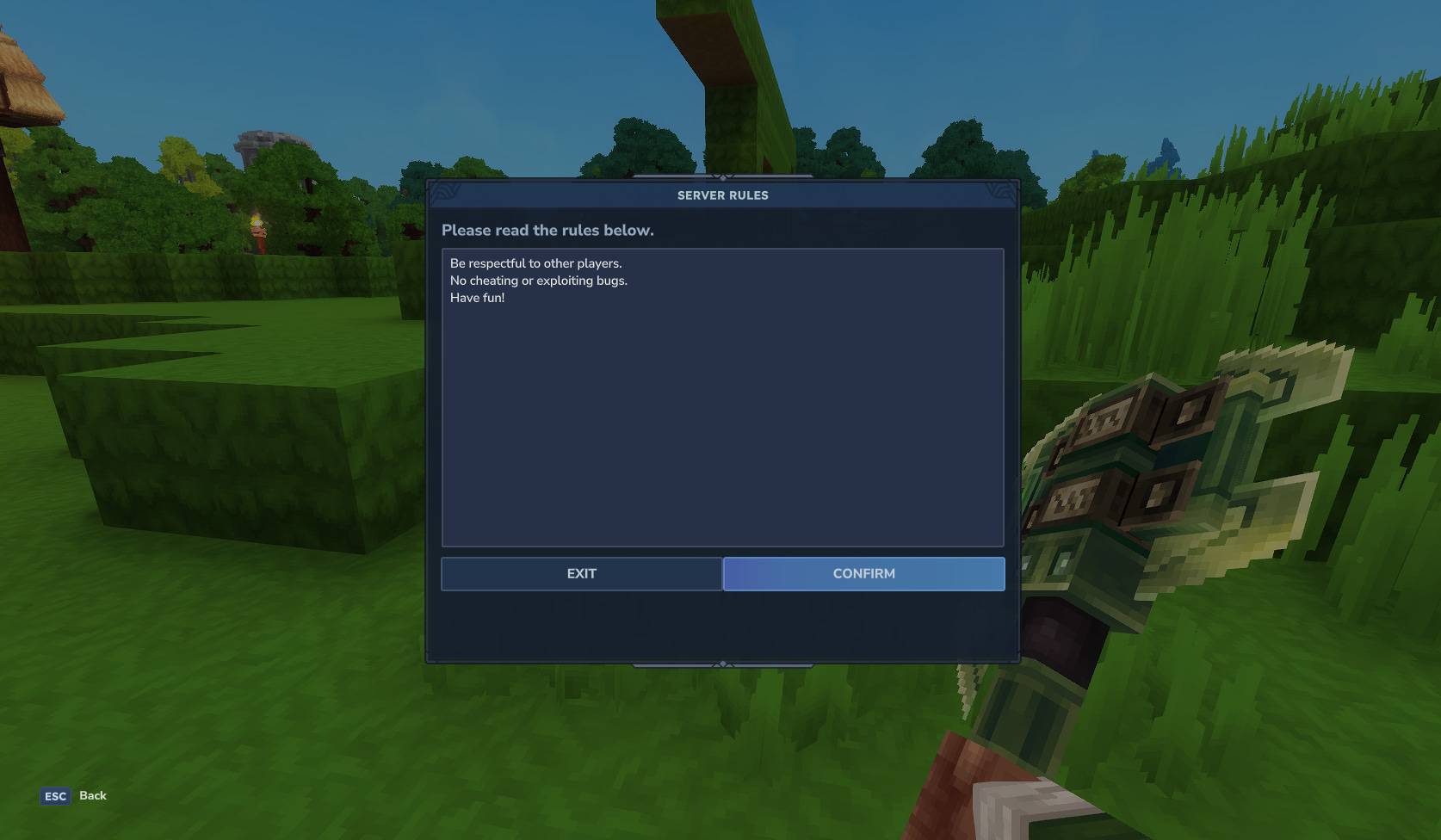
When connecting for the first time, displays the server rules to the player, offering to accept or reject them.
About HyRules
HyRules
A simple, server-side rules screen for Hytale servers. Show a CustomUI window with your rules on player join, let them confirm, and keep join history automatically.
Features
CustomUI rules window on join (first-time or every join via setting)
Configurable title, subtitle, body text, and button labels
Confirm/Exit buttons (Exit disconnects)
Tracks accepted players in Joins.json
Admin commands to show the rules again and reload config
Configuration
The config file is rules.yml in the plugin data folder.
title: "Server Rules" subtitle: "Please read the rules below." confirm-button: "Confirm" exit-button: "Exit" message-accepted: "Rules accepted." settings-show-all-joins: 0 text: - "Be respectful to other players." - "No cheating or exploiting bugs." - "Have fun!" Notes:
settings-show-all-joins: 1 forces the rules window on every join.
Use a list under text: or a | block to add multi-line rules.
Commands
/hyrules show — show the rules window to all online players
/hyrules reload — reload rules.yml and Joins.json
Permissions
hyrules.admin — required for /hyrules show and /hyrules reload
For quick contact with me, please visit my discord server: https://discord.gg/DEAuvG2xDX
Categories
Screenshots
Frequently Asked Questions
What is HyRules?
When connecting for the first time, displays the server rules to the player, offering to accept or reject them.
How do I download HyRules?
You can download HyRules for free from CurseForge. Click the "Download on CurseForge" button on this page to go directly to the download page.
Who created HyRules?
HyRules was created by Atlanetd. The mod has been downloaded 132 times.
Is HyRules compatible with Hytale servers?
HyRules is designed for Hytale and can be used on both single-player and multiplayer servers. Check the mod page on CurseForge for specific compatibility information.
How do I install HyRules?
To install HyRules: 1) Download the mod from CurseForge, 2) Place the file in your Hytale mods folder, 3) Restart the game. The mod should load automatically.
Related Qol Mods
View all mods
EyeSpy
DarkhaxDev
Adds a HUD that displays information about what you're looking at!

Advanced Item Info
Buuz135
Adds a searchable GUI that displays all the items and the game and displays extra properties they have

Overstacked
DarkhaxDev
Increases the maximum stack size of items.

Violet's Wardrobe
VioletsWorkshop
Adds more customisation options in the form of craftable cosmetics

Item Magnet
Jaredlll08
Adds a magnet that attracts items towards the player.

Endgame & QoL - Boss & Elite Update (3.0.0 in a week)
Lewaii
Endgame & QoL v2.2: Face the Alpha T-Rex & Void Spectres! Unlock Backpack IV & Void Gliders. Restore unused content and challenge stronger, rebalanced bosses!