Increase Crafting Inventory Radius
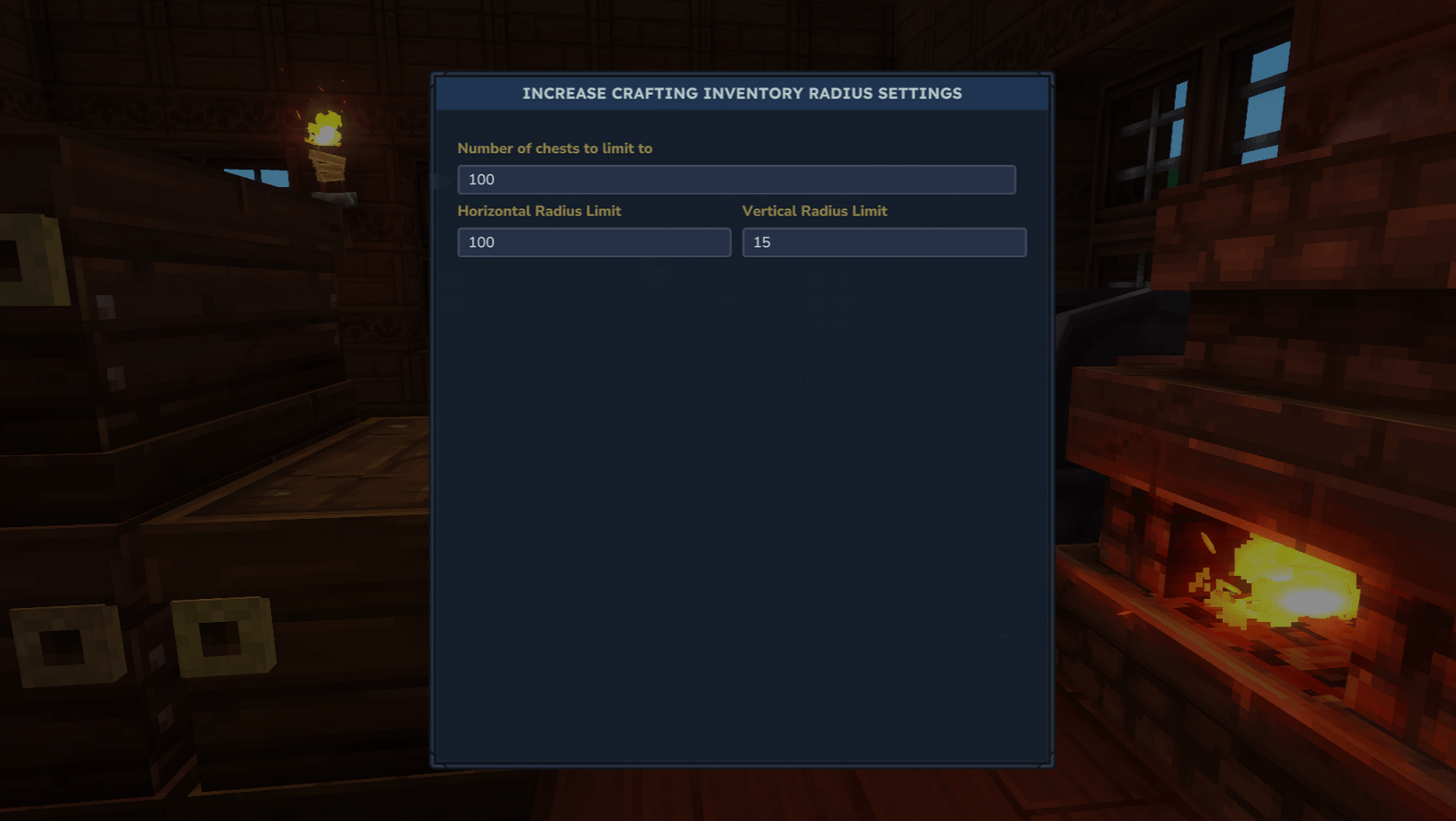
Adds a GUI that allows you to change the horizontal, vertical and number of chests used in workbenches for crafting inventory.
About Increase Crafting Inventory Radius
Tired of your workbench not detecting chests that are just out of reach? This mod lets you adjust how far workbenches can pull items from nearby storage, all in a nice user interface!
The Problem
Ever built a beautiful storage room only to realize half your chests are one block too far from your crafting bench? In vanilla Hytale, workbenches only detect storage within a small 7x3 area. This forces you to cram all your chests into a tiny space or constantly shuffle items between storage and your inventory.
Mod Description
This mod adds a simple slider that lets you increase (or decrease) the crafting inventory radius to whatever works for your base layout. Want a massive warehouse with rows of organized chests? Go for it. Prefer a compact setup? You can shrink the radius too. Build your storage room however you want without worrying about arbitrary distance restrictions.
Features
Adjustable Detection Range - Set your crafting inventory radius anywhere from tiny to massive
In-Game Configuration - Simple GUI with a slider, no editing config files or server restarts needed
Universal Compatibility - Works with all workbenches, crafting stations, and processing blocks
Real-Time Updates - Changes apply instantly, test different radius settings on the fly
Performance Optimized - Efficiently handles even large radius settings without lag
Multiplayer Ready - Server-side mod that works seamlessly in multiplayer
How to Use
Install the mod, restart the server.
Then, open the configuration user interface with any of these commands:
/cir
/craftinginventoryradius
/chestradius
/increasecraftradius
(Requires OP permissions on servers - singleplayer use /op self in chat)
Once open, simply type in the radius you want. The change applies immediately, no need to restart or reload anything. You can test and adjust until you find the perfect range for your server.
Technical Details
This mod bypasses the standard server configuration limits that normally cap the crafting radius. While vanilla configs might limit you to small adjustments, this mod lets you set the radius as large as you need - theoretically up to hundreds of blocks if you really want to go wild (though we recommend being reasonable for performance).
The mod respects all existing game mechanics - it simply extends the search distance when workbenches look for nearby inventories. All crafting recipes, processing times, and inventory interactions remain unchanged.
Perfect For
Large organized storage warehouses
Multi-floor crafting towers
Spread-out base designs
Players who hate inventory tetris
Anyone who values aesthetics over cramming chests together
Questions, bugs, or suggestions? Drop a comment below!
Categories
Screenshots
Need a Server?
Run Increase Crafting Inventory Radius on a dedicated Hytale server with easy mod management.
Get Hytale HostingFrequently Asked Questions
What is Increase Crafting Inventory Radius?
Adds a GUI that allows you to change the horizontal, vertical and number of chests used in workbenches for crafting inventory.
How do I download Increase Crafting Inventory Radius?
You can download Increase Crafting Inventory Radius for free from CurseForge. Click the "Download on CurseForge" button on this page to go directly to the download page.
Who created Increase Crafting Inventory Radius?
Increase Crafting Inventory Radius was created by EllieAU. The mod has been downloaded 7.1K times.
Is Increase Crafting Inventory Radius compatible with Hytale servers?
Increase Crafting Inventory Radius is designed for Hytale and can be used on both single-player and multiplayer servers. Check the mod page on CurseForge for specific compatibility information.
How do I install Increase Crafting Inventory Radius?
To install Increase Crafting Inventory Radius: 1) Download the mod from CurseForge, 2) Place the file in your Hytale mods folder, 3) Restart the game. The mod should load automatically.
Related Qol Mods
View all mods
EyeSpy
DarkhaxDev
Adds a HUD that displays information about what you're looking at!

Advanced Item Info
Buuz135
Adds a searchable GUI that displays all the items and the game and displays extra properties they have

Overstacked
DarkhaxDev
Increases the maximum stack size of items.

Violet's Wardrobe
VioletsWorkshop
Adds more customisation options in the form of craftable cosmetics

Item Magnet
Jaredlll08
Adds a magnet that attracts items towards the player.

Endgame & QoL - Boss & Elite Update (3.0.0 in a week)
Lewaii
Endgame & QoL v2.2: Face the Alpha T-Rex & Void Spectres! Unlock Backpack IV & Void Gliders. Restore unused content and challenge stronger, rebalanced bosses!