JemAnnouncements
Sheduled/automated announcement system with chat, notifications, titles, and sounds.
About JemAnnouncements
A Hytale server plugin that provides an automated announcement system with support for chat, notifications, titles, and sound messages. This plugin allows you to schedule and customize announcements that are automatically sent to all online players at configurable intervals.
Current Features
Multiple Message Types: Support for chat messages, action bar notifications, titles, and sound effects
Flexible Scheduling: Configurable intervals for automatic announcements
Message Ordering: Choose between sequential or random message ordering
Priority System: Set message priorities to control display order
Message Centering: Automatically center chat messages for better presentation
Multiple Message Files: Create unlimited announcement messages as separate JSON files
Rich Formatting: Support for hex, rgb, legacy color(& codes), and TinyMsg tags
Hot Reload: Reload configuration and messages without restarting the server using /announce-reload
Manual Triggering: Manually trigger any announcement by name using /announce <message-name>
Update Check: Check GitHub releases for updates and notifies you if there is one
Example Templates: Automatically generates example message templates on first launch
Message Types
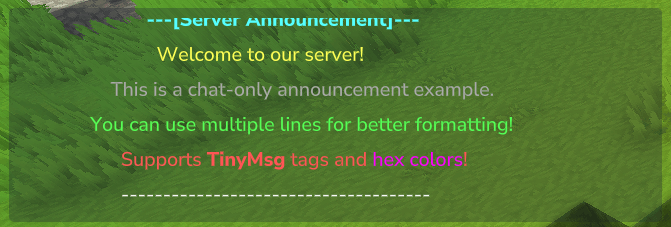
Chat Messages: Send formatted chat messages to all players (supports multiple lines, centering, and rich formatting)
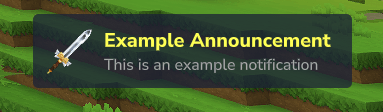
Notification: Display notifications similar to item pickup notifications with custom icons
Title Messages: Show title and subtitle messages with customizable fade in/out timing and major title support
Sound Effects: Play custom sounds to all players with configurable volume and pitch
Installation
Download the latest release from the releases page
Place the JemAnnouncements-x.x.x.jar file into your Hytale server's mods folder
Start your server to generate the configuration files
Edit the Jemsire_JemAnnouncements/AnnouncementConfig.json file to configure intervals and ordering
(Optional) Customize message files in Jemsire_JemAnnouncements/messages/ folder
In-game type /announce-reload to hot reload the config and start the plugin
Note: Example message templates are automatically created on first launch. You can customize them or create your own message files.
Configuration
After first launch, configuration files will be created in your mods folder. The plugin uses a two-tier configuration system:
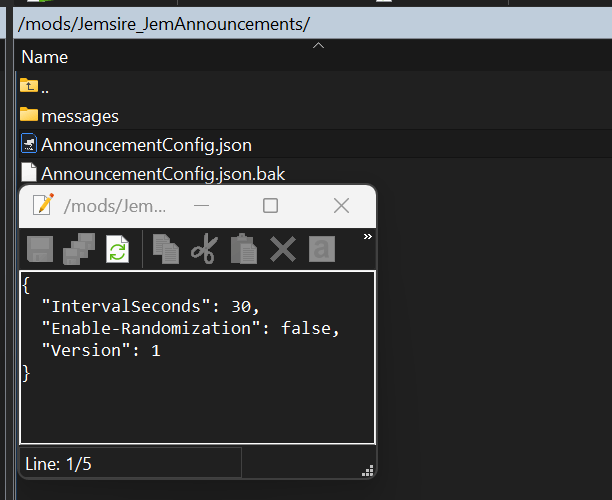
AnnouncementConfig.json: Main configuration with timing and ordering settings
messages/: Individual message configuration files
Main Configuration File (AnnouncementConfig.json)
The main configuration file is located at Jemsire_JemAnnouncements/AnnouncementConfig.json:
{ "IntervalSeconds": 300, "Enable-Randomization": false, "Version": 1 }
Configuration Options:
IntervalSeconds: Time in seconds between announcements (default: 300 = 5 minutes)
Enable-Randomization: Set to true for random message order, false for sequential order (default: false)
Version: Configuration version (currently 1)
Message Configuration Files
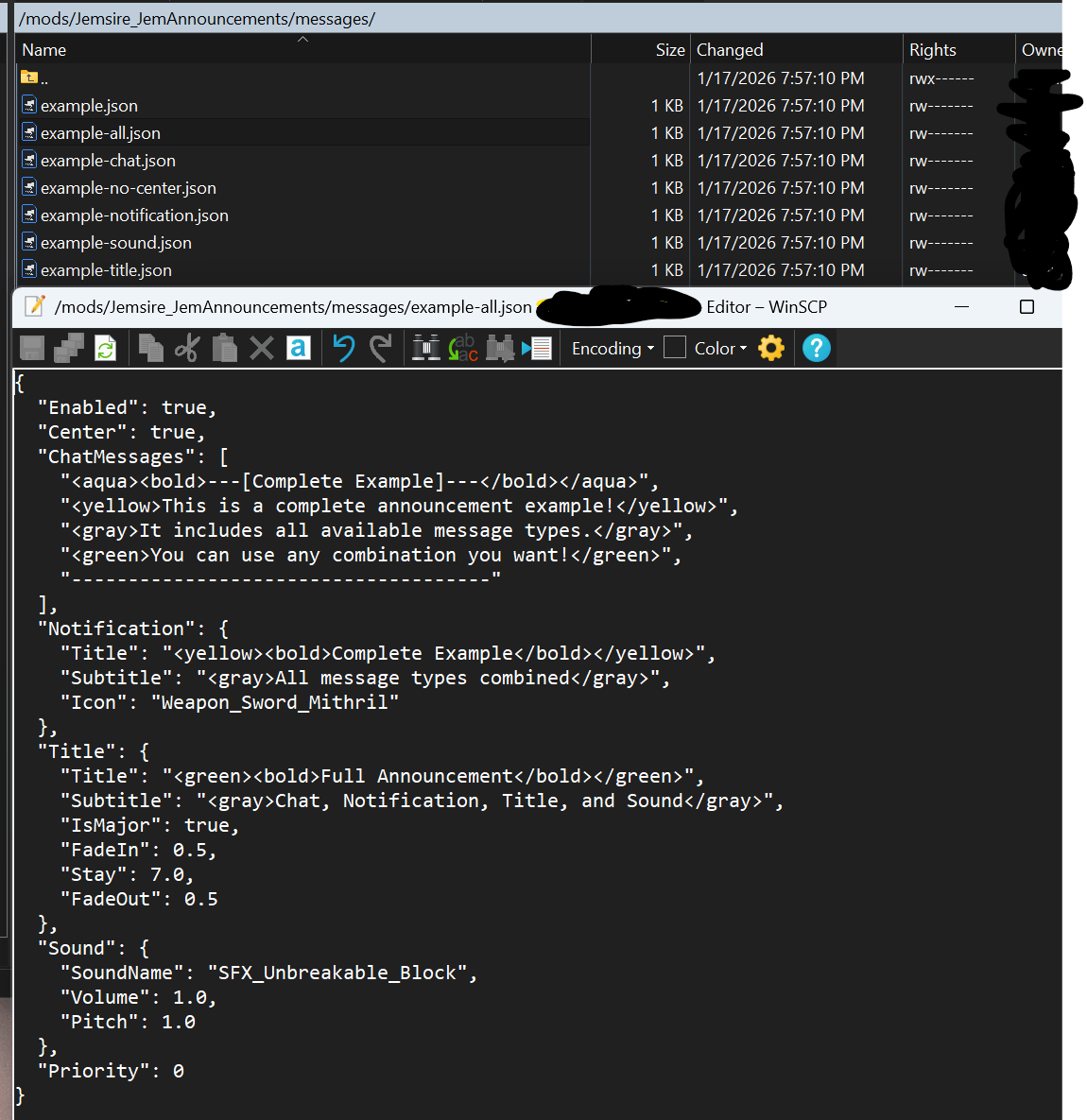
Each announcement message has its own configuration file in Jemsire_JemAnnouncements/messages/. Example templates are automatically created on first launch:
example.json - Complete example with all message types
example-chat.json - Chat messages only
example-notification.json - Action bar notification only
example-title.json - Title message only
example-sound.json - Sound effect only
example-all.json - All message types combined
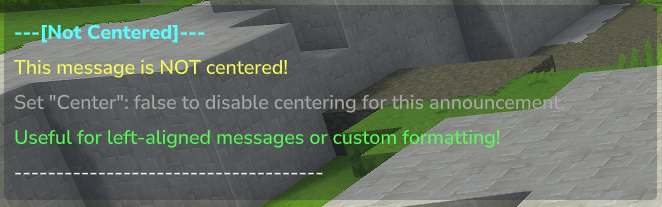
example-no-center.json - Example without message centering
Message Configuration Structure
{ "Enabled": true, "Center": true, "Priority": 0, "ChatMessages": [ "<aqua><bold>---[Announcement]---</bold></aqua>", "<yellow>This is an announcement message!</yellow>" ], "Notification": { "Title": "<yellow><bold>Announcement</bold></yellow>", "Subtitle": "<gray>This is a notification</gray>", "Icon": "Weapon_Sword_Mithril" }, "Title": { "Title": "<green><bold>Announcement</bold></green>", "Subtitle": "<gray>This is a title</gray>", "IsMajor": false, "FadeIn": 0.25, "Stay": 5.0, "FadeOut": 0.25 }, "Sound": { "SoundName": "SFX_Unbreakable_Block", "Volume": 1.0, "Pitch": 1.0 } }
Configuration Options:
Enabled: Enable or disable this message (true/false)
Center: Center chat messages in the chat window (true/false, default: true)
Priority: Higher priority messages are shown first when sorted (default: 0)
ChatMessages: Array of chat message strings (sent in order)
Notification: notification configuration (optional)
Title: Title/subtitle configuration (optional)
Sound: Sound effect configuration (optional)
Message Format Examples
Chat Messages Only:
{ "Enabled": true, "Center": true, "ChatMessages": [ "<aqua><bold>---[Server Rules]---</bold></aqua>", "<yellow>1. Be respectful to other players</yellow>", "<yellow>2. No griefing or cheating</yellow>", "<yellow>3. Have fun!</yellow>" ] }
Notification:
{ "Enabled": true, "Notification": { "Title": "<yellow><bold>Server Event Starting!</bold></yellow>", "Subtitle": "<gray>Join us in 5 minutes</gray>", "Icon": "Weapon_Sword_Mithril" } }
Title Message:
{ "Enabled": true, "Title": { "Title": "<green><bold>Welcome to the Server!</bold></green>", "Subtitle": "<gray>Enjoy your stay</gray>", "IsMajor": true, "FadeIn": 0.5, "Stay": 7.0, "FadeOut": 0.5 } }
Sound Effect:
{ "Enabled": true, "Sound": { "SoundName": "SFX_Unbreakable_Block", "Volume": 1.0, "Pitch": 1.0 } }
Combined (All Types):
{ "Enabled": true, "Center": true, "ChatMessages": [ "<aqua><bold>---[Complete Example]---</bold></aqua>", "<yellow>This includes all message types!</yellow>" ], "Notification": { "Title": "<yellow><bold>Complete Example</bold></yellow>", "Subtitle": "<gray>All message types combined</gray>", "Icon": "Weapon_Sword_Mithril" }, "Title": { "Title": "<green><bold>Full Announcement</bold></green>", "Subtitle": "<gray>Chat, Notification, Title, and Sound</gray>", "IsMajor": true, "FadeIn": 0.5, "Stay": 7.0, "FadeOut": 0.5 }, "Sound": { "SoundName": "SFX_Unbreakable_Block", "Volume": 1.0, "Pitch": 1.0 }, "Priority": 0 }
Formatting Support
The plugin supports both TinyMsg tags and legacy color codes:
TinyMsg Tags(like html):
<red>, <blue>, <green>, etc. - Color tags
<bold>, <italic>, <underline>, <strikethrough> - Formatting tags
<color:#FF0000> - Custom hex colors
<reset> - Reset formatting
Legacy Color Codes:
&0 through &f - Color codes
&l (bold), &o (italic), &n (underline), &m (strikethrough)
&r - Reset formatting
Note: Legacy color codes are automatically converted to TinyMsg format. Both formats can be used together in the same message.
Commands
/announce-reload - Reloads the plugin configuration and messages without restarting the server
Permission: jemsire.announcements.reload
Usage: Reloads main config and all message files, restarts scheduler if interval or ordering changed
/announce <message-name> - Manually trigger an announcement by message name
Permission: jemsire.announcements.announce
Usage: /announce example (message name without .json extension)
Example: /announce example triggers the message from example.json
This project is open-source:
Feel free to contribute or spin it into your own system! Check out the Github
Want to get updates for all my projects?
Join the discord! Join Now!
Categories
Screenshots

Need a Server?
Run JemAnnouncements on a dedicated Hytale server with easy mod management.
Get Hytale HostingFrequently Asked Questions
What is JemAnnouncements?
Sheduled/automated announcement system with chat, notifications, titles, and sounds.
How do I download JemAnnouncements?
You can download JemAnnouncements for free from CurseForge. Click the "Download on CurseForge" button on this page to go directly to the download page.
Who created JemAnnouncements?
JemAnnouncements was created by Jemsire. The mod has been downloaded 93 times.
Is JemAnnouncements compatible with Hytale servers?
JemAnnouncements is designed for Hytale and can be used on both single-player and multiplayer servers. Check the mod page on CurseForge for specific compatibility information.
How do I install JemAnnouncements?
To install JemAnnouncements: 1) Download the mod from CurseForge, 2) Place the file in your Hytale mods folder, 3) Restart the game. The mod should load automatically.
Related Qol Mods
View all mods
EyeSpy
DarkhaxDev
Adds a HUD that displays information about what you're looking at!

Advanced Item Info
Buuz135
Adds a searchable GUI that displays all the items and the game and displays extra properties they have

Overstacked
DarkhaxDev
Increases the maximum stack size of items.

Violet's Wardrobe
VioletsWorkshop
Adds more customisation options in the form of craftable cosmetics

Item Magnet
Jaredlll08
Adds a magnet that attracts items towards the player.

Endgame & QoL - Boss & Elite Update (3.0.0 in a week)
Lewaii
Endgame & QoL v2.2: Face the Alpha T-Rex & Void Spectres! Unlock Backpack IV & Void Gliders. Restore unused content and challenge stronger, rebalanced bosses!