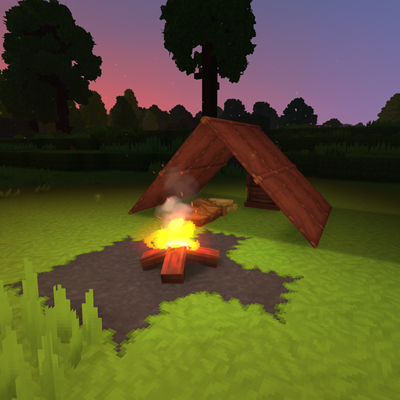
Leather & Hide Extended
Makes leather and hide tent blocks craftable.
About Leather & Hide Extended
Leather & Hide Extended is a lightweight utility mod designed to expand your building options in Hytale. Have you ever wanted to use those rustic tent pieces for your wilderness camps or desert outposts, only to find they weren't available in the crafting menu? This mod solves that problem.
This mod makes a variety of "Tent Roof" blocks fully craftable, allowing you to integrate these unique textures into your survival builds without needing creative mode or cheats.
🛠️ How it Works
All items added by this mod are integrated seamlessly into the vanilla experience:
Station: Crafted at the Furniture Workbench. Category: Found under the Textiles tab. Recipe Yield: Each craft uses 1x Light Hide or 1x Light Leather to produce 2x of the chosen tent block.
📦 Included Blocks
You can now craft the following variations for both Leather and Hide materials:
Hide Variants
Hide Tent Roof - Horizontal Hide Tent Roof - Sloped Hide Tent Roof - Torn Hide Tent Roof - Vertical Leather Variants
Leather Tent Roof - Horizontal Leather Tent Roof - Sloped Leather Tent Roof - Torn Leather Tent Roof - Vertical
Categories
Need a Server?
Run Leather & Hide Extended on a dedicated Hytale server with easy mod management.
Get Hytale HostingFrequently Asked Questions
What is Leather & Hide Extended?
Makes leather and hide tent blocks craftable.
How do I download Leather & Hide Extended?
You can download Leather & Hide Extended for free from CurseForge. Click the "Download on CurseForge" button on this page to go directly to the download page.
Who created Leather & Hide Extended?
Leather & Hide Extended was created by P4inty. The mod has been downloaded 212 times.
Is Leather & Hide Extended compatible with Hytale servers?
Leather & Hide Extended is designed for Hytale and can be used on both single-player and multiplayer servers. Check the mod page on CurseForge for specific compatibility information.
How do I install Leather & Hide Extended?
To install Leather & Hide Extended: 1) Download the mod from CurseForge, 2) Place the file in your Hytale mods folder, 3) Restart the game. The mod should load automatically.
Related Building Mods
View all mods
Violet's Furnishings
VioletsWorkshop
Expands on Hytale's existing furniture library

Simply Trash
Jaredlll08
Adds a trash can to easily destroy items!
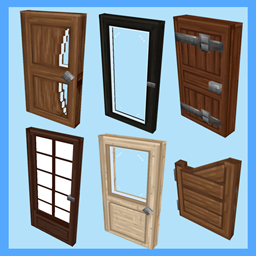
Macaw's Hy Doors
sketch_macaw
Adds more doors to fit in your builds!

Violet's Plushies
VioletsWorkshop
Adds several plushies, some with unique SFX!
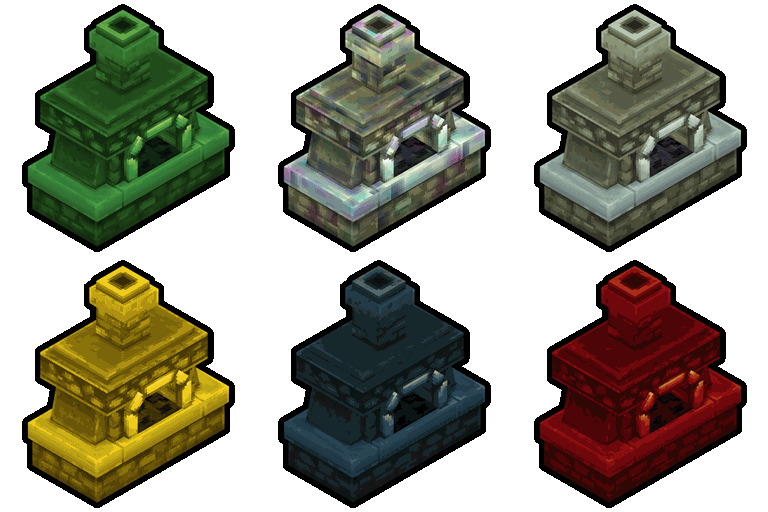
Thorium Furnaces
Jaredlll08
Faster Furnaces!
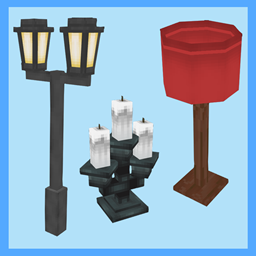
Macaw's Hy Lights and Lamps
sketch_macaw
Adds Lamps, Tiki Torches, Candle Holders, Ceiling Lights, Street Lights and more...!