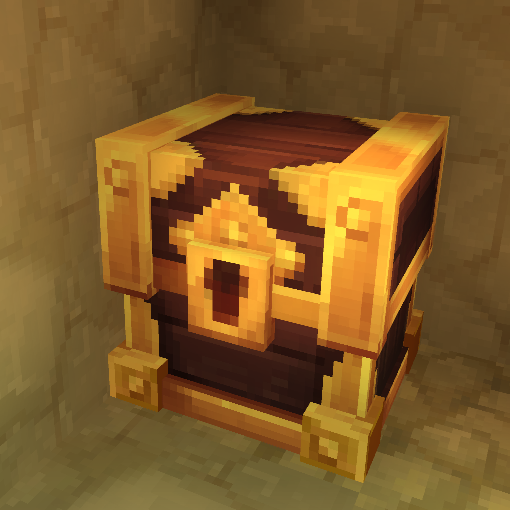
Loot4Everyone
Loot chests for every player without modifying the block and compatible with already generated worlds! You can also create, edit, delete, reset ANY loot chest! Config, anti-grief, random, and more!
About Loot4Everyone
Loot4Everyone revamps loot chests so every player can have their own loot and let you create, edit, delete, reset ANY loot chests!
⚠️ Warning ⚠️
If you have loot chests that are already generated, you can regenerate them with /generatelc to add them in the system. Otherwise in new generated chunks it's automatic!
Features
Know when you discover for the first time a loot chest! A message appear with a sound effect and you can have information about what's inside the loot chest! Config it with /setmessagerule (true or false)
Loot chest griefing protection! Config it with /setbreakrule (true or false)
Random loot for every player! Config it with /setrandomrule (true or false)
Reset loot chests! Look at a loot chest and do /resetlc to reset this chest for all players or specify the player by adding the arg --player and/or the arg --all true to reset all loot chests for the player provided with the arg or else for all players.
Loot chest maker system! Create, edit, delete ANY loot chests!
Loot chest maker
To select a loot chest or an item container, just look at it!
Use any item container to generate a loot chest! With just /generatelc you generate automatically a loot chest based on the zone! You can add the arg --droplist to specify ANY droplist that your server has access (yes this should work with modded droplists!). If you prefer to make a custom droplist add items inside of the item container and just do /generatelc to have your custom loot chest!
Edit any loot chest! You can do /editlc --droplist to change the droplist of the chest! You can also just do /editlc with custom loot chests to edit the items of your own droplist and after that just do /generatelc to confirm the changes.
Delete any loot chest with /deletelc!
Roadmap
Enhance the performance of the data system in big worlds!
Add variants of the commands that can be used as the server console!
Configure particle visuals on loot chests that player have not opened!
Automatic time reset loot system that you can configure!
Have multiple players opening the loot container at once!
Go beyond loot containers...
This mod is fully released but game updates can break the mod, so always check the mod description before a major update of the game and never use it in a pre-release unless i say you can do it!
If you find bugs feel free to report them or help me fix them if you want!
Categories
Need a Server?
Run Loot4Everyone on a dedicated Hytale server with easy mod management.
Get Hytale HostingFrequently Asked Questions
What is Loot4Everyone?
Loot chests for every player without modifying the block and compatible with already generated worlds! You can also create, edit, delete, reset ANY loot chest! Config, anti-grief, random, and more!
How do I download Loot4Everyone?
You can download Loot4Everyone for free from CurseForge. Click the "Download on CurseForge" button on this page to go directly to the download page.
Who created Loot4Everyone?
Loot4Everyone was created by MimStar. The mod has been downloaded 8.3K times.
Is Loot4Everyone compatible with Hytale servers?
Loot4Everyone is designed for Hytale and can be used on both single-player and multiplayer servers. Check the mod page on CurseForge for specific compatibility information.
How do I install Loot4Everyone?
To install Loot4Everyone: 1) Download the mod from CurseForge, 2) Place the file in your Hytale mods folder, 3) Restart the game. The mod should load automatically.
Related Qol Mods
View all mods
EyeSpy
DarkhaxDev
Adds a HUD that displays information about what you're looking at!

Advanced Item Info
Buuz135
Adds a searchable GUI that displays all the items and the game and displays extra properties they have

Overstacked
DarkhaxDev
Increases the maximum stack size of items.

Violet's Wardrobe
VioletsWorkshop
Adds more customisation options in the form of craftable cosmetics

Item Magnet
Jaredlll08
Adds a magnet that attracts items towards the player.

Endgame & QoL - Boss & Elite Update (3.0.0 in a week)
Lewaii
Endgame & QoL v2.2: Face the Alpha T-Rex & Void Spectres! Unlock Backpack IV & Void Gliders. Restore unused content and challenge stronger, rebalanced bosses!