Lootr
A mod that makes it so nobody misses out on Loot! All loot chests are instanced per player and visually unique.
About Lootr
Lootr is also available for Minecraft: NeoForge/Forge & Fabric
Lootr transforms the way you experience loot in Hytale! With this mod installed, every player gets their own, individual loot from chests that are spawned by structures during world generation! No more racing to loot structures or finding chests filled with someone else's trash.
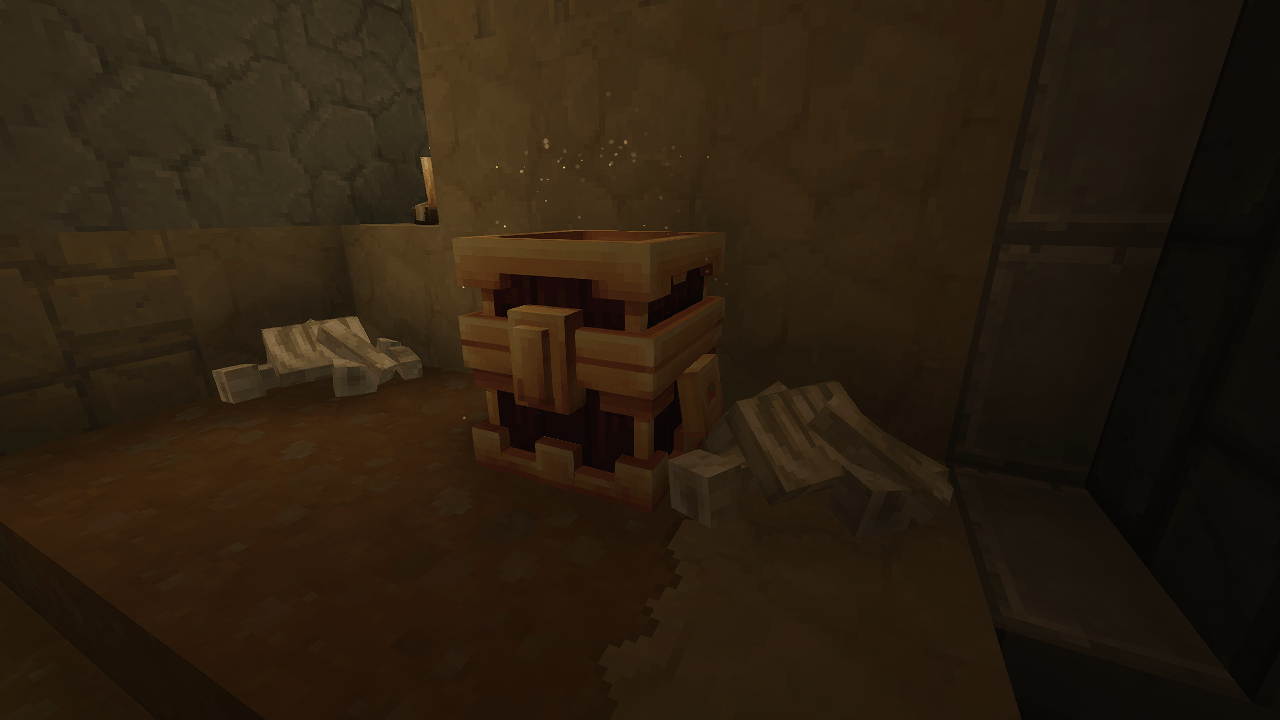
Personalised loot: Each player sees unique loot that's generated especially for them! Custom chests: Operators may use the `/lootr custom x y z` command to convert a chest with items in it, into a "custom" loot chest that will copy these items for each player that opens it. Player-specific visuals: Players who have not yet opened a loot chest will see golden sparkles spawning from them.
Please be aware: Lootr for Hytale is currently also in Early Access. If you find any bugs or have any issues, please open a ticket on our GitHub! Texture and model will change soon.
Most significantly, Lootr for Hytale is not retroactive. Chunks generated before Lootr was installed will not have their chests converted. This is due to a limitation with how Hytale's world generation works: loot is generated and added to chests as soon as they are placed in the world.
Patreon & Discord
You can support me on Patreon! All support for this mod is available on my Discord. You can also keep up with what I'm doing and get notifications streams! For all other support, please click on "Issues" at the top of this page.
Categories
Screenshots
Frequently Asked Questions
What is Lootr?
A mod that makes it so nobody misses out on Loot! All loot chests are instanced per player and visually unique.
How do I download Lootr?
You can download Lootr for free from CurseForge. Click the "Download on CurseForge" button on this page to go directly to the download page.
Who created Lootr?
Lootr was created by Noobanidus. The mod has been downloaded 8.8K times.
Is Lootr compatible with Hytale servers?
Lootr is designed for Hytale and can be used on both single-player and multiplayer servers. Check the mod page on CurseForge for specific compatibility information.
How do I install Lootr?
To install Lootr: 1) Download the mod from CurseForge, 2) Place the file in your Hytale mods folder, 3) Restart the game. The mod should load automatically.
Related Qol Mods
View all mods
EyeSpy
DarkhaxDev
Adds a HUD that displays information about what you're looking at!

Advanced Item Info
Buuz135
Adds a searchable GUI that displays all the items and the game and displays extra properties they have

Overstacked
DarkhaxDev
Increases the maximum stack size of items.

Violet's Wardrobe
VioletsWorkshop
Adds more customisation options in the form of craftable cosmetics

Item Magnet
Jaredlll08
Adds a magnet that attracts items towards the player.

Endgame & QoL - Boss & Elite Update (3.0.0 in a week)
Lewaii
Endgame & QoL v2.2: Face the Alpha T-Rex & Void Spectres! Unlock Backpack IV & Void Gliders. Restore unused content and challenge stronger, rebalanced bosses!