Makapar's Area Indicator
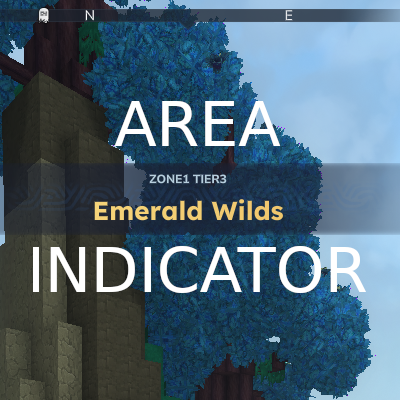
Struggling to know what area you are in? we have a solution! this mod triggers a notification when you travel between areas so you can always know where you are. Also comes with a chat command for extra information.
About Makapar's Area Indicator
Area Indicator
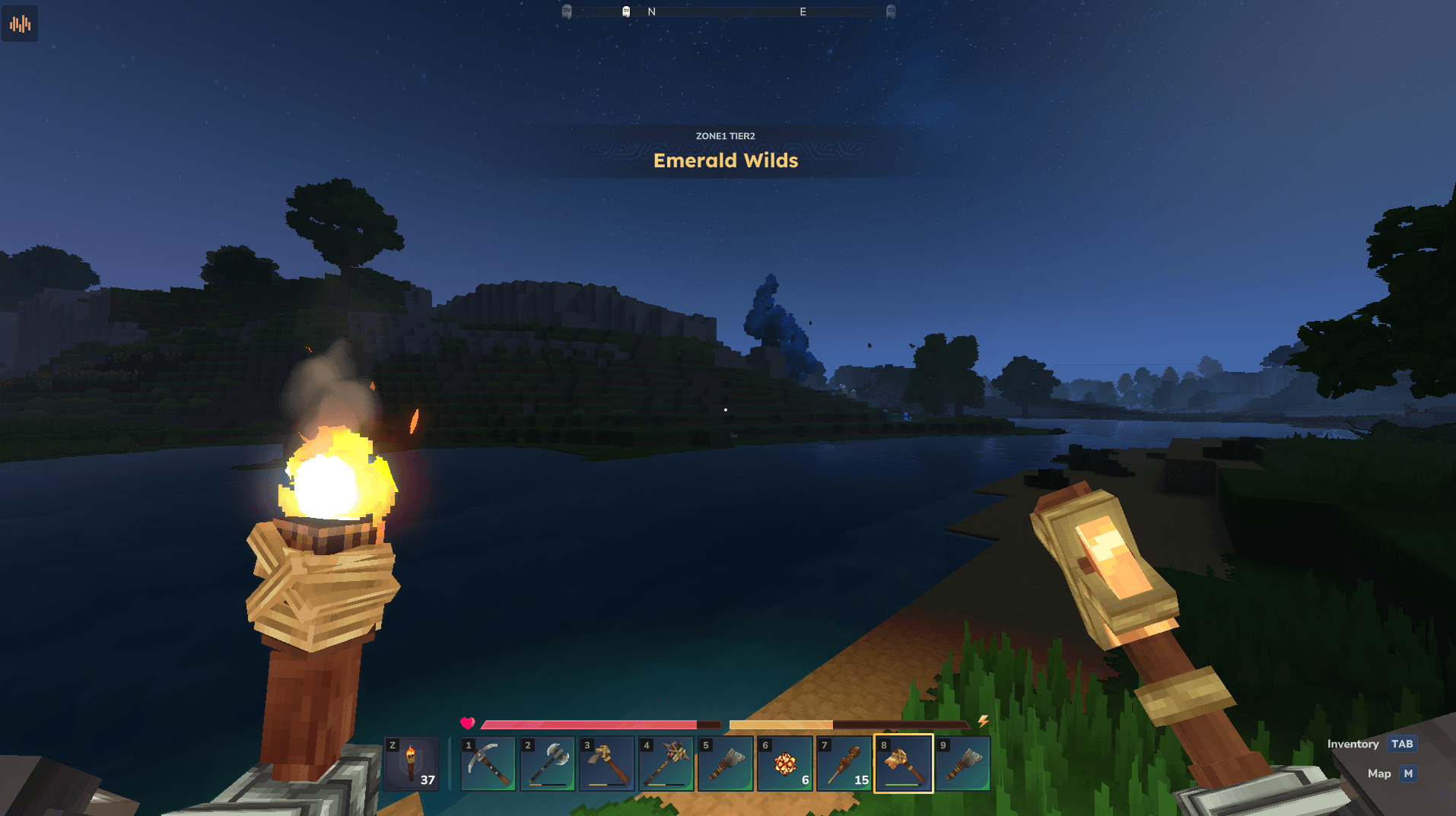
Displays a banner notification when you enter a new zone or region.
Features
Zone Notifications - Shows the zone name as an on-screen banner when entering new areas
Region Subtitle - Displays the region name below the zone for additional context
Chat Command - Use /area to check your current region, zone, biome any time.
Use Cases
Know when you've entered a zone with the resources or ores you need
Identify zones for specific enemies or creatures you're hunting
Track which zone you're in to ensure you have appropriate gear
Recognize when you've wandered into a higher difficulty zone
Configuration
The config file is located at universe/AreaIndicator/config.json and is created automatically on first run.
Presets
Choose a preset by setting the preset field:
Preset Title Subtitle Triggers On
full Zone name Region · Biome Zone change
simple Zone name Region Zone change
biome Biome name (none) Biome change
custom Your template Your template Your choice
Example - Show biome like the base game:
{ "preset": "biome" } Custom Templates
For full control, set preset to custom and define your own templates:
{ "preset": "custom", "customTitleTemplate": "Entering {zone}", "customSubtitleTemplate": "{biome} - {region}", "customTriggerOn": "zone" } Available placeholders: {zone}, {region}, {biome}
Trigger options: zone, biome, region
When does each trigger fire?
biome - Most frequent. Biomes change as terrain shifts (forest → swamp → plains). A single zone may contain multiple biomes.
zone - Moderate frequency. Zones are named areas within a region. This is the default trigger.
region - Least frequent. Regions are large areas containing multiple zones.
Compatibility
Tested on the latest Hytale version
Actively maintained and updated for new releases
No dependencies
Installation
Singleplayer
Download the .jar file
Place it in your mods folder (located in your Hytale game directory)
Launch the game
Server
Download the .jar file
Place it in your server's mods folder
Restart the server
All players connecting will see zone notifications automatically
Known Issues
None at this time. Report any bugs on our Discord!
Permissions
The /area command requires permission to use. Grant it to a group or player using your permission manager:
/perm group add <group> makapar.areaindicator.command.area Example:
/perm group add Adventure makapar.areaindicator.command.area
Permission Description
makapar.areaindicator.command.area Allows use of the /area command
Links
Website - Join our server, Discord, rules & more
Categories
Screenshots
Need a Server?
Run Makapar's Area Indicator on a dedicated Hytale server with easy mod management.
Get Hytale HostingFrequently Asked Questions
What is Makapar's Area Indicator?
Struggling to know what area you are in? we have a solution! this mod triggers a notification when you travel between areas so you can always know where you are. Also comes with a chat command for extra information.
How do I download Makapar's Area Indicator?
You can download Makapar's Area Indicator for free from CurseForge. Click the "Download on CurseForge" button on this page to go directly to the download page.
Who created Makapar's Area Indicator?
Makapar's Area Indicator was created by makapar. The mod has been downloaded 1.0K times.
Is Makapar's Area Indicator compatible with Hytale servers?
Makapar's Area Indicator is designed for Hytale and can be used on both single-player and multiplayer servers. Check the mod page on CurseForge for specific compatibility information.
How do I install Makapar's Area Indicator?
To install Makapar's Area Indicator: 1) Download the mod from CurseForge, 2) Place the file in your Hytale mods folder, 3) Restart the game. The mod should load automatically.
Related Misc Mods
View all mods
Ymmersive Melodies
Conczin
Upload and play MIDI files in-game on various instruments to annoy your friends with custom melodies!

MultipleHUD
Buuz135
A simple mod that allows you to have multiple HUDs present at once.

Spanish Translation
Plexu5
A Spanish language translation for Hytale. Includes UI, items, and menus.

YUNG's HyDungeons
YUNGNICKYOUNG
Adds new procedurally generated dungeon instances!

Just Enough Tales (JEI mod)
uwudwagon
A JEI mod for Hytale.
![[NoCube's] Simple Bags](https://media.forgecdn.net/avatars/thumbnails/1601/201/256/256/639034453685921721.png)
[NoCube's] Simple Bags
NoCube
Adds bags that you can put anything in!