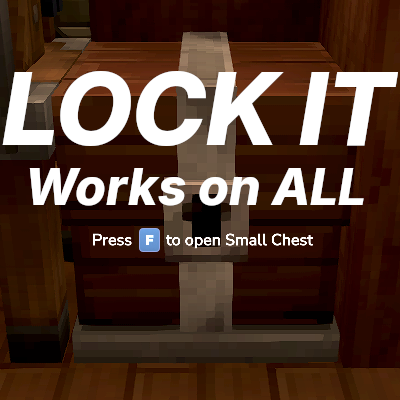
Makapar's Lock It
Lock It! Protect your chests, furnaces, and containers with per-block locks. Supports any modded item. Crouch + interact to lock. Add trusted players. Prevents crafting bench theft. Migrate from SimpleClaims supported.
About Makapar's Lock It
Lock It
Protect your containers, crafting stations, and interactable blocks with simple per-block locks. No more worrying about theft on shared servers!
Features
Easy Locking
Crouch + Interact on any container to lock it instantly
Works on chests, furnaces, lecterns, and any block with a "Use" interaction
Only the owner can break locked blocks
Player Access Control
Per-Lock Access: Add specific players to individual locks
Global Trusted Players: Trust players to access ALL your locks at once
Public Locks: Add "[All Players]" to make community containers anyone can use but only you can manage
Crafting Bench Protection
Prevents the crafting bench exploit where players could pull items from nearby locked containers
Your locked chests stay protected even when others craft nearby
Admin Tools
/lockit admin-override - Admins can access and manage any lock
/lockit testother - Test your locks as if you were another player
/lockit migrate-simpleclaims - Migrate from SimpleClaims chunk protection
How to Use
Locking a Block
Look at any container or interactable block
Hold crouch and interact (default: Shift + F)
Block is now locked to you!
Managing a Lock
Crouch + interact on a block you own
Opens the Lock Management GUI
This Lock tab: Add/remove players for this specific block
All Locks tab: Manage globally trusted players
Making a Public Container
Open the lock management GUI
Select "[All Players]" from the dropdown
Click Add - now everyone can use it, but only you control it
Permissions
Permission Description
makapar.lockit.admin Access to admin commands
Configuration
plugins/LockIt/config.json:
{ "protectFromCraftingBench": true }
Migration from SimpleClaims
If you're switching from SimpleClaims:
Keep SimpleClaims loaded alongside LockIt
Run /lockit migrate-simpleclaims
Party members and allies become trusted players
All protected containers are converted to individual locks
Remove SimpleClaims after migration completes
Data Storage
plugins/LockIt/locks.json - All lock data
plugins/LockIt/trusted_players.json - Global trust relationships
plugins/LockIt/config.json - Configuration
Server-side only - Players don't need to install anything. Just add to your server's mods folder!
Categories
Need a Server?
Run Makapar's Lock It on a dedicated Hytale server with easy mod management.
Get Hytale HostingFrequently Asked Questions
What is Makapar's Lock It?
Lock It! Protect your chests, furnaces, and containers with per-block locks. Supports any modded item. Crouch + interact to lock. Add trusted players. Prevents crafting bench theft. Migrate from SimpleClaims supported.
How do I download Makapar's Lock It?
You can download Makapar's Lock It for free from CurseForge. Click the "Download on CurseForge" button on this page to go directly to the download page.
Who created Makapar's Lock It?
Makapar's Lock It was created by makapar. The mod has been downloaded 77 times.
Is Makapar's Lock It compatible with Hytale servers?
Makapar's Lock It is designed for Hytale and can be used on both single-player and multiplayer servers. Check the mod page on CurseForge for specific compatibility information.
How do I install Makapar's Lock It?
To install Makapar's Lock It: 1) Download the mod from CurseForge, 2) Place the file in your Hytale mods folder, 3) Restart the game. The mod should load automatically.
Related Misc Mods
View all mods
Ymmersive Melodies
Conczin
Upload and play MIDI files in-game on various instruments to annoy your friends with custom melodies!

MultipleHUD
Buuz135
A simple mod that allows you to have multiple HUDs present at once.

Spanish Translation
Plexu5
A Spanish language translation for Hytale. Includes UI, items, and menus.

YUNG's HyDungeons
YUNGNICKYOUNG
Adds new procedurally generated dungeon instances!

Just Enough Tales (JEI mod)
uwudwagon
A JEI mod for Hytale.
![[NoCube's] Simple Bags](https://media.forgecdn.net/avatars/thumbnails/1601/201/256/256/639034453685921721.png)
[NoCube's] Simple Bags
NoCube
Adds bags that you can put anything in!