
MAuth - Login / Authentication & 2FA
Authentication plugin for Hytale including 2FA and email. Blocks walking, breaking blocks, interacting and taking damage before logging in.
About MAuth - Login / Authentication & 2FA
MAuth - Professional Authentication System for Hytale
A comprehensive and secure authentication plugin for Hytale servers developed by Machina Studios. MAuth provides robust account management, advanced security features, and an intuitive user experience for protecting your server and managing player identities.
Overview
MAuth is a complete authentication solution designed specifically for Hytale servers. It integrates directly with the game's native UI system, providing a polished in-game experience while offering server administrators extensive control over authentication flows, registration rules and security policies.
MAuth handles password-based authentication, persistent sessions, automatic token validation for premium players, two-factor authentication and an OAuth 2.0 REST API for external integrations - making it suitable for both casual servers and large production environments.
Why is the mod file so big?
Short version: CurseForge doesn't let me download database stuff at runtime, so everything ships inside the jar. Yes, everything.
Long version: MAuth needs database drivers for SQLite, MySQL and PostgreSQL. Normally you'd download only the one you actually use, but CurseForge forbids runtime downloads, so all three are bundled together so things just work 💼.
On top of that, Jakarta Persistence and Hibernate are included so the mod can store data without manual SQL - and since the API cannot fetch dependencies dynamically, everything must be packed into the mod archive.
None of this is unsafe, none of it connects to the internet, it's just chunky. I'm in contact with CurseForge to explore a cleaner solution.
Key Features
MAuth offers a wide range of features that make account management seamless, secure and configurable:
Secure password-based login using BCrypt hashing 🔐
Premium/online account auto-authentication via identity tokens 🎫
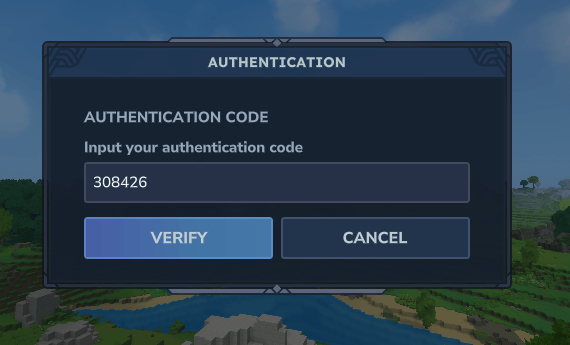
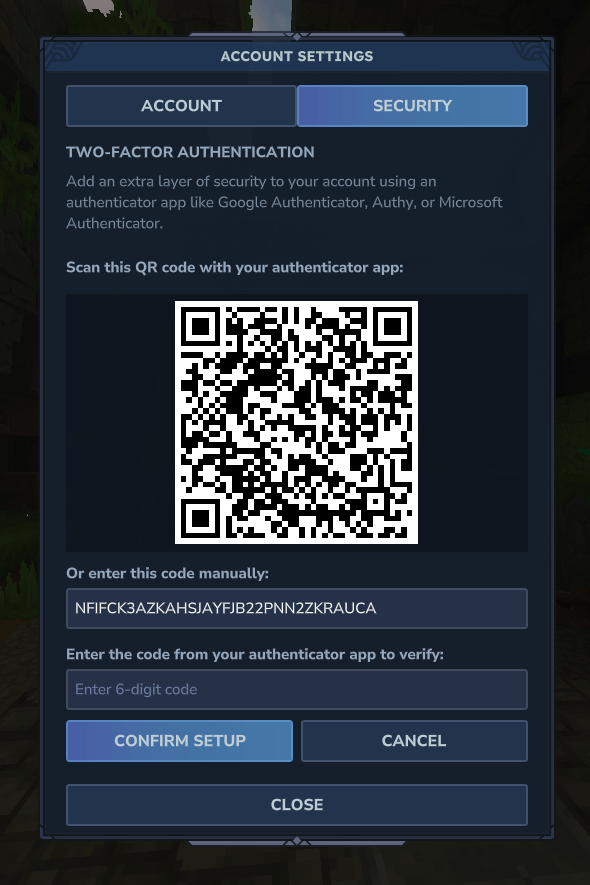
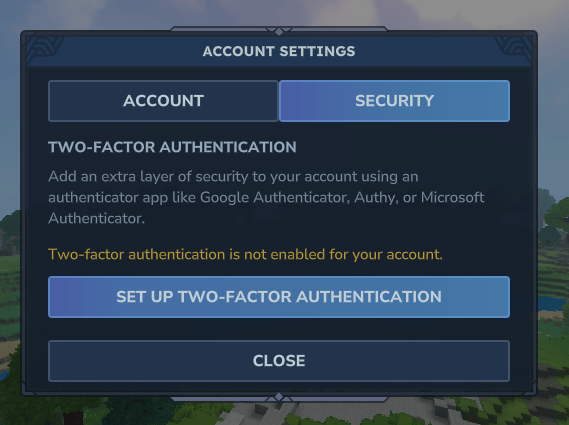
Optional two-factor authentication for enhanced security 🔑
Configurable registration requirements to match server policies ⚙️
Multi-database support (SQLite, MySQL, PostgreSQL) 🗄️
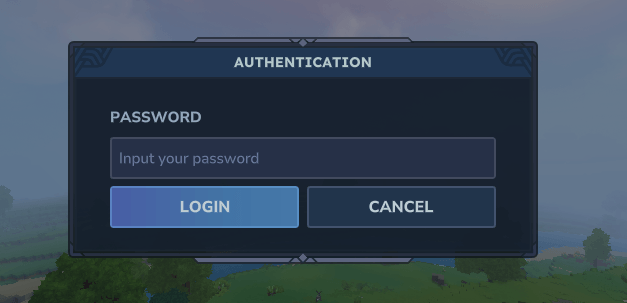
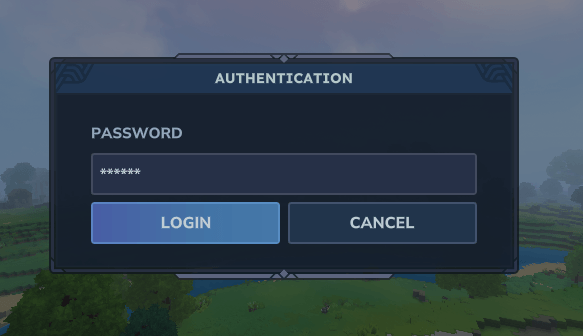
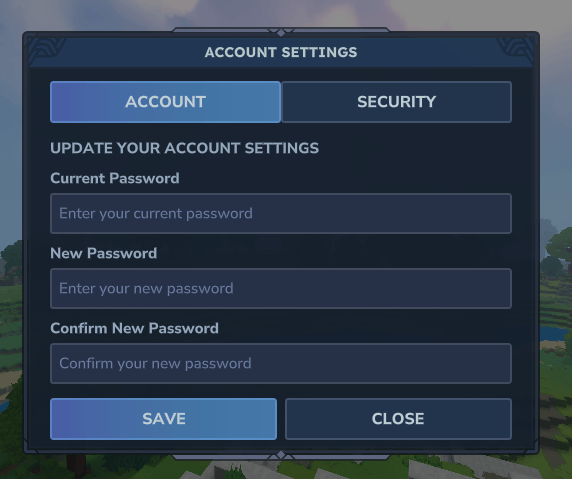
Native UI pages for login, registration and settings 📱
Persistent sessions to avoid constant re-authentication 🔁
Brute-force protection with lockout rules 🚧
Chat and movement protection until authentication completes 🚫
Offline mode compatibility with hybrid workflows 🌐
OAuth 2.0 REST API for external integrations 🧩
Advanced Security
Security is a core pillar of MAuth. Passwords are hashed with BCrypt, tokens are validated, sessions are isolated, and optional two-factor authentication with TOTP enables enterprise-grade login protection.
Brute force defenses apply to in-game authentication through IP-based and account-based lockouts, while session expiration and cleanup prevent unauthorized persistence.
User Experience
MAuth integrates with Hytale's UI system to present modern UI pages:
Login page that dynamically switches to 2FA when required
Registration page with optional fields
Settings page with separate account and security tabs
Players are temporarily restricted from moving or chatting until authentication completes, preventing grief or abuse during the login window.
MAuth supports both online and offline servers, and can automatically authenticate legitimate premium users even if the server itself runs in offline mode - striking a balance between usability and control.
Internationalization
MAuth is localized for multiple languages out of the box, including:
English (en-US)
Portuguese (pt-BR)
Russian (ru-RU)
Polish (pl-PL)
Additional languages can be added and translators are welcome.
Configuration
Configuration for MAuth lives in:
config/com.machina/mauth (preferred and used when writable)
fallback: mods/com.machina/mauth (used when the primary path cannot be written)
Configuration files use JSON5, which allows comments, trailing commas and more flexibility than strict JSON.
MAuth's configuration is organized into the following domains:
Database Settings
database.type: backend to use (sqlite, mysql, postgres)
database.host / database.port: network connection for SQL
database.name: DB name or SQLite file
database.username / database.password: credentials for SQL
database.schema: optional schema for SQL environments
Registration Settings
registration.required: controls when registration is required (REQUIRED_FOR_ALL, SKIPPED_FOR_ONLINE_MODE, OPTIONAL)
registration.fields.*: toggles registration form fields
registration.validation.*: applies password policies
Login Settings
login.timeoutSeconds: disconnects players who fail to authenticate in time
Persistent Session Settings
session.persistent.enabled: enables reconnect without password
session.persistent.durationMinutes: expiration window
Security Settings
security.twoFactor.enabled: enables TOTP 2FA
security.lockout.*: IP and account brute-force protections
OAuth 2.0 API
api.enabled: enables REST OAuth API
api.port: port to bind
api.jwt.*: token signing and expirations
OAuth 2.0 API
MAuth provides an optional OAuth 2.0 REST API that external systems can use to authenticate accounts, validate credentials, fetch profile data or implement web panels and companion apps 📡.
The API supports the Resource Owner Password Credentials flow and issues both access and refresh tokens. It is disabled by default, and should be placed behind a proxy or load balancer for rate limiting and security.
Technical Details
MAuth uses industry-standard components and practices:
BCrypt for password hashing
JPA/Hibernate for database abstraction
Ed25519 identity token verification for premium players
Native UI integration for seamless UX
Event-driven architecture for extensibility
Automatic schema creation and migration
Persistent sessions use secure token interception and validation, and expire automatically after configurable time windows.
Installation
Place the MAuth jar into the server's mods directory
Configure config.json5 for your desired workflow
Restart or reload plugins
The plugin initializes storage and begins managing authentication
Support Development
You can support development here 💖 to help fuel future updates and features:
https://machinastudios.net/support-us
Community
💬 Join our Discord community!
Get help, share ideas, and connect with other developers 🧑💻:
🆘 Support and troubleshooting
💡 Suggestions and feedback
🤝 Community and collaboration
👉 Join our Discord Server: https://discord.gg/QAFrzj48EN
Categories
Screenshots
Need a Server?
Run MAuth - Login / Authentication & 2FA on a dedicated Hytale server with easy mod management.
Get Hytale HostingFrequently Asked Questions
What is MAuth - Login / Authentication & 2FA?
Authentication plugin for Hytale including 2FA and email. Blocks walking, breaking blocks, interacting and taking damage before logging in.
How do I download MAuth - Login / Authentication & 2FA?
You can download MAuth - Login / Authentication & 2FA for free from CurseForge. Click the "Download on CurseForge" button on this page to go directly to the download page.
Who created MAuth - Login / Authentication & 2FA?
MAuth - Login / Authentication & 2FA was created by giofolf. The mod has been downloaded 485 times.
Is MAuth - Login / Authentication & 2FA compatible with Hytale servers?
MAuth - Login / Authentication & 2FA is designed for Hytale and can be used on both single-player and multiplayer servers. Check the mod page on CurseForge for specific compatibility information.
How do I install MAuth - Login / Authentication & 2FA?
To install MAuth - Login / Authentication & 2FA: 1) Download the mod from CurseForge, 2) Place the file in your Hytale mods folder, 3) Restart the game. The mod should load automatically.
Related Misc Mods
View all mods
Ymmersive Melodies
Conczin
Upload and play MIDI files in-game on various instruments to annoy your friends with custom melodies!

MultipleHUD
Buuz135
A simple mod that allows you to have multiple HUDs present at once.

Spanish Translation
Plexu5
A Spanish language translation for Hytale. Includes UI, items, and menus.

YUNG's HyDungeons
YUNGNICKYOUNG
Adds new procedurally generated dungeon instances!

Just Enough Tales (JEI mod)
uwudwagon
A JEI mod for Hytale.
![[NoCube's] Simple Bags](https://media.forgecdn.net/avatars/thumbnails/1601/201/256/256/639034453685921721.png)
[NoCube's] Simple Bags
NoCube
Adds bags that you can put anything in!