Memory Compass
Adds a craftable memory compass item that points to the nearest undiscovered memory. Also adds server commands for tracking other useful resources like hides and ores.
About Memory Compass
Memory Compass
A Hytale server plugin that helps you find nearby memories, resources, and ores by placing a marker on your map and compass.
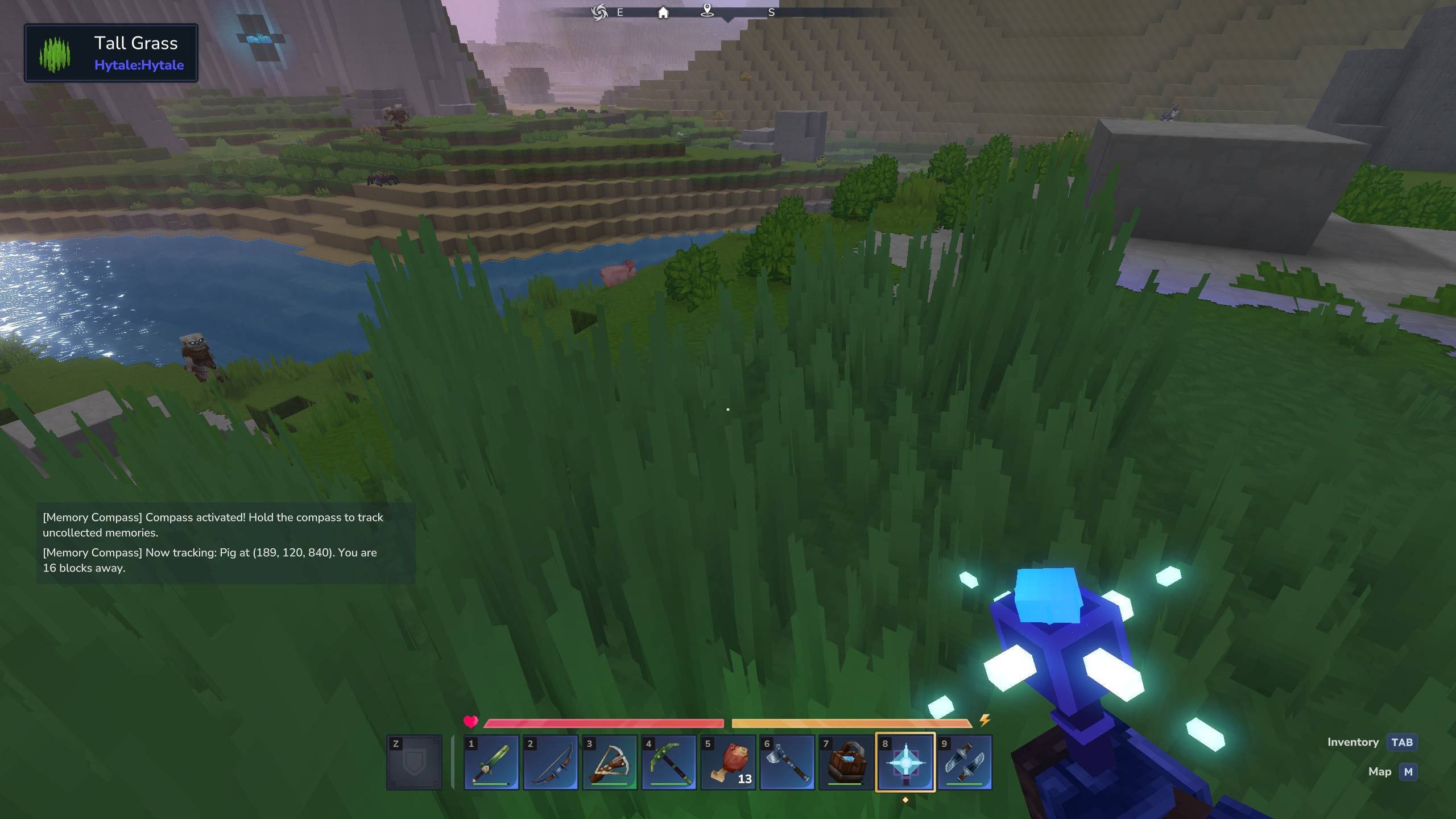
The plugin adds a craftable Memory Compass that points to the nearest undiscovered memory when activated. For balance reasons, the compass is only available after you've played for a little bit - it requires an upgraded workbench and some resources. Also, it's only active while it's being held. It can be held in either hand, though! The compass also emits a faint blue light, to help with nighttime memory collection.
Using the Memory Compass
The rest of the features of the plugin are only for more dedicated players, and as such are only available as server commands.
My children told me that the thing they like the most in Hytale is to explore for new memories. However, after a while it gets more difficult to find new creatures, and nobody likes wasting their time. This mod will help you find those last few missing creatures when you're almost done collecting everything!
In keeping with the spirit of "saving time", the mod will also help you find those items that you normally have to search a long time for. Items such as Hides and the rarer Ores.
Features
Memory Tracking - Find uncollected memories to complete your collection
Hide Tracking - Locate creatures that drop light, medium, or heavy hides
Ore Tracking - Find ore deposits (copper, iron, silver, gold, thorium, cobalt, adamantite, mithril)
Map Marker - Target location shown on your map and compass with distance
Chat Notifications - Get notified when a new target is found or when tracking changes
Screenshots
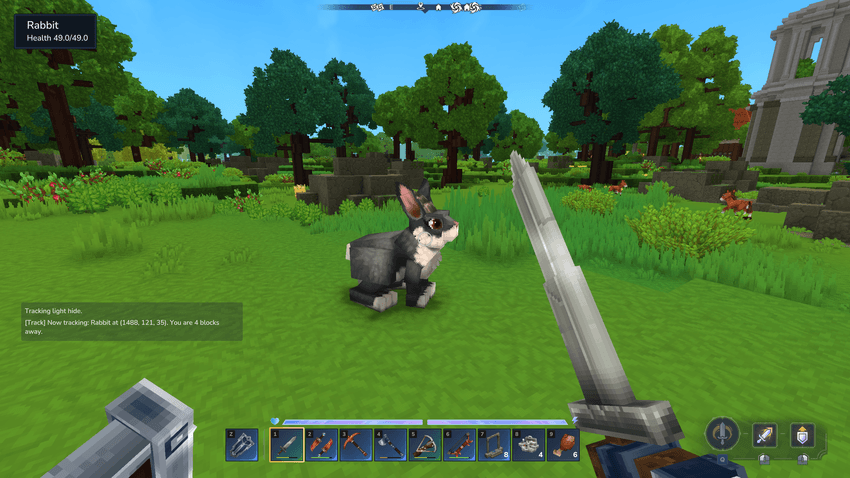
Tracking an undiscovered memory
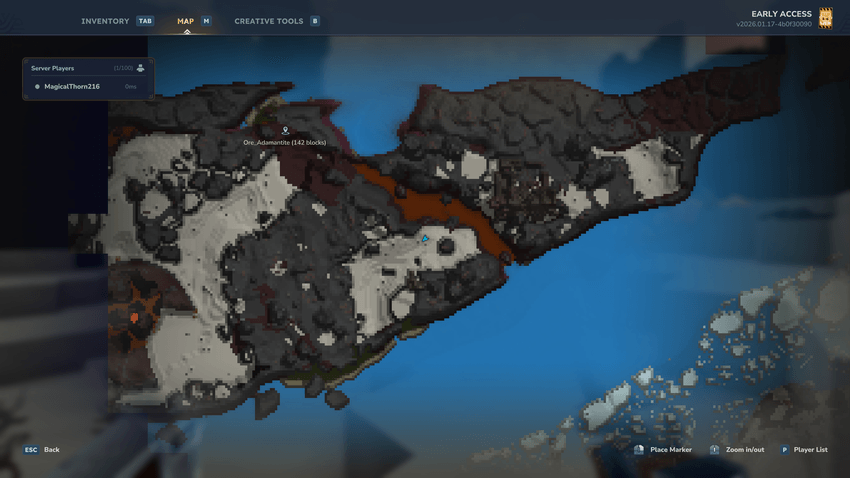
The map shows the marker as well
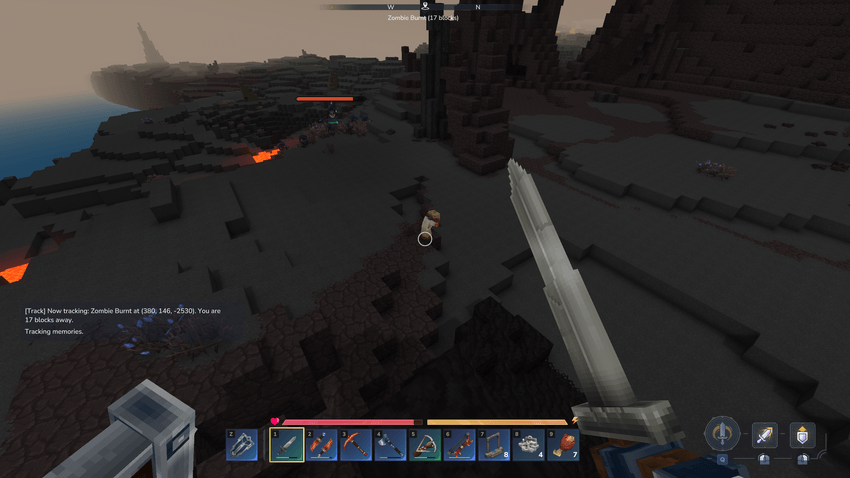
You know what must be done
Commands
/track <type> - Start tracking. Available types:
Type Description
memory Track nearest uncollected memory
light_hide Track creatures that drop light hide
medium_hide Track creatures that drop medium hide
heavy_hide Track creatures that drop heavy hide
copper Track copper ore
iron Track iron ore
silver Track silver ore
gold Track gold ore
cobalt Track cobalt ore
mithril Track mithril ore
thorium Track thorium ore
adamantite Track adamantite ore
off Stop tracking
status Show current tracking status
Configuration
Edit config.json in the plugin's data folder:
{ "blockSearchRadiusBlocks": 64, "blockSearchIntervalMs": 15000, "entitySearchRadiusBlocks": 512, "entityUpdateIntervalTicks": 10. }
Setting Description
blockSearchRadiusBlocks How far to search for ores (in blocks)
blockSearchIntervalMs How often to re-scan for ores (in milliseconds)
entitySearchRadiusBlocks How far to search for creatures/memories (in blocks)
entityUpdateIntervalTicks How often to update creature tracking (in server ticks)
Notes
Only one thing can be tracked at a time - selecting a new target automatically stops the previous one
Ore tracking searches all stone variants (basalt, sandstone, shale, slate, stone, volcanic)
Ore tracking is more server-intensive, so it will only track once every few seconds.
Ore tracking will find things that are "in the nearest chunks first". So it might find ore right beneath your feet, but 100 blocks down before it finds ore "40 blocks ahead".
Categories
Screenshots
Need a Server?
Run Memory Compass on a dedicated Hytale server with easy mod management.
Get Hytale HostingFrequently Asked Questions
What is Memory Compass?
Adds a craftable memory compass item that points to the nearest undiscovered memory. Also adds server commands for tracking other useful resources like hides and ores.
How do I download Memory Compass?
You can download Memory Compass for free from CurseForge. Click the "Download on CurseForge" button on this page to go directly to the download page.
Who created Memory Compass?
Memory Compass was created by MihailMinkov. The mod has been downloaded 191 times.
Is Memory Compass compatible with Hytale servers?
Memory Compass is designed for Hytale and can be used on both single-player and multiplayer servers. Check the mod page on CurseForge for specific compatibility information.
How do I install Memory Compass?
To install Memory Compass: 1) Download the mod from CurseForge, 2) Place the file in your Hytale mods folder, 3) Restart the game. The mod should load automatically.
Related Qol Mods
View all mods
EyeSpy
DarkhaxDev
Adds a HUD that displays information about what you're looking at!

Advanced Item Info
Buuz135
Adds a searchable GUI that displays all the items and the game and displays extra properties they have

Overstacked
DarkhaxDev
Increases the maximum stack size of items.

Violet's Wardrobe
VioletsWorkshop
Adds more customisation options in the form of craftable cosmetics

Item Magnet
Jaredlll08
Adds a magnet that attracts items towards the player.

Endgame & QoL - Boss & Elite Update (3.0.0 in a week)
Lewaii
Endgame & QoL v2.2: Face the Alpha T-Rex & Void Spectres! Unlock Backpack IV & Void Gliders. Restore unused content and challenge stronger, rebalanced bosses!