PlayerInteractLib
Adds PlayerInteractionEvent for default camera view as an alternative to PlayerInteractEvent, PlayerMouseButtonEvent and SwitchActiveSlotEvent
About PlayerInteractLib
PlayerInteractLib
PlayerInteractLib is a lightweight server-side library that restores a missing player interaction event in the Hytale Server API.
It introduces a fully working PlayerInteractionEvent, which acts as a replacement for the non-functional or missing PlayerInteractEvent in the current API.
This event allows plugins to react to real player interactions with the world, blocks, and items.
The library is designed to be used as a dependency by other server plugins and mods, without requiring any modification of server internals.
👑 For Server Owners
If you are a server owner, simply drop this mod into the mods folder.
No configuration or setup is required.
🧩 For Plugin Developers
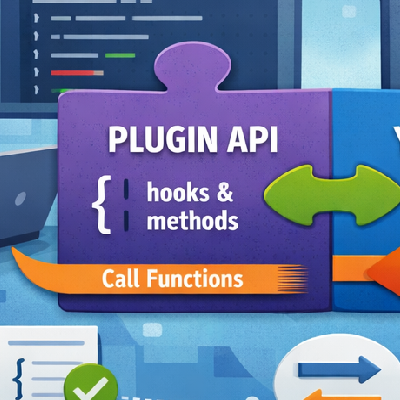
PlayerInteractLib exposes player interaction events through a reactive event stream (SubmissionPublisher), allowing plugins to subscribe and react asynchronously to player actions.
✨ Features
Adds a missing PlayerInteractionEvent to the server API
Provides reliable player interaction detection
Supports interactions with blocks, items, and the world
Includes player identity and item-in-hand information
Asynchronous, non-blocking event delivery (Java Flow API)
Lightweight and dependency-only (no gameplay logic)
How to Use
1. Add the library to your project Create a libs folder in your project and place the library .jar inside it:
project-root/ ├─ libs/ │ └─ PlayerInteractLib.jar └─ build.gradle Example structure:
2. Add dependency in build.gradle
dependencies { implementation fileTree(dir: 'libs', includes: ['*.jar']) }
3. Declare dependency in manifest.json Add the library as a dependency in your plugin’s manifest.json:
"Dependencies": { "Hytale:PlayerInteractLib": "*" }
📦 PlayerInteractionEvent Data
public record PlayerInteractionEvent( InteractionType interactionType, String uuid, String itemInHandId, SyncInteractionChain interaction ) {} Available information
Player UUID
Identifies the player performing the interaction.
Interaction Type (InteractionType)
Determines the kind of action (e.g. primary / secondary interaction).
Item in Hand
The ID of the item currently used by the player (may be null).
Interaction Context (SyncInteractionChain)
Contains contextual data related to the interaction, such as:
* interaction state * interaction chain identifier * world or block interaction metadata Low-level networking and protocol details are intentionally hidden to keep the API simple and plugin-friendly.
Example usage
PlayerInteractLib lib = (PlayerInteractLib) PluginManager.get() .getPlugin(PluginIdentifier.fromString("Hytale:PlayerInteractLib"));
SubmissionPublisher<PlayerInteractionEvent> publisher = lib.getPublisher();
publisher.subscribe(new Flow.Subscriber<>() {
@Override public void onSubscribe(Flow.Subscription subscription) { subscription.request(Long.MAX_VALUE); }
@Override public void onNext(PlayerInteractionEvent event) { String uuid = event.getUuid(); var interactionType = event.getInteractionType();
String username = Universe.get() .getPlayer(UUID.fromString(uuid)) .getUsername();
System.out.println(username + " performed " + interactionType); }
@Override public void onError(Throwable t) {} @Override public void onComplete() {} }); 🧠 Common Use Cases
Region protection systems
Custom block or item behavior
Interaction-based mechanics
Anti-grief or permission checks
Player action logging and analytics
ℹ️ Notes
Events are delivered asynchronously
Plugins modifying world state should ensure proper synchronization
This library is intended to be used strictly as a dependency
If you find this useful then feel free and
Categories
Need a Server?
Run PlayerInteractLib on a dedicated Hytale server with easy mod management.
Get Hytale HostingFrequently Asked Questions
What is PlayerInteractLib?
Adds PlayerInteractionEvent for default camera view as an alternative to PlayerInteractEvent, PlayerMouseButtonEvent and SwitchActiveSlotEvent
How do I download PlayerInteractLib?
You can download PlayerInteractLib for free from CurseForge. Click the "Download on CurseForge" button on this page to go directly to the download page.
Who created PlayerInteractLib?
PlayerInteractLib was created by grzegorz2047. The mod has been downloaded 21 times.
Is PlayerInteractLib compatible with Hytale servers?
PlayerInteractLib is designed for Hytale and can be used on both single-player and multiplayer servers. Check the mod page on CurseForge for specific compatibility information.
How do I install PlayerInteractLib?
To install PlayerInteractLib: 1) Download the mod from CurseForge, 2) Place the file in your Hytale mods folder, 3) Restart the game. The mod should load automatically.
Related Misc Mods
View all mods
Ymmersive Melodies
Conczin
Upload and play MIDI files in-game on various instruments to annoy your friends with custom melodies!

MultipleHUD
Buuz135
A simple mod that allows you to have multiple HUDs present at once.

Spanish Translation
Plexu5
A Spanish language translation for Hytale. Includes UI, items, and menus.

YUNG's HyDungeons
YUNGNICKYOUNG
Adds new procedurally generated dungeon instances!

Just Enough Tales (JEI mod)
uwudwagon
A JEI mod for Hytale.
![[NoCube's] Simple Bags](https://media.forgecdn.net/avatars/thumbnails/1601/201/256/256/639034453685921721.png)
[NoCube's] Simple Bags
NoCube
Adds bags that you can put anything in!