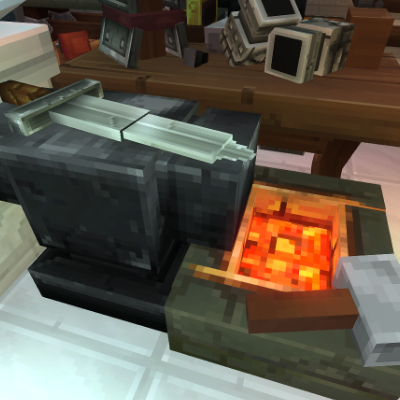
Repair Anvil
Adds a repair anvil to the game. Removes the need for repair kits and repairs items back to max durability with no penalty by default or similar to repair kits by altering the config.
About Repair Anvil
Repair Anvil
Overview
Repair Anvil is a utility block that instantly restores all damaged items in a player’s inventory to maximum durability with a single interaction.
No penalties (by default).
No item selection.
Just interact with the anvil and everything is repaired at once.
💡 New: The mod now includes a config system with settings suggested by players, allowing customization of repair mechanics such as penalties, free repair chances, thresholds, and ignored blocks.
⚠️ Note: From version 1.0.2 onwards, previous display model and texture issues should no longer occur thanks to mod cleanup and updates.
Crafting
The Repair Anvil is crafted at the Workbench under the Tools section.
To create a Repair Anvil, you will need:
🪨 10× Any Stone
⛓️ 8× Iron Ingots
Features
🔨 Repairs all damaged items in inventory
⚡ One-click interaction (no UI, no menus)
📦 No item-by-item handling
🧱 Anvil-style utility block
❌ No durability penalties (configurable)
🧩 Quality-of-life focused
⚙️ Configurable mechanics: Penalty toggle
Min/max repair penalties
Free repair chance and range
Threshold for repairs
Ignore list for specific blocks
How It Works
Craft the Repair Anvil at a Workbench (Tools section)
Place it in the world
Interact with it
All damaged items in your inventory are instantly restored to max durability
Optional: Adjust config settings to customize behavior
💡 Note: Run the world once with the mod installed to generate the config folder. Delete old config folders if upgrading to ensure new settings are available.
⚠️ Tip: If you still have issues with old benches, remove them using Creative mode and /clearblocks as described in the changelog.
Categories
Need a Server?
Run Repair Anvil on a dedicated Hytale server with easy mod management.
Get Hytale HostingFrequently Asked Questions
What is Repair Anvil?
Adds a repair anvil to the game. Removes the need for repair kits and repairs items back to max durability with no penalty by default or similar to repair kits by altering the config.
How do I download Repair Anvil?
You can download Repair Anvil for free from CurseForge. Click the "Download on CurseForge" button on this page to go directly to the download page.
Who created Repair Anvil?
Repair Anvil was created by strxcc. The mod has been downloaded 1.6K times.
Is Repair Anvil compatible with Hytale servers?
Repair Anvil is designed for Hytale and can be used on both single-player and multiplayer servers. Check the mod page on CurseForge for specific compatibility information.
How do I install Repair Anvil?
To install Repair Anvil: 1) Download the mod from CurseForge, 2) Place the file in your Hytale mods folder, 3) Restart the game. The mod should load automatically.
Related Building Mods
View all mods
Violet's Furnishings
VioletsWorkshop
Expands on Hytale's existing furniture library

Simply Trash
Jaredlll08
Adds a trash can to easily destroy items!
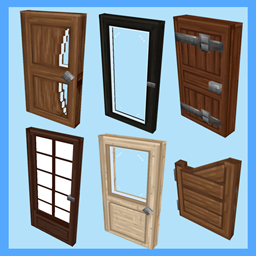
Macaw's Hy Doors
sketch_macaw
Adds more doors to fit in your builds!

Violet's Plushies
VioletsWorkshop
Adds several plushies, some with unique SFX!
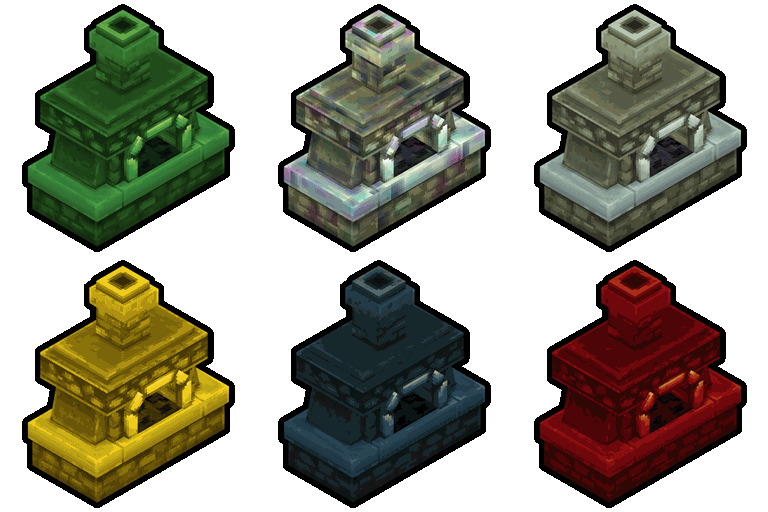
Thorium Furnaces
Jaredlll08
Faster Furnaces!
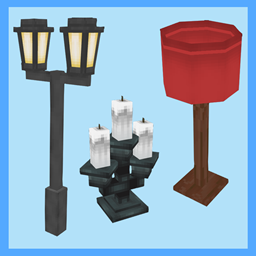
Macaw's Hy Lights and Lamps
sketch_macaw
Adds Lamps, Tiki Torches, Candle Holders, Ceiling Lights, Street Lights and more...!