Revela's HUD
Provides a configurable HUD overlay showing real-time player statistics, including kills, deaths, playtime, and coordinates.
About Revela's HUD
Revela's HUD
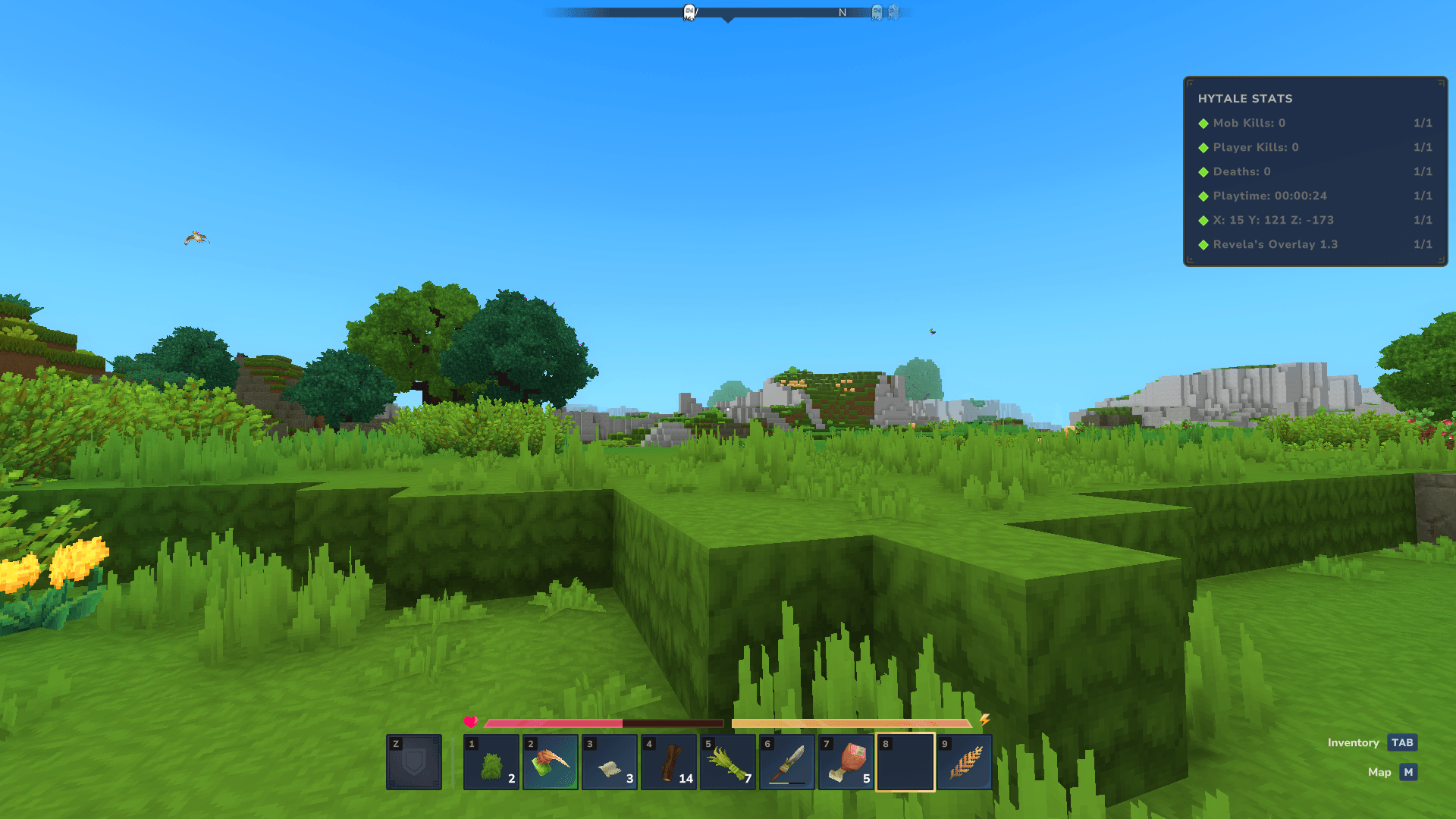
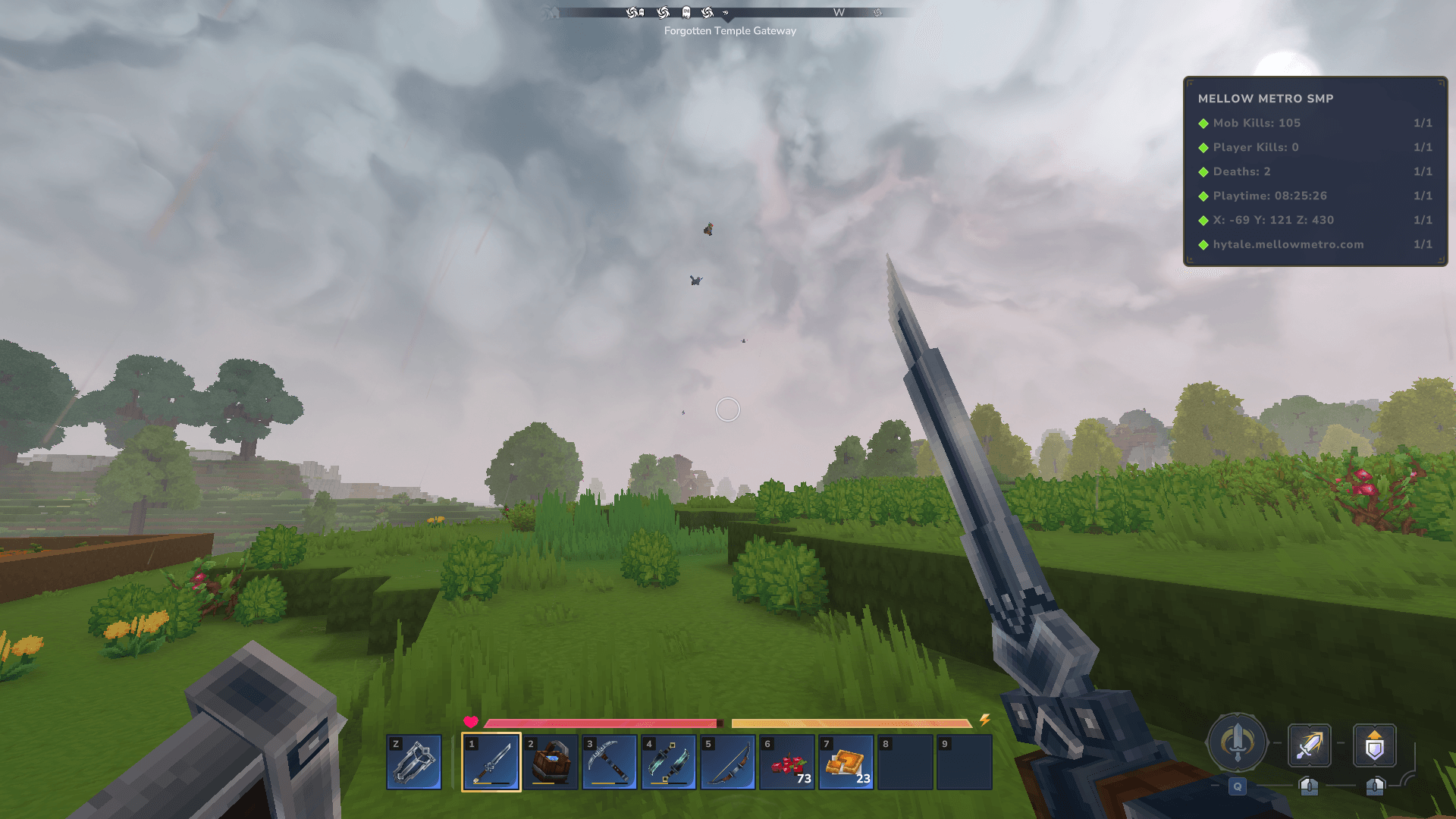
Revela's HUD is a lightweight, server-side mod that adds a customizable in-game HUD overlay displaying real-time player statistics. It is designed to be informative without being intrusive, giving players constant access to helpful/informative gameplay data.
The overlay updates live as players play, fight, and move through the world -- no commands or menus required once enabled.
And YES, you can show/hide your coordinates with a simple command!
✨ Features
📈 Live Player Statistics
Mob kills
Player kills
Deaths
Playtime
Coordinates
🧩 Configurable HUD Layout
Fully configurable via hud-config.json
Choose which lines are shown
Customize titles and ordering
👁️ Per-Player Visibility Controls
Players can toggle the entire overlay
Players can hide or show individual overlay lines (such as coordinates)
⚙️ Server-Side Only
No client mods required
Works automatically for all players once installed
🧠 Native Command & Permission System
Uses Hytale’s built-in command and permission APIs
Fully compatible with permission management plugins
💾 Autosave Functionality (New in Version 1.4)
Prevents data loss in the event of an unexpected shutdown
Commands
/overlay
Toggles the overlay on or off for the player.
/overlay on
Enables the overlay.
/overlay off
Disables the overlay.
/overlay coords
Toggles the coordinates line.
/overlay hide coords
Hides the coordinates line.
/overlay show coords
Shows the coordinates line.
Players can use /overlay hide --help or /overlay show --help to see available options in-game.
Permission Nodes
This mod uses explicit permission nodes only (no wildcards).
Base Command
revela.hud.command.overlay
Allows access to /overlay.
Subcommands
revela.hud.command.overlay.toggle revela.hud.command.overlay.on revela.hud.command.overlay.off revela.hud.command.overlay.coords
Hide / Show Controls
revela.hud.command.overlay.hide revela.hud.command.overlay.hide.coords
revela.hud.command.overlay.show revela.hud.command.overlay.show.coords
Players must have the specific subcommand permission to use it. Granting only the base permission allows /overlay but not subcommands.
Configuration
The mod generates a hud-config.json file on first startup.
This file allows server owners to:
Change the overlay title
Add or remove stat lines
Reorder display entries
Control which stats appear
Changes take effect after a server restart.
Notes & Limitations
The HUD is rendered using Hytale’s Objective-based overlay system
A numeric column (1/1) is always displayed by the engine and cannot be removed
This is an engine limitation, not a configuration option
Compatibility
Designed for multiplayer servers
Safe to add or remove without corrupting player data
No client-side installation required
Example configuration:
Default placeholder configuration:
Categories
Screenshots
Need a Server?
Run Revela's HUD on a dedicated Hytale server with easy mod management.
Get Hytale HostingFrequently Asked Questions
What is Revela's HUD?
Provides a configurable HUD overlay showing real-time player statistics, including kills, deaths, playtime, and coordinates.
How do I download Revela's HUD?
You can download Revela's HUD for free from CurseForge. Click the "Download on CurseForge" button on this page to go directly to the download page.
Who created Revela's HUD?
Revela's HUD was created by revela. The mod has been downloaded 86 times.
Is Revela's HUD compatible with Hytale servers?
Revela's HUD is designed for Hytale and can be used on both single-player and multiplayer servers. Check the mod page on CurseForge for specific compatibility information.
How do I install Revela's HUD?
To install Revela's HUD: 1) Download the mod from CurseForge, 2) Place the file in your Hytale mods folder, 3) Restart the game. The mod should load automatically.
Related Qol Mods
View all mods
EyeSpy
DarkhaxDev
Adds a HUD that displays information about what you're looking at!

Advanced Item Info
Buuz135
Adds a searchable GUI that displays all the items and the game and displays extra properties they have

Overstacked
DarkhaxDev
Increases the maximum stack size of items.

Violet's Wardrobe
VioletsWorkshop
Adds more customisation options in the form of craftable cosmetics

Item Magnet
Jaredlll08
Adds a magnet that attracts items towards the player.

Endgame & QoL - Boss & Elite Update (3.0.0 in a week)
Lewaii
Endgame & QoL v2.2: Face the Alpha T-Rex & Void Spectres! Unlock Backpack IV & Void Gliders. Restore unused content and challenge stronger, rebalanced bosses!