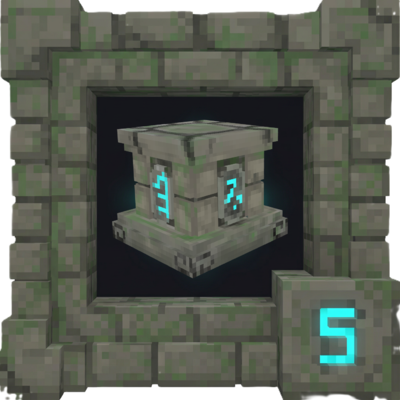
RunicKeeper
Master your inventory with a magical block that connects and organizes all your surrounding containers.
About RunicKeeper
Runic Keeper
Master your inventory with the power of the runes.
Runic Keeper is a Hytale mod that revolutionizes how you store and access your items. Inspired by popular "Magic Storage" systems, this mod introduces a new magical block that connects to all nearby chests, allowing you to view, search, and manage your entire storage system from a single, powerful interface.
Key Features
Centralized Storage Network: Access every item in surrounding chests without opening them individually.
Seal Your Chests! Craft a Runic Seal to lock specific chests. Sealed chests are ignored when depositing items, allowing you to create "Read-Only" storage for special gear or loot that won't get cluttered.
Powerful & Intuitive UI:
Search Bar: Instantly find any item by name.
One-Click Management: Use header buttons like "Quick Stack" (deposits matching items) and "Put All" (clears your backpack, ignoring your hotbar) to manage your inventory effortlessly.
Advanced Sorting: Cycle between sorting items by Quantity, Type (Weapon, Tool, etc.), or Name.
Full Inventory View: See your entire player inventory and hotbar integrated directly into the UI.
Native Tooltips: Hover over any item in the network to see its name and details, just like in your own inventory.
Getting Started
1. Craft the Blocks:
Runic Keeper: Crafted at a Tinkering Workbench (5x Iron Ingot, 1x Voidheart, 4x Wooden Chest).
Runic Seal: Crafted at a Tinkering Workbench (2x Void Essence, 5x Marble Cobble, 1x Iron Ingot).
2. Place Your Keeper: Place the Runic Keeper block centrally among your chests.
Open the Network: Press F on the Runic Keeper to open the storage interface.
Seal a Chest: Hold the Runic Seal and Right-Click on any chest to toggle its sealed status.
Configuration
You can adjust the scanning radius to fit your base layout.
Command: /runicradius <number> (Default: 5, Max: 50)
Config File: Located at mods/RunicKeeper/config.json.
Future Plans & Roadmap
Runic Keeper is in active development. Here’s what’s coming next:
Crafting From The Network: The highest priority feature. Craft items directly from the Runic Keeper interface, using resources from all connected chests without having to find them first.
Category Filters: UI buttons to filter the view by item type (Weapons, Blocks, Ingredients, etc.).
Visual Network Feedback: Particle effects or overlays to easily see which chests are connected and which are sealed.
Categories
Need a Server?
Run RunicKeeper on a dedicated Hytale server with easy mod management.
Get Hytale HostingFrequently Asked Questions
What is RunicKeeper?
Master your inventory with a magical block that connects and organizes all your surrounding containers.
How do I download RunicKeeper?
You can download RunicKeeper for free from CurseForge. Click the "Download on CurseForge" button on this page to go directly to the download page.
Who created RunicKeeper?
RunicKeeper was created by shiryuu_. The mod has been downloaded 1.5K times.
Is RunicKeeper compatible with Hytale servers?
RunicKeeper is designed for Hytale and can be used on both single-player and multiplayer servers. Check the mod page on CurseForge for specific compatibility information.
How do I install RunicKeeper?
To install RunicKeeper: 1) Download the mod from CurseForge, 2) Place the file in your Hytale mods folder, 3) Restart the game. The mod should load automatically.
Related Qol Mods
View all mods
EyeSpy
DarkhaxDev
Adds a HUD that displays information about what you're looking at!

Advanced Item Info
Buuz135
Adds a searchable GUI that displays all the items and the game and displays extra properties they have

Overstacked
DarkhaxDev
Increases the maximum stack size of items.

Violet's Wardrobe
VioletsWorkshop
Adds more customisation options in the form of craftable cosmetics

Item Magnet
Jaredlll08
Adds a magnet that attracts items towards the player.

Endgame & QoL - Boss & Elite Update (3.0.0 in a week)
Lewaii
Endgame & QoL v2.2: Face the Alpha T-Rex & Void Spectres! Unlock Backpack IV & Void Gliders. Restore unused content and challenge stronger, rebalanced bosses!