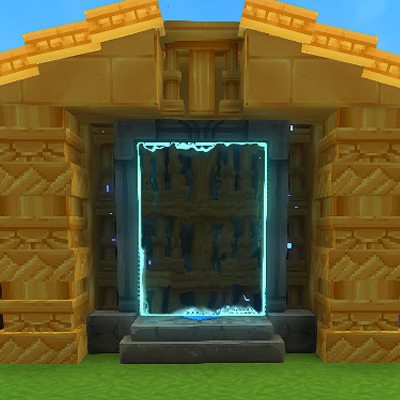
Server Teleporters
Simple plugin for creating teleporters that send users across servers
About Server Teleporters
Cross-Server Teleporter Plugin
A Hytale plugin that enables seamless cross-server teleportation using the game's native teleporter and warp systems.
Features
Cross-Server Teleportation
Transfer players between multiple Hytale servers using in-game teleporters
Works with Hytale's native teleporter blocks and warp system
Automatic player spawning at designated locations on the target server
Simple Command Interface
Short, easy-to-remember commands
List, create, and remove warps and spawn locations
Persistent Storage
Cross-server warp data stored in crossserver_warps.json
Survives server restarts
Separate from Hytale's warps.json to avoid conflicts
Native Integration
Uses Hytale's built-in teleporter blocks
Configure destinations through the normal teleporter UI
No custom blocks or complex setup required
Commands
Cross-Server Warps
Register a cross-server warp
/csw <warpName> <targetServer> <teleporterId> Remove a cross-server warp
/delcsw <warpName> List all cross-server warps
/listcsw Teleporter Spawn Locations
Set spawn location at current position
/settp <teleporterId> Remove a spawn location
/deltp <teleporterId> List all spawn locations
/listtp How It Works
Step 1: Register a Cross-Server Warp
On the source server, create a warp that will redirect players:
/csw hubWarp localhost:25565 spawn1 This creates a warp named hubWarp that transfers players to localhost:25565 and spawns them at teleporter ID spawn1.
Step 2: Set Spawn Location
On the target server, stand where you want players to spawn and run:
/settp spawn1 Step 3: Configure Teleporter
Place a teleporter block in-game, right-click to configure it, and select the hubWarp warp from the list.
Step 4: Use the Teleporter
When a player walks through the configured teleporter, they will:
Be transferred to the target server
Spawn at the registered teleporter location
Technical Details
Position-Based Warp Matching
Current implementation is very hacky due to not being able to access a portals destination warp name when the player walks through (working on this)
Each cross-server warp is assigned unique coordinates (e.g., 10000, 100, 10000)
The system intercepts teleport events and matches destination coordinates
If a match is found in the cross-server registry, the transfer is triggered
ECS System Integration
CrossServerTeleportInterceptor - RefChangeSystem that intercepts Teleport component additions
Modifies teleport destination to prevent unwanted movement
Calls PlayerRef.referToServer() to initiate cross-server transfer
Data Storage
The plugin stores cross-server warp data in universe/crossserver_warps.json:
{ "warps": { "hubwarp": { "targetServer": "localhost:25565", "teleporterId": "spawn1" } } }
Copy jar file to your Hytale server's mods/ folder
Restart the server
Configure cross-server warps using the commands above
Use Cases
Server Networks Connect multiple game servers (lobby to minigames to survival)
Instance-Based Content Transfer players to dedicated servers for dungeons/raids
Load Balancing Distribute players across multiple servers
Regional Servers Connect servers in different geographic locations
Security Considerations
Important: This plugin is currently in development and has no built-in security features. Most of these are currently being worked on
Any server can send players to any other server
No authentication between servers
Referral data is not encrypted or validated
Commands are not permission based
Categories
Need a Server?
Run Server Teleporters on a dedicated Hytale server with easy mod management.
Get Hytale HostingFrequently Asked Questions
What is Server Teleporters?
Simple plugin for creating teleporters that send users across servers
How do I download Server Teleporters?
You can download Server Teleporters for free from CurseForge. Click the "Download on CurseForge" button on this page to go directly to the download page.
Who created Server Teleporters?
Server Teleporters was created by ReachClarity. The mod has been downloaded 402 times.
Is Server Teleporters compatible with Hytale servers?
Server Teleporters is designed for Hytale and can be used on both single-player and multiplayer servers. Check the mod page on CurseForge for specific compatibility information.
How do I install Server Teleporters?
To install Server Teleporters: 1) Download the mod from CurseForge, 2) Place the file in your Hytale mods folder, 3) Restart the game. The mod should load automatically.
Related Qol Mods
View all mods
EyeSpy
DarkhaxDev
Adds a HUD that displays information about what you're looking at!

Advanced Item Info
Buuz135
Adds a searchable GUI that displays all the items and the game and displays extra properties they have

Overstacked
DarkhaxDev
Increases the maximum stack size of items.

Violet's Wardrobe
VioletsWorkshop
Adds more customisation options in the form of craftable cosmetics

Item Magnet
Jaredlll08
Adds a magnet that attracts items towards the player.

Endgame & QoL - Boss & Elite Update (3.0.0 in a week)
Lewaii
Endgame & QoL v2.2: Face the Alpha T-Rex & Void Spectres! Unlock Backpack IV & Void Gliders. Restore unused content and challenge stronger, rebalanced bosses!