
Teleporter Unlimited
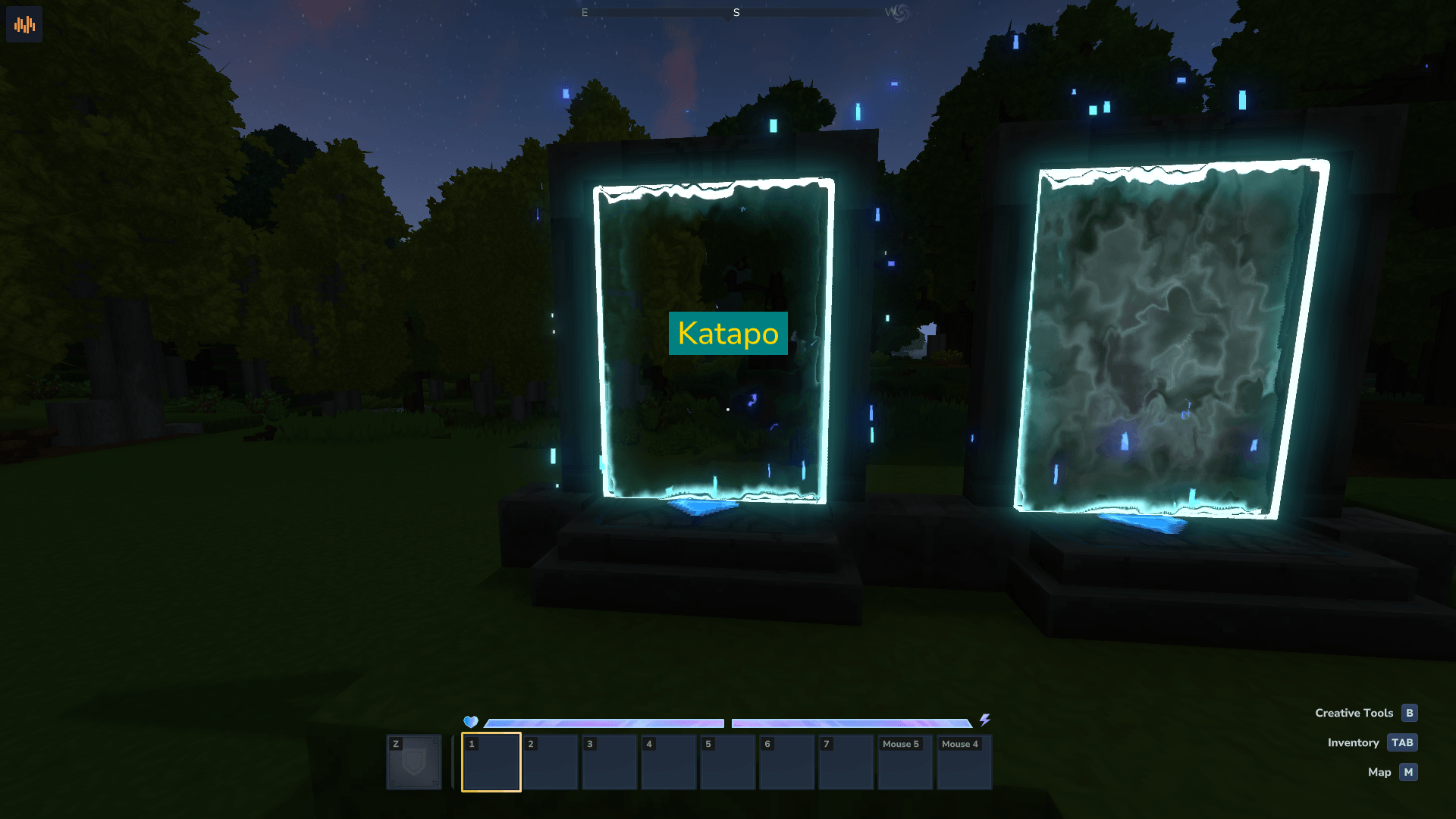
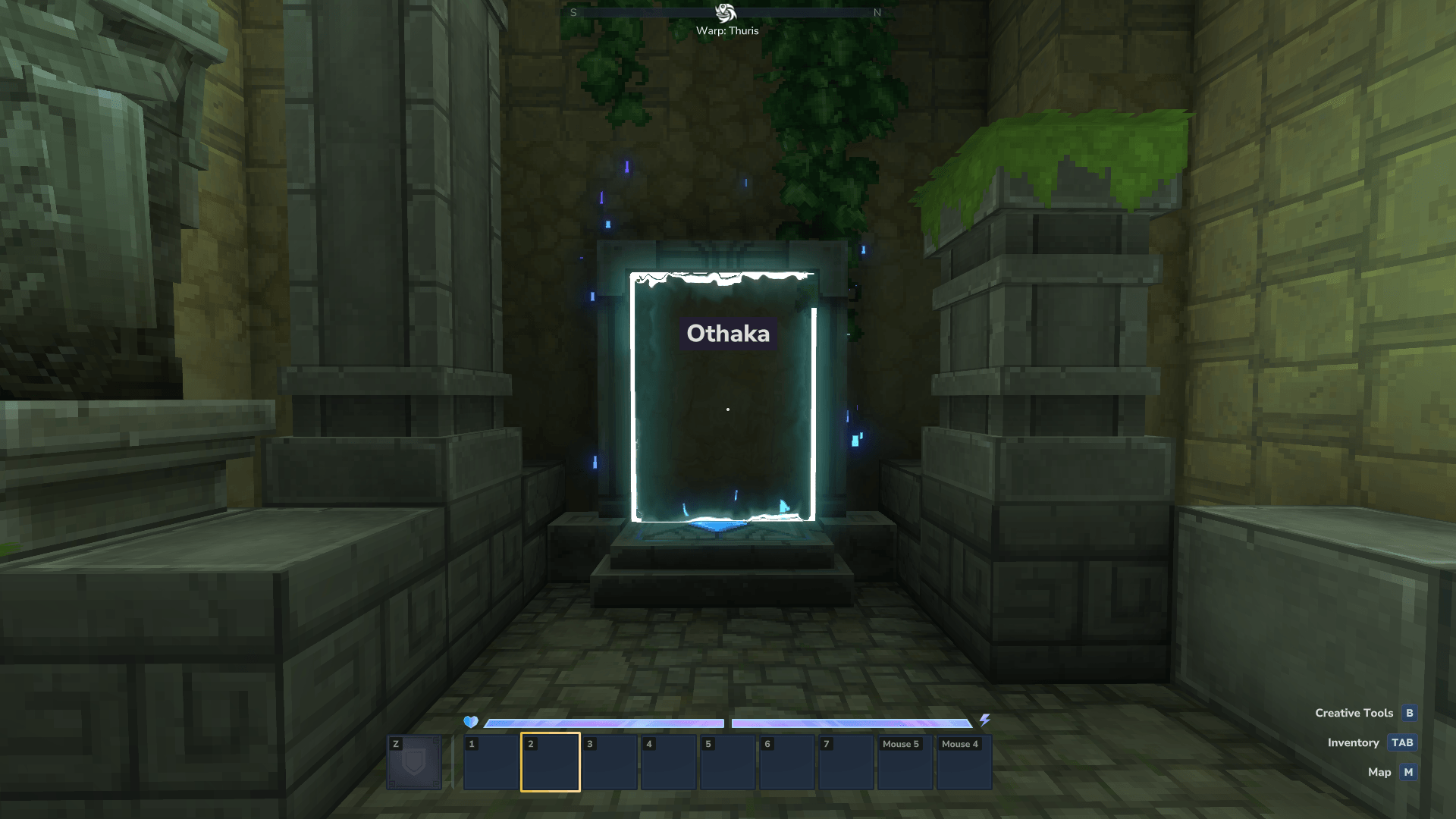
Place an unlimited number of teleporters and know where every one of them leads, thanks to the customizable warp name HUD.
About Teleporter Unlimited
Teleporter Unlimited
Place an unlimited number of teleporters and know where every one of them leads, thanks to the customizable warp name HUD.
Please report any bugs and issues. Issue Tracker
Dependencies
MultipleHUD 1.0.3+
Installation
Download the mod JAR file
Place it in your Mods folder:
Linux: ~/.var/app/com.hypixel.HytaleLauncher/data/Hytale/UserData/Mods/
macOS: ~/Library/Application Support/Hytale/UserData/Mods/
Windows: %APPDATA%\Hytale\UserData\Mods\
Configuration
The configuration file is created during the first start and is located in the Mods/dev.xoy_TeleporterUnlimited/ directory. After making changes, the config must be reloaded with the /tureload command.
Default values
{ "teleporterMaxDistance": 4, "backgroundColor": "#241F31", "textColor": "#deddda", "fontSize": 32, "renderBold": true, "updateCheckEnabled": true, "updateCheckIntervalHours": 2, "updateCheckIntervalMinutes": 0, "updateCheckIntervalSeconds": 0 } The color values must be a string with the hex color code inside (must be in this format: #RRGGBB), the number values must be integer numbers and the renderBold and updateCheckEnabled values must be true or false.
The minimum update check interval is 30 minutes.
Commands
Command Description Permission
/tureload Reloads the configuration file dev.xoy.teleporterunlimited.commands.tureload
/tuupdate Runs the update check dev.xoy.teleporterunlimited.commands.tuupdate
What's planned?
Warp HUD style customization per player
Changelog
v1.0.4
Fixed the update check command
Code optimizations
v1.0.3
Fixed logging
Added a config reloading command
Added an update check with chat notification
Added an update check command
Changed the config from Properties to JSON (old config will be migrated automatically)
Added config fields for the update check interval
v1.0.2
Added a configuration feature to customize the appearance of the warp HUD and the plugin functionality
Changed the warp name capitalization to a basic title case
Changed the internal plugin name from "Teleporter Unlimited" to "TeleporterUnlimited"
v1.0.1
Convert Asset Pack to Java Plugin
Implement MultipleHUD
Add warp HUD
v1.0.0 -- Pre-Release Asset Pack version
Remove the limit for teleporter placements
Categories
Screenshots
Need a Server?
Run Teleporter Unlimited on a dedicated Hytale server with easy mod management.
Get Hytale HostingFrequently Asked Questions
What is Teleporter Unlimited?
Place an unlimited number of teleporters and know where every one of them leads, thanks to the customizable warp name HUD.
How do I download Teleporter Unlimited?
You can download Teleporter Unlimited for free from CurseForge. Click the "Download on CurseForge" button on this page to go directly to the download page.
Who created Teleporter Unlimited?
Teleporter Unlimited was created by xoydev. The mod has been downloaded 450 times.
Is Teleporter Unlimited compatible with Hytale servers?
Teleporter Unlimited is designed for Hytale and can be used on both single-player and multiplayer servers. Check the mod page on CurseForge for specific compatibility information.
How do I install Teleporter Unlimited?
To install Teleporter Unlimited: 1) Download the mod from CurseForge, 2) Place the file in your Hytale mods folder, 3) Restart the game. The mod should load automatically.
Related Misc Mods
View all mods
Ymmersive Melodies
Conczin
Upload and play MIDI files in-game on various instruments to annoy your friends with custom melodies!

MultipleHUD
Buuz135
A simple mod that allows you to have multiple HUDs present at once.

Spanish Translation
Plexu5
A Spanish language translation for Hytale. Includes UI, items, and menus.

YUNG's HyDungeons
YUNGNICKYOUNG
Adds new procedurally generated dungeon instances!

Just Enough Tales (JEI mod)
uwudwagon
A JEI mod for Hytale.
![[NoCube's] Simple Bags](https://media.forgecdn.net/avatars/thumbnails/1601/201/256/256/639034453685921721.png)
[NoCube's] Simple Bags
NoCube
Adds bags that you can put anything in!