
Translation - Russian
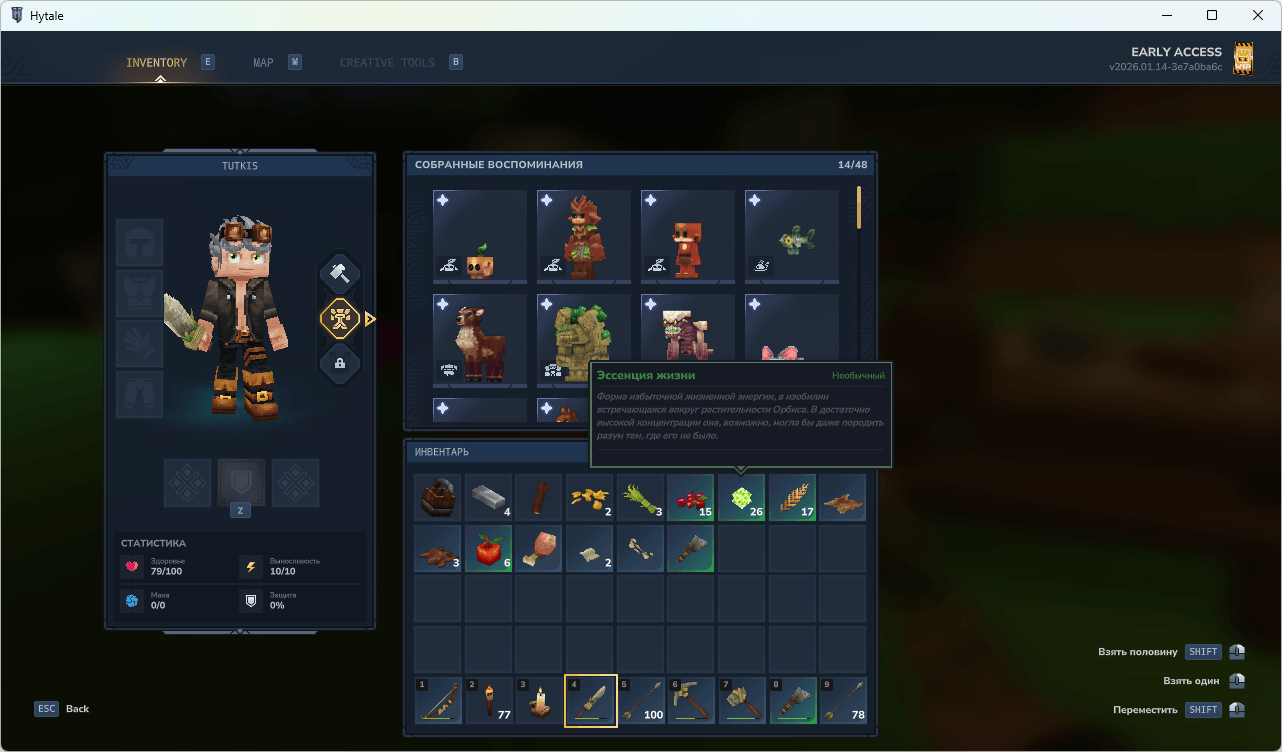
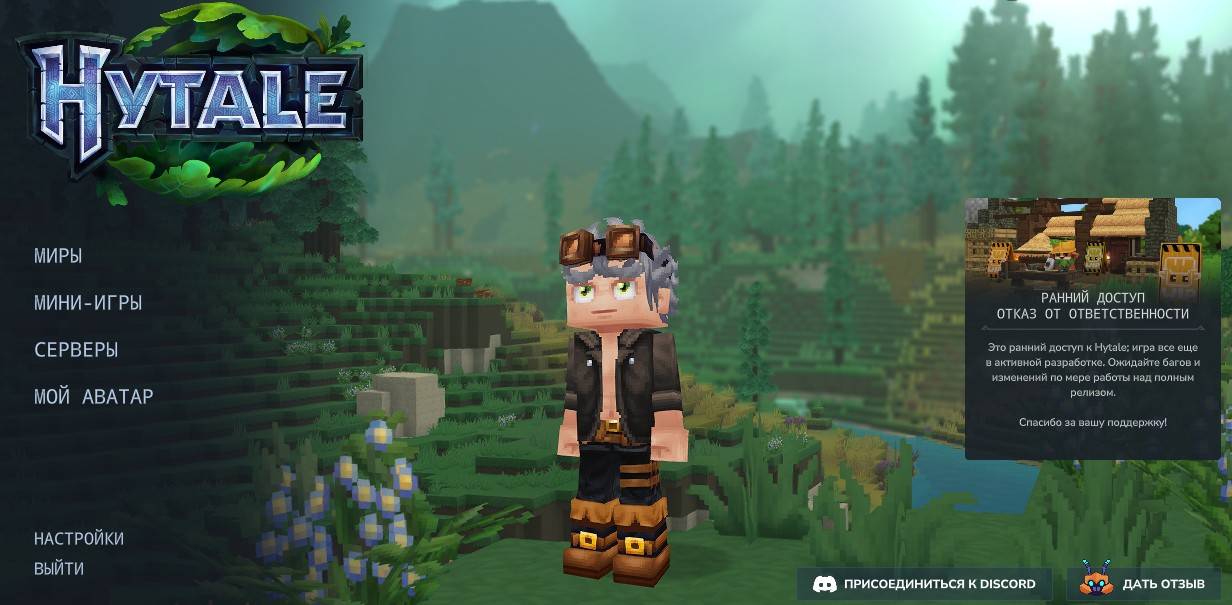
Russian (ru-RU) translation pack for Hytale. Includes translated menus, UI elements, and interface. Work in progress - only 99% complete.
About Translation - Russian
Description
ENGLISH
Russian language pack for Hytale. The goal is to offer a more natural experience in Russian.
How To Install
1. To install the game files, go to the game’s root folder. If you don’t know where it is, open the launcher > Settings (gear icon) > “Open Directory”.
2. Once you’re in the root folder, open the downloaded .zip file and drag the “install” folder into Hytale’s root folder.
3. Select “Replace all” (or “Replace the files in the destination”) when prompted.
4. In-game, go to Settings and choose Russian as the language.
5. Font Lexend-Bold has been replaced with Font Noto-mono because Font Lexend-Bold does not support Cyrillic characters.
You’re all set and ready to play.
(IMPORTANT: If you download it using the CurseForge application, delete the .zip file from the mods folder after installing the translation, as it may prevent your world from loading.)
Note on status
This translation is a work in progress: you may find untranslated lines or expressions that could be improved. It will be refined and expanded in future updates.
Version: 1.0
---------------------------------------------------
РУССКИЙ
Русский языковой пакет для Hytale. Цель — обеспечить более естественный игровой опыт на русском языке.
Как установить
1. Чтобы установить файлы перевода, откройте корневую папку игры. Если вы не знаете, где она находится, запустите лаунчер > Настройки (значок шестерёнки) > «Открыть папку с игрой». 2. Оказавшись в корневой папке игры, откройте скачанный `.zip`-архив и перетащите папку `install` в корневую папку Hytale. 3. В появившемся окне выберите «Заменить файлы в папке назначения» (или аналогичный вариант). 4. В игре зайдите в Настройки и выберите Русский язык. 5. Шрифт Lexend-Bold был заменён на Noto-mono, поскольку оригинальный шрифт не поддерживает кириллицу.
Готово! Теперь можно играть.
(ВАЖНО: Если вы скачали перевод через приложение CurseForge, после установки удалите `.zip`-файл из папки `mods`, так как его наличие может препятствовать загрузке вашего мира.)
---
Данный перевод находится в разработке: вы можете встретить непереведённые строки или выражения, которые можно улучшить. Он будет дорабатываться и расширяться в будущих обновлениях.
Версия: 1.0
by Deep Gray
Categories
Screenshots
Need a Server?
Run Translation - Russian on a dedicated Hytale server with easy mod management.
Get Hytale HostingFrequently Asked Questions
What is Translation - Russian?
Russian (ru-RU) translation pack for Hytale. Includes translated menus, UI elements, and interface. Work in progress - only 99% complete.
How do I download Translation - Russian?
You can download Translation - Russian for free from CurseForge. Click the "Download on CurseForge" button on this page to go directly to the download page.
Who created Translation - Russian?
Translation - Russian was created by Tutkis. The mod has been downloaded 632 times.
Is Translation - Russian compatible with Hytale servers?
Translation - Russian is designed for Hytale and can be used on both single-player and multiplayer servers. Check the mod page on CurseForge for specific compatibility information.
How do I install Translation - Russian?
To install Translation - Russian: 1) Download the mod from CurseForge, 2) Place the file in your Hytale mods folder, 3) Restart the game. The mod should load automatically.
Related Misc Mods
View all mods
Ymmersive Melodies
Conczin
Upload and play MIDI files in-game on various instruments to annoy your friends with custom melodies!

MultipleHUD
Buuz135
A simple mod that allows you to have multiple HUDs present at once.

Spanish Translation
Plexu5
A Spanish language translation for Hytale. Includes UI, items, and menus.

YUNG's HyDungeons
YUNGNICKYOUNG
Adds new procedurally generated dungeon instances!

Just Enough Tales (JEI mod)
uwudwagon
A JEI mod for Hytale.
![[NoCube's] Simple Bags](https://media.forgecdn.net/avatars/thumbnails/1601/201/256/256/639034453685921721.png)
[NoCube's] Simple Bags
NoCube
Adds bags that you can put anything in!