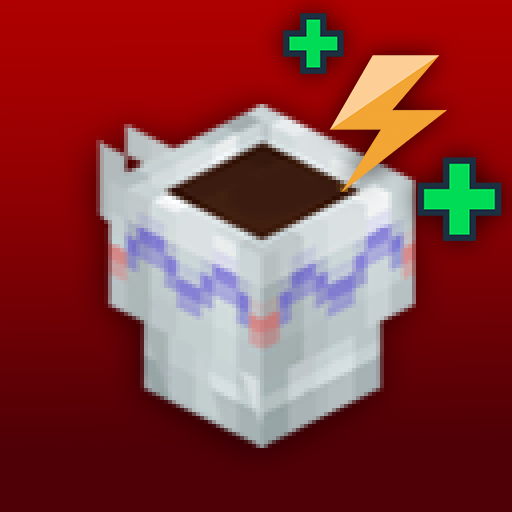
Turkish Coffee – Stamina Boost
Drink Turkish Coffee and boost your Stamina!
About Turkish Coffee – Stamina Boost
This mod combining exploration, farming and powerful stamina bonuses.
🌰 Coffee Beans
Found in Chests and Ancient Pots around the world
Used to craft both Coffee and Coffee Plant saplings
Can be consumed directly for Coffee crafting but farming is the smarter choice
🌱 Coffee Plant
Crafted at the Farmer’s Workbench (Saplings Tab) using:
5 Coffee Beans
50 Life Essence
Grows slowly when first planted
After being harvested once, it regrows faster
☕ Turkish Coffee
Crafted at the Chef’s Stove using:
3 Coffee Beans
1 Deco Mug
Instantly restores 100% Stamina
Gives +10 Stamina Boost for 3 minutes
NOTE: You can use "batuhancelik" creator code in the Hytale Shop to support me.
Categories
Need a Server?
Run Turkish Coffee – Stamina Boost on a dedicated Hytale server with easy mod management.
Get Hytale HostingFrequently Asked Questions
What is Turkish Coffee – Stamina Boost?
Drink Turkish Coffee and boost your Stamina!
How do I download Turkish Coffee – Stamina Boost?
You can download Turkish Coffee – Stamina Boost for free from CurseForge. Click the "Download on CurseForge" button on this page to go directly to the download page.
Who created Turkish Coffee – Stamina Boost?
Turkish Coffee – Stamina Boost was created by batuhancelix. The mod has been downloaded 1.0K times.
Is Turkish Coffee – Stamina Boost compatible with Hytale servers?
Turkish Coffee – Stamina Boost is designed for Hytale and can be used on both single-player and multiplayer servers. Check the mod page on CurseForge for specific compatibility information.
How do I install Turkish Coffee – Stamina Boost?
To install Turkish Coffee – Stamina Boost: 1) Download the mod from CurseForge, 2) Place the file in your Hytale mods folder, 3) Restart the game. The mod should load automatically.
Related Farming Mods
View all mods![[NoCube's] Tavern](https://media.forgecdn.net/avatars/thumbnails/1594/779/256/256/639031144996392372.png)
[NoCube's] Tavern
NoCube
Adds hops, brewing, and new decorations! Hytale style.
![[NoCube's] Culinary](https://media.forgecdn.net/avatars/thumbnails/1601/240/256/256/639034493328120832.png)
[NoCube's] Culinary
NoCube
Adds new foods
![[NoCube's] Bakehouse](https://media.forgecdn.net/avatars/thumbnails/1601/210/256/256/639034459035434806.png)
[NoCube's] Bakehouse
NoCube
Grinding flour, baking bread in the oven, and making pastries!
![[NoCube's] Cultivation](https://media.forgecdn.net/avatars/thumbnails/1601/95/256/256/639034389831292555.png)
[NoCube's] Cultivation
NoCube
Make farming more comfortable than ever before!

Recover Arrows
Lupin
This mod lets you pick up arrows from the ground!
Shimmer Shrubs
DarkhaxDev
Farm resources using magic berry bushes!