WorldProtection
Anti-grief protection mod for players and admins to claim land in expandable areas
About WorldProtection
WorldProtection
Anti-grief protection mod for players and admins to claim land in expandable areas
Join our Discord | Visit our website
Check out the YouTube video in our image gallery or join our test server to see how the plugin works.
Features
Player area management:
Allows players to create a protected area by selecting two opposite corners.
You can expand your protected area in the direction you are facing.
Protected areas are protected from minimum to maximum build height.
Each player has a number of "available protection blocks" they are limited to which can be given when they first join and on a configurable timer for all online players. There is also an in-game admin and console command supporting automatic protection block reward integration.
The player who protects a selected piece of land will become the land owner.
Build and interact permissions per area:
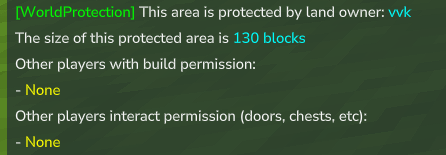
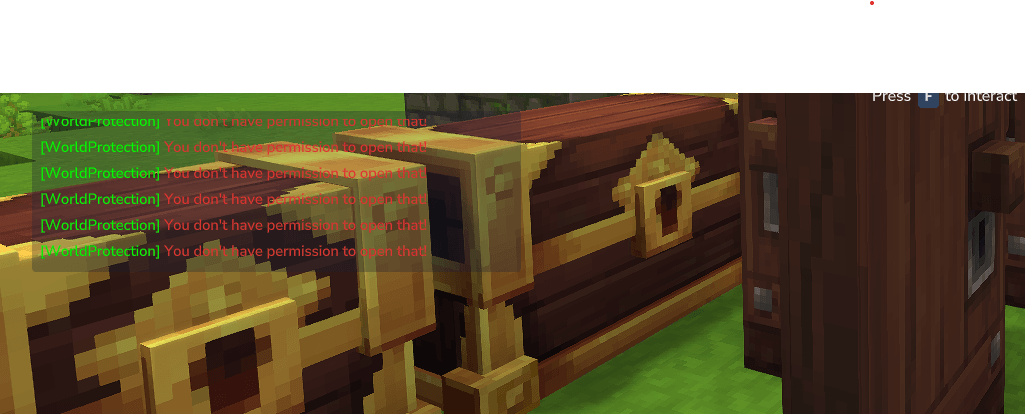
Land owners can grant and remove other players permission to build in their land or permission to interact only (doors, boxes, etc).
Flags can be toggled with /wp flag (with permissions) for each area including:
NoPvp -> Disable PVP damage in your protected area
LandName -> Set the display name of your protected area
NoMobDamage ->Disable mob damage in your protected area
NoFallDamage ->Disable fall damage in your protected area
Additional Features
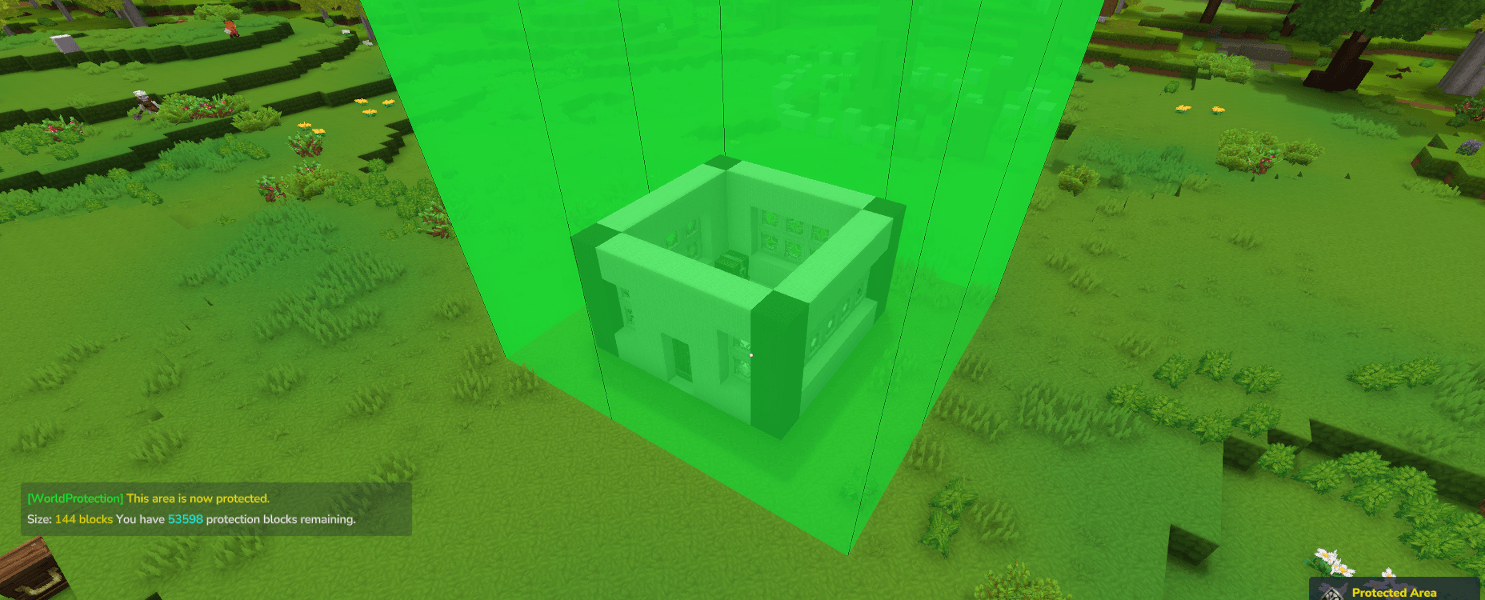
Visualize the border of your protected area when you use /wp check and when protecting, expanding, and selecting areas:
The border will become visible for 20 seconds when using /wp check
The border will become visible for 10 seconds when using /wp protect or /wp expand
The selected block column will become visible for 5 seconds when using /wp select
When you remove protection from your land you get all of the protection blocks you used back!
Enter protected area & leave protected area notifications. If the LandName flag is set the land name will be displayed. Toggleable in configuration.
Automatically grant all online players a number of protection blocks on a configurable timer or with a console command for reward integration.
Supports multiple worlds. Each protected area is world specific.
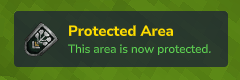
Small non-invasive GUI notifications for certain events like protecting and unprotecting land.
Auto-save feature to save plugin data at a specified interval.
Fast build permission and region intersection checks.
Admin permission wp.admin.bypass allows you to bypass protection anywhere.
Test server IP: test.worldprotection.dev:5520
Console Commands
wpgrant <add/set> <player UUID> <amount> - Add to the existing amount or set the number of available protection blocks a player has.
wpsave - Save the data file to disk.
Player Commands
/wp help - Show help and commands.
/wp version - Display plugin version.
/wp check - Check if you are standing in a protected region.
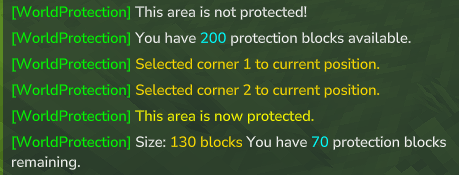
/wp select <1 or 2> - Select position 1 and 2 (opposite corners of area) to where you are standing.
/wp protect - Protect a selected region after you've selected your area.
/wp unprotect - Remove protection from the are you are standing in if you are the land owner.
/wp expand <distance> - Expand your protected area in the direction you are facing.
/wp buildperm <add/remove> <name> - Add or remove players who have permission to build and interact in your area.
/wp interactperm <add/remove> <name> - Add or remove players who have permission to interact in your area. (Open chests, doors, etc).
/wp flag <set/remove> <flag> - Add or remove flag options for your protected area. Each flag required it's own individual permission. See permissions below for more details.
/wp blocks <add/set> <name> <amount> - Add to the existing amount or set the number of available protection blocks a player has. (Admin command).
/wp admindelete - Delete any protected area you are standing in. (Admin command).
/wp save - Save the data file to disk. (Admin command).
Permissions
Supports built in Hytale permissions system
Supports LuckPerms permission manager (https://www.curseforge.com/hytale/mods/luckperms)
Commands to give all players premission to protect and manage land:
perm group add Adventure com.vvk.worldprotection.command.wp perm group add Adventure com.vvk.worldprotection.command.wp.help perm group add Adventure com.vvk.worldprotection.command.wp.check perm group add Adventure com.vvk.worldprotection.command.wp.select perm group add Adventure com.vvk.worldprotection.command.wp.protect perm group add Adventure com.vvk.worldprotection.command.wp.unprotect perm group add Adventure com.vvk.worldprotection.command.wp.expand perm group add Adventure com.vvk.worldprotection.command.wp.buildperm perm group add Adventure com.vvk.worldprotection.command.wp.interactperm perm group add Adventure com.vvk.worldprotection.command.wp.flag Permissions required to use specific flags (/wp flag):
perm group add Adventure wp.flag.nopvp
perm group add Adventure wp.flag.landname
perm group add Adventure wp.flag.nomobdamage
perm group add Adventure wp.flag.nofalldamage
Permisisons suggested for admins:
wp.admin This permission is required for some admin features along with the base command permissions below. You'll also need this for `/wp admindelete` and `/wp blocks` (soon). Note: This permission does not start with "com.vvk.worldprotection.command".
wp.admin.bypass This permission allows you to bypass protection in any area.
com.vvk.worldprotection.command.wp.blocks Add or set available blocks for players
com.vvk.worldprotection.command.wp.admindelete Delete any claim you are standing in
com.vvk.worldprotection.command.wp.save Save data file to disk
com.vvk.worldprotection.command.wp.version Display plugin version
Default Configuration
{ "GrantProtectionBlocksOnFirstJoin": 0, "SendHelpMessageOnJoin": true, "UseEnterMessages": true, "GrantProtectionBlocksToOnlinePlayersAmount": 0, "GrantProtectionBlocksToOnlinePlayersTimerInSeconds": 3600, "AutoSaveTimerIntervalInSeconds": 300 } Discord
For questions, support, and news you can join us on Discord.
Discord: https://discord.gg/qzetztfcTC
Website
Visit our website at https://worldprotection.dev
Currently under construction. Documentation will be added to the website soon.
You can access documentation here and on GitHub for the time being.
Test server IP: test.worldprotection.dev:5520
Categories
Screenshots

Need a Server?
Run WorldProtection on a dedicated Hytale server with easy mod management.
Get Hytale HostingFrequently Asked Questions
What is WorldProtection?
Anti-grief protection mod for players and admins to claim land in expandable areas
How do I download WorldProtection?
You can download WorldProtection for free from CurseForge. Click the "Download on CurseForge" button on this page to go directly to the download page.
Who created WorldProtection?
WorldProtection was created by vvk_ht. The mod has been downloaded 177 times.
Is WorldProtection compatible with Hytale servers?
WorldProtection is designed for Hytale and can be used on both single-player and multiplayer servers. Check the mod page on CurseForge for specific compatibility information.
How do I install WorldProtection?
To install WorldProtection: 1) Download the mod from CurseForge, 2) Place the file in your Hytale mods folder, 3) Restart the game. The mod should load automatically.
Related Misc Mods
View all mods
Ymmersive Melodies
Conczin
Upload and play MIDI files in-game on various instruments to annoy your friends with custom melodies!

MultipleHUD
Buuz135
A simple mod that allows you to have multiple HUDs present at once.

Spanish Translation
Plexu5
A Spanish language translation for Hytale. Includes UI, items, and menus.

YUNG's HyDungeons
YUNGNICKYOUNG
Adds new procedurally generated dungeon instances!

Just Enough Tales (JEI mod)
uwudwagon
A JEI mod for Hytale.
![[NoCube's] Simple Bags](https://media.forgecdn.net/avatars/thumbnails/1601/201/256/256/639034453685921721.png)
[NoCube's] Simple Bags
NoCube
Adds bags that you can put anything in!