
Better Info
Better Info lets server admins display and manage server information in-game with clean pages and custom commands. Easy config files, no restarts—everything updates live and stays clear for players.
About Better Info
📊 Better Info – Global Server Information System
Better Info allows server administrators to manage and display essential server information in a clean, structured, and accessible way using in-game commands.
Important server details can be shown to players in a clear and readable format, ensuring everyone always has access to the information they need.
Perfect for servers that want clear communication, organized info pages, and easy in-game management.
✨ Key Features
ℹ️ Global Information System
A lightweight and flexible global information manager that lets you create, organize, and display server information directly in-game — no config files, no restarts.
Ideal for servers that want clean, accessible, and always up-to-date information.
✨ Features
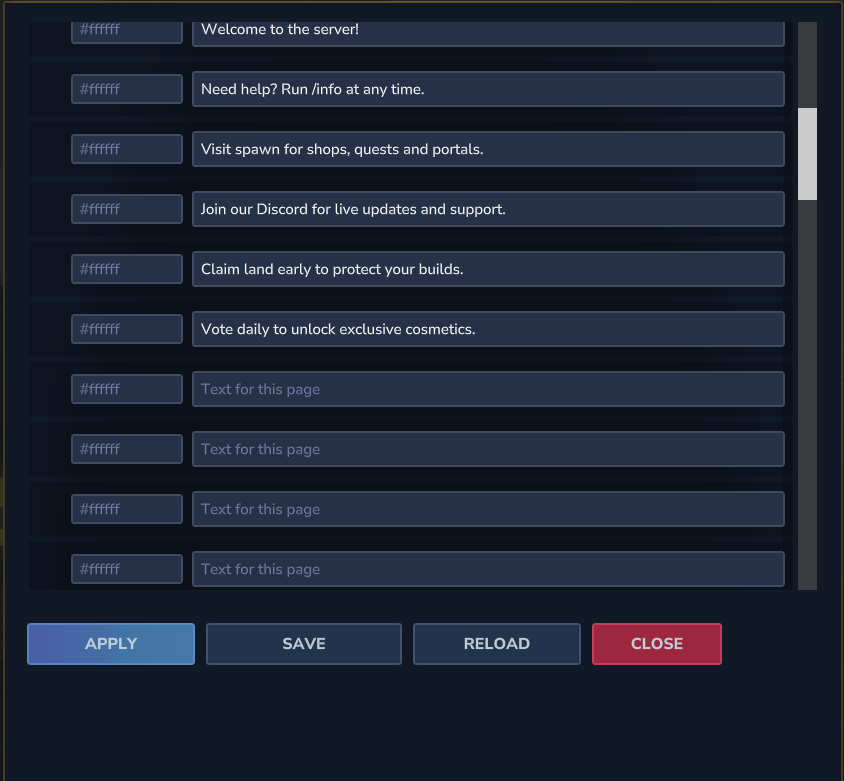
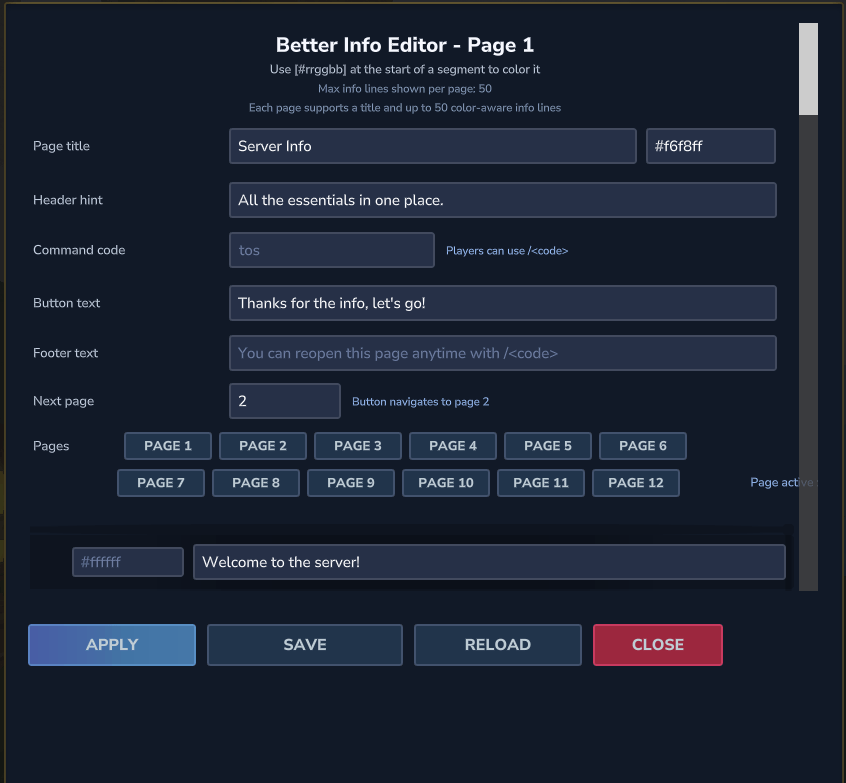
🛠️ Custom In-Game Info Editor
Manage your information pages using a fully in-game editor:
Add, edit, reorder, and delete info entries
Edit text, colors, titles, and categories
No file access or server restart required
Everything is handled live, directly from the game
⚡ Instant Updates
All changes apply immediately without restarting the server.
📂 Info Categories
Organize information into custom categories such as:
Server Info
Commands
Gameplay
Events
Rules / Guidelines
Or any category you want
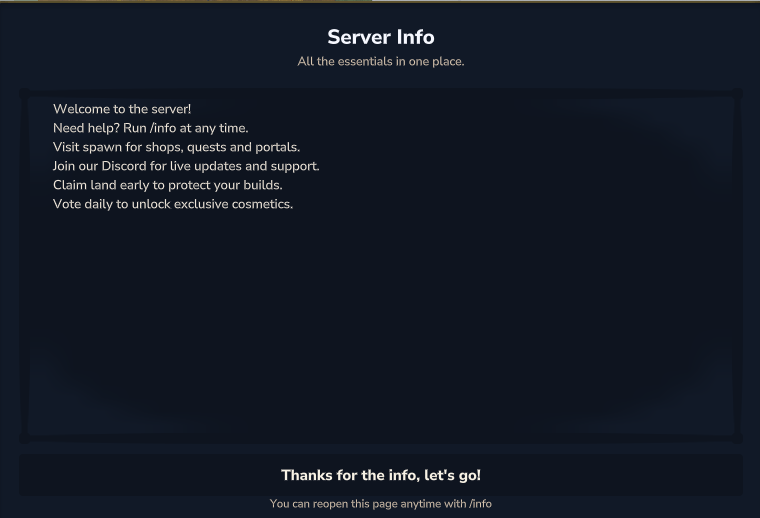
🎮 Clean & Readable Display
Information is shown in a clear, structured, and easy-to-read format, including:
Colored and formatted text
Multiple pages with navigation
Category-based views
🖥️ GUI Info Viewer
Optional GUI-based interface allowing players to browse server information visually instead of using chat commands.
👋 Automatic First-Join Display
Important information can automatically be shown to players when they join for the first time, ensuring everyone is informed.
🧩 Custom Commands
Create custom information commands such as:
/info /help /server /commands
Or any custom alias you want. Each command can open a specific info page or category.
🚀 Lightweight & Server-Friendly
Optimized for performance with minimal server impact, even on large servers.
🔧 Utility & Customization
Fully customizable commands
Colored and formatted text support
Multi-page navigation
Designed to be easily extensible for future features
🛠️ Information Commands
/info → betterinfo.info
/info <code> → betterinfo.<code> (ex: /tos → betterinfo.tos) You can create permission for each page created!
/info help → betterinfo.help
/info editor → betterinfo.editor
/info reload → betterinfo.reload
/info list → betterinfo.list
/info set → betterinfo.set
/info add → betterinfo.add
/info remove → betterinfo.remove
/info save → betterinfo.save
Override admin : betterinfo.admin
🛠️ Planned Features (WIP)
Permission-based info editing
Per-rank or per-group info pages
📥 Installation
Place the BetterInfo.jar file into your server’s Mods folder
Restart the server
Join the game and manage your info with /info
ℹ️ Mod Info
Developed by: GilloDaby
Version: 1.2.0 (Experimental)
Compatibility: Hytale Server API (Java)
Categories
Screenshots
Need a Server?
Run Better Info on a dedicated Hytale server with easy mod management.
Get Hytale HostingFrequently Asked Questions
What is Better Info?
Better Info lets server admins display and manage server information in-game with clean pages and custom commands. Easy config files, no restarts—everything updates live and stays clear for players.
How do I download Better Info?
You can download Better Info for free from CurseForge. Click the "Download on CurseForge" button on this page to go directly to the download page.
Who created Better Info?
Better Info was created by GilloDaby. The mod has been downloaded 118 times.
Is Better Info compatible with Hytale servers?
Better Info is designed for Hytale and can be used on both single-player and multiplayer servers. Check the mod page on CurseForge for specific compatibility information.
How do I install Better Info?
To install Better Info: 1) Download the mod from CurseForge, 2) Place the file in your Hytale mods folder, 3) Restart the game. The mod should load automatically.
Related Utility Mods
View all mods
BetterMap
Paralaxe
Enhance Hytale World Map

Hybrid
Serilum
🏛️ A Hytale mod library that contains common code for all of Serilum's mods.

VeinMining
EineNT
Instantly mine connected ores and blocks by holding the Walk key (LEFT ALT) while breaking a single block.

Wayback Charm
DarkhaxDev
A charm to help you find your way back home.

Better Modlist
Buuz135
Adds a better modlist to the game, with improved features like searching and logos.

Simple Claims
Buuz135
Adds a chunk claim and protection system.