Default Player Skins
Set default player skins/models on servers and singleplayer, with per-user forced skins and selectable whitelists
About Default Player Skins
Default Player Skins
Ever wanted players to spawn with a specific skin/model automatically?
Default Player Skins is a simple and server-friendly mod that lets you assign default skins for players, both in singleplayer and multiplayer servers.
✅ Set a global default model
✅ Force a model per specific player
✅ Limit which models a player can select (whitelist)
✅ Easy configuration (only a few files needed)
✅ Custom model support
✅ Live config management (OP tools)
Features (v1.3.0)
Default Model Settings
You can configure a global default model for everyone:
defaultModel
defaultScale
Per-Player Forced Models
Force a specific model for certain players:
playerModels
Example:
ExamplePlayer → Bear_Grizzly
Per-Player Available Models (Whitelist)
Control which models each player is allowed to select from the menu:
playerAvailableModels
Example allowed models:
Bear_Grizzly
Wolf
Chicken
Pig
Skin Persistence
New option added in v1.2.0:
persistSkinChange
Behavior:
persistSkinChange: true → The selected skin persists after reconnecting
persistSkinChange: false → The player always returns to the default model from playerModels
Server-Friendly Permissions
Optional OP requirement:
requireOp: false → everyone can use the command
requireOp: true → only OPs can use the command
Commands
Skin Menu
/myskin menu - Opens the skin selection UI
Reload Config (NEW)
/myskin reload - Reloads config.json without restarting the server (OP only)
Config Management Commands (NEW - OP Only)
/myskin config - View current configuration
/myskin config set <option> <value> - Change config settings
/myskin config addmodel <player> <model> - Add an allowed skin to a player
/myskin config removemodel <player> <model> - Remove an allowed skin from a player
/myskin config setdefault <player> <model> - Set player default model
/myskin config list <player> - List all available skins for a player
Permissions
This mod supports permission nodes for better server control:
myskin.use - Use basic commands (menu)
myskin.reload - Reload config.json
myskin.config - Manage config with /myskin config ...
UI Preview
Example of the /myskin menu interface:
Configuration
A config file is generated inside the server mods config folder.
Default Config Example
{ "enabled": true, "requireOp": false, "defaultModel": "", "defaultScale": 1.0, "persistSkinChange": true, "playerModels": { "Scarr": "Werewolf" }, "playerAvailableModels": { "Scarr": [ "Bear_Grizzly", "Werewolf", "Chicken", "Pig" ] }, "showScaleInGui": true, "minScale": 0.1, "maxScale": 10.0, "modelDefaultScales": {}, "playerScales": { "Scarr": 5 }, "scaleButtons": [0.5, 1.0, 1.5, 2.0, 3.0, 5.0] } Config Options
enabled: Enables/disables the mod
requireOp: If true, only OP players can open the menu
persistSkinChange: If true, skin changes persist after reconnecting
defaultModel: Default model applied to everyone (optional)
defaultScale: Default player scale (1.0 = normal)
playerModels: Force a model for specific players
playerAvailableModels: Allowed models per player in the UI
Scale Options (NEW)
showScaleInGui: If true, shows scale controls in the skin menu UI
minScale: Minimum scale players are allowed to use
maxScale: Maximum scale players are allowed to use
modelDefaultScales: Default scale per model (optional)
playerScales: Force a scale for specific players (optional)
scaleButtons: Quick scale presets shown in the UI
Adding Custom Models
To add your own models you only need:
1) Model Files
Place your custom files here:
Common/Characters/
Each model needs:
ModelName.blockymodel (model data)
ModelName.png (texture)
2) JSON Definition
Create a JSON definition file here:
Server/Models/
Example: MyModel.json
{ "Model": "/Common/Characters/MyModel.blockymodel" } Made with ❤️ by Scarforges
Categories
Need a Server?
Run Default Player Skins on a dedicated Hytale server with easy mod management.
Get Hytale HostingFrequently Asked Questions
What is Default Player Skins?
Set default player skins/models on servers and singleplayer, with per-user forced skins and selectable whitelists
How do I download Default Player Skins?
You can download Default Player Skins for free from CurseForge. Click the "Download on CurseForge" button on this page to go directly to the download page.
Who created Default Player Skins?
Default Player Skins was created by ScarForges. The mod has been downloaded 422 times.
Is Default Player Skins compatible with Hytale servers?
Default Player Skins is designed for Hytale and can be used on both single-player and multiplayer servers. Check the mod page on CurseForge for specific compatibility information.
How do I install Default Player Skins?
To install Default Player Skins: 1) Download the mod from CurseForge, 2) Place the file in your Hytale mods folder, 3) Restart the game. The mod should load automatically.
Related Creatures Mods
View all mods
Aures - Livestock Skins
BlackAuresArt
Adds a variety of colors and random variations for rabbits, mouflons, pigs, sheeps, rams, goats and other!
Aures - Horse Skins
BlackAuresArt
Adds a random variations for horses! Also slightly changes the model and animations of horses.
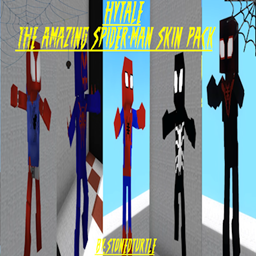
The Amazing Spider-Man Skin Pack!
stonedturtle
This is one of the only Skin mods I've seen! This replaces the player model in-game with a Spider-Man one! Comes with a Brighter Red/Blue, Darker Red/Blue, Symbiote Versions, Miles, 2099, and Scarlet Spidey (Ben Riely)
![[NoCube's] Undead Warriors](https://media.forgecdn.net/avatars/thumbnails/1602/742/256/256/639035338178853736.png)
[NoCube's] Undead Warriors
NoCube
Adds enemy skeletons with random equipment.
Skeleton Banging Shield
Jen3713_
Makes some skeletons bang their weapon while yelling "RAAAAH"
HyTame - Animal Breeding
LaitK
Animal breeding and baby growth for Hytale to expand your farm