
DiscordBridge
DiscordBridge is a lightweight Hytale server plugin that sends server events to Discord using a Discord Webhook.
About DiscordBridge
🔗 DiscordBridge
DiscordBridge is a lightweight Hytale server plugin that sends server events directly to Discord using a Webhook.
No Discord bot.
No tokens.
No external hosting required.
Designed to be drop-in, easy to configure, and safe for public servers.
✨ Features
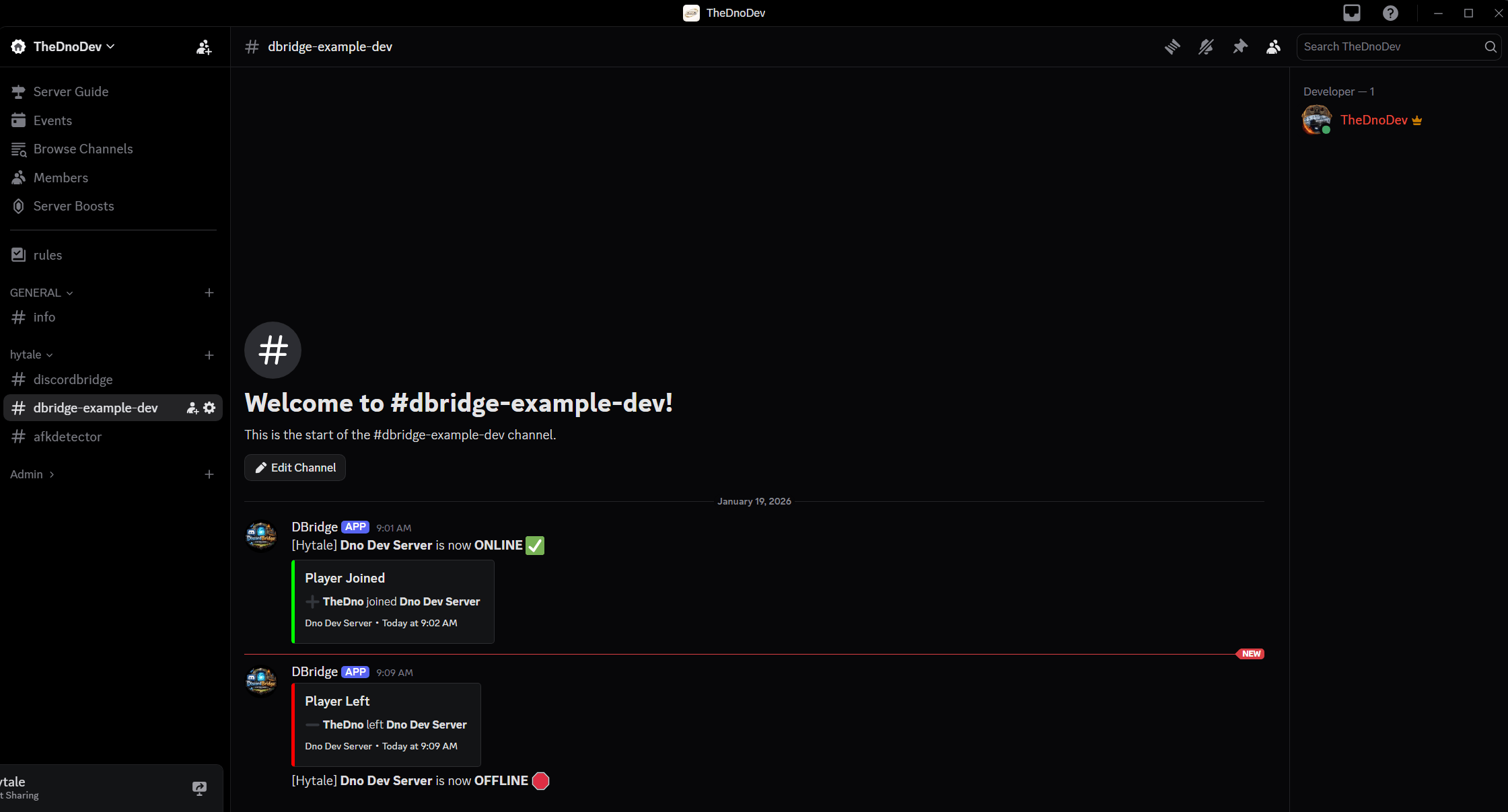
✅ Server ONLINE / OFFLINE notifications
✅ Player JOIN / LEAVE notifications
✅ Discord embeds for join/leave events
✅ Fully customizable embeds via config.json
✅ Placeholder support: {playerName}
{serverName}
{disconnectReason}
✅ Works with Discord webhooks only
✅ Survives Hytale API changes via reflection
✅ Zero runtime dependencies
📦 Installation
Download DiscordBridge-x.y.z.jar
Place it in your Hytale server mods/ directory
Start the server once (this generates config.json)
Edit config.json and set your Discord webhook URL
Restart the server
🔧 Creating a Discord Webhook
Open Discord
Go to Channel Settings → Integrations → Webhooks
Click New Webhook
Copy the Webhook URL
Paste it into config.json
⌨️ Commands
/discordbridge reload
Reloads config.json without restarting the server.
Default permission:
discordbridge.reload
You can change this permission via reloadPermission in config.json
Workflow:
Edit config.json
Run /discordbridge reload
Changes apply immediately
⚙️ Configuration (config.json)
{ "webhookUrl": "PASTE_WEBHOOK_HERE", "serverName": "My Hytale Server", "sendServerStartStop": true, "sendJoinLeave": true, "useEmbedsForJoinLeave": true,
"webhookUsername": "Hytale Bridge", "webhookAvatarUrl": "",
"joinEmbed": { "title": "Player Joined", "description": "➕ **{playerName}** joined **{serverName}**", "color": 65280, "footerText": "{serverName}", "thumbnailUrl": "", "includeTimestamp": true },
"leaveEmbed": { "title": "Player Left", "description": "➖ **{playerName}** left **{serverName}**\nReason: `{disconnectReason}`", "color": 16711680, "footerText": "{serverName}", "thumbnailUrl": "", "includeTimestamp": true } }
NOTES
Embed color values are decimal integers (Discord format)
Leave fields blank to omit them from embeds
Some changes may require a server restart
Compatibility
Requires the official Hytale server
Built against the Hytale Server API
Java version must match the server runtime
Categories
Screenshots
Need a Server?
Run DiscordBridge on a dedicated Hytale server with easy mod management.
Get Hytale HostingFrequently Asked Questions
What is DiscordBridge?
DiscordBridge is a lightweight Hytale server plugin that sends server events to Discord using a Discord Webhook.
How do I download DiscordBridge?
You can download DiscordBridge for free from CurseForge. Click the "Download on CurseForge" button on this page to go directly to the download page.
Who created DiscordBridge?
DiscordBridge was created by TheDnoDev. The mod has been downloaded 31 times.
Is DiscordBridge compatible with Hytale servers?
DiscordBridge is designed for Hytale and can be used on both single-player and multiplayer servers. Check the mod page on CurseForge for specific compatibility information.
How do I install DiscordBridge?
To install DiscordBridge: 1) Download the mod from CurseForge, 2) Place the file in your Hytale mods folder, 3) Restart the game. The mod should load automatically.
Related Utility Mods
View all mods
BetterMap
Paralaxe
Enhance Hytale World Map

Hybrid
Serilum
🏛️ A Hytale mod library that contains common code for all of Serilum's mods.

VeinMining
EineNT
Instantly mine connected ores and blocks by holding the Walk key (LEFT ALT) while breaking a single block.

Wayback Charm
DarkhaxDev
A charm to help you find your way back home.

Better Modlist
Buuz135
Adds a better modlist to the game, with improved features like searching and logos.

Simple Claims
Buuz135
Adds a chunk claim and protection system.