EasySafeZone
EasySafeZone is a Hytale plugin that makes managing protected areas super simple. It hooks right into Hytale's Builder Tools, so you can just select a region and create a Safe Zone where players can't fight, break blocks, or build.
About EasySafeZone
EasySafeZone
EasySafeZone provides straightforward region protection for your server. It allows you to define 3D areas where you can strictly control player behavior, making it perfect for Spawns, Hubs, giving players their own plots, or custom Arenas.
It is designed to work out of the box with Hytale's native tools—just select your area, create the zone, and set your flags.
Core Features
Native Workflow Uses the built-in Selection Tool for selection.
Granular Control Toggle PVP, building, breaking, or block interactions individually per zone.
Visual Debugging Render zone borders in-game to verify your boundaries.
Hot Updates Resize or flag zones instantly without restarts.
Edit existing zones: Easily load a saved Zone into the Selection Tool using a single command.
📚 How to Use
All commands function with the prefix /safezone or the alias /sz.
1. Creating a Zone
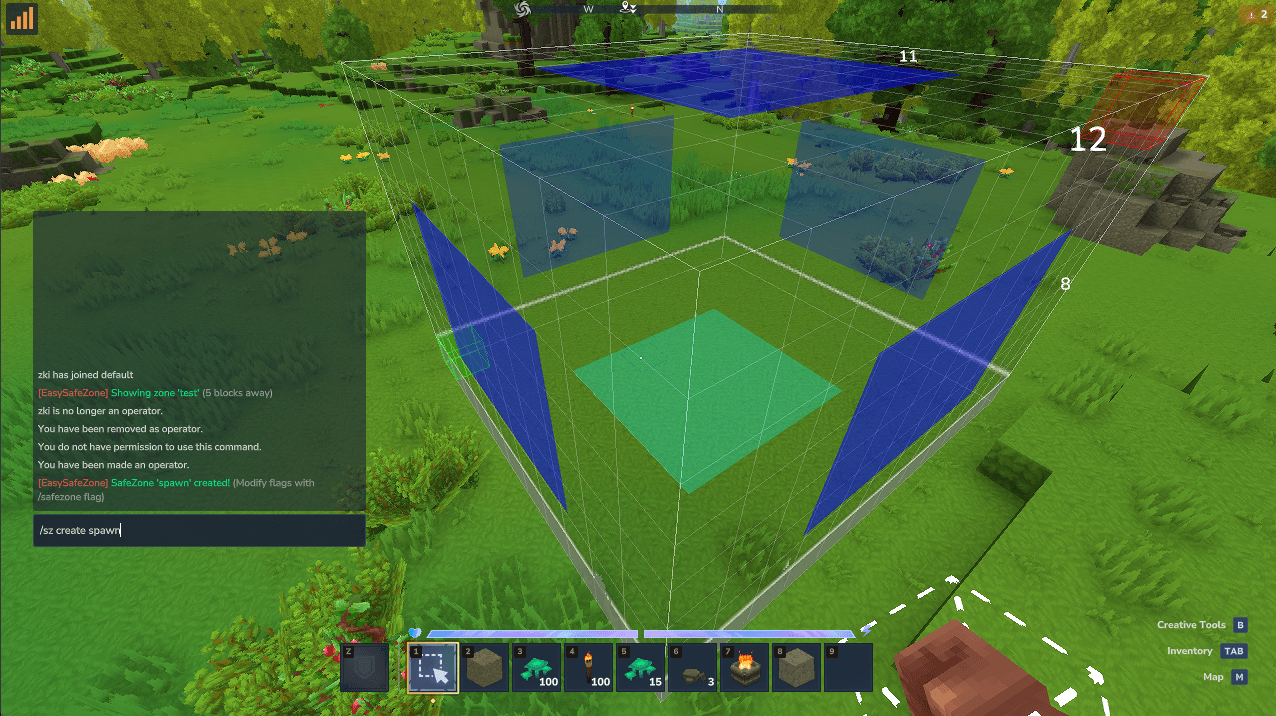
The plugin uses your current Selection Tool's selection to define boundaries.
Equip the Selection Tool (from Creative Menu).
Select your volume.
Run the command:
/sz create [ZoneName]
Example:
/sz create Spawn
2. Managing Protection Flags
By default, creating a zone locks most things down. You can customize what is allowed inside using flags.
Command:
/sz flag [zone_name] [flag] [true/false]
Available Flags:
PVP: Allow or block player damage.
BLOCK_BREAK: Allow or block destroying blocks.
BLOCK_PLACE: Allow or block placing new blocks.
BLOCK_USE: Allow or block interactions (Chests, Doors, Lamps, etc.).
Examples:
Create a PVP Arena but stop griefing:
`/sz flag Arena PVP true`
3. Visualizing Zones
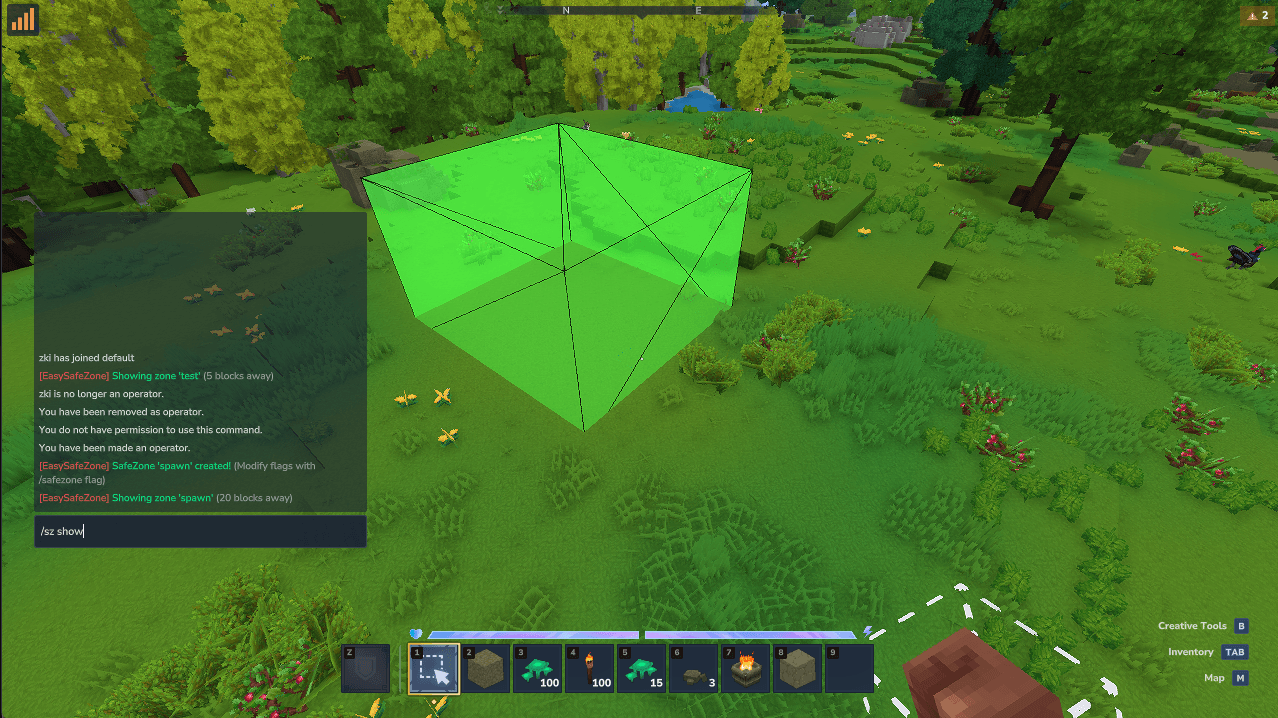
You don't need to guess where a zone starts or ends. You can render the boundaries physically in the world. Show specific zone:
/sz show [ZoneName] Find closest zone:
/sz show (without arguments) will highlight the nearest zone within 100 blocks.
Color Guide:
🟩 Green Box: Safe Zone (PVP is Disabled)
🟥 Red Box: Danger Zone (PVP is Enabled)
4. Editing & Resizing Zones
If you built something new and need to expand a zone coverage:
Load the zone: This puts the zone's current boundaries into your selection tool.
/sz edit [ZoneName]
Adjust your selection: Use your wand or builder tools to resize the area.
Save changes:
/sz update [ZoneName]
Note: This only updates the boundaries. Your flags remain saved.
5. Listing & Deleting
See all zones:
/sz list
Remove a zone:
/sz delete [ZoneName]
🔐 Permissions
You will need the following permissions to manage or bypass zones.
Admin Management
easy-safezone.admin - Required to use any /sz commands.
Bypass Permissions Give these to staff to let them work inside protected zones without restrictions.
easy-safezone.bypass.all - Ignroes all restrictions.
easy-safezone.bypass.pvp - Can attack in safe zones.
easy-safezone.bypass.break - Can break blocks in protected zones.
easy-safezone.bypass.place - Can place blocks in protected zones.
easy-safezone.bypass.use - Can interact with objects in protected zones.
Categories
Screenshots
Need a Server?
Run EasySafeZone on a dedicated Hytale server with easy mod management.
Get Hytale HostingFrequently Asked Questions
What is EasySafeZone?
EasySafeZone is a Hytale plugin that makes managing protected areas super simple. It hooks right into Hytale's Builder Tools, so you can just select a region and create a Safe Zone where players can't fight, break blocks, or build.
How do I download EasySafeZone?
You can download EasySafeZone for free from CurseForge. Click the "Download on CurseForge" button on this page to go directly to the download page.
Who created EasySafeZone?
EasySafeZone was created by Ger4. The mod has been downloaded 30 times.
Is EasySafeZone compatible with Hytale servers?
EasySafeZone is designed for Hytale and can be used on both single-player and multiplayer servers. Check the mod page on CurseForge for specific compatibility information.
How do I install EasySafeZone?
To install EasySafeZone: 1) Download the mod from CurseForge, 2) Place the file in your Hytale mods folder, 3) Restart the game. The mod should load automatically.
Related Utility Mods
View all mods
BetterMap
Paralaxe
Enhance Hytale World Map

Hybrid
Serilum
🏛️ A Hytale mod library that contains common code for all of Serilum's mods.

VeinMining
EineNT
Instantly mine connected ores and blocks by holding the Walk key (LEFT ALT) while breaking a single block.

Wayback Charm
DarkhaxDev
A charm to help you find your way back home.

Better Modlist
Buuz135
Adds a better modlist to the game, with improved features like searching and logos.

Simple Claims
Buuz135
Adds a chunk claim and protection system.