Ecotale - Economy
Economy core mod for Hytale with balance HUD, admin panel, and multi-language support.
About Ecotale - Economy
Ecotale - Economy Plugin for Hytale
A complete economy system plugin for Hytale servers with persistent storage, customizable HUD, and multi-language support.
Disclaimer: "Mods that conflict with mine:
PartyPro
Lense
You can disable my HUD from the config while we find a solution."
Screenshots
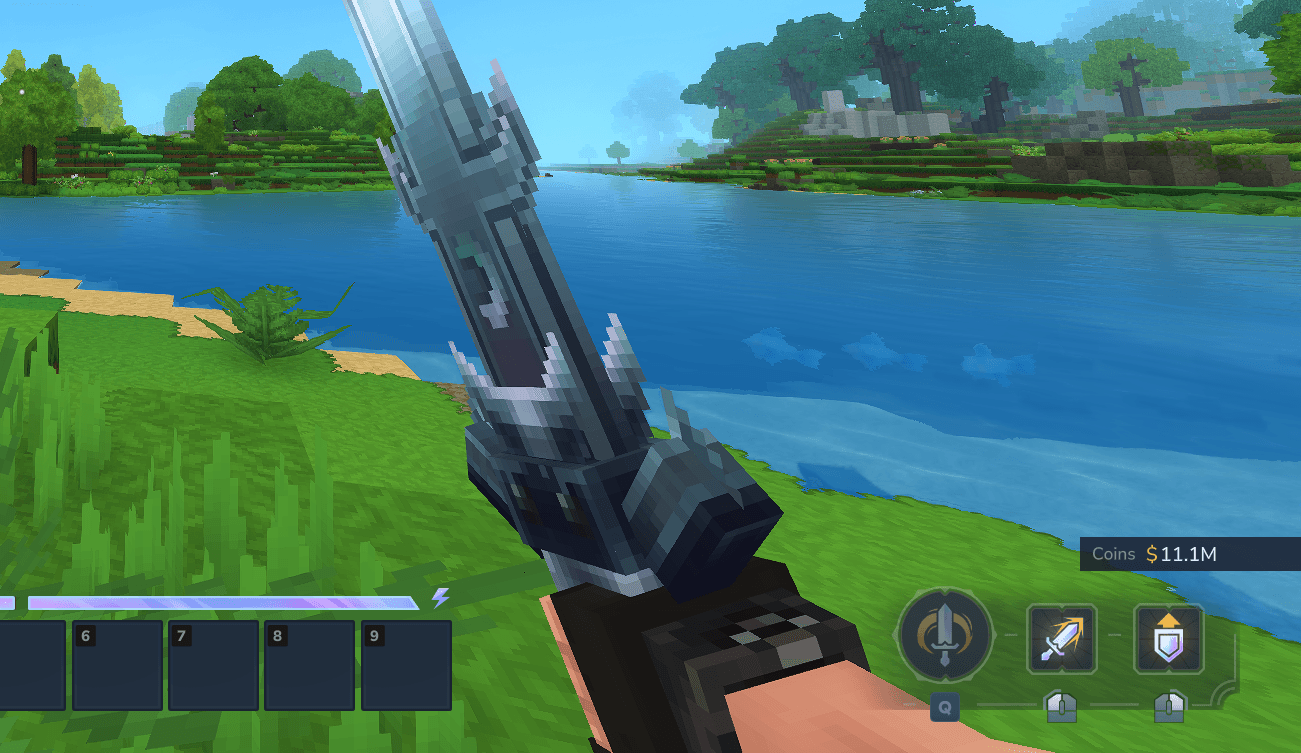
Balance HUD
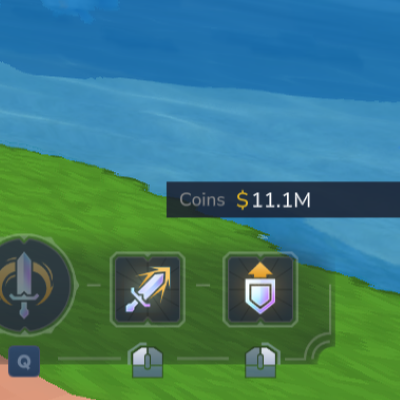
On-screen balance display with smart formatting (K, M, B)
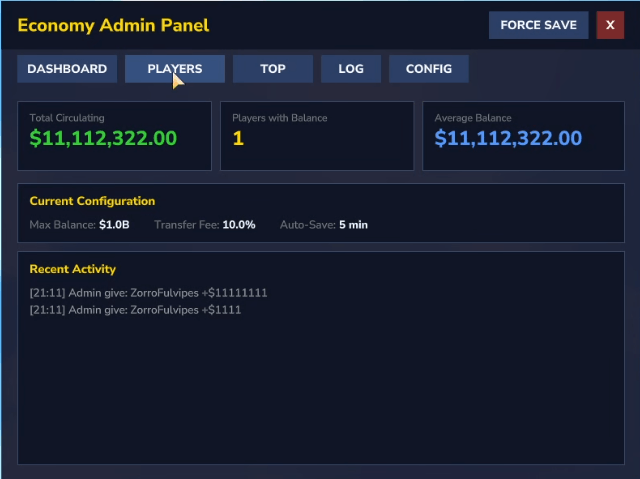
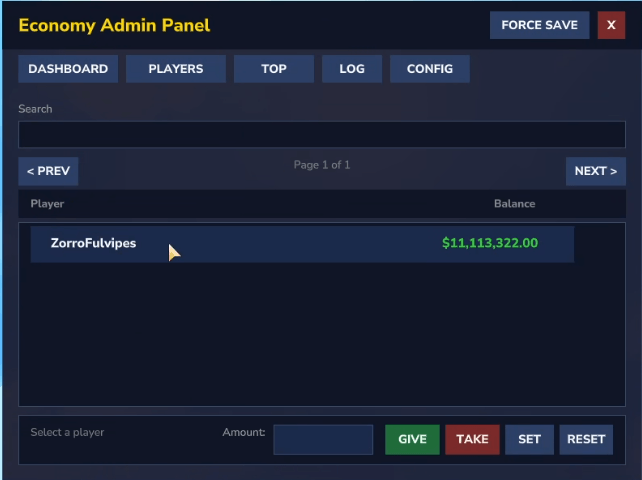
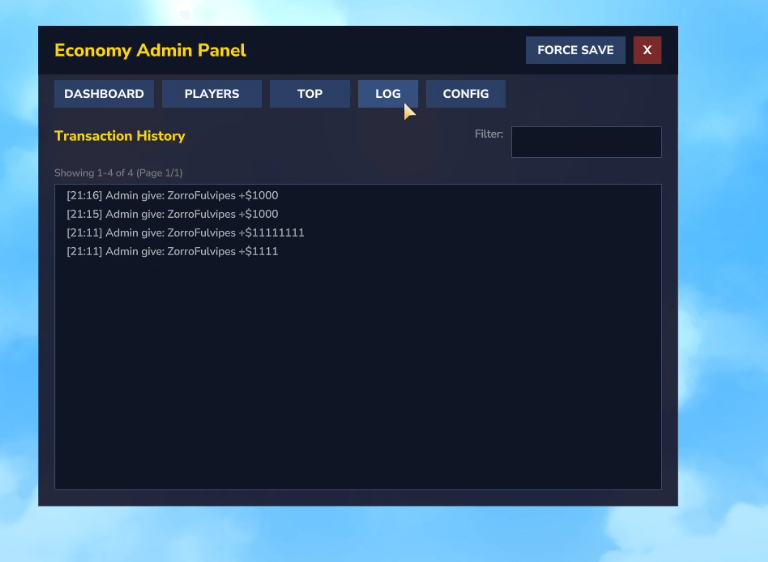
Admin Panel
Complete economy management GUI with Dashboard, Players, Top, Log, and Config tabs
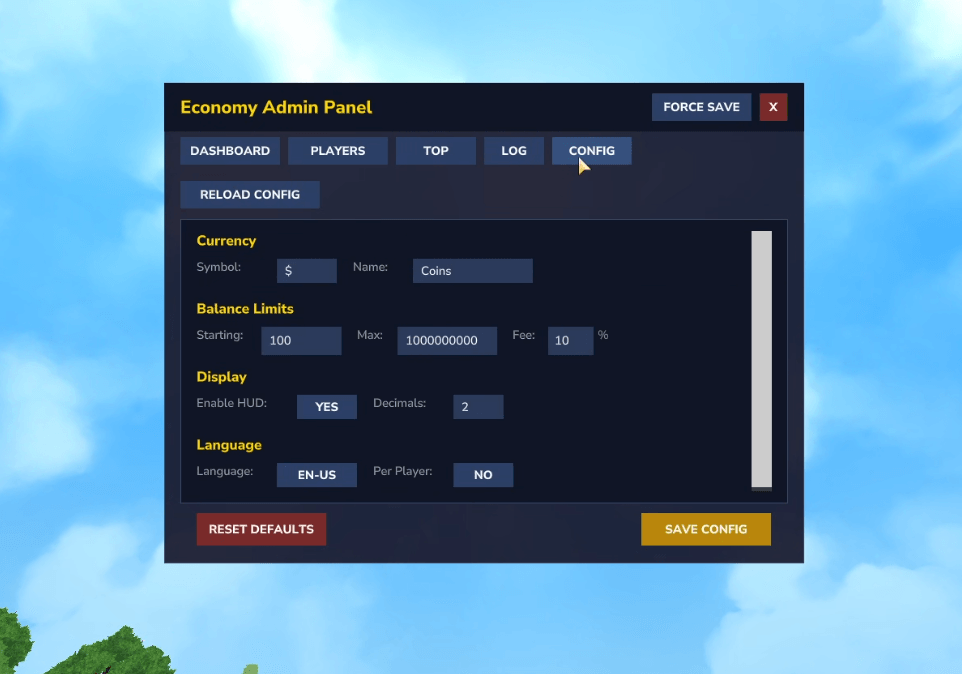
Configuration
Real-time config editing with multi-language support
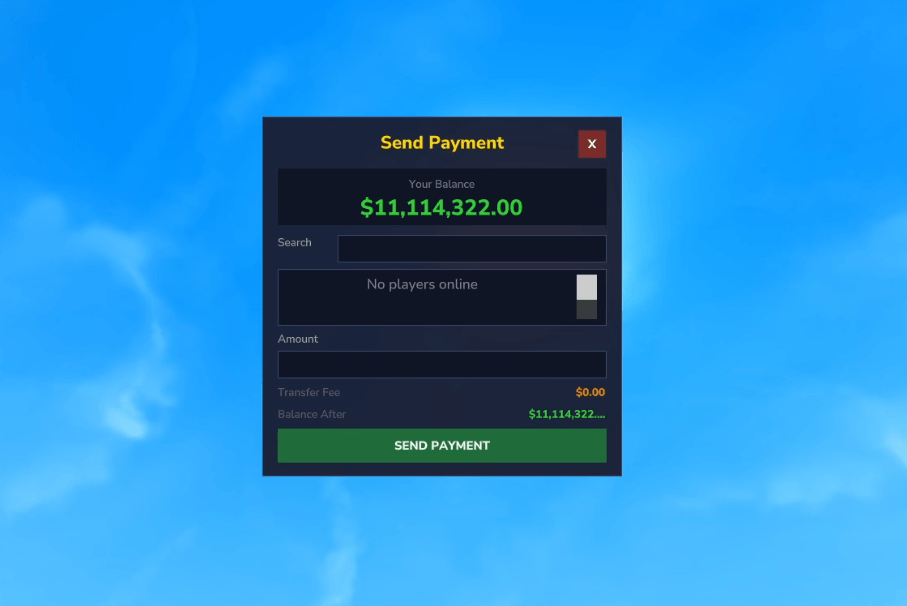
Pay GUI
Player-to-player payment interface
Features
Core Economy
Player Balances - Persistent balance storage with H2/MySQL database
Transfers - Player-to-player payments with configurable fees
Admin Controls - Full economy management GUI
User Interface
Balance HUD - On-screen balance display with smart formatting (K, M, B)
Admin Panel - Complete GUI with tabs for Dashboard, Players, Top, Log, Config
Multi-language - 8 languages: English, Spanish, Portuguese, French, German, Russian, Japanese, Chinese
Technical
Thread-safe - Per-player locking for atomic operations
Multiple Storage Options - H2 (default), JSON, or MySQL for shared databases
API - Public API for other plugins with rate limiting
Events - Cancellable events for balance changes and transactions
All-in-one JAR - No external dependencies required
Addon Mods
Extend Ecotale with these companion plugins:
EcotaleMarketplace
A complete player-driven economy marketplace for Hytale servers. Buy and sell items globally with a user-friendly UI.
Buying Items
Global Access - Open the marketplace from anywhere.
Categorized Items - Easily find what you need (Weapons, Tools, Materials, etc.).
Search System - Quickly search for specific items by name.
Safe Transactions - If you don't have enough inventory space, the purchase will fail and you won't lose any money.
Selling Items
Inventory Listing - Select any valid item from your inventory and set your own price.
Management - View all your active listings and cancel them at any time to get your items back.
Sales History - Track what you've sold and how much you've earned.
Download EcotaleMarketplace
EcotaleCoins - Physical Currency
Transform your virtual economy into a tangible experience with physical coin items.
Features:
6 coin denominations (Copper → Adamantite)
Physical loot drops from mobs
Bank system for secure storage (/bank)
Risk/reward: coins drop on death
Download EcotaleCoins
EcotaleJobs - Reward System
Earn currency through gameplay activities.
Features:
Mining rewards with Vein Streak system
Mob kill rewards (all NPCs auto-classified)
VIP multipliers (permission-based)
Anti-farm protection
Download EcotaleJobs
Installation
Download Ecotale-1.0.0.jar
Place in your Hytale mods/ folder
Restart server
Commands
Command Description Permission
/balance View your balance None (all players)
/pay Open Pay GUI None (all players)
/pay <player> <amount> Send money to another player None (all players)
/eco Open admin panel GUI ecotale.ecotale.command.eco
/eco give <player> <amount> Give money ecotale.ecotale.command.eco
/eco take <player> <amount> Take money ecotale.ecotale.command.eco
/eco set <player> <amount> Set balance ecotale.ecotale.command.eco
/eco reset <player> Reset to starting balance ecotale.ecotale.command.eco
Permissions
Permission Description Default
ecotale.ecotale.command.bal Access to /balance command All players (Adventure mode)
ecotale.ecotale.command.pay Access to /pay command All players (Adventure mode)
ecotale.ecotale.command.eco Access to /eco admin commands Admin only
Note: Permissions are auto-generated by Hytale's command system using the format {group}.{plugin}.command.{command}.
Important: LuckPerms Override Behavior
If you install LuckPerms (or other permission plugins), Hytale's default Adventure mode permissions are overridden. This means commands that normally work for all players will be blocked until you explicitly grant permissions.
Quick Fix for All Players
# Grant basic economy commands to everyone /lp group default permission set ecotale.ecotale.command.bal true /lp group default permission set ecotale.ecotale.command.pay true
# Grant admin commands to staff only /lp group admin permission set ecotale.ecotale.command.eco true Testing Permissions
# Check if a player has permission /lp user <username> permission check ecotale.ecotale.command.bal
# View all permissions for a player /lp user <username> permission info Configuration
Located in mods/Ecotale_Ecotale/Ecotale.json:
{ "CurrencySymbol": "$", "CurrencyName": "Coins", "StartingBalance": 100.0, "MaxBalance": 1000000000.0, "TransferFee": 0.05, "DecimalPlaces": 2, "EnableHudDisplay": true, "Language": "en-US", "StorageProvider": "h2" } Storage Providers
Provider Use Case
h2 Default, single server, fastest
json Human-readable files, debugging
mysql Shared database across servers
Supported Languages
Code Language
en-US English
es-ES Espanol
pt-BR Portugues
fr-FR Francais
de-DE Deutsch
ru-RU Russian
ja-JP Japanese
zh-CN Chinese
Building from Source
./gradlew shadowJar Output: build/libs/Ecotale-1.0.0.jar
API Usage
import com.ecotale.api.EcotaleAPI;
// Get balance double balance = EcotaleAPI.getBalance(playerUuid);
// Deposit/Withdraw EcotaleAPI.deposit(playerUuid, 100.0, "Quest reward"); EcotaleAPI.withdraw(playerUuid, 50.0, "Shop purchase");
// Transfer EcotaleAPI.transfer(fromUuid, toUuid, 100.0, "Trade"); See docs/API.md for full API documentation.
License
MIT License - 2026 Tera-bytez
Categories
Screenshots
Need a Server?
Run Ecotale - Economy on a dedicated Hytale server with easy mod management.
Get Hytale HostingFrequently Asked Questions
What is Ecotale - Economy?
Economy core mod for Hytale with balance HUD, admin panel, and multi-language support.
How do I download Ecotale - Economy?
You can download Ecotale - Economy for free from CurseForge. Click the "Download on CurseForge" button on this page to go directly to the download page.
Who created Ecotale - Economy?
Ecotale - Economy was created by MichiWeon. The mod has been downloaded 1.2K times.
Is Ecotale - Economy compatible with Hytale servers?
Ecotale - Economy is designed for Hytale and can be used on both single-player and multiplayer servers. Check the mod page on CurseForge for specific compatibility information.
How do I install Ecotale - Economy?
To install Ecotale - Economy: 1) Download the mod from CurseForge, 2) Place the file in your Hytale mods folder, 3) Restart the game. The mod should load automatically.
Related Utility Mods
View all mods
BetterMap
Paralaxe
Enhance Hytale World Map

Hybrid
Serilum
🏛️ A Hytale mod library that contains common code for all of Serilum's mods.

VeinMining
EineNT
Instantly mine connected ores and blocks by holding the Walk key (LEFT ALT) while breaking a single block.

Wayback Charm
DarkhaxDev
A charm to help you find your way back home.

Better Modlist
Buuz135
Adds a better modlist to the game, with improved features like searching and logos.

Simple Claims
Buuz135
Adds a chunk claim and protection system.