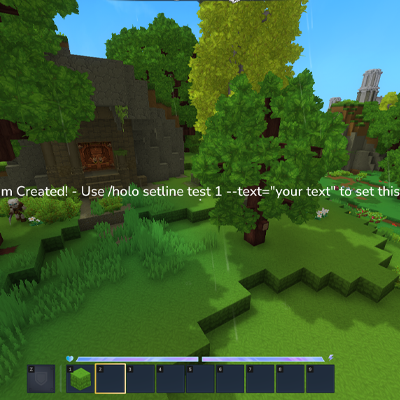
Hylograms
Create floating text for your servers with easy-to-use commands.
About Hylograms
Hylograms
⚠️ Note: Due to current Hytale game limitations, colored/formatted hologram text is not available. This feature will be added when Hytale exposes the necessary APIs.
A powerful hologram plugin for Hytale servers with multi-line text, item displays, animations, and an easy-to-use API.
Commands
All commands use the /holo parent command.
Core Commands
Command Description
/holo create <name> Creates a new hologram at your position
/holo delete <name> Deletes a hologram
/holo list Lists all holograms
/holo save Saves all holograms to disk
/holo reload Reloads config and respawns holograms
⭐ Visual Editor
Command Description
/holo ui <name> Opens the visual hologram editor GUI
The /holo ui command opens a user-friendly interface where you can:
View and edit all hologram lines
Add new text or item lines
Modify line content with text fields
Real-time preview of changes
Line Management
Command Description
/holo addline <name> --text="text" Adds a new line
/holo setline <name> <line#> --text="text" Edits a specific line
/holo removeline <name> <line#> Removes a line
/holo alignline <name> <line#> <x> <y> <z> Offsets a line's position
Item Display Syntax:
item:ItemId - Basic item item:ItemId:scale - With scale (e.g., 1.5) item:ItemId:scale:pitch:yaw:roll - With rotation Movement & Position
Command Description
/holo move <name> Moves hologram to your position
/holo teleport <name> Teleports you to the hologram
Animation Commands
Command Description
/holo anim create <animName> [--loop=true] Creates a new animation
/holo anim keyframe <animName> <time> [options] Adds a keyframe
/holo anim list Lists all animations
/holo anim load <holoName> <line#> <animName> Loads animation onto a line
/holo anim play <holoName> <line#> Starts playing animation
/holo anim stop <holoName> <line#> Stops animation
/holo anim export <holoName> <line#> <animName> Exports line's animation
Keyframe Options:
--x, --y, --z - Position offset
--pitch, --yaw, --roll - Rotation (degrees)
--scale - Scale multiplier
--easing - LINEAR, EASE_IN, EASE_OUT, EASE_IN_OUT, BOUNCE, ELASTIC
Utility Commands
Command Description
/holo respawnHolograms --confirm Force respawns all holograms
/holo debugitem <itemId> Debug item model paths
Permission Nodes
hylograms.create - Create holograms hylograms.delete - Delete holograms hylograms.list - List holograms hylograms.save - Save to disk hylograms.reload - Reload config hylograms.addline - Add lines hylograms.setline - Edit lines hylograms.removeline - Remove lines hylograms.move - Move holograms hylograms.teleport - Teleport to holograms hylograms.alignline - Align line offsets hylograms.respawn - Force respawn hylograms.debug - Debug commands hylograms.ui - Use visual editor
hylograms.anim.create - Create animations hylograms.anim.keyframe - Add keyframes hylograms.anim.load - Load animations hylograms.anim.play - Play animations hylograms.anim.stop - Stop animations hylograms.anim.export - Export animations hylograms.anim.list - List animations
config.yml
Located at mods/Hylograms/config.yml:
# Line spacing between hologram lines (in blocks) lineSpacing: 0.3
# Default color for new holograms (hex format) defaultColor: "#FFFFFF"
holograms.yml
Hologram data is stored at mods/Hylograms/holograms.yml:
holograms: - name: welcome worldName: overworld position: x: 100.50 y: 64.00 z: -200.50 color: "#00FF00" text: - 'Welcome to our server!' - 'item:ItemDiamond:1.5' - 'Have fun!' lineOffsets: 1: x: 0.5 y: 0.0 z: 0.0 lineAnimations: 1: spin createdAt: 1705264800000 Manual Editing: Edit this file and run /holo reload to apply changes.
animations.yml
Reusable animations are stored at mods/Hylograms/animations.yml:
animations: spin: loop: true keyframes: - time: 0.0 x: 0.0 y: 0.0 z: 0.0 yaw: 0.0 scale: 1.0 easing: LINEAR - time: 2.0 yaw: 360.0 scale: 1.0 easing: LINEAR
bounce: loop: true keyframes: - time: 0.0 y: 0.0 easing: EASE_OUT - time: 0.5 y: 0.3 easing: EASE_IN - time: 1.0 y: 0.0 easing: EASE_OUT
Developer API
Hylograms provides a fluent, easy-to-use API for developers.
Creating Holograms
import dev.ehko.hylograms.api.HologramsAPI;
// Create with fluent builder HologramsAPI.create("shop", store) .at(100, 65, 200) .inWorld("overworld") .color("#00FF00") .addLine("Welcome to the Shop!") .addItem("ItemDiamond", 2.0f) .addLine("Click to browse") .spawn(); Modifying Holograms
HologramsAPI.get("shop") .setLine(1, "Shop is OPEN!") .alignLine(1, 0.5, 0, 0) .addLine("New items available!") .respawn(store) .save(store); Animations
HologramsAPI.get("shop") .loadAnimation(1, "spin") .playAnimation(store, 1);
// Stop animation HologramsAPI.get("shop").stopAnimation(1); Utilities
// Check existence if (HologramsAPI.exists("shop")) { ... }
// List all holograms List<String> names = HologramsAPI.list();
// Delete HologramsAPI.delete("shop", store);
// Spawn all on server start HologramsAPI.spawnAll(store);
Common Issues & Troubleshooting
Holograms not visible or duplicated?
Run /holo respawnHolograms --confirm to force cleanup and respawn
Items showing as wrong model?
Use /holo debugitem <itemId> to check model paths
Some items may not have 3D models in Hytale
YAML edits not applying?
Run /holo reload after editing files
Check server console for YAML parsing errors
Animations not playing?
Ensure the animation is loaded with /holo anim load
Run /holo anim play after loading
Check that the hologram is spawned
Ghost entities after crash?
Use /holo respawnHolograms --confirm to clean up orphaned entities
Installation
Download the Hylograms JAR
Place in your server's mods/ folder
Restart the server
Grant permission nodes as needed
Create holograms with /holo create or /holo ui
Categories
Need a Server?
Run Hylograms on a dedicated Hytale server with easy mod management.
Get Hytale HostingFrequently Asked Questions
What is Hylograms?
Create floating text for your servers with easy-to-use commands.
How do I download Hylograms?
You can download Hylograms for free from CurseForge. Click the "Download on CurseForge" button on this page to go directly to the download page.
Who created Hylograms?
Hylograms was created by callmeehko. The mod has been downloaded 2.0K times.
Is Hylograms compatible with Hytale servers?
Hylograms is designed for Hytale and can be used on both single-player and multiplayer servers. Check the mod page on CurseForge for specific compatibility information.
How do I install Hylograms?
To install Hylograms: 1) Download the mod from CurseForge, 2) Place the file in your Hytale mods folder, 3) Restart the game. The mod should load automatically.
Related Utility Mods
View all mods
BetterMap
Paralaxe
Enhance Hytale World Map

Hybrid
Serilum
🏛️ A Hytale mod library that contains common code for all of Serilum's mods.

VeinMining
EineNT
Instantly mine connected ores and blocks by holding the Walk key (LEFT ALT) while breaking a single block.

Wayback Charm
DarkhaxDev
A charm to help you find your way back home.

Better Modlist
Buuz135
Adds a better modlist to the game, with improved features like searching and logos.

Simple Claims
Buuz135
Adds a chunk claim and protection system.