
Improved Exploration
Creature balance, expanded weapon stats and a full Russian translation. More features are coming in the future!
About Improved Exploration
Now, two survey buttons in different languages have been added to the main page of mod. Clicking them will take you to a separate browser page where anyone can leave their feedback!
This addon is currently in development. Frequent updates will be released to polish the translation and creature balance.
About the mod:
The gameplay will now be easier to understand, as you can now set the language to Russian.
In addition to the translation, weapons now feature extra info in their descriptions. You can now see exactly how much damage they deal, making it easier to compare them before picking them up.
Also, some enemies have been rebalanced to make them a greater threat, so battles won't be too easy anymore.
What's next ?
This mod will get regular updates to polish the translation and make most of the enemies more interesting and harder to defeat.
I aim to provide a polished localization and ensure that battles remain engaging and far from boring.
I welcome your feedback and suggestions to help improve the mod. Let’s make it better together!
IMPORTANT!
To install the translation, a manual mod installation is required. After downloading the .zip file, drag the 'Install' folder to the following path: C:\Users\YourPCUsername\AppData\Roaming\Hytale\Install (PATHS MAY VARY)
Categories
Need a Server?
Run Improved Exploration on a dedicated Hytale server with easy mod management.
Get Hytale HostingFrequently Asked Questions
What is Improved Exploration?
Creature balance, expanded weapon stats and a full Russian translation. More features are coming in the future!
How do I download Improved Exploration?
You can download Improved Exploration for free from CurseForge. Click the "Download on CurseForge" button on this page to go directly to the download page.
Who created Improved Exploration?
Improved Exploration was created by ShRm1X. The mod has been downloaded 727 times.
Is Improved Exploration compatible with Hytale servers?
Improved Exploration is designed for Hytale and can be used on both single-player and multiplayer servers. Check the mod page on CurseForge for specific compatibility information.
How do I install Improved Exploration?
To install Improved Exploration: 1) Download the mod from CurseForge, 2) Place the file in your Hytale mods folder, 3) Restart the game. The mod should load automatically.
Related Creatures Mods
View all mods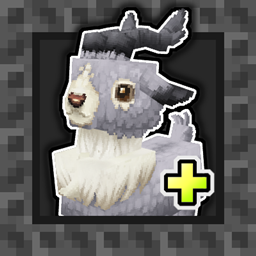
Aures - Livestock Skins
BlackAuresArt
Adds a variety of colors and random variations for rabbits, mouflons, pigs, sheeps, rams, goats and other!
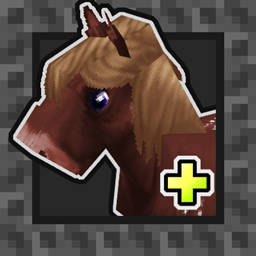
Aures - Horse Skins
BlackAuresArt
Adds a random variations for horses! Also slightly changes the model and animations of horses.
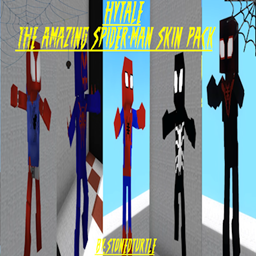
The Amazing Spider-Man Skin Pack!
stonedturtle
This is one of the only Skin mods I've seen! This replaces the player model in-game with a Spider-Man one! Comes with a Brighter Red/Blue, Darker Red/Blue, Symbiote Versions, Miles, 2099, and Scarlet Spidey (Ben Riely)
![[NoCube's] Undead Warriors](https://media.forgecdn.net/avatars/thumbnails/1602/742/256/256/639035338178853736.png)
[NoCube's] Undead Warriors
NoCube
Adds enemy skeletons with random equipment.
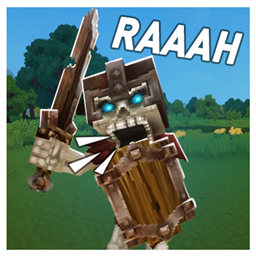
Skeleton Banging Shield
Jen3713_
Makes some skeletons bang their weapon while yelling "RAAAAH"
HyTame - Animal Breeding
LaitK
Animal breeding and baby growth for Hytale to expand your farm