JoinScreen 🖼️ Advanced Image Popup Welcome / Rules Screen 🖥️
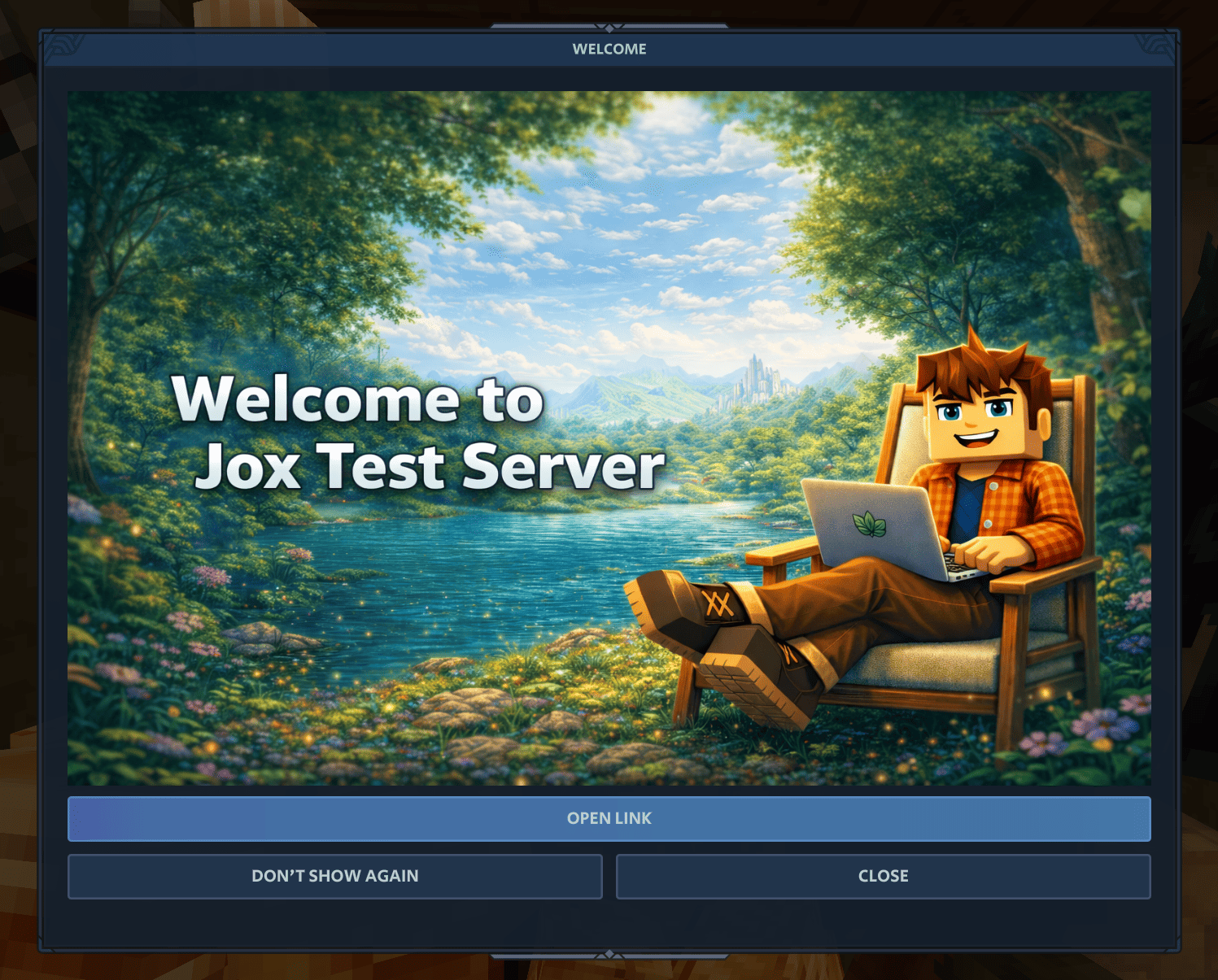
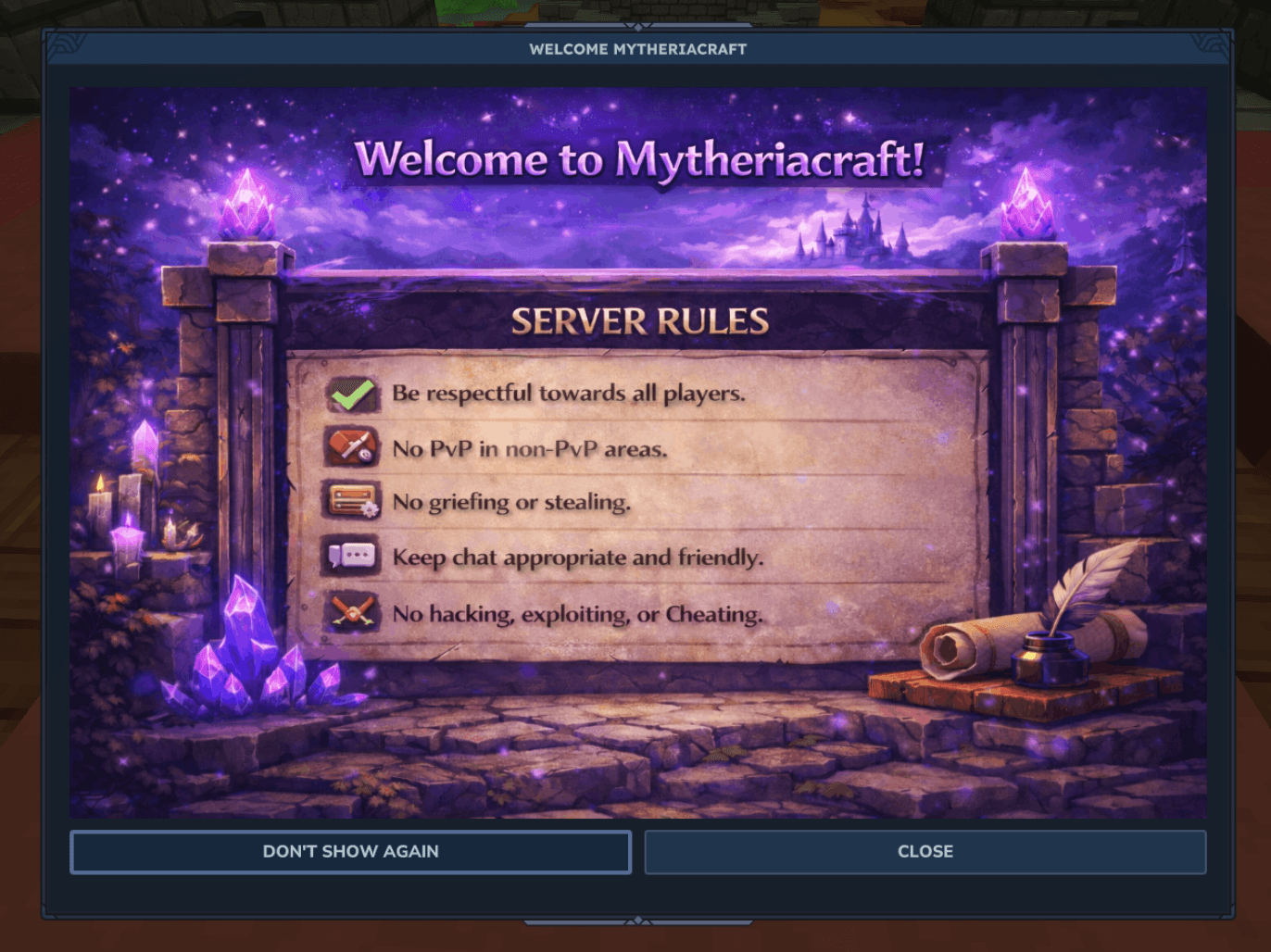
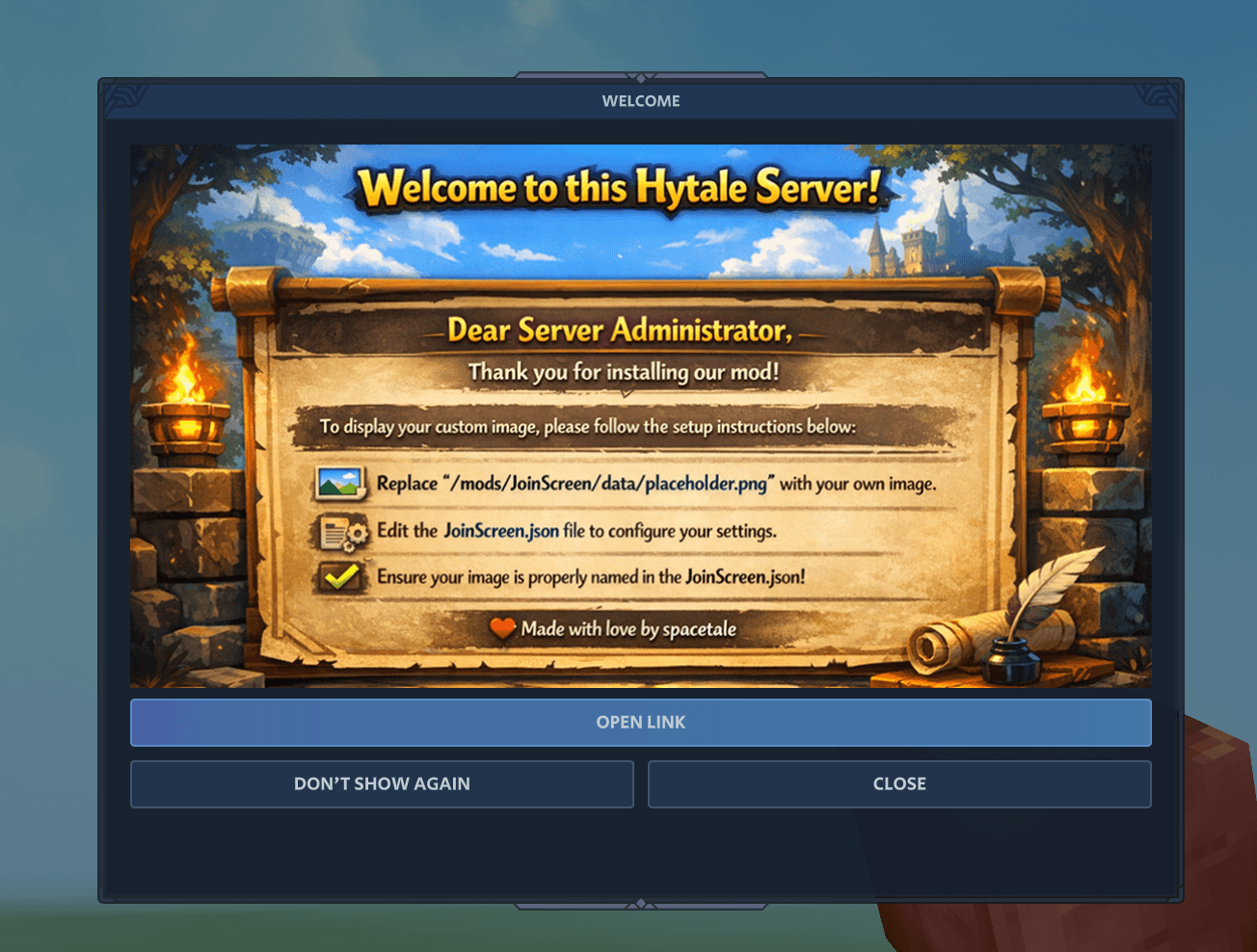
JoinScreen adds a dynamic image+text-based welcome popup when players join your Hytale server. Super-easy drop-an-image solution. Show server rules and tips, website link, banner, instructions, etc.
About JoinScreen 🖼️ Advanced Image Popup Welcome / Rules Screen 🖥️
🚪 JoinScreen 🖥️
An advanced, image-based, server-friendly welcome popup for Hytale servers.
JoinScreen shows a clean, customizable screen when players join, so you can display rules, announcements, a custom image, text, and (optionally) a link to your website/Discord/store, approval cooldown and more. It’s designed to be lightweight and easy to set up.
I'm aware of a current issue specifically affecting Windows server, as the .jar is packing itself during running but Windows environment does not support it. Working on a solution.
Features
Welcome / rules popup on join
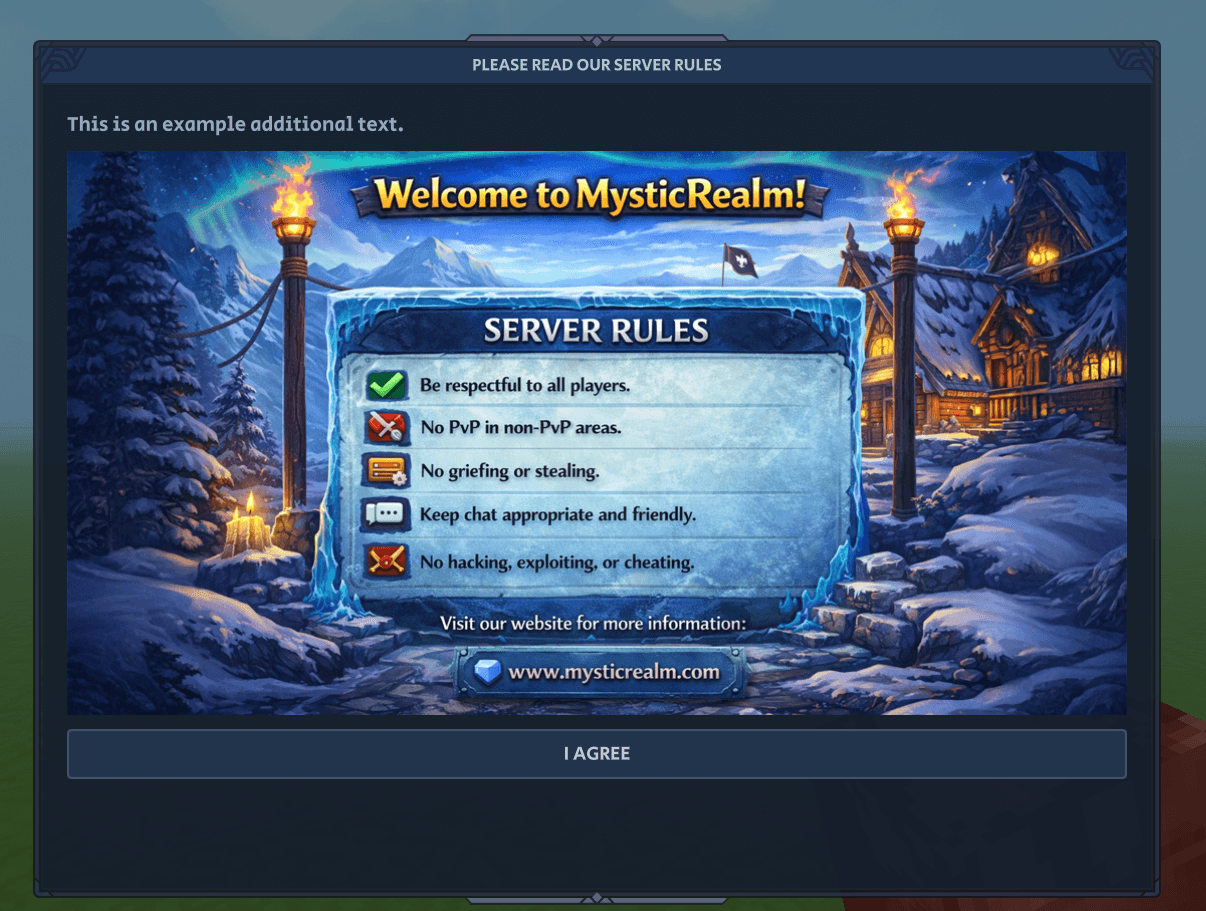
Custom title + button text (example: “Please read our server rules”, “I agree”)
Optional “Don’t show again” checkbox
Join cooldown to avoid spam on reconnects
Lock timer (forces players to wait a few seconds before closing, great for rules)
Optional URL button (website / Discord / store / rules page)
Custom image support (drop in your own server banner)
Above and under the image texts.
Quick Setup (Server Owners)
1) Replace the placeholder image
Go to:
/mods/JoinScreen/data/
Replace:
placeholder.png
With your own image (you can keep the same filename, if u change, update the config).
Image tip: Use 900×500 or higher. Best aspect ratio is ~1.8:1.
2) Edit the config
Open:
/mods/JoinScreen/JoinScreen.json
Set your text, rules, image name, and optional URL button. (instructions below)
3) Restart(!)
Restart the server to make sure changes are taking place.
Configuration (What the options do)
"Enabled": true | Should we enable the mod?
"ShowEveryJoin": true | Show the screen for each server-login
"CooldownSeconds": 0 | Minimum cooldown before showing again to a logging user.
"LockSeconds": 5 | Lock the buttons, forcing the user to read for X seconds.
"AllowDontShowAgain": false | Allow the user to select to never see it again. (will ignore past preferences if false)
"DontShowAgainText": "Don't show again" | Customize the text for the `don't show again`.
"Title": "Welcome to the Hytale Server" | Customize the title of the UI window.
"TextAbove": "Example" | An optional text that will be shown above the image.
"TextBelow": "Another Example" | An optional text that will be shown under the image.
"CloseButtonText": "I agree" | Customize the text for the dialogue closing button.
"LockedCloseButtonText": "Please wait..." | Customize the text for the still locked buttons.
"ShowUrlButton": false | Should we show a link (URL) button?
"UrlButtonText": "Open link" | Customize the text for the link button.
"Url": "https://spacetale.net/example" | The link that will be sent upon clicking the above button.
"CloseAfterUrl": false | Should the dialogue close after opening the URL?
"Image": "placeholder.png" | The name of the image you're using in the /JoinScreen/Data folder.
"DataImageFileName": "placeholder.png" | The name of the image you're using in the /JoinScreen/Data folder.
"AutoRepackJarOnStart": true | Ignore and leave on true for now.
"AutoSizeWindow": true | Auto-detection for image size + buttons to make perfect window size.
"MaxWindowWidth": 1200 | Maximum window width
"MaxWindowHeight": 900 | Maximum window height
📝 Notes
Keep your rules short and readable. If you have long rules, link to a full rules page using the URL button.
If you want to force rules visibility, use LockSeconds + disable “don’t show again”.
Multipage with next/back is planned.
Made with love by spacetale If you can, I would greatly appreciate a small donation, I spend a lot of hours (and cursor tokens) to share it will you all 🙃
❤️ Donation link: buymeacoffee ❤️
Categories
Screenshots
Need a Server?
Run JoinScreen 🖼️ Advanced Image Popup Welcome / Rules Screen 🖥️ on a dedicated Hytale server with easy mod management.
Get Hytale HostingFrequently Asked Questions
What is JoinScreen 🖼️ Advanced Image Popup Welcome / Rules Screen 🖥️?
JoinScreen adds a dynamic image+text-based welcome popup when players join your Hytale server. Super-easy drop-an-image solution. Show server rules and tips, website link, banner, instructions, etc.
How do I download JoinScreen 🖼️ Advanced Image Popup Welcome / Rules Screen 🖥️?
You can download JoinScreen 🖼️ Advanced Image Popup Welcome / Rules Screen 🖥️ for free from CurseForge. Click the "Download on CurseForge" button on this page to go directly to the download page.
Who created JoinScreen 🖼️ Advanced Image Popup Welcome / Rules Screen 🖥️?
JoinScreen 🖼️ Advanced Image Popup Welcome / Rules Screen 🖥️ was created by jox_works. The mod has been downloaded 449 times.
Is JoinScreen 🖼️ Advanced Image Popup Welcome / Rules Screen 🖥️ compatible with Hytale servers?
JoinScreen 🖼️ Advanced Image Popup Welcome / Rules Screen 🖥️ is designed for Hytale and can be used on both single-player and multiplayer servers. Check the mod page on CurseForge for specific compatibility information.
How do I install JoinScreen 🖼️ Advanced Image Popup Welcome / Rules Screen 🖥️?
To install JoinScreen 🖼️ Advanced Image Popup Welcome / Rules Screen 🖥️: 1) Download the mod from CurseForge, 2) Place the file in your Hytale mods folder, 3) Restart the game. The mod should load automatically.
Related Utility Mods
View all mods
BetterMap
Paralaxe
Enhance Hytale World Map

Hybrid
Serilum
🏛️ A Hytale mod library that contains common code for all of Serilum's mods.

VeinMining
EineNT
Instantly mine connected ores and blocks by holding the Walk key (LEFT ALT) while breaking a single block.

Wayback Charm
DarkhaxDev
A charm to help you find your way back home.

Better Modlist
Buuz135
Adds a better modlist to the game, with improved features like searching and logos.

Simple Claims
Buuz135
Adds a chunk claim and protection system.