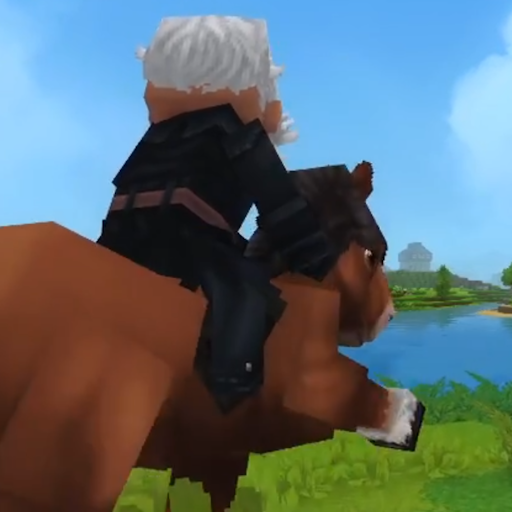
Lait's Camera
Camera plugin that includes no clip mode and easy customization of the camera (early alpha).
About Lait's Camera
This is very experimental and is made available as a very early alpha version. Also doesn't work in creative mode currently.
If you encounter a bug with the camera:
This will reset the camera on your player (do the freecam command twice) :
/cam freecam <your_name>
/cam freecam <your_name>
Recommended settings :
Horse on left: /cam mount --height=-2 --distance=5 --xoffset=1.5
Horse on right: /cam mount --height=-2 --distance=5 --xoffset=-1
Lait's Camera
Custom camera controls for Hytale - mount cameras and freecam mode.
Note: This mod is in early development. Mount camera settings are experimental and may not work perfectly with all animals. Freecam mode works reliably for spectating and cinematic shots.
What's New in v1.0.x
1.0.1 - Stability Patch
Fixed a bug where the head rotation was not applied
Fixed a bug where the player couldn't unmount horses
Improved stability
1.0.0 - Initial Release
Mount Camera - Custom camera settings when riding animals (distance, height, xOffset, FOV, pitch)
Per-Animal Config - Different camera settings for each animal type
Freecam Mode - Detached camera for spectating and cinematic shots
In-Game Commands - Configure everything via /cam commands
Config Persistence - Settings saved to JSON file
Features
Mount camera settings - Customize the camera when riding horses, camels, and other mounts
Per-animal configuration - Set different camera distances for different animals
Freecam mode - Detach camera from player for spectating or screenshots
Adjustable speed - Control freecam movement speed
Global defaults - Set default values that apply to all animals
Live updates - Changes apply immediately to mounted players
Fully configurable - Customize via JSON config or in-game commands
Installation
Place the JAR file in your server's mods folder
Restart the server
(Optional) Configure via /cam commands or edit the JSON file
Mount an animal to see the camera settings in action!
How It Works
Mount Camera
When you mount an animal, the plugin applies custom camera settings:
Distance - How far behind the camera is positioned
Height - Vertical offset of the camera
X Offset - Horizontal offset (left/right)
FOV - Field of view
Pitch - Default vertical angle
Settings can be configured globally or per-animal type.
Freecam
Freecam detaches the camera from your player, allowing free movement:
Move with WASD
Look around with mouse
Adjustable speed
Your player remains in place while the camera flies
Commands
All commands use the unified /cam prefix.
Main Commands
/cam Show help /cam help Show help /cam status View current camera mode /cam reload Reload config from file /cam save Save current config to file Freecam
/cam freecam <player> Toggle freecam for player /cam freecam <player> on Enable freecam /cam freecam <player> off Disable freecam /cam freecam <player> --speed=X Set freecam speed Mount Camera (Global Settings)
/cam mount Show global mount settings /cam mount --distance=X Set third-person distance /cam mount --height=X Set camera height /cam mount --xoffset=X Set horizontal offset /cam mount --fov=X Set field of view /cam mount --pitch=X Set pitch offset /cam mount --enabled=true/false Enable/disable mount camera Mount Camera (Per-Animal Settings)
/cam mount --animal=Horse Show Horse settings /cam mount --animal=Horse --distance=8 Set Horse distance /cam mount --animal=Horse --height=3 Set Horse height /cam mount --animal=Camel --distance=10 Set Camel distance /cam mount --list List configured animals
Configuration
Config file: mods/laits-camera/config.json
{ "globalDefaults": { "enabled": true, "thirdPersonDistance": 5.0, "cameraHeight": 2.0, "xOffset": 0.0, "fov": 70.0, "pitchOffset": -15.0, "positionLerpSpeed": 0.8, "rotationLerpSpeed": 0.8 }, "animals": { "Horse": { "enabled": true, "thirdPersonDistance": 6.0, "cameraHeight": 2.5, "xOffset": 0.0, "fov": 75.0, "pitchOffset": -10.0 }, "Camel": { "enabled": true, "thirdPersonDistance": 7.0, "cameraHeight": 3.0 } }, "freecam": { "defaultSpeed": 5, "maxSpeed": 20, "minSpeed": 1 } } Settings Explained
Setting Description Default
thirdPersonDistance Camera distance behind the mount 5.0
cameraHeight Vertical offset above mount 2.0
xOffset Horizontal offset (+ right, - left) 0.0
fov Field of view 70.0
pitchOffset Default vertical angle (negative = look down) -15.0
positionLerpSpeed Camera position smoothing (0-1) 0.8
rotationLerpSpeed Camera rotation smoothing (0-1) 0.8
Supported Mounts
The mount camera works with any mountable animal including:
Horse - Standard riding horse
Ram - Desert mount
And more - Any entity with IsMountable: true
Each animal can have its own camera settings, or use the global defaults.
Roadmap
Done: Mount camera settings, freecam mode, per-animal config, commands
In Progress:
Camera orbiting around mount when it rotates
Known Issues
Weird camera orbit - Rotating the camera rotates it in a weird way
Contact
This mod is actively being developed. For issues or suggestions, add me on Discord: lait_kelomins
Categories
Need a Server?
Run Lait's Camera on a dedicated Hytale server with easy mod management.
Get Hytale HostingFrequently Asked Questions
What is Lait's Camera?
Camera plugin that includes no clip mode and easy customization of the camera (early alpha).
How do I download Lait's Camera?
You can download Lait's Camera for free from CurseForge. Click the "Download on CurseForge" button on this page to go directly to the download page.
Who created Lait's Camera?
Lait's Camera was created by LaitK. The mod has been downloaded 111 times.
Is Lait's Camera compatible with Hytale servers?
Lait's Camera is designed for Hytale and can be used on both single-player and multiplayer servers. Check the mod page on CurseForge for specific compatibility information.
How do I install Lait's Camera?
To install Lait's Camera: 1) Download the mod from CurseForge, 2) Place the file in your Hytale mods folder, 3) Restart the game. The mod should load automatically.
Related Utility Mods
View all mods
BetterMap
Paralaxe
Enhance Hytale World Map

Hybrid
Serilum
🏛️ A Hytale mod library that contains common code for all of Serilum's mods.

VeinMining
EineNT
Instantly mine connected ores and blocks by holding the Walk key (LEFT ALT) while breaking a single block.

Wayback Charm
DarkhaxDev
A charm to help you find your way back home.

Better Modlist
Buuz135
Adds a better modlist to the game, with improved features like searching and logos.

Simple Claims
Buuz135
Adds a chunk claim and protection system.