ModSync
ModSync is a Hytale server plugin that synchronizes mod lists from various sources (CurseForge implemented, extensible to others). It allows server administrators to manage and synchronize mods via in-game commands.
About ModSync
ModSync
Early Development Stage - This plugin is in very early development. Use at your own risk. Development is ongoing - please be kind with feedback and bug reports!
A server-side mod management plugin for Hytale dedicated servers that lets you easily add, install, update, and remove mods directly from in-game or console commands.
Features
Multiple Sources - CurseForge (API key required), CFWidget (fallback for CurseForge with no API key) and Modtale (alpha, API key required). More to come.
One-command install - Install all managed mods at once
Full Mod Lifecycle - Add, install, update, remove mods via commands
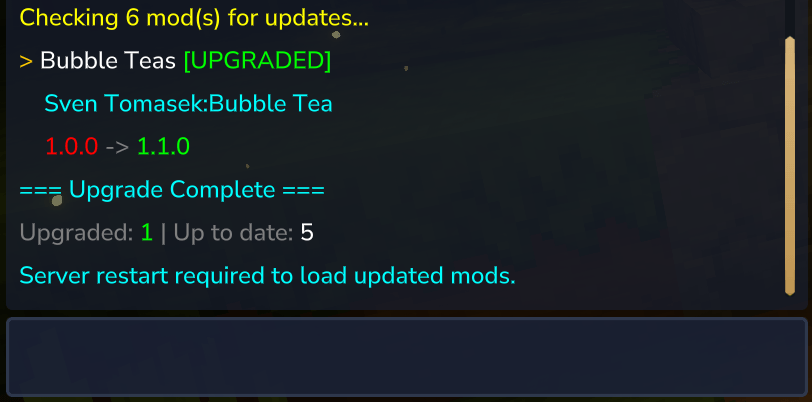
Update Management - Check for updates, upgrade individual mods or all at once
Release Channels - Choose Release, Beta, or Alpha versions (global + per-mod)
Import Existing Mods - Scan and import unmanaged mods with auto-matching
Persistent tracking - Your mod list is saved and persists across server restarts. Share your list with friends like a modpack!
Self-Upgrade - Update ModSync itself from GitHub Releases
Console Support - All commands work from in-game and server console
Quick Start
Download modsync-<version>.jar from here or GitHub-Releases
Place in your server's mods/ folder
Start server
(Optional) Set your CurseForge API key: /modsync config key curseforge <key>
Add mods: /modsync add https://curseforge.com/hytale/mods/example
Get your API key from CurseForge Console or Modtale API Docs
Note: Without an API key, ModSync uses CFWidget as fallback for CurseForge URLs. CFWidget supports URL-based lookups but not search-based import matching. Note: Modtale support is experimental/alpha and requires an API key.
Commands
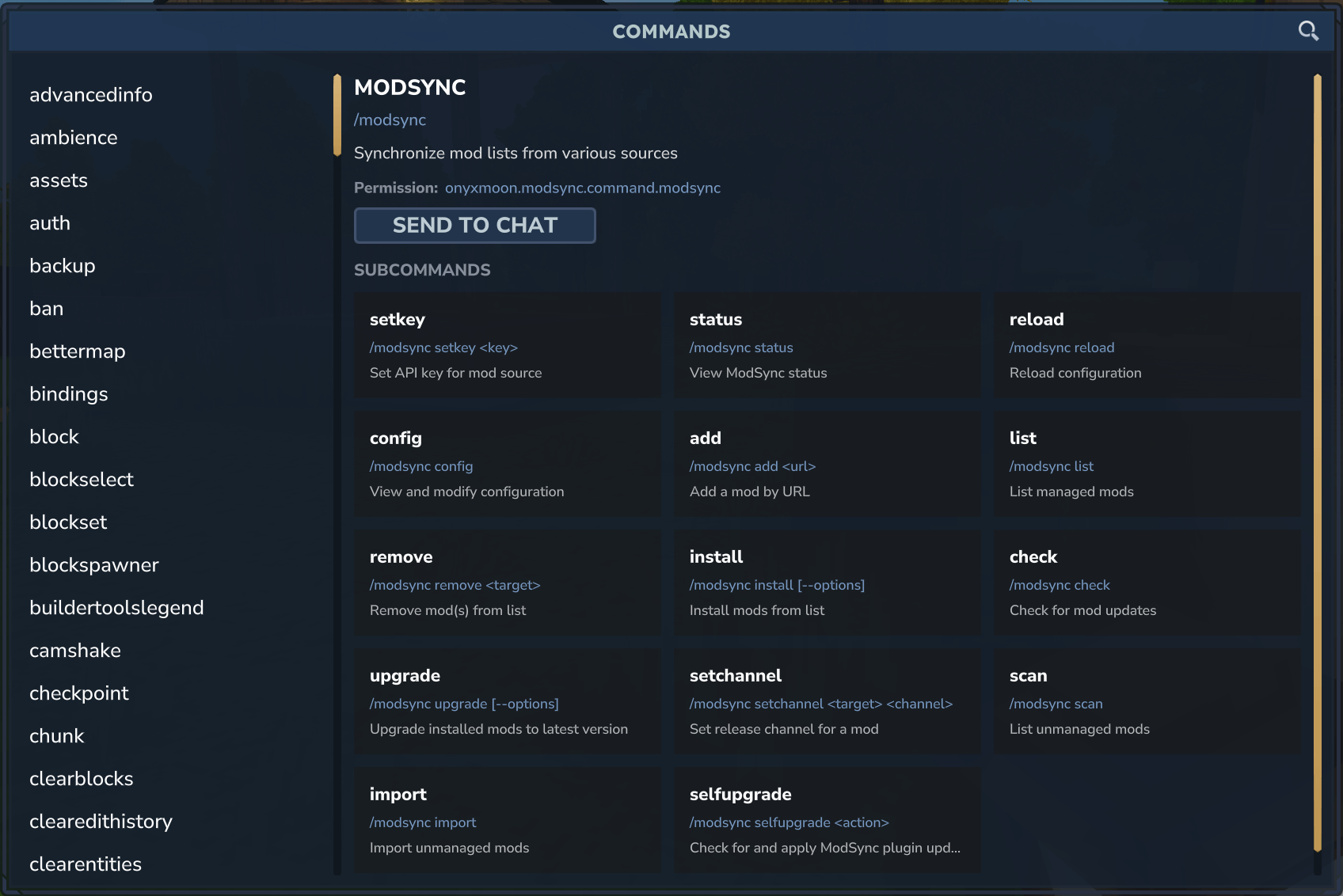
Command Description
/modsync add <url> Add mod from CurseForge URL
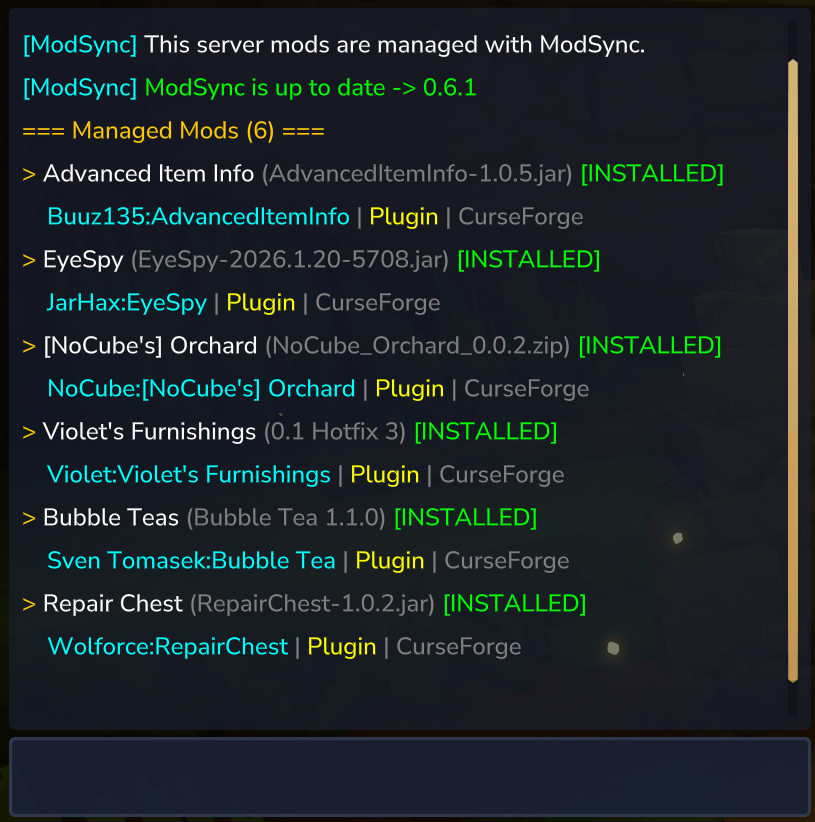
/modsync list Show all managed mods with install status
/modsync install Install all mods from your list
/modsync install <name> Install a specific mod
/modsync remove <name> Remove mod by name, slug, or identifier
/modsync remove all Remove all mods
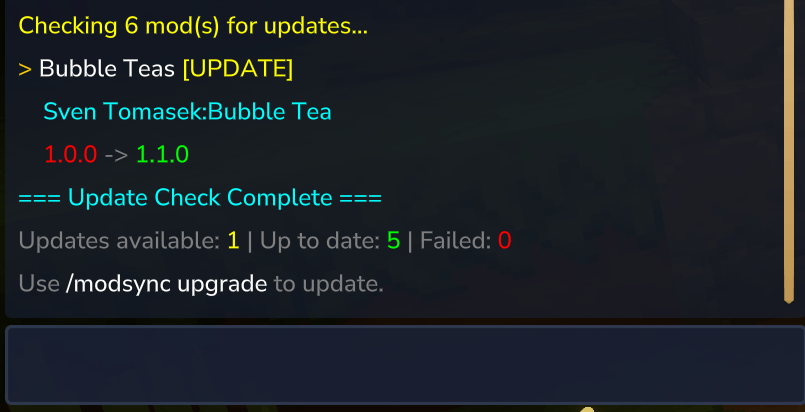
/modsync check Check for available updates
/modsync upgrade Upgrade all installed mods
/modsync upgrade <name> Upgrade a specific mod
/modsync scan List unmanaged mods in the mods folder
/modsync import Auto-match and import all unmanaged mods
/modsync import <target> Auto-match and import a specific mod
/modsync import <target> --url=<url> Import with a specific CurseForge URL
/modsync config Show all configuration settings
/modsync config channel <value> Set default release channel
/modsync config key <provider> <key> Set API key for a provider
/modsync config welcome <on|off> Enable or disable the admin welcome message
/modsync setchannel <mod> <channel> Set per-mod release channel
/modsync selfupgrade Check for ModSync plugin updates
/modsync selfupgrade apply Download and install latest ModSync
/modsync status Show current configuration and version
/modsync reload Reload configuration from disk
Tip: Use quotes for names with spaces: /modsync install "My Mod"
Release Channels
Control which release types are considered for installation and updates:
Channel Versions Included
release Stable releases only (default)
beta Beta and stable releases
alpha All versions including alpha
/modsync config channel beta # Set global default /modsync setchannel MyMod alpha # Override for specific mod /modsync setchannel MyMod default # Remove override, use global Automatic Fallback: If a mod has no releases for your configured channel (e.g., only Beta versions but you're on Release), ModSync automatically falls back to Beta, then Alpha. A warning is shown so you know which version type was used.
How It Works
Installing Mods
The /modsync add and /modsync install command
When you install a mod, the plugin:
Add the mod to the managed list via an URL
Downloads the mod from the mod source and validates the manifest
Detects the plugin type (regular plugin or early plugin) from the CurseForge category
Saves it to the appropriate folder: Regular plugins → mods/
Early/Bootstrap plugins → earlyplugins/ (configurable)
Registers the mod in the installed mods registry
Note: A server restart is required to load newly installed mods.
Removing Mods
The /modsync remove command
When you remove a mod, the plugin:
Unloads the mod if currently loaded
Attempts to delete the mod file
If the file is locked (Windows), it queues the file for deletion on next restart. Install the bootstrap plugin to handle deletion on restart.
Note: If the file is locked (Windows), it queues the file for deletion on next restart. The bootstrap plugin handles queued deletions before the server loads mods.
Checking and installing upgrades
The /modsync check command:
Shows which mods have updates available with version comparison (e.g., 1.0.1 -> 1.0.2).
The /modsync upgrade command:
Upgrades all installed mods or a specific mod.
Note: A server restart is required to load upgraded mods.
Importing Existing Mods
Use /modsync scan to find unmanaged mods, then /modsync import to bring them under ModSync control with auto-matching.
Note: Import and scan currently require a CurseForge API key for auto-matching. CFWidget and Modtale do not support search-based imports.
Bootstrap Plugin (Optional)
On Windows, JAR files are locked while loaded by the JVM. This prevents deletion of old mod versions during upgrades.
The bootstrap plugin is an early plugin that runs before normal plugins load:
Reads pending_deletions.json
Deletes queued files before they get loaded
Normal plugin loading proceeds
Installation (only if you have deletion issues):
Download from modsync-bootstrap
Place in earlyplugins/ folder
Start server with --early-plugins --accept-early-plugins flags
Note: On Linux dedicated servers, file locking is typically not an issue and the bootstrap plugin is usually not needed.
File Locations
All data is stored in mods/Onyxmoon_ModSync/:
config.json - API keys and settings
mods.json - Your curated mod list (shareable between servers)
mods.lock.json - Installation state (machine-specific, not shareable)
pending_deletions.json - Files queued for deletion on restart (only when there are locked files and the bootstrap plugin is required)
Important Notes
Server restart required - Currently, there is no way to trigger a server restart via the Mod API. After installing, upgrading, or removing mods, you must manually restart the server. If you server is auto-restarting, you may use the /stop command to trigger a restart.
Mod distribution - Mods can only be downloaded if the author has enabled "Allow Mod Distribution" in their CurseForge project settings
Provider fallback - Without a CurseForge API key, ModSync uses CFWidget which supports URL lookups but not search
File Locking (Windows): JAR files are locked while loaded. The bootstrap plugin handles deletion on restart.
Supported Sources: CurseForge, Modtale (alpha), and CFWidget are supported. CFWidget uses the public widget API and does not require an API key, but does not support search-based imports.
Admin welcome message - Disable the admin welcome message via config.json with disableAdminWelcomeMessage: true
Support
GitHub Issues
Changelog
Categories
Screenshots
Frequently Asked Questions
What is ModSync?
ModSync is a Hytale server plugin that synchronizes mod lists from various sources (CurseForge implemented, extensible to others). It allows server administrators to manage and synchronize mods via in-game commands.
How do I download ModSync?
You can download ModSync for free from CurseForge. Click the "Download on CurseForge" button on this page to go directly to the download page.
Who created ModSync?
ModSync was created by onyxmoon. The mod has been downloaded 1.1K times.
Is ModSync compatible with Hytale servers?
ModSync is designed for Hytale and can be used on both single-player and multiplayer servers. Check the mod page on CurseForge for specific compatibility information.
How do I install ModSync?
To install ModSync: 1) Download the mod from CurseForge, 2) Place the file in your Hytale mods folder, 3) Restart the game. The mod should load automatically.
Related Utility Mods
View all mods
BetterMap
Paralaxe
Enhance Hytale World Map

Hybrid
Serilum
🏛️ A Hytale mod library that contains common code for all of Serilum's mods.

VeinMining
EineNT
Instantly mine connected ores and blocks by holding the Walk key (LEFT ALT) while breaking a single block.

Wayback Charm
DarkhaxDev
A charm to help you find your way back home.

Better Modlist
Buuz135
Adds a better modlist to the game, with improved features like searching and logos.

Simple Claims
Buuz135
Adds a chunk claim and protection system.