Mounts+
A rideable mounts system for Hytale with configurable mount types, storage, spawn mechanics, and mount eggs. Players can obtain mounts via admin commands or loot drops, then ride them using Hytale's native mounting system.
About Mounts+
# Mounts+
Support Server – https://discord.gg/DRxwt8Qg2W
A rideable mounts system for Hytale servers with configurable mount types, storage, and spawn mechanics. Players can obtain mounts through admin commands or by finding mount eggs in mob drops. Mounts can be ridden using Hytale's native mounting system and include features like storage, health management, and respawn cooldowns.
Server-only plugin. Singleplayer is not supported and no support will be provided for it.
Assets.zip issue: Mounts+ requires extracted assets. Running the game from assets.zip will corrupt the file and prevent the mod from loading.
Fix: Extract assets.zip → make sure the game uses the Assets folder → reinstall Mounts+. (Optional: delete assets.zip after extraction.)
Egg Generation: By default, Mounts+ generates egg item files in `Assets/Server/Item/Items/`. If you don't want these files created automatically, set `"generateEggItems": false` in config.json.
Description
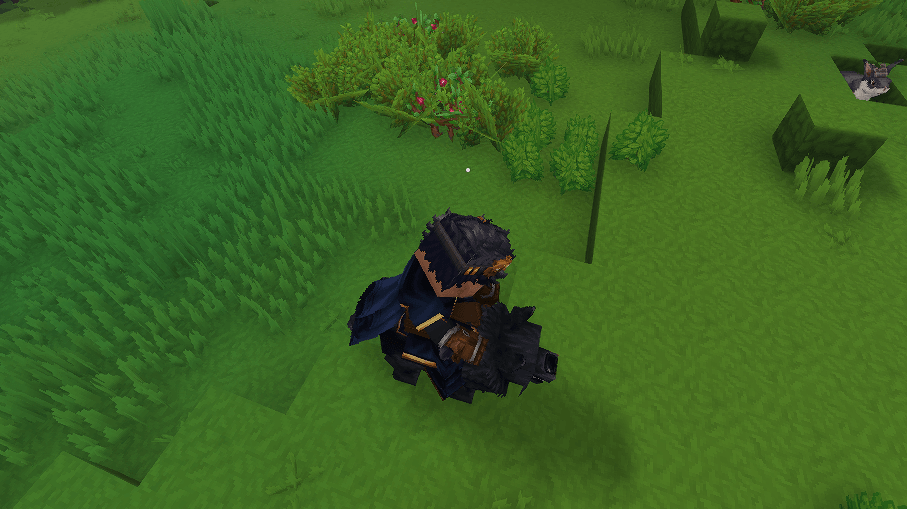
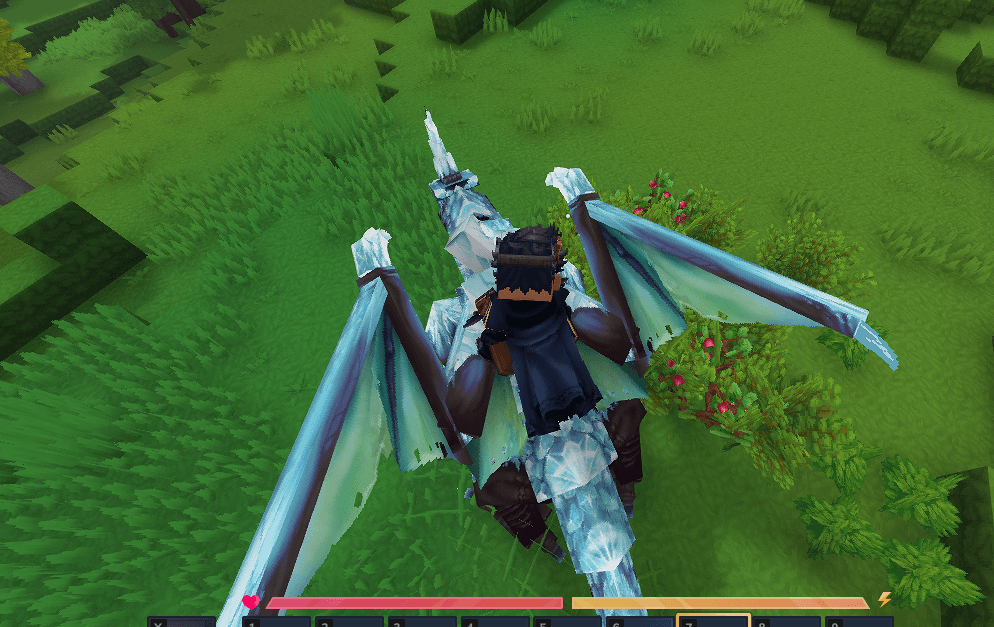
Mounts+ gives players rideable mounts that can be spawned, ridden, and stored. Any entity in Hytale can be added as a mount, from standard animals like horses and wolves to large or custom entities such as dragons and T-Rexes, all defined through configuration. Players can mount their active mount using Hytale's native mounting system (default key: F). Mounts stay stationary when not ridden and despawn if the player moves more than 15 blocks away.
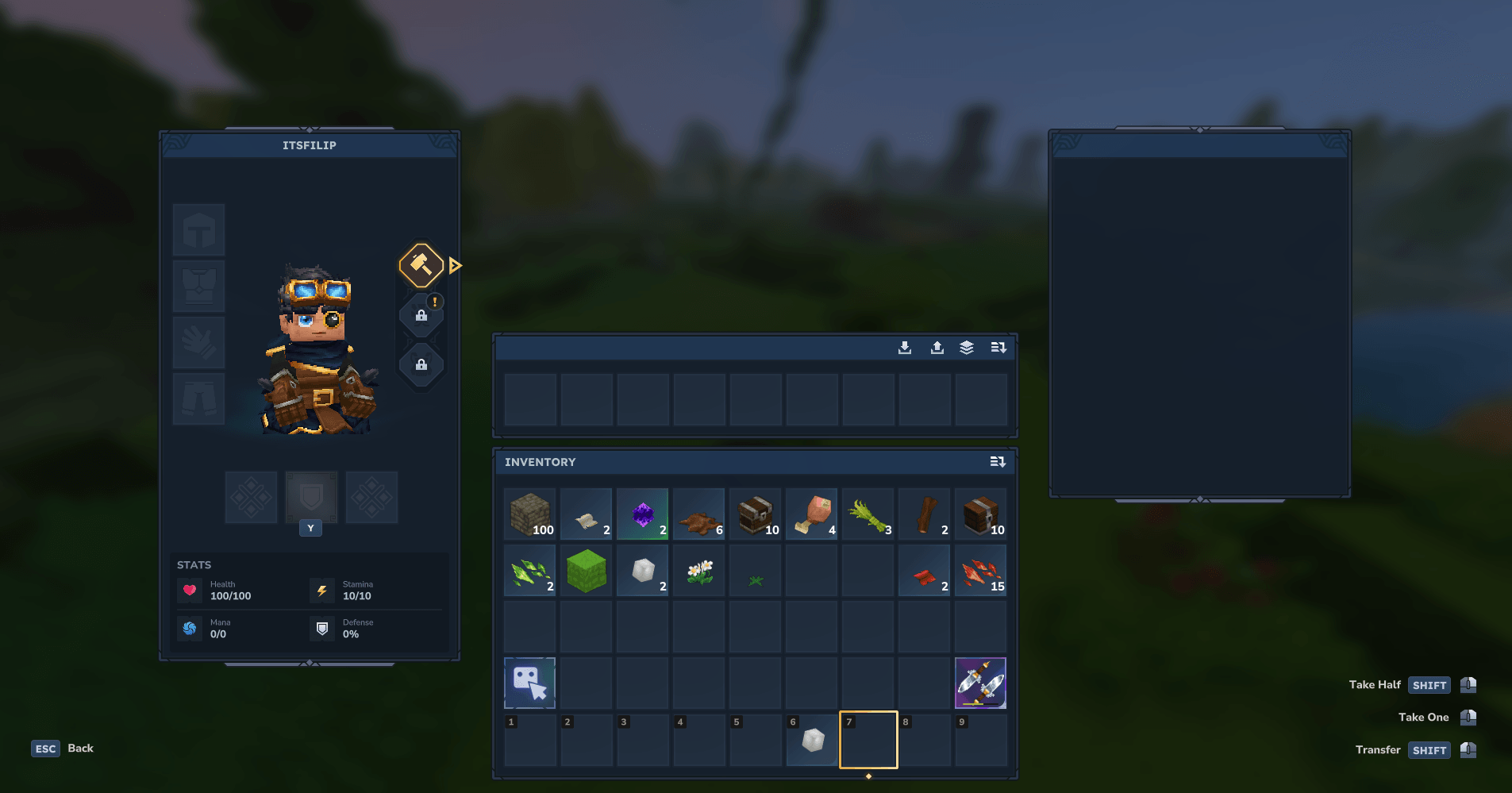
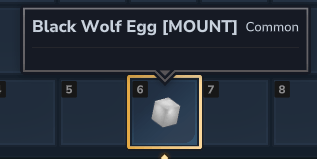
Each mount type can be configured with spawn offset (distance from owner when spawned), mount Y offset (vertical seat position), storage size (0-54 slots), base health, invulnerability toggle, and respawn cooldown. Mounts can be obtained in two ways: admins can grant them directly via commands/UI, or players can find mount eggs as drops from specific mobs (configured via loot tables). When a player obtains an egg, they simply hold it and use `/mounts redeem` to add the mount to their collection.
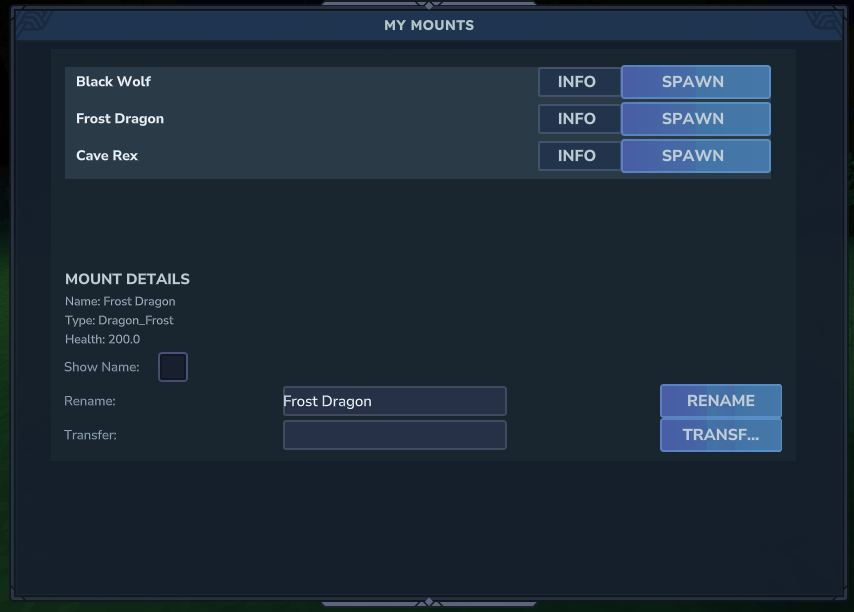
Admins define mount types (any entity: Horse, Wolf_Black, Bear_Polar, Rex_Cave, Dragon_Frost, etc.), assign rarities, control spawn behavior, and configure which mobs drop mount eggs. Players manage mounts via a custom UI: spawn/despawn, rename, view mount details, access mount storage, and transfer mounts to other players.
---
Features
Core - Mount collection – Add any entity as a configurable mount type (Horse, Wolf, Bear, Dragon, T-Rex, etc.) - Mount eggs – Automatically generated egg items for all mount types that admins can add to mob loot tables - Mount redemption – Players redeem eggs using `/mounts redeem` while holding the egg to add a mount - Rideable mounts – Players can mount their active mount using Hytale's native mounting system (default key: F) - Stationary behavior – Mounts stay in place when not ridden; despawn if player moves >15 blocks away - Configurable spawn offset – Distance from owner when mount is spawned (prevents clipping for large mounts) - Mount Y offset – Configurable vertical offset for rider seat position (adjusts based on model height) - Storage system – Configurable storage size per mount type (0, 9, 18, 27, 54 slots) - Health & invulnerability – Base health per mount type with optional invulnerability toggle - Respawn cooldown – Configurable cooldown in seconds before mount can be respawned after death - Rarity system – Rarity levels (Common, Uncommon, Rare, Epic, Legendary) for organization - Per-mount permissions – Optional permission system to restrict mount usage per type
Player UI - Mount list – View mounts, spawn/despawn, rename, see mount details - Mount storage – Access mount inventory when mounted (if storage size > 0) - Mount transfer – Give a mount to another player (if enabled in config) - Mount details – View mount type, rarity, and configuration info
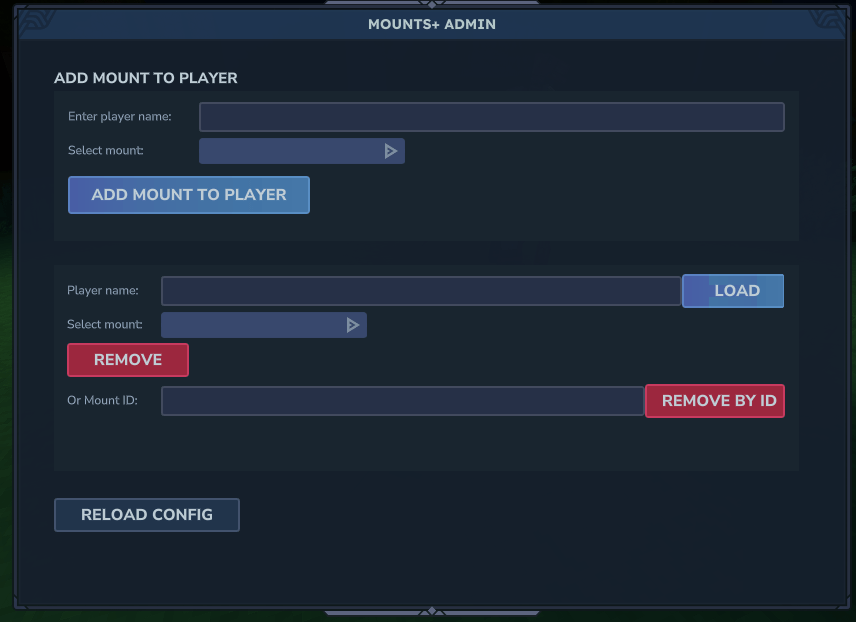
Admin - Admin UI – Enter player name, select mount by config key, add mounts with one click - Admin command – `/mounts add <player> <mount_type>` (requires mounts.admin) - `/mounts create` – Admin-only command and UI to create and edit mount types (config key, entity type, display name, rarity, spawn offset, mount Y offset, storage size, base health, invulnerability, respawn cooldown, and permissions) - Loot table integration – Add mount eggs to any mob's loot table for players to find - Config – mountEntities, usePerMountPermissions, allowTransfer, generateEggItems
Spawn & Mounting (per mount type) - Spawn offset – Distance from owner when mount is spawned (e.g. 3.0 for large mounts like T-Rex) - Mount Y offset – Vertical offset for rider seat position (e.g. 2.5 for T-Rex, 3.2 for dragons) - Default scale – Base scale for the mount model (1.0 = normal size) - Storage size – Number of inventory slots (0, 9, 18, 27, 54) - Base health – Starting health for the mount entity - Invulnerable – Toggle to make mount immune to damage - Respawn cooldown – Seconds before mount can be respawned after death
Technical - Stationary mounts – Mounts do not follow; they stay in place and despawn if player moves >15 blocks away - Dynamic Y offset – Mount Y offset is enforced via system to override static JSON values - Transaction-based inventory – Proper item handling using Hytale's inventory API - Mount lifecycle management – Automatic despawn on distance, respawn cooldown tracking
---
Commands
| Command | Description | Permission | |---------|-------------|------------| | /mounts | Open the mount management UI | — | | /mounts redeem | Redeem a mount egg (hold egg in hand) | — | | /mounts add <player> <mount_type> | Give a mount to a player (config key, e.g. Rex_Cave) | mounts.admin | | /mounts transfer <playerName> <mountId> | Transfer one of your mounts to another player | owner only |
| /mounts storage | Open storage of the spawned mount | owner only | | /mounts admin | Open the admin mount management UI | mounts.admin | | /mounts create | Open the create/edit mount types UI (admin only) | mounts.admin |
---
Configuration (config.json)
- mountEntities – Each entry: entityType, rarity, displayName, spawnOffset, defaultScale, mountYOffset, storageSize, invulnerable, baseHealth, respawnCooldownSeconds, permission - usePerMountPermissions – If true, each mount type's permission node (e.g. mounts.mount.Rex_Cave) is enforced - allowTransfer – If true, players can transfer mounts to other players - generateEggItems – If true, automatically generates egg item files for all mount types
---
Adding Mount Eggs to Mob Drops
Admins can configure mobs to drop mount eggs by editing entity loot tables. Each mount type automatically generates an egg item with ID: `Egg_MountsPlus_<MountType>`
**Step 1: Locate the Entity's Loot Table** - Navigate to your server's assets directory - Find the entity's loot table file in `Assets\Server\Drops\NPCs\` - The file name typically matches the entity name (e.g. `Wolf.json`, `Bear_Polar.json`)
**Step 2: Add the Egg to Loot Containers**
The loot table uses a Container structure. Add a new Choice container for the mount egg.
Example: Adding a Wolf mount egg to Wolf mob drops:
```json { "Container": { "Type": "Multiple", "Containers": [ { "Type": "Choice", "Weight": 100, "Containers": [ { "Type": "Single", "Item": { "ItemId": "Food_Wildmeat_Raw", "QuantityMin": 1, "QuantityMax": 1 } } ] }, { "Type": "Choice", "Weight": 50, "Containers": [ { "Type": "Single", "Item": { "ItemId": "Egg_MountsPlus_Wolf", "QuantityMin": 1, "QuantityMax": 1 } } ] } ] } } ```
**Step 3: Configure Drop Rates**
Each Choice container has a Weight. Drop chance is calculated as: `(Container Weight) / (Total Weight of All Containers) × 100%`
Recommended weights: - **Common Mounts**: Weight 50-100 (higher chance) - **Uncommon Mounts**: Weight 25-50 (medium chance) - **Rare Mounts**: Weight 10-25 (lower chance) - **Epic/Legendary Mounts**: Weight 5-10 (very low chance)
**Step 4: Restart Server** - Loot table changes require a server restart - Test by killing the mob and checking for egg drops
**Step 5: Players Redeem Eggs** - Players hold the egg in their hand - Run `/mounts redeem` to add the mount to their collection - The egg is consumed and the mount is added
**Complete Example with Multiple Items:**
```json { "Container": { "Type": "Multiple", "Containers": [ { "Type": "Choice", "Weight": 100, "Containers": [ { "Type": "Single", "Item": { "ItemId": "Food_Wildmeat_Raw", "QuantityMin": 1, "QuantityMax": 1 } } ] }, { "Type": "Choice", "Weight": 100, "Containers": [ { "Type": "Single", "Item": { "ItemId": "Ingredient_Hide_Medium", "QuantityMin": 1, "QuantityMax": 2 } } ] }, { "Type": "Choice", "Weight": 50, "Containers": [ { "Type": "Single", "Item": { "ItemId": "Egg_MountsPlus_Wolf", "QuantityMin": 1, "QuantityMax": 1 } } ] } ] } } ```
In this example: - Raw Wildmeat: 100/250 = 40% drop chance - Medium Hide: 100/250 = 40% drop chance - Wolf Mount Egg: 50/250 = 20% drop chance
**Available Egg Items:** All egg items are automatically generated based on your `config.json` mount types: - Format: `Egg_MountsPlus_<MountType>` - Example: `Egg_MountsPlus_Wolf`, `Egg_MountsPlus_Bear_Polar`, `Egg_MountsPlus_Rex_Cave`, `Egg_MountsPlus_Dragon_Frost` - Location: `Server/Item/Items/Egg_MountsPlus_<MountType>.json`
---
Distribution Notice: This mod may not be redistributed or bundled with third-party setups without clear and visible credit to Hyronix Studios and the mod name. Otherwise, redistribution is not permitted.
Categories
Screenshots
Frequently Asked Questions
What is Mounts+?
A rideable mounts system for Hytale with configurable mount types, storage, spawn mechanics, and mount eggs. Players can obtain mounts via admin commands or loot drops, then ride them using Hytale's native mounting system.
How do I download Mounts+?
You can download Mounts+ for free from CurseForge. Click the "Download on CurseForge" button on this page to go directly to the download page.
Who created Mounts+?
Mounts+ was created by Hyronix. The mod has been downloaded 227 times.
Is Mounts+ compatible with Hytale servers?
Mounts+ is designed for Hytale and can be used on both single-player and multiplayer servers. Check the mod page on CurseForge for specific compatibility information.
How do I install Mounts+?
To install Mounts+: 1) Download the mod from CurseForge, 2) Place the file in your Hytale mods folder, 3) Restart the game. The mod should load automatically.
Related Creatures Mods
View all mods
Aures - Livestock Skins
BlackAuresArt
Adds a variety of colors and random variations for rabbits, mouflons, pigs, sheeps, rams, goats and other!
Aures - Horse Skins
BlackAuresArt
Adds a random variations for horses! Also slightly changes the model and animations of horses.

The Amazing Spider-Man Skin Pack!
stonedturtle
This is one of the only Skin mods I've seen! This replaces the player model in-game with a Spider-Man one! Comes with a Brighter Red/Blue, Darker Red/Blue, Symbiote Versions, Miles, 2099, and Scarlet Spidey (Ben Riely)
![[NoCube's] Undead Warriors](https://media.forgecdn.net/avatars/thumbnails/1602/742/256/256/639035338178853736.png)
[NoCube's] Undead Warriors
NoCube
Adds enemy skeletons with random equipment.
Skeleton Banging Shield
Jen3713_
Makes some skeletons bang their weapon while yelling "RAAAAH"
HyTame - Animal Breeding
LaitK
Animal breeding and baby growth for Hytale to expand your farm