OrbisGuard | Region Management
Region protection plugin for Hytale servers. Define areas, set flags (block-break, block-place, use), and control who can build where. Based on WorldGuard for Minecraft.
About OrbisGuard | Region Management
Region protection for Hytale. Define areas, set rules, control who can do what.
Think WorldGuard but for Hytale.
Features
Mob Spawning Control - Block natural mob and NPC spawns in regions
Block Protection - Prevent breaking, placing, and hammer cycling
Container Locks - Protect chests, barrels, and storage
PvP Zones - Enable or disable player combat per region
Entry Control - Restrict who can enter or leave areas
Custom Messages - Welcome titles and farewell messages
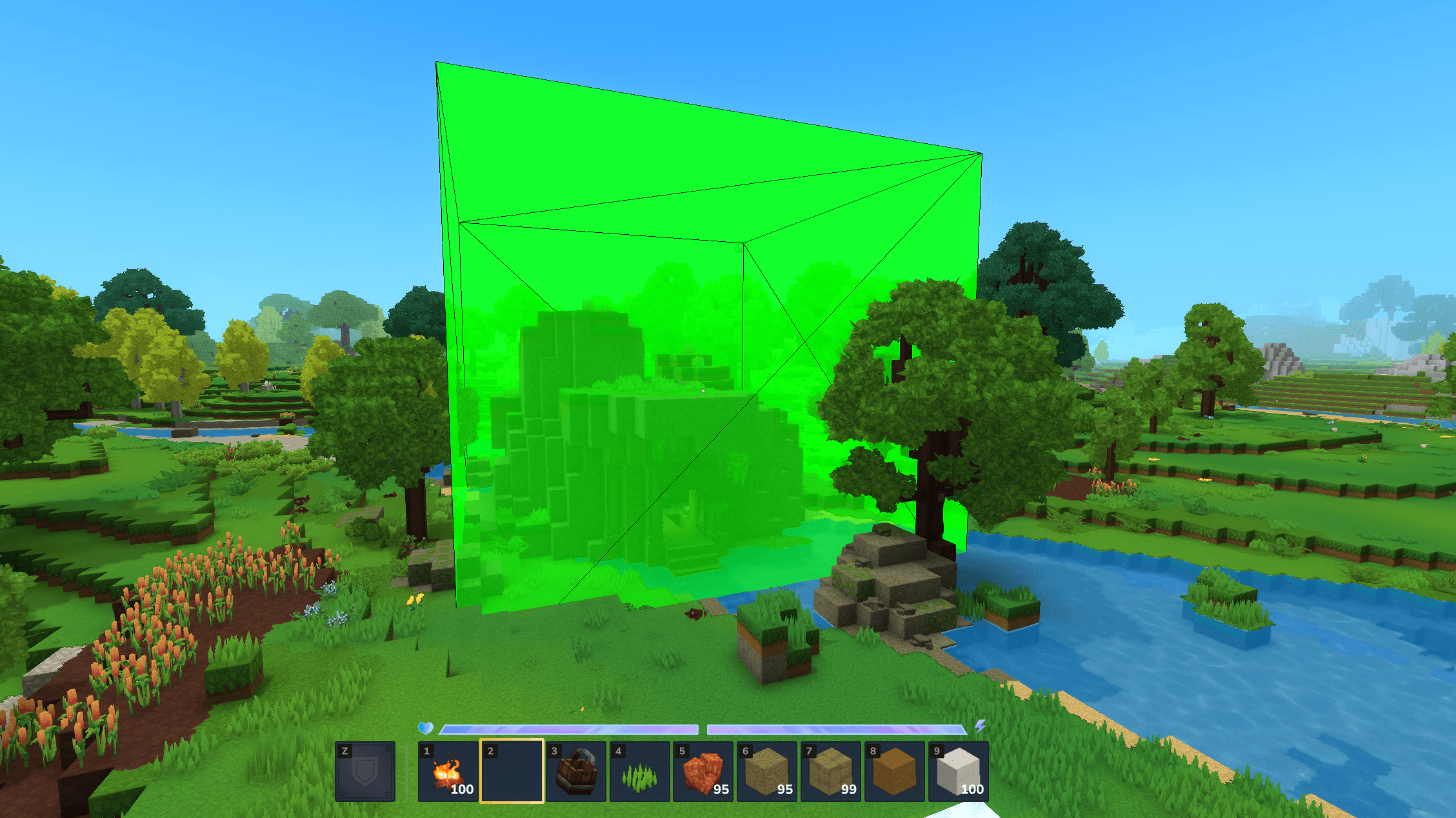
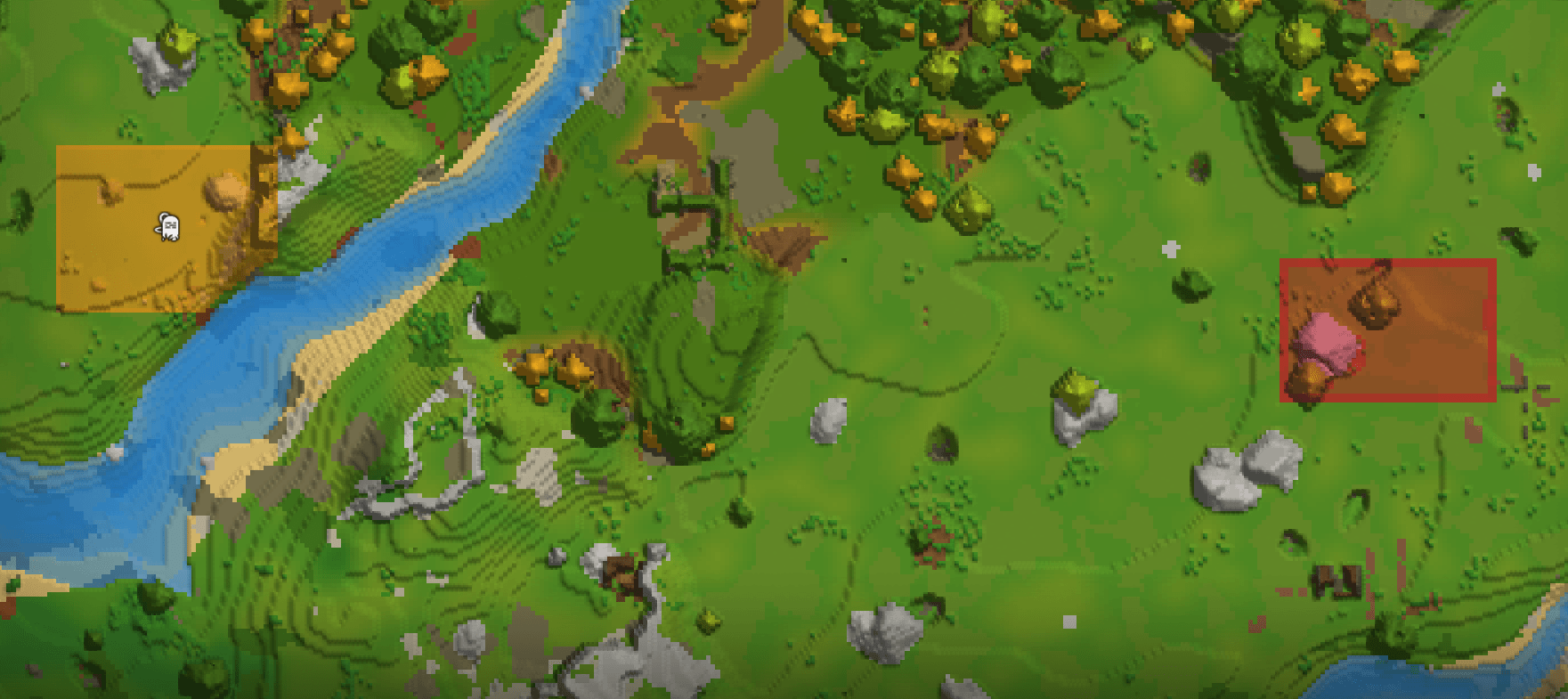
Minimap Integration - Regions render on the world map with labels
Polygonal Regions - Create non-rectangular areas
LuckPerms Groups - Add entire groups as members (g:vip)
Public API - Other plugins can query and modify regions
Quick Start
/rg wand - Enable selection mode Left-click: set pos1 - Break a block to mark corner 1 Right-click: set pos2 - Place a block to mark corner 2 /rg define myregion - Create the region /rg flag myregion build deny - Block building /rg addmember myregion Steve - Add a member who can build
Extended Protection (Hyxin)
Some Hytale mechanics aren't exposed through the plugin API. Without Hyxin, players can bypass protection using:
Exploit What happens
Auto-pickup Items fly into inventory automatically
F-key harvesting Pressing F to harvest crops/ores
Hammer cycling Changing block variants with hammer
Fluid placement Placing water/lava with buckets
Explosions TNT/bombs destroying protected blocks
Command bypass Using /home to escape regions
OrbisGuard is the only protection plugin that blocks ALL of these.
Setup with Hyxin:
Hytale/ ├── earlyplugins/ │ ├── Hyxin-x.x.x.jar <- Mixin loader │ └── OrbisGuard-Mixins-0.3.0.jar <- Extended protection └── mods/ └── OrbisGuard-0.3.0.jar <- Main plugin
All Commands
Command Description
/rg wand Toggle selection wand mode
/rg selmode cuboid|poly Switch between cuboid and polygon selection
/rg define <name> Create region from selection
/rg definepoly <name> Create polygonal region
/rg remove <name> Delete a region
/rg flag <region> <flag> <value> Set a flag
/rg addmember <region> <player> Add member
/rg addowner <region> <player> Add owner
/rg info [region] Show region details
/rg list List all regions
/rg bypass Toggle admin bypass
See all 20+ commands in the full docs →
Flags
Protection
Flag Default Description
build deny Master toggle for all block changes
block-break deny Breaking blocks
block-place deny Placing blocks
hammer deny Hammer cycling (requires Hyxin)
explosions deny TNT/bomb damage (requires Hyxin)
chest-access deny Opening containers
Combat & Movement
Flag Default Description
pvp allow Player vs player combat
damage allow All damage (master toggle)
fall-damage allow Fall damage only
entry allow Entering the region
exit allow Leaving the region
Items & Interaction
Flag Default Description
use allow Doors, buttons, levers
item-pickup allow F-key item pickup
item-pickup-auto allow Auto-pickup (requires Hyxin)
item-drop allow Dropping items
crafting allow Using crafting stations
Messages & Minimap
Flag Description
greet-title Title shown when entering
farewell-title Title shown when leaving
deny-message Custom message when action is blocked
blocked-cmds Commands to block (requires Hyxin)
allowed-cmds Only these commands work (requires Hyxin)
minimap-color Region color on world map (hex)
minimap-label Text label on minimap
Plugin Integrations
LuckPerms - Add permission groups as members: /rg addmember spawn g:vip
SimpleClaims - Party claims render on world map alongside regions
EasyClaims - Player claims render on world map
Patched versions of SimpleClaims and EasyClaims are available on our Discord. These prevent players from claiming chunks that overlap with protected regions.
For Developers
OrbisGuard has a public API for querying and modifying regions:
OrbisGuardAPI api = OrbisGuardAPI.getInstance(); IRegionManager manager = api.getRegionContainer().getRegionManager("world");
// Query regions at a location Set<IRegion> regions = manager.getRegionsAt(100, 64, 200);
// Create a region manager.createRegion("shop", BlockVector3.at(0, 0, 0), BlockVector3.at(100, 256, 100));
// Listen for events api.getEventBus().register(RegionCreatedEvent.class, event -> { System.out.println("Region created: " + event.getRegion().getId()); }); Full API documentation →
Support
Questions or issues? Join the Discord server or contact w1fl0w.
Categories
Screenshots
Need a Server?
Run OrbisGuard | Region Management on a dedicated Hytale server with easy mod management.
Get Hytale HostingFrequently Asked Questions
What is OrbisGuard | Region Management?
Region protection plugin for Hytale servers. Define areas, set flags (block-break, block-place, use), and control who can build where. Based on WorldGuard for Minecraft.
How do I download OrbisGuard | Region Management?
You can download OrbisGuard | Region Management for free from CurseForge. Click the "Download on CurseForge" button on this page to go directly to the download page.
Who created OrbisGuard | Region Management?
OrbisGuard | Region Management was created by wiflow. The mod has been downloaded 3.3K times.
Is OrbisGuard | Region Management compatible with Hytale servers?
OrbisGuard | Region Management is designed for Hytale and can be used on both single-player and multiplayer servers. Check the mod page on CurseForge for specific compatibility information.
How do I install OrbisGuard | Region Management?
To install OrbisGuard | Region Management: 1) Download the mod from CurseForge, 2) Place the file in your Hytale mods folder, 3) Restart the game. The mod should load automatically.
Related Utility Mods
View all mods
BetterMap
Paralaxe
Enhance Hytale World Map

Hybrid
Serilum
🏛️ A Hytale mod library that contains common code for all of Serilum's mods.

VeinMining
EineNT
Instantly mine connected ores and blocks by holding the Walk key (LEFT ALT) while breaking a single block.

Wayback Charm
DarkhaxDev
A charm to help you find your way back home.

Better Modlist
Buuz135
Adds a better modlist to the game, with improved features like searching and logos.

Simple Claims
Buuz135
Adds a chunk claim and protection system.