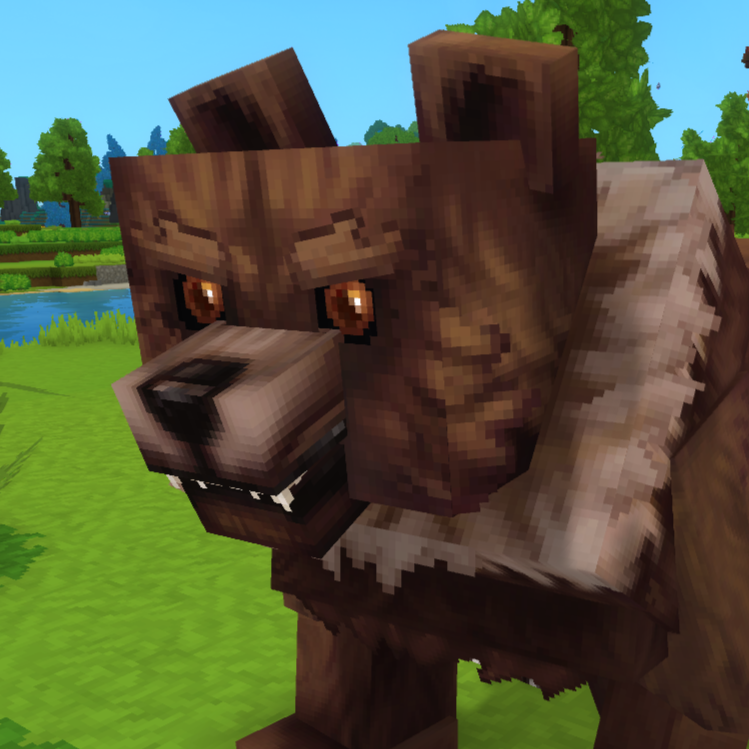
Push and Pull NPCs
Push NPCs by walking into them, Pull NPCs by Crouching and moving!
About Push and Pull NPCs
This MOD is (publically) expiremental. Its a rough implimentation of Pushing and Pulling NPCs. It may or may not get updated unless i find better methods of interaction on my own time. This Mod works as of 2026.01.24-6E2D4FC36
This Mod Makes NPCs like Sheep, Chickens and every other NPC (NOT MINECARTS) Pushable and Pullable.
First walk closely near any NPC in the game, you are required to be quite close, like 1 block distance. (or if you've seen the entity selector, within their BoundingBox)
To Push an NPC, just walk into them, they should move away from you. Pushing them into a 1 high block, should push them up it.
To Pull an NPC, Crouch near them and just move around while crouched (you must now also be looking at them), and they will follow you.
(do note that mobs may just de-spawn and go back to their spawn-points at their structure)
(also note, that non-valid NPCs may still exist in the world but may not be Pushable or Pullable, this can happen after a world reload or crash- im looking into it.)
This Mod has a config (but its only for Push settings), generated after you load into the world for the first time. I will not go over every key:value pair inside it because the defaults are fine, but i will go over the last key; 'PerNPCEntityConfigRules' is a list of strings. You dont need to add or remove anything from this list, like i said the defaults are fine. but if you do:
A string inside this list should look like this
"group:Golem:100.0:0.8" or "exact:Rabbit:25.0:0.6" or "ignore:Grizzly_Bear"
where each value inside this string is seperated by a ' : ' here is what they mean;
match (first value) (required) : how to match a NPC Role ID | options: group, exact, ignore
match is used to specify how you want to select a NPC; 'group' will match NPC Role IDs with second value (Your set ID) in them like Golem will match to Golem_Crystal_Earth or Golem_Crystal_Flame. 'exact' expects to match the exact NPC Role ID like Rabbit to Rabbit. lastly, 'ignore' will ignore the second value so Push would not work on those entities.
NPCRoleId (second value) (required) : the NPC ID
NPCRoleId is essentially the id of the NPC in game, i have a in-game command '/nearestnpc' that will tell you that in Chat, but the Entity Selector Tool will also just tell you that info. This value is required
NPCWeight (third value) (required for 'group' or 'exact' match) | required to be a float
Weights in this Plugin are kindof a mass scalar, Or how hard they are to push, higher weights means you're more likely to walk though them, less weight means you'll push them farther. Id say the range is between 10.0 -100.0, where 35.0 feels fine generally.
NPCRadiusMultiplier (fourth value) (optional, but used with 'group' or 'exact' match) : used to scale the BoundingBox or interaction zone of NPCs | required to be a float
Scales the BoundingBox or Interaction Zone of the selected NPC, the range for this is best between 0.5 - 0.9. Do note 1.0 is the original scale and the bounding box is NOT the exact size of the NPC, so less is better. The Default for all NPCs is 0.65.
Categories
Need a Server?
Run Push and Pull NPCs on a dedicated Hytale server with easy mod management.
Get Hytale HostingFrequently Asked Questions
What is Push and Pull NPCs?
Push NPCs by walking into them, Pull NPCs by Crouching and moving!
How do I download Push and Pull NPCs?
You can download Push and Pull NPCs for free from CurseForge. Click the "Download on CurseForge" button on this page to go directly to the download page.
Who created Push and Pull NPCs?
Push and Pull NPCs was created by FacehuggersInc. The mod has been downloaded 205 times.
Is Push and Pull NPCs compatible with Hytale servers?
Push and Pull NPCs is designed for Hytale and can be used on both single-player and multiplayer servers. Check the mod page on CurseForge for specific compatibility information.
How do I install Push and Pull NPCs?
To install Push and Pull NPCs: 1) Download the mod from CurseForge, 2) Place the file in your Hytale mods folder, 3) Restart the game. The mod should load automatically.
Related Creatures Mods
View all mods
Aures - Livestock Skins
BlackAuresArt
Adds a variety of colors and random variations for rabbits, mouflons, pigs, sheeps, rams, goats and other!
Aures - Horse Skins
BlackAuresArt
Adds a random variations for horses! Also slightly changes the model and animations of horses.
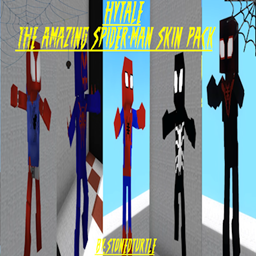
The Amazing Spider-Man Skin Pack!
stonedturtle
This is one of the only Skin mods I've seen! This replaces the player model in-game with a Spider-Man one! Comes with a Brighter Red/Blue, Darker Red/Blue, Symbiote Versions, Miles, 2099, and Scarlet Spidey (Ben Riely)
![[NoCube's] Undead Warriors](https://media.forgecdn.net/avatars/thumbnails/1602/742/256/256/639035338178853736.png)
[NoCube's] Undead Warriors
NoCube
Adds enemy skeletons with random equipment.
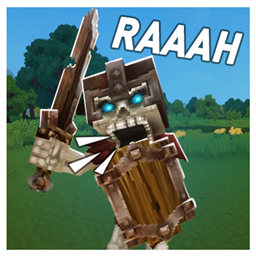
Skeleton Banging Shield
Jen3713_
Makes some skeletons bang their weapon while yelling "RAAAAH"
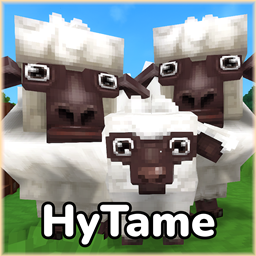
HyTame - Animal Breeding
LaitK
Animal breeding and baby growth for Hytale to expand your farm