
Passive Health Regeneration
Balanced Health Regeneration without Food!
About Passive Health Regeneration
Balanced Health Regeneration without Food!
Features changed:
Regenerating Interval: 1 (from 0.5)
Regenerating Amount: 0.001 (from 0.05)
Conditions: Inverse Player: false
Pause Regenerating when hit: false (from a 15 seconds coolown)
Configuration
After installing the mod, open Hytale, go to Worlds, right-click a world and enable the "Passive Health Regeneration" Pack.
You can now go afk to regenerate health..
P.S. Due to how the core Health file was created by Hytale, there is no way to separate Entities (Players and Mobs). Have fun!
Consider it a patch so you can't really run circles around enemies to regenerate health then strike back. It's a fair trade.
Categories
Need a Server?
Run Passive Health Regeneration on a dedicated Hytale server with easy mod management.
Get Hytale HostingFrequently Asked Questions
What is Passive Health Regeneration?
Balanced Health Regeneration without Food!
How do I download Passive Health Regeneration?
You can download Passive Health Regeneration for free from CurseForge. Click the "Download on CurseForge" button on this page to go directly to the download page.
Who created Passive Health Regeneration?
Passive Health Regeneration was created by razvangn. The mod has been downloaded 1.9K times.
Is Passive Health Regeneration compatible with Hytale servers?
Passive Health Regeneration is designed for Hytale and can be used on both single-player and multiplayer servers. Check the mod page on CurseForge for specific compatibility information.
How do I install Passive Health Regeneration?
To install Passive Health Regeneration: 1) Download the mod from CurseForge, 2) Place the file in your Hytale mods folder, 3) Restart the game. The mod should load automatically.
Related Creatures Mods
View all mods
Aures - Livestock Skins
BlackAuresArt
Adds a variety of colors and random variations for rabbits, mouflons, pigs, sheeps, rams, goats and other!
Aures - Horse Skins
BlackAuresArt
Adds a random variations for horses! Also slightly changes the model and animations of horses.
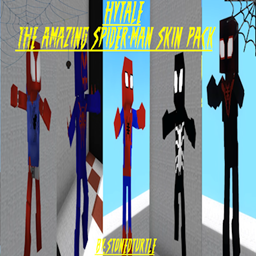
The Amazing Spider-Man Skin Pack!
stonedturtle
This is one of the only Skin mods I've seen! This replaces the player model in-game with a Spider-Man one! Comes with a Brighter Red/Blue, Darker Red/Blue, Symbiote Versions, Miles, 2099, and Scarlet Spidey (Ben Riely)
![[NoCube's] Undead Warriors](https://media.forgecdn.net/avatars/thumbnails/1602/742/256/256/639035338178853736.png)
[NoCube's] Undead Warriors
NoCube
Adds enemy skeletons with random equipment.
Skeleton Banging Shield
Jen3713_
Makes some skeletons bang their weapon while yelling "RAAAAH"
HyTame - Animal Breeding
LaitK
Animal breeding and baby growth for Hytale to expand your farm