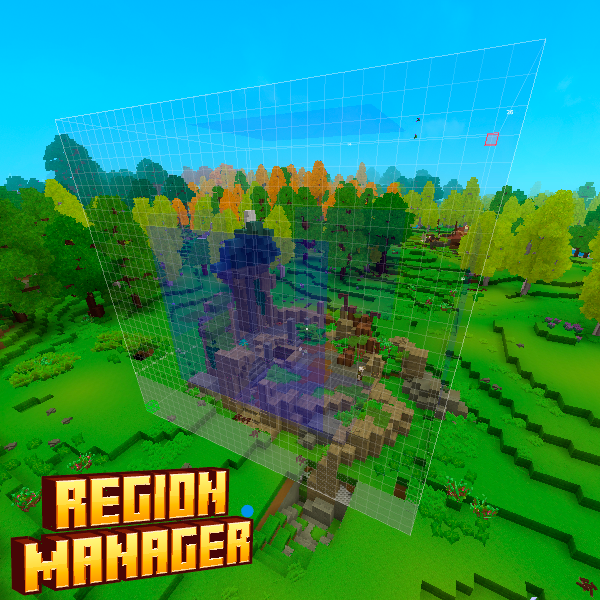
Region Manager
System for managing and creating regions in Hytale
About Region Manager
Region Manager Plugin
Overview
Hytale Region Manager is a professional area protection system for Hytale servers with a unified command structure and advanced permission system.
Key Features
Flag-based permission system: Each flag now has specific modify and bypass permissions
Granular access control: Differentiated permissions for owners, members, and administrators
Global regions per world: Global protection configuration per world
Region creation: Unified selection and creation system
Complete protection system: Build, break, interaction, PvP, PvE
Multi-world support: Works across all server worlds
Priority system: Intelligent handling of overlapping regions
Automatic persistence: Automatic saving with JSON backup
Thread-safe operations: Designed for multiplayer servers
Chunk-based indexing: Optimized for maximum performance
Enhanced permission system: Role-based access control
Commands
Unified Region Commands
/region pos1 - Set first selection point
/region pos2 - Set second selection point
/region deselect - Clear current selection
/region create <name> - Create region from selection
/region delete <name> - Delete a region
/region flag <region> <flag> <value> - Set region flag
/region info [name] - Show region information
/region here - Show regions at current position
/region list - List all regions in current world
/region priority <region> <priority> - Set region priority
/region memberflag <region> <flag> <value> - Set member-specific flags
/region member <region> <player> <action> <role> - Manage owners and members of a region (Actions: add/remove/list | Roles: owner/member)
/region membermode <region> <mode> - Toggle between global and member-specific flags (true = global, false = specific)
Region Flags
Player Flags
player.entry - Allows players to enter the region (default: true)
player.pvp - Allows player vs player combat (default: true)
player.pve - Allows player vs entity combat (default: true)
player.chat - Allows players to send chat messages (default: true)
player.craft - Allows crafting at workstations (default: true)
Action Flags
action.build - Allows block placement (default: true)
action.break - Allows block breaking (default: true)
action.harvest - Allows harvesting blocks/crops (default: true)
Interaction Flags
interact - Allows general block interaction (default: true)
interact.container - Allows accessing containers (default: true)
interact.chest - Allows accessing chests (default: true)
interact.bench - Allows accessing workbenches and furniture (default: true)
interact.door - Allows accessing doors (default: true)
interact.chair - Allows accessing chairs and stools (default: true)
interact.portal - Allows accessing portals and teleporters (default: true)
Item Flags
item.drop - Allows dropping items (default: true)
item.pickup - Allows picking up items (default: true)
Mob Flags
mob.spawning - Allows natural mob spawning (default: true)
mob.damage - Allows mobs to damage players (default: true)
Message Flags
message.greet.title - Title shown when entering region
message.greet.subtitle - Subtitle shown when entering
message.greet.actionbar - Action bar message when entering
message.greet.chat - Chat message when entering
message.greet.notification - Notification when entering
message.farewell.title - Title shown when leaving region
message.farewell.subtitle - Subtitle shown when leaving
message.farewell.actionbar - Action bar message when leaving
message.farewell.chat - Chat message when leaving
message.farewell.notification - Notification when leaving
message.notification.icon - Icon for notifications (default: "Weapon_Sword_Mithril")
message.notification.duration - Duration of notifications in seconds (default: 3)
Management Flags
owners - Comma-separated list of owner UUIDs
members - Comma-separated list of member UUIDs
members-use-global-flags - If true, members use global flags; if false, they have specific values (default: true)
owners-modify-flags - Allows owners to modify region flags (default: true)
members-can-invite - Allows members to invite other players (default: false)
permission-group - Permission group required to access
Permission System
Flag-Specific Permissions
Each flag now has two specific permissions:
Modification permission: razorplay.regionmanager.flags.modify.{key}
Example: razorplay.regionmanager.flags.modify.player.entry
Allows modifying the value of a specific flag
Bypass permission: razorplay.regionmanager.flags.bypass.{key}
Example: razorplay.regionmanager.flags.bypass.player.entry
Allows ignoring the flag restriction
Access Roles
Administrators: Players with region.admin have full control
Owners: Can manage their regions (depends on owners-modify-flags)
Members: Limited permissions based on region configuration
Command Permissions
/region create - Requires selection points set first
/region delete - Requires admin permission or region ownership
/region flag - Permission depends on flag type and user role
/region priority - Requires admin permission or region ownership
/region member - Requires admin, ownership, or member with invite permission
/region memberflag - Requires admin permission or ownership with modify permission
Event Protection System
The plugin includes protection systems for:
Blocks: Block breaking and placement
Interactions: Access to chests, doors, furniture, etc.
Combat: PvP and PvE
Items: Dropping and picking up items
Chat: Chat messages
Crafting: Workstations
Transitions: Entering and leaving regions
Installation
Place the plugin JAR file in your Hytale server's mods folder
Restart the server
Use commands to create and manage regions
Technical Details
Built for Hytale's ECS architecture
Uses chunk-based spatial indexing
Thread-safe singleton patterns
GSON-based persistence
Unified command structure using AbstractPlayerCommand
Enhanced permission validation system
License
MIT License
Support
For issues or questions, contact the developer.
Categories
Need a Server?
Run Region Manager on a dedicated Hytale server with easy mod management.
Get Hytale HostingFrequently Asked Questions
What is Region Manager?
System for managing and creating regions in Hytale
How do I download Region Manager?
You can download Region Manager for free from CurseForge. Click the "Download on CurseForge" button on this page to go directly to the download page.
Who created Region Manager?
Region Manager was created by RazorPlay01. The mod has been downloaded 312 times.
Is Region Manager compatible with Hytale servers?
Region Manager is designed for Hytale and can be used on both single-player and multiplayer servers. Check the mod page on CurseForge for specific compatibility information.
How do I install Region Manager?
To install Region Manager: 1) Download the mod from CurseForge, 2) Place the file in your Hytale mods folder, 3) Restart the game. The mod should load automatically.
Related Utility Mods
View all mods
BetterMap
Paralaxe
Enhance Hytale World Map

Hybrid
Serilum
🏛️ A Hytale mod library that contains common code for all of Serilum's mods.

VeinMining
EineNT
Instantly mine connected ores and blocks by holding the Walk key (LEFT ALT) while breaking a single block.

Wayback Charm
DarkhaxDev
A charm to help you find your way back home.

Better Modlist
Buuz135
Adds a better modlist to the game, with improved features like searching and logos.

Simple Claims
Buuz135
Adds a chunk claim and protection system.